

How To Fix “Printer Needs User Intervention” In Windows 10
Windows and printer is a deadly combination of productivity. But in cases, the combination is a nightmare too. There are some errors codes appear when you get a particular type of printer error. Previously we written few printer errors fixes such as 0x00000709 error, printer driver update problem, Printer Has Experienced An Unexpected Configuration Problem…

How To Fix “Printer Needs User Intervention” In Windows 10
Windows and printer is a deadly combination of productivity. But in cases, the combination is a nightmare too. There are some errors codes appear when you get a particular type of printer error. Previously we written few printer errors fixes such as 0x00000709 error, printer driver update problem, Printer Has Experienced An Unexpected Configuration Problem 0x8007007e and many more.
Today we are discussing one such printer error which is stopping user to do the print job on Windows 10. “Printer needs user intervention” or “User intervention required” is a kind of printer error displays on the screen when you trying to give print command.
It is a common error especially in laser printers when the driver fails to load or spooler fails to function. Here are the best solutions to ix “Printer Needs User Intervention” in Windows 10.
The most obvious solution is stopping the spooler and restarting again using the Windows 10 Task Manager. Here how it works:
How To Fix “Printer Needs User Intervention” In Windows 10
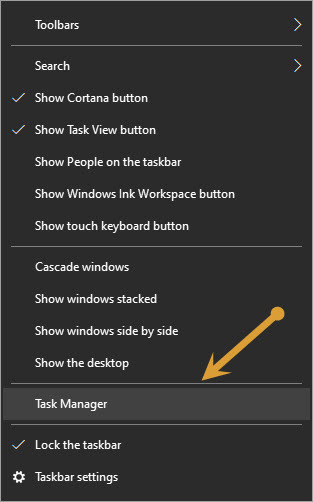
- Right-click on the Windows 10 taskbar and click on Task Manager in the context menu.
- In the Task Manager window, click on the Service tab and search for Spooler service.
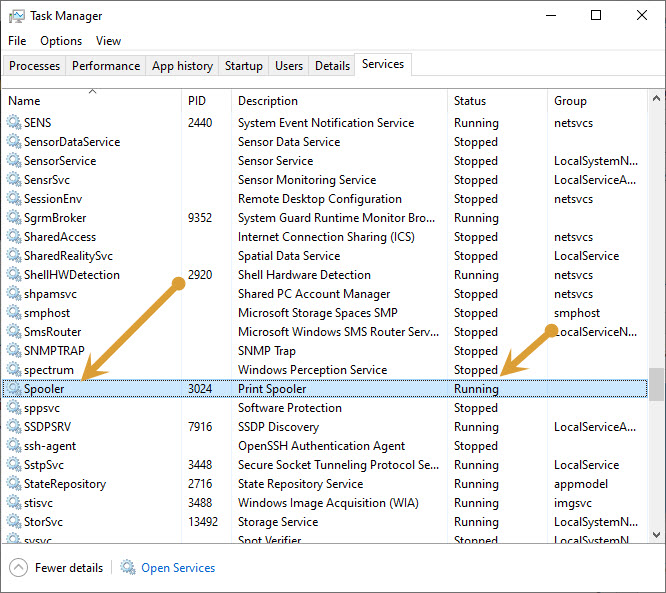
- Mostly the Print Spooler service and it should be already running. You can check its status by checking under the Status tab.
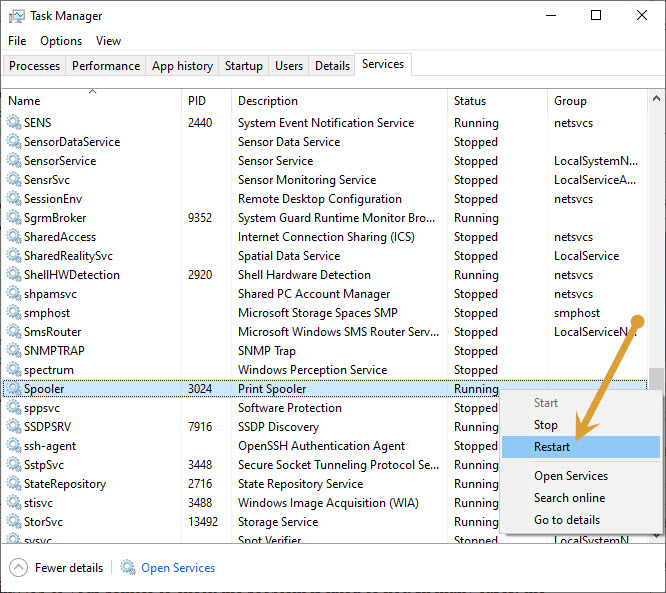
- Select the Spooler service, right-click on it and click on restart in the context menu.
After restarting the service, it will restart and runs like normal. Now reboot your system and give a fresh printing job to your printer to check the problem is fixed or not. In many cases, the “Printer Needs User Intervention” error is fixed by restarting the spooler service in the task menu. This is only the solution available to fix the issue in Windows 10 computers.
Let us know your valuable feedback in the comment section below.
More in How-to
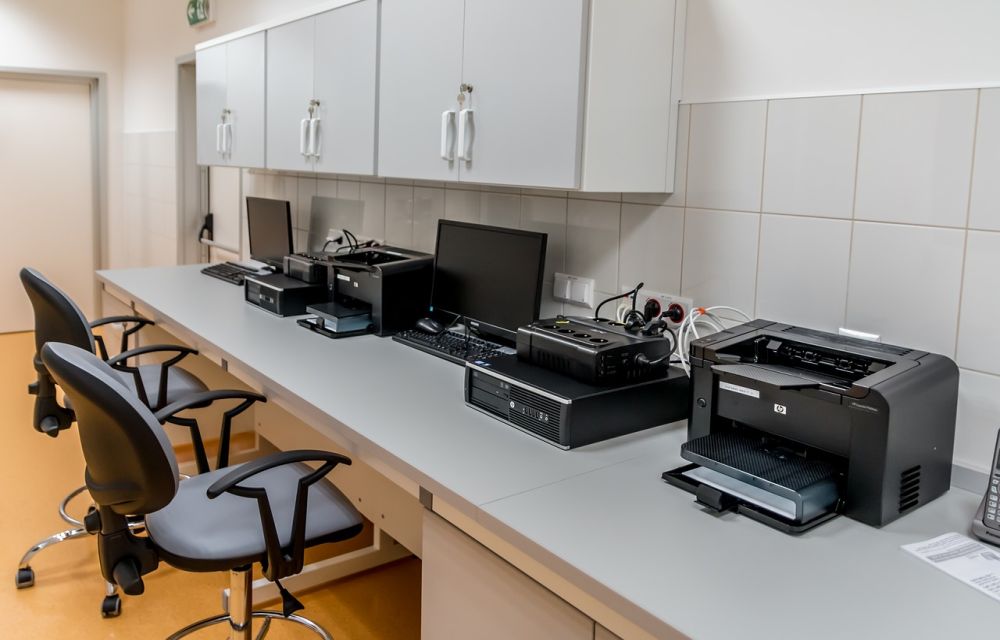
How to fix error 0x00000709 unable to set default printer in Windows 10
There are plenty of Printer errors that are common in Windows 10. Many people complain printer is offline in Windows and some are facing unable to update the printer drivers. Windows 10 error 0x00000709 is most common among multiple printers users. If you are using a single printer this problem never comes. It is a…
How To Fix Printer Has Experienced A Configuration Problem On Windows 10
Printers are user-friendly devices. Many modern printers come with a plug-and-play facility where users can install the printer on a computer with just a click. Windows 10 is the most user-friendly operating system after Windows 7. Most printers are compatible with Windows 10, and drivers will be automatically installed when you connect to the system.…
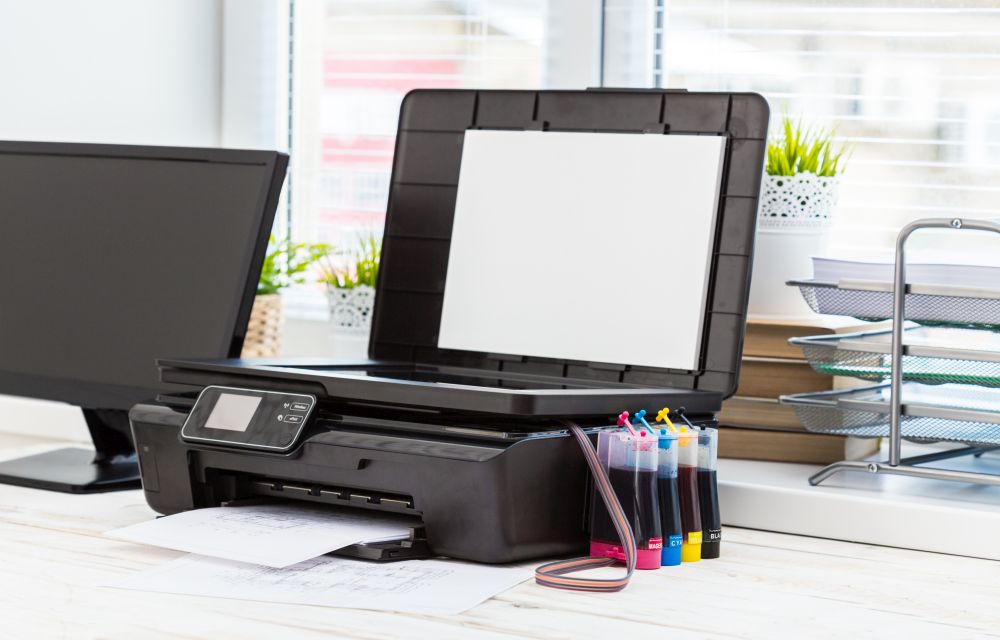
How To Fix Canon B200 Error
Printer errors are most common in Windows OS. It is quite frustrating when you need a print out in important or emergency situations suddenly an error code appears on the screen. Recently, our readers asked how to fix printer offline problem and we have given a quite simple guide to fix the issue. In today’s…
The week in tech, minus the noise.
New reviews, fixes and the stories that matter — once a week, straight to your inbox.
We only use your email to send the newsletter. Unsubscribe any time. See our privacy policy.
Comments