

How to Play PS2 Games on PC: Complete PCSX2 Setup Guide
Want to play PS2 games on a PC? The short answer: install the free PCSX2 emulator, give it a BIOS file dumped from your own PlayStation 2, and load your game, either straight from the original disc in a PC DVD drive or from an ISO you ripped from that disc. That’s the complete recipe,…

How to Play PS2 Games on a PC
Want to play PS2 games on a PC? The short answer: install the free PCSX2 emulator, give it a BIOS file dumped from your own PlayStation 2, and load your game, either straight from the original disc in a PC DVD drive or from an ISO you ripped from that disc. That’s the complete recipe, and most people are playing within 15 to 20 minutes.
In this guide, we walk you through every step: what you need, how to set up PCSX2, how to play your PS2 CDs and DVDs on a PC, controller setup, the best performance settings, and fixes for the usual problems. We also answer two questions we get a lot: can you play PS2 games on PC without an emulator, and can you do it without a BIOS?
What you need before you start
- A reasonably modern PC. PCSX2 runs on Windows 10/11 (64-bit), Linux and macOS. The official minimum is a CPU with SSE4.1, two physical cores and decent single-thread speed, 8 GB of RAM and a graphics card that supports Vulkan, Direct3D 11 or OpenGL. For smooth upscaling, a CPU with AVX2, four cores, 16 GB of RAM and a mid-range GPU is much better. Check the requirements page on the PCSX2 site for the exact figures.
- A PS2 BIOS dumped from your own console. PCSX2 can’t boot games without it (more on this below).
- Your PS2 games. Either the original discs plus a DVD drive (internal or USB), or ISO images you made from discs you own.
- A controller (optional but recommended). An Xbox controller, DualShock 4 or DualSense works out of the box.
How to play PS2 games on PC with PCSX2 (step by step)
Step 1: Download and install PCSX2
Go to the official PCSX2 website and download the latest stable release for your operating system. On Windows, you can use the installer or the portable version. Only download PCSX2 from its official site; “PCSX2 bundles” on random download sites are often loaded with adware or include files you should not have.
Step 2: Dump your PS2 BIOS
The BIOS is the PS2’s firmware, and it is copyrighted by Sony. That’s why emulators don’t include it, and why downloading a BIOS from the internet is not a legal option. The legal way is to copy it from a PS2 you own.
PCSX2’s own documentation explains how: you run a small homebrew BIOS dumper tool on your PS2 (this requires a softmod such as FreeMcBoot or FreeDVDBoot), and it saves the BIOS files to a USB stick. Copy those files to a folder on your PC, for example Documents\PCSX2\bios. We are not linking to BIOS or game download sites here, and you should avoid them; besides the legal problem, they are a common source of malware.
Step 3: Run the PCSX2 setup wizard
The first time you open PCSX2, a setup wizard appears.
- Pick your language and theme.
- On the BIOS page, point PCSX2 to the folder that holds your BIOS dump. Once it’s detected, select it from the list (the region, such as USA, Europe or Japan, is shown next to it).
- On the Game Directories page, add the folder where you keep your PS2 ISOs. PCSX2 will scan it and show your games with covers and titles.
- On the Controller page, choose your gamepad (see the controller section below), then finish the wizard.
Step 4: Load your game
Double-click a game in your library to start it. If you want to play from a disc, see the next section. That’s it, your PS2 game is now running on your PC.
How to play PS2 CDs and DVDs on a PC
A lot of you search for “how to play PS2 CD on PC”, so here are the two ways to do it.
Option 1: Play directly from the disc
PCSX2 can read PS2 discs straight from your PC’s DVD drive. Insert the disc, then use the Start Disc option in PCSX2 and choose your drive. This works, but drive noise, slower loading and disc swapping make it less convenient. Some laptop and older drives also struggle with certain PS2 discs.
Option 2: Rip your disc to an ISO (recommended)
Making an ISO from a disc you own gives faster loading and no wear on the original. PCSX2’s documentation suggests free tools such as Media Preservation Frontend (MPF) or ImgBurn:
- Insert the PS2 disc into your PC’s drive.
- In ImgBurn, choose Create image file from disc (in MPF, scan for discs and start dumping).
- Save the
.isoto your PS2 games folder. - Back in PCSX2, refresh the game list and start the game.
Tip: If a ripped game freezes on a loading screen, the copy may be bad. Re-rip it at a lower drive speed. Also note that PS2 games on blue-bottom CDs rip to .bin files with a .cue or .toc; PCSX2’s docs note it doesn’t read .cue/.toc directly, so check their disc-dumping page for how to handle those.
Set up your controller
Open Settings > Controllers in PCSX2.
- Plug in your gamepad, select it in the Controller Port 1 settings, and use Automatic Mapping to map all buttons in one click.
- Xbox controllers, DualShock 4 and DualSense pads are supported. Pressure-sensitive buttons from the original DualShock 2 are emulated, so the few games that need them still work.
- You can play with a keyboard too; just map each PS2 button manually.
- For two-player games, enable and map Controller Port 2 the same way.
Best PCSX2 settings for performance
PCSX2’s default settings are already good for most games. Here’s what to tweak in Settings > Graphics if you want better visuals or smoother gameplay:
- Renderer: Leave it on Automatic, or choose Vulkan or Direct3D 11/12. If a game shows glitches, try a different renderer.
- Internal Resolution: Start at 2x or 3x native (roughly 720p to 1080p). Go higher, even 4K, only if your GPU keeps a steady frame rate.
- Widescreen patches: Many games support 16:9 through patches you can enable in the game’s properties.
- Per-game settings: Right-click a game and choose Properties to save settings for that title only. This is the cleanest way to fix one demanding game without affecting the rest.
- Turn on the performance overlay (on-screen display options) to see your FPS and whether your CPU or GPU is the bottleneck.
If a game is slow even at native resolution, your CPU is likely the limit. Close background apps, plug in your laptop, and use Windows’ best-performance power mode.
Can you play PS2 games on PC without an emulator?
Honestly, no. A PC can’t run a PS2 disc natively because the PS2 used completely different hardware. Putting a PS2 disc in your PC and double-clicking it won’t work. Any “PS2 player” app you find is just an emulator under a different name, or worse, malware.
If you don’t want to use an emulator, your options are:
- Buy the PC version: Many PS2-era games were released or remastered for PC and are sold on the usual PC game stores.
- Remasters and collections: Plenty of PS2 classics have modern re-releases that run natively on Windows.
- Official subscription/streaming services: Sony’s PlayStation Plus offers a catalogue of classic games on some devices; check what’s currently available for PC in your region.
Can you play PS2 games on PC without a BIOS?
Not with PCSX2. The PCSX2 team states clearly that it can’t run games without a BIOS, and there is no open-source replacement for it. The only legal way to get one is to dump it from your own PS2 (Step 2 above). Websites offering “PCSX2 without BIOS” or BIOS downloads are offering copyrighted files, and many of them bundle malware, so we recommend staying away.
Other PS2 emulators for PC
PCSX2 is the recommended choice for almost everyone. It’s open source, actively developed and has the best compatibility.
RetroArch with the LRPS2 core is an option if you already use RetroArch for other consoles and want everything in one interface. It’s based on PCSX2 code, but the standalone PCSX2 usually gets new fixes and features first.
Still not working? Troubleshooting PCSX2
- “No BIOS found” or BIOS not listed: Make sure all the dumped files are in the folder PCSX2 points to (Settings > BIOS), then refresh the list.
- Black screen or game returns to the menu: Try a different renderer, disable any cheats/patches, and check that your ISO isn’t a bad dump. Re-rip if needed.
- Freezes on a loading screen: Usually a bad dump. Re-rip the disc at a lower speed.
- Slow or stuttering gameplay: Lower the internal resolution, switch renderer, and update your graphics driver. Use the performance overlay to see whether the CPU or GPU is maxed out.
- Graphical glitches when upscaling: Some games look wrong above native resolution. Set that game back to native or 2x in its per-game properties.
- Controller not detected: Reconnect it, then click Automatic Mapping again in Settings > Controllers. Close other apps that might be grabbing the controller.
- Disc won’t start: Clean the disc and try ripping it to ISO instead; some PC drives read PS2 discs poorly.
Is it legal to play PS2 games on PC?
Emulators like PCSX2 are legal software. What matters is where your files come from. Dumping the BIOS from your own PS2 and making backups of games you own is the approach the PCSX2 team supports. Downloading BIOS files or game ISOs you don’t own may break copyright law in your country. When in doubt, check your local laws, and support developers by buying the games you play.
FAQs
What is the easiest way to play PS2 games on PC?
Install PCSX2 from its official website, add a BIOS dumped from your own PS2 in the setup wizard, then start your game from the disc or an ISO you ripped. That’s the whole process.
Can I play my PS2 discs on my PC?
Yes. With a DVD drive, PCSX2 can boot your PS2 disc directly using Start Disc. For faster loading, rip the disc to an ISO first.
Can I run PS2 games on PC without a BIOS?
No. PCSX2 needs a real PS2 BIOS, and the only legal source is your own console.
Do I need a powerful PC for PCSX2?
Not for native resolution. Most modern PCs run PS2 games well. Upscaling to 1440p or 4K needs a stronger CPU and graphics card.
Is PCSX2 safe?
Yes, when downloaded from its official site. Avoid third-party “PCSX2 packs” with BIOS or games included.
That’s everything you need to relive your favourite PS2 classics on a PC. Which game are you playing first? Let us know in the comment section below.
More in Windows

How To Run Android On Windows With GenyMotion
Android on Windows sounds super cool? Yes anyone can run Android on Windows with Genymotion. This is very useful for normal people who want play games and developer’s to test their apps without buying device. What is GenyMotion Android Emulator? Whatever your needs may be, GenyMotion solves your problem easily. GenyMotion is a third-party application…
How To Fix Xinput1_3.dll is Missing Error On Windows
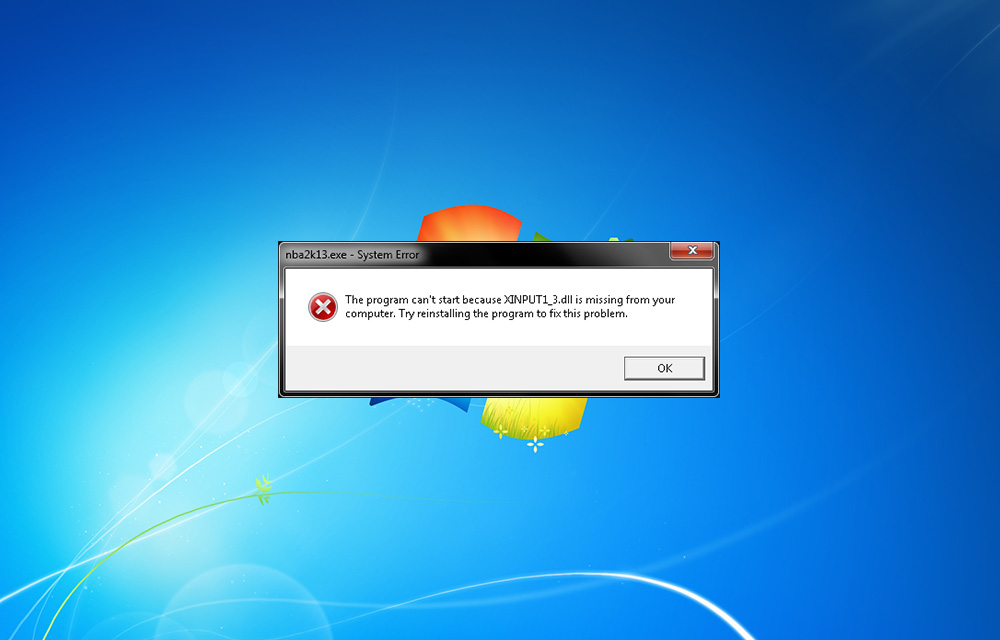
You may be faced Xinput1_3.dll is missing error while playing games. It is a common error comes during game play. Many of us just click on “OK” to exit the pop-up and continue the game. Unfortunately, this error doesn’t end by tapping ok. The reason of this error is the missing DirectX 9, which is…

Backup your game saves locally or on cloud with Game Backup Monitor
There are times when you, as a gamer, just want to rush somewhere but you are playing a game. Meanwhile, suddenly if the PC is crashed, all of our saved games data will vanish. What you will do is find a way to save the gameplay so that you can restart from that position the…
The week in tech, minus the noise.
New reviews, fixes and the stories that matter — once a week, straight to your inbox.
We only use your email to send the newsletter. Unsubscribe any time. See our privacy policy.
Comments