

Best Email Marketing Software for Small Businesses: Mailchimp vs Klaviyo vs Constant Contact (2026)
Mailchimp, Klaviyo, Constant Contact, Brevo, Kit and MailerLite compared for US small businesses, covering how each one charges, what free plans include, and the CAN-SPAM and Gmail rules you can’t skip.


Photo by Glenn Carstens-Peters on Unsplash
I thought picking an email tool would take ten minutes. Nope. Six pricing pages later I realized nobody agrees on what a “contact” even is. Mailchimp bills you for the whole list, Brevo mostly cares about sends, Klaviyo counts people who can actually get marketing. Same 3,000 people, three very different invoices.
Below I’m lining up the usual suspects: Mailchimp, Klaviyo, Constant Contact, Brevo, Kit (yep, the old ConvertKit) and MailerLite. Then the boring-but-important stuff, CAN-SPAM and Gmail’s sender rules, because the prettiest newsletter in the world is useless if it lands in spam.
Pricing note: Mailchimp and Klaviyo numbers come straight off their own pages. The other four? I couldn’t confirm current prices, so I’ll explain how they charge and leave the exact figures to their pricing pages. These change every few months anyway.
Quick answer: For most US small businesses, Mailchimp is the safest all-round place to start, and Klaviyo is the one I’d shortlist first for an online store that lives on automated emails. If you have a big list but only send now and then, a send-based tool like Brevo may cost less. Whichever you pick, set up SPF, DKIM and DMARC on your domain, and put a working unsubscribe link and your postal address in every marketing email.
What actually matters when you compare tools
Every feature grid looks the same by tab number four. Here’s what I’d actually check.
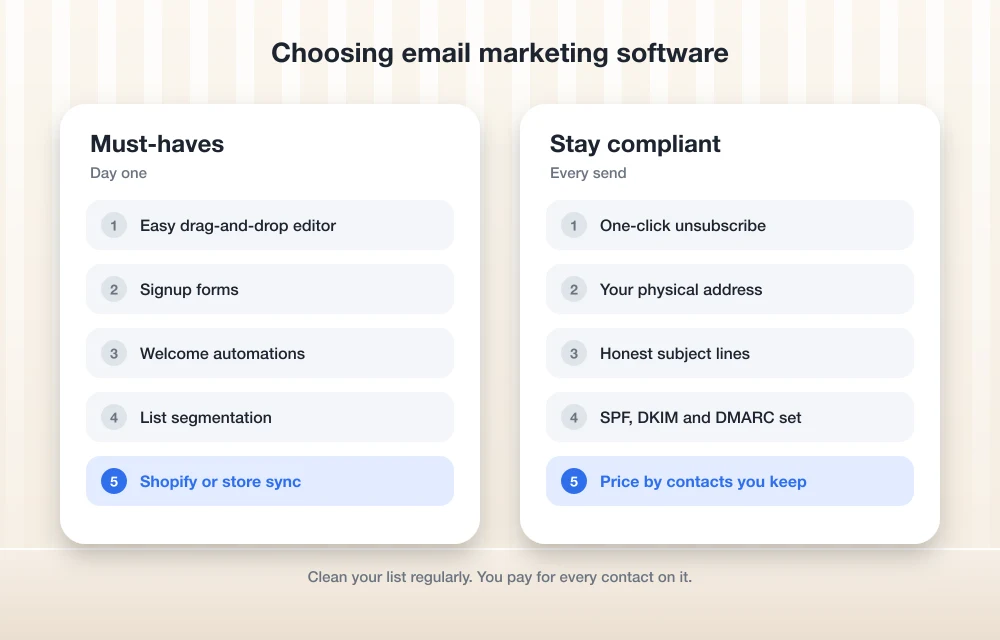
Pricing as your list grows. Cheap at 500 contacts means nothing. Plug in the list size you’re hoping for next year, 5,000 or 25,000, and see what the bill does.
Automations. Set-it-and-forget-it emails. Someone signs up, buys, or bails on a cart, and the right email just goes out. A welcome series and a cart reminder usually pull more weight than the newsletter you sweat over every Friday.
Templates and the editor. If design isn’t your thing (it isn’t mine), the editor is everything. Build one actual email on the free plan before paying. You’ll know in 15 minutes if it’s going to annoy you.
E-commerce integrations. Selling on Shopify? Then you want order data in your email tool, so the person who bought hiking boots doesn’t get your sandal promo. Some integrations go deep, some barely sync. The Shopify App Store listing tells you more than any pricing-page checkbox.
Deliverability basics. Deliverability just means whether your email lands in the inbox, the spam folder or nowhere at all. The tool matters, sure. But your domain setup and list hygiene matter more. I’ll get into that below.
SMS add-ons. Texts can work really well for flash sales and order updates. Some tools bundle SMS in, some charge extra, and some leave it off the free plan completely.
Contact-based vs send-based pricing
This trips up a ton of people, so I’ll spell it out.
With contact-based pricing, you pay for how many people are stored in your account. Mailchimp works like this. Its help pages say billing is based on your total contact count, and an audience can hold subscribed, unsubscribed and non-subscribed contacts. Archived, cleaned and deleted contacts don’t count toward that total. So here’s a handy tip: archive the people who’ve unsubscribed or gone cold, and your bill may go down. Your Mailchimp plan also comes with a sending limit, and Mailchimp charges overages if you go past your contact or send limit.
Klaviyo does a twist on this. It prices on “active profiles,” which Klaviyo defines as contacts who may receive marketing email, plus your send volume. People who can’t get marketing don’t push your plan up the same way.
With send-based pricing, you mostly pay for how many emails go out, and the number of stored contacts matters less. Brevo is the best-known example of this model, though I couldn’t confirm its current plan names or prices. If you’ve got a big list and email it once or twice a month, send-based pricing can be a great deal. Email daily, though, and the math can flip on you.
Mailchimp also has a Pay As You Go option where you buy credits, and one credit equals one email send. Only sending a few campaigns a year? Worth a look.
Quick comparison table
| Tool | Free plan | How it charges | Best fit |
|---|---|---|---|
| Mailchimp | Yes: up to 250 contacts and 500 sends a month | Total contacts, with a sending limit per tier | General small businesses |
| Klaviyo | Yes: up to 250 active profiles and 500 emails a month | Active profiles plus send volume | Online stores |
| Constant Contact | Trial only, as far as I know (check) | Contacts (check current tiers) | Local and service businesses |
| Brevo | Yes, with a daily send limit (check) | Send volume | Big lists, occasional sends |
| Kit | Yes, Newsletter plan (check limits) | Subscribers | Creators and newsletters |
| MailerLite | Yes (limits changed recently, check) | Subscribers | Tight budgets |
The six tools, one by one
1. Mailchimp
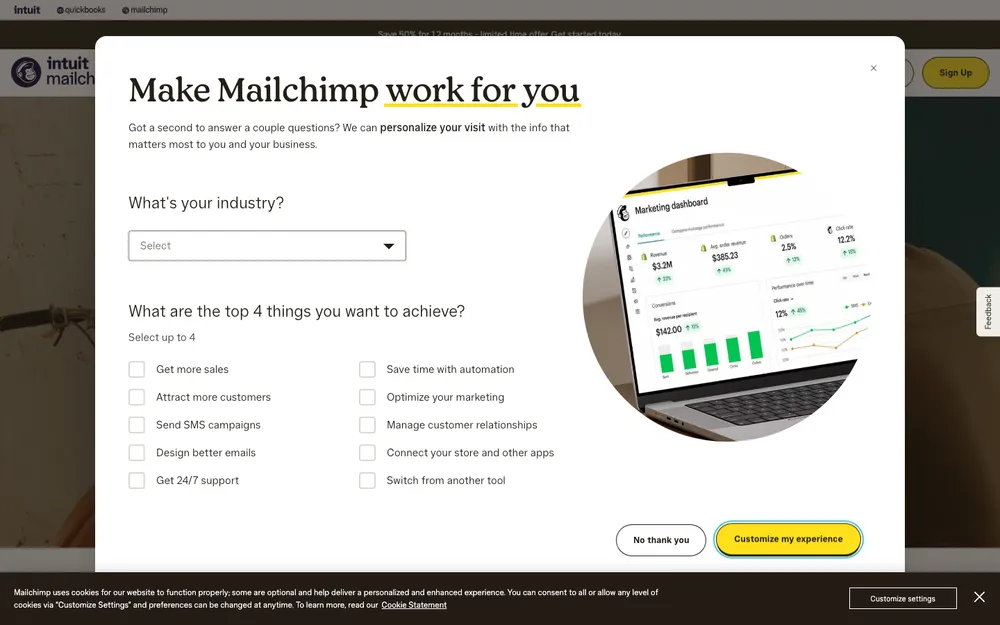
Mailchimp is the name most people already know, and for a general small business it’s still a pretty sensible default. There are four marketing plans: Free, Essentials, Standard and Premium.
The Free plan gets you up to 250 contacts and 500 sends a month. Enough to learn the tool. Not enough to run a real business list for very long. And no SMS marketing on Free, either.
When I checked, Essentials showed “$13/mo for 12 months,” which reads like an intro rate to me, so expect it to go up after year one. Mailchimp’s pricing page also mentions a 14-day free trial and 15% off for 12 months at 10,000+ contacts. Standard lists up to 6,000 emails a month at the entry level shown on the pricing page, and the limits climb as your contact count grows. I couldn’t confirm current Standard or Premium starting prices, and anything over 200,000 contacts is custom priced.
My take? Great for getting started, but keep an eye on that contact count. Since unsubscribed contacts in your audience still count toward billing, cleaning up your list regularly is just part of life with Mailchimp.
2. Klaviyo
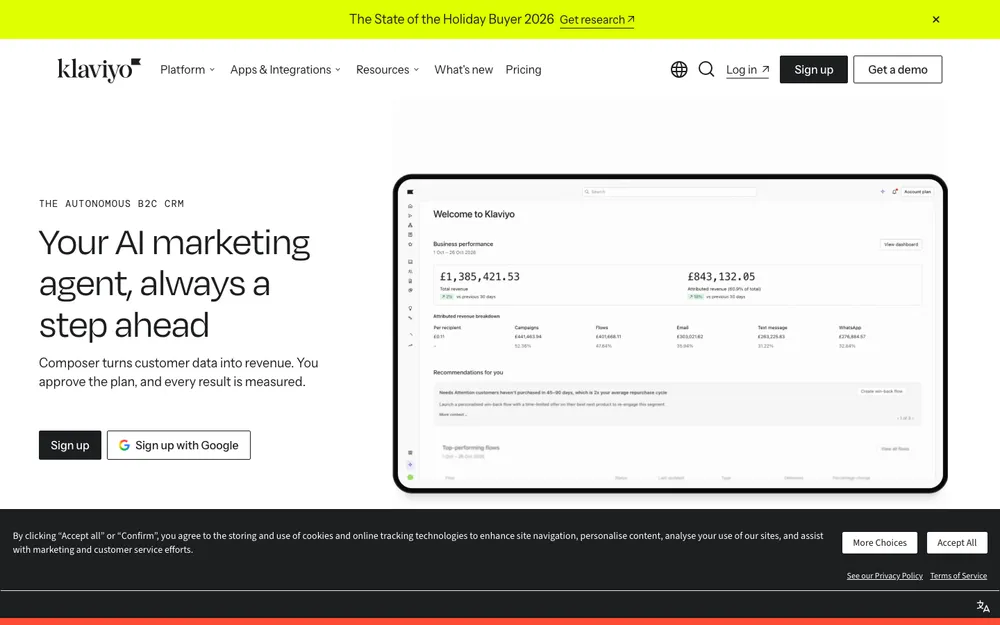
If you run an online store and want your emails driven by what customers browse and buy, Klaviyo is where I’d look first.
Its Free plan covers up to 250 active profiles and 500 emails a month. Klaviyo’s pricing page lists automations, segmentation, reports and drag-and-drop email and SMS editors on the free plan, which is honestly pretty generous. One catch: I checked that on the UK version of the page, so confirm it on the US one.
The paid Email plan starts at $20 a month for 500 active profiles and 5,000 emails a month. When I looked, there was also a limited-time offer of a $1 first month on eligible plans up to 5,000 active profiles. I couldn’t confirm the starting price of the Email + SMS plan, or how many SMS credits come with it.
Small gotcha here. Klaviyo branding only comes off your emails once you upgrade to a paid email plan. Paying for SMS alone won’t remove it.
3. Constant Contact

Constant Contact has been around forever. It tends to suit local shops, restaurants, nonprofits and service businesses that just want a no-fuss newsletter and some event emails.
As far as I know, there’s no forever-free plan, just a free trial, and the tiers are priced by contact count. I couldn’t verify the current tier names or prices before publishing, so please check the official pricing page before you set a budget.
4. Brevo
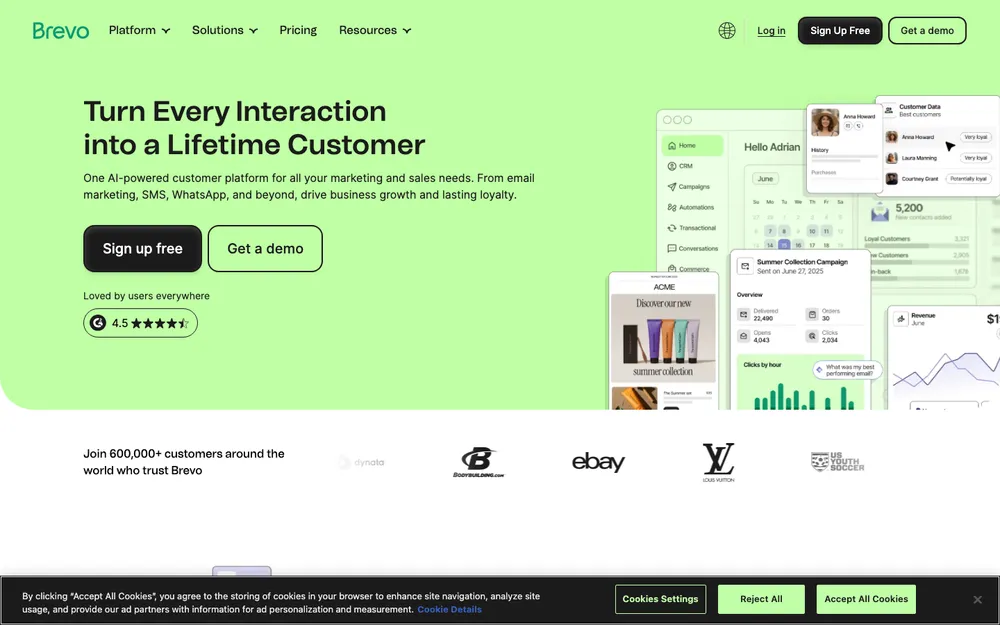
Brevo is the clearest example of send-based pricing on this list. My understanding is the free plan has a daily send limit instead of a fixed contact cap, and the paid tiers scale with how many emails you send.
Why does that matter? Say you’ve built up a big list over the years but only email it once in a while. With a contact-based tool you’d be paying for every single one of those people every month. I couldn’t confirm Brevo’s current plan names, limits or prices, so check its pricing page.
5. Kit (formerly ConvertKit)

Kit is made for creators. Newsletter writers, coaches, course sellers, podcasters, that crowd. If your business is basically you plus an audience, give it a look.
There’s a free Newsletter plan, and I believe the subscriber limit on it is fairly generous, but I couldn’t confirm the current number. Paid plans go by subscriber count. Check Kit’s pricing page for today’s tiers.
6. MailerLite
MailerLite is my budget pick. If you want the core stuff (campaigns, automations, signup forms) without paying for extras you’ll never touch, I’d shortlist it.
It does have a free plan, but the limits seem to have changed in 2025, and I couldn’t confirm the current subscriber and email caps. Paid plans are priced by subscriber count. Check MailerLite’s pricing page before you sign up.
CAN-SPAM rules every US sender has to follow
The CAN-SPAM Act covers commercial email in the US, and it applies to a five-person bakery just as much as a giant brand. The FTC’s CAN-SPAM Act compliance guide for business is the official reference, and I’d say it’s worth ten minutes of your day. The main points, as I understand them:
- Your header info (From, To, Reply-To) can’t be false or misleading.
- No deceptive subject lines. Keep them honest.
- People have to be able to tell the message is an ad.
- You need a valid physical postal address in the email. A street address is fine, and so is a properly registered P.O. box or private mailbox.
- You have to tell people clearly how to opt out.
- Opt-outs have to be honored within 10 business days, and you can’t charge a fee or ask for anything beyond an email address.
- Hiring someone else to send your email doesn’t get you off the hook. You’re still responsible.
Penalties are charged per violating email and get adjusted for inflation every year, so check the FTC guide for the current number. Good news though: every tool on this list adds an unsubscribe link and asks for your address by default. Just don’t go deleting them.
Google and Yahoo’s bulk sender rules
Here’s the part a lot of small businesses miss. Since 2024, Gmail and Yahoo have made senders prove they are who they say they are. Google’s email sender guidelines spell out the rules, and Yahoo’s are really similar.
Okay, three acronyms, explained once. SPF is a DNS record listing which servers are allowed to send email for your domain. DKIM adds a digital signature proving the email wasn’t tampered with. DMARC tells inboxes what to do when a message fails those checks, and it sends you reports.
Per Google’s guidelines, all senders need SPF or DKIM. Bulk senders, meaning roughly anyone sending 5,000 or more messages a day to personal Gmail accounts, need SPF, DKIM and DMARC, and the From domain has to line up with SPF or DKIM. Marketing mail needs one-click unsubscribe, and unsubscribes should be processed within 2 days. Google also wants bulk senders to keep their spam rate under 0.3% in Postmaster Tools, and to have valid forward and reverse DNS plus TLS encryption.
Not a bulk sender yet? I’d still set up all three. It’s free, and you won’t be scrambling later.
Setting up SPF, DKIM and DMARC
You’ll do this in your DNS settings, which usually live wherever you bought your domain or host your site. Still picking a host? Our guide to the best web hosting for small businesses is a decent place to start.
- Inside your email marketing tool, find the domain authentication settings. It’ll hand you the exact SPF and DKIM records to add.
- Add those records at your DNS host, then hit verify back in the email tool.
- Add a TXT record at _dmarc.yourdomain.com with the value v=DMARC1; p=none; rua=mailto:[email protected] (swap in your own address).
- Give the records time to update, then send a test email to a Gmail address.
The exact menus are different for every DNS host, so follow your host’s help pages for where to click.
How to pick by business type
Online store: Start with Klaviyo, and compare it against Mailchimp if money’s tight. Before committing, open each tool’s Shopify App Store listing and make sure it syncs the order data you care about.
Retail shop with a physical counter: A lot of your best signups happen at checkout. So pair your email tool with a POS that grabs emails at the register (our roundup of the best POS systems for small businesses can help with that). For regular promos, Mailchimp or Constant Contact are both reasonable.
Service business or agency: If you’re tracking leads and follow-ups, your CRM matters just as much as your email tool. I’d read our guide to the best CRM software for small businesses first, then pick an email tool that connects to it.
Creator or newsletter business: Kit is made for you. MailerLite is the cheaper one to try.
Big list, occasional emails: Do the math on Brevo’s send-based pricing versus a contact-based tool at your actual list size.
Frequently Asked Questions
Is there a free email marketing tool for small businesses?
Yep. Mailchimp’s Free plan covers up to 250 contacts and 500 sends a month, and Klaviyo’s Free plan covers up to 250 active profiles and 500 emails a month. Brevo, Kit and MailerLite have free plans too, but check their pricing pages for the current limits. Constant Contact, as far as I know, gives you a trial instead of a free plan.
What’s the difference between contact-based and send-based pricing?
Contact-based pricing charges you for how many people are stored in your account, which is how Mailchimp does it. Send-based pricing mostly charges for how many emails you send, which is how Brevo works. If you’ve got a big list and rarely email it, send-based can come out cheaper.
Do I need DMARC if I’m a small sender?
Google’s sender guidelines say all senders need SPF or DKIM, and bulk senders (roughly 5,000+ messages a day to personal Gmail accounts) need SPF, DKIM and DMARC. Even if you’re smaller than that, setting up DMARC with p=none costs nothing and saves you headaches as you grow.
What does CAN-SPAM require in a marketing email?
Honest header info and subject lines, a clear way to opt out, a valid physical postal address, and making it clear the message is an ad. Opt-outs have to be honored within 10 business days. For the full official rules, see the FTC’s CAN-SPAM compliance guide for business.
Is Mailchimp or Klaviyo better for an online store?
For an online store that leans on automated emails based on shopping behavior, I’d shortlist Klaviyo first. Mailchimp makes more sense if you want a cheaper general-purpose start. Either way, check each tool’s Shopify App Store listing to confirm the integration covers the data you need.
Final Verdict
If I had to pick just one for a typical US small business, I’d start on Mailchimp’s free plan, learn the ropes, and keep my list clean so the bill doesn’t get silly. Selling products online? I’d go straight to Klaviyo. And if my list was huge but I only emailed once a month, I’d price out Brevo before anything else.
Whatever you end up with, get the boring stuff done on day one. Authenticate your domain, leave that unsubscribe link and address in every email, and recheck the pricing pages before you upgrade. Boring, I know, but it’s what keeps you out of spam folders (and out of trouble).
Featured image: Glenn Carstens-Peters on Unsplash.
You might also like

Best email platforms for ecommerce in 2025
Email is an evergreen way to talk to customers. It reaches the inbox, carries the brand voice, and doubles as an authenticator for sign‑ups, order alerts, and password resets. For e-commerce, email is not just a way of communication; it is the central system that connects browsing, buying, service, and loyalty. The right platform helps…

10 Digital Marketing Software Tools That Can Boost Your Business
The internet, as well as the rapid spread of technology, has transformed the way marketing works. Digital marketing is the latest innovation in marketing in which all sorts of digital platforms and social media are used to market a product and advertise your business. If you have an ‘up and coming’ business or wish to…

Top 5 Email Marketing Software for Business Growth
I never thought a random trailer scroll would lead to a sold-out family movie night. Few months back, one evening on my favorite ticketing app, I stumbled across a trailer for an upcoming blockbuster. The visuals, the plot twist in the first 30 seconds grabbed me, and without much thought, I tapped “Interested” and watched…
The week in tech, minus the noise.
New reviews, fixes and the stories that matter — once a week, straight to your inbox.
We only use your email to send the newsletter. Unsubscribe any time. See our privacy policy.
Comments