

Best HR Software for Small Businesses (2026)
A practical look at the best HR software for US small businesses in 2026, from all-in-one platforms and PEOs to budget per-user tools, plus how to choose by team size, security and compliance needs.


Image by Christina @ wocintechchat.com M on Unsplash
Almost every small business starts out doing HR the same way. Employee details go in a spreadsheet, offer letters end up in some shared folder, and time-off requests come in by text message. And honestly? That works for a while. Then you hire your eighth or tenth person, somebody’s vacation balance stops adding up, and it’s 11 p.m. and you’re digging through your inbox for a signed form.
HR software exists to stop that mess. Your people data, leave, onboarding and paperwork all go in one place, and employees can take care of the small stuff on their own. Picking one is the hard part, because the options go all the way from cheap per-user tools to big platforms that bundle payroll and benefits.
Below are the seven I’d shortlist for a US small business in 2026, what each one does well, and how I’d choose. Quick heads up before we start: the first two are built by my own company, and I’ll call that out in each section. I’m also not going to pretend I’ve pushed months of real payroll through every tool here (I haven’t). If I couldn’t confirm a price or feature on the vendor’s own site, I’ll tell you.
Quick answer: For most US small businesses, I’d start with QrewHR (our own product) if you want an all-in-one HR platform with a free plan for up to 5 employees, or BambooHR if you want a dedicated HR tool with flat monthly pricing for teams of 25 or fewer. Choose Gusto or Rippling if payroll drives your decision, Justworks if you’d rather hand HR admin to a PEO, and Zoho People if budget matters most. If you need HR inside a full ERP, a custom build from Thetechhacker Global Solutions is worth a look.
What HR Software Does for a Small Business
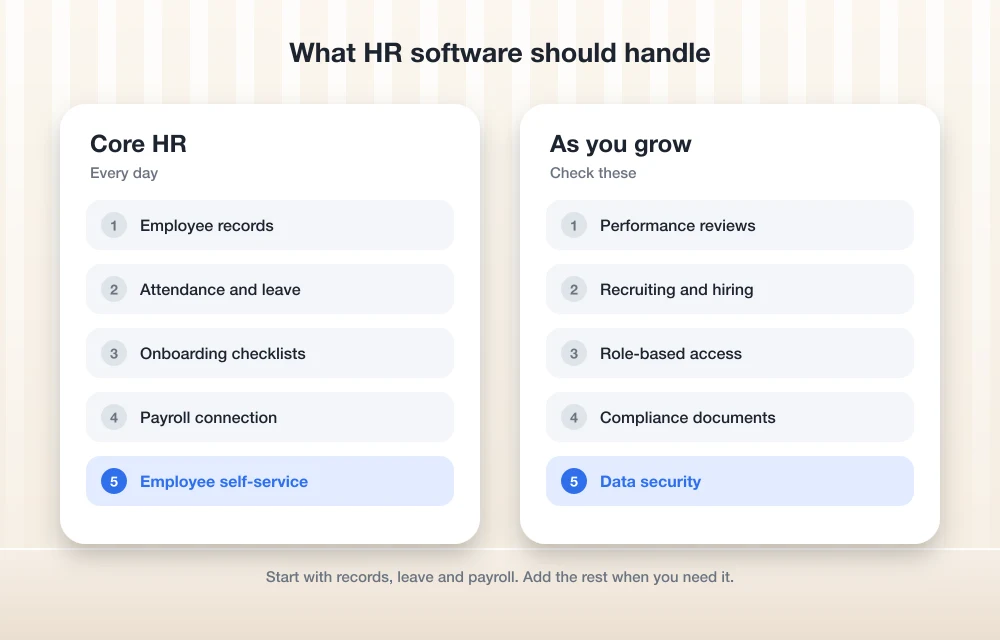
Strip it down and HR software is just one home for everything about your employees. The basics look pretty similar from vendor to vendor. Where they differ is how deep each feature goes.
Employee records come first. Names, contact details, job titles, pay rates, emergency contacts and documents live in one profile, not spread across random files. Onboarding sits on top of that, so a new hire can fill in their details, sign forms and work through a checklist before day one.
Attendance and time off is usually where small teams notice the change first. People request leave in the app, a manager approves it, and the balance updates by itself. No more arguing over whether someone has two days left or four.
Payroll integration matters more than most people think. Some HR tools run payroll themselves. Others just send hours and leave data over to a separate payroll provider. If you haven’t sorted that side out yet, I compared the main options in my guide to the best payroll software for small businesses.
Then there’s the stuff that starts to matter more as you hire. Performance reviews give you a consistent way to set goals and give feedback. Compliance documents like policies and signed acknowledgments stay organized. Employee self-service means people can update their own address or check their leave without emailing you about it, and recruiting tools help with job posts and keeping track of applicants.
Quick Comparison
| Software | Best for | Starting price (official) | Free option |
|---|---|---|---|
| QrewHR (our product) | All-in-one HR for startups and SMEs | Not quoted here; check the site | Free plan up to 5 employees; 14-day trial, no credit card |
| Custom ERP (our company) | HR inside a full ERP | Scoped per project; no per-user license fees | Free discovery call |
| BambooHR | Focused HR with flat pricing for small teams | $250/mo flat for Core (25 employees or fewer) | Not confirmed |
| Rippling | Modular platform you build up over time | From $8 per employee/mo plus a monthly base fee | Not confirmed |
| Gusto | Payroll-first teams | Check Gusto’s official pricing page | Not confirmed |
| Justworks | Outsourcing HR admin through a PEO | Check Justworks’ official pricing page | Not confirmed |
| Zoho People | Tight budgets | From $3 per user | 30-day free trial |
All prices are in USD, taken from each vendor’s official pricing page when I wrote this. They change a lot, so use these as a starting point and double check before you sign anything.
The Best HR Software for Small Businesses in 2026
1. QrewHR
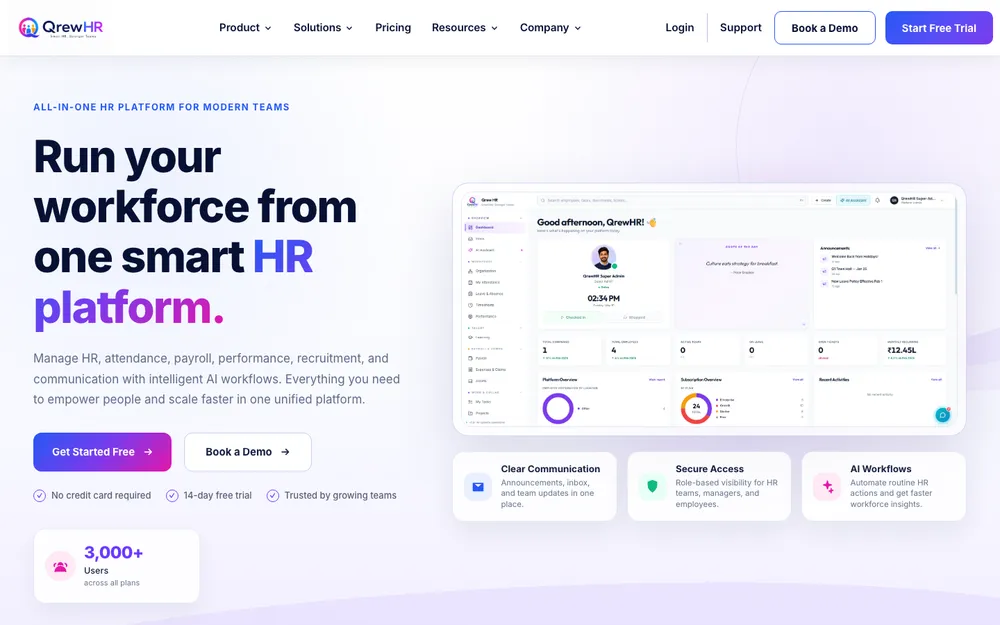
Disclosure first: QrewHR is our own product, built by TheTechHacker under me, Rahul Vithala. So yeah, I’m biased. It’s first on the list because it’s what I’d point a growing team toward, but please read through the rest before you decide anything.
QrewHR is an all-in-one HR platform. You don’t have to stitch a bunch of separate apps together. It has modules for HRMS and employee records, attendance management, leave management, payroll and compliance, performance management, and recruitment and onboarding, plus AI workflows and a helpdesk on top.
My favorite bit is the role-based access. HR teams, managers, employees and leadership each get their own view. A manager only sees what’s relevant to their own team, and an employee only sees what’s relevant to them. Think about a small business where the owner, an office manager and a couple of team leads are all poking around in HR. That separation keeps sensitive data where it should be.
It’s made for startups, SMEs and enterprises, so you probably won’t outgrow it any time soon. There’s a free plan for up to 5 employees, a 14-day free trial (no credit card needed), and you can book a demo if you want someone to walk you through it. I’m not putting paid plan prices here because the site shows them in Indian rupees. Check the current plans or just ask during the demo.
Best for: small teams that want records, attendance, leave, payroll, performance and hiring under one login.
2. Thetechhacker Global Solutions Custom ERP
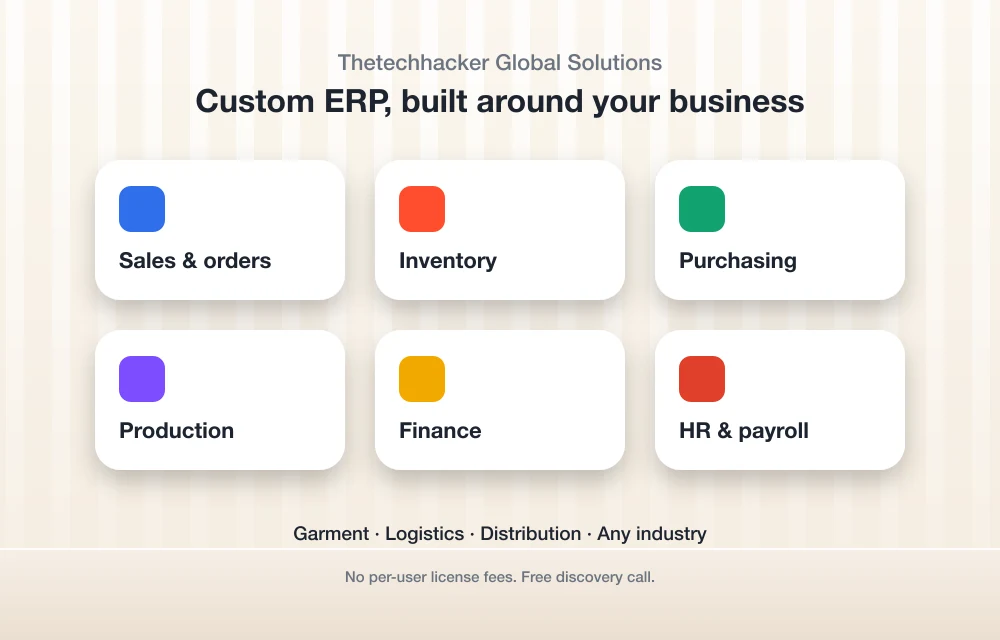
Same disclosure: Thetechhacker Global Solutions is our company too. Some businesses don’t actually want a standalone HR tool at all. They want HR living inside the same system that handles orders, stock and accounts. That’s the gap our custom ERP software fills.
We build custom ERP for any industry. Modules include sales and orders, inventory, purchasing, production, finance, and HR and payroll (attendance, shifts, leave and salary processing all included). Garment, logistics and distribution ERP are what we specialize in.
No per-user license fees. If you’re planning to hire a lot, that’s a big deal. It starts with a free discovery call through the landing page so we can figure out what you actually need. I’ll be real though, a custom system is a bigger project than signing up for SaaS (software you rent online and log into). It’s worth it mostly when off-the-shelf tools keep pushing you into awkward workarounds.
Best for: manufacturers, garment businesses, logistics and distribution companies that want HR and operations in one system.
3. BambooHR
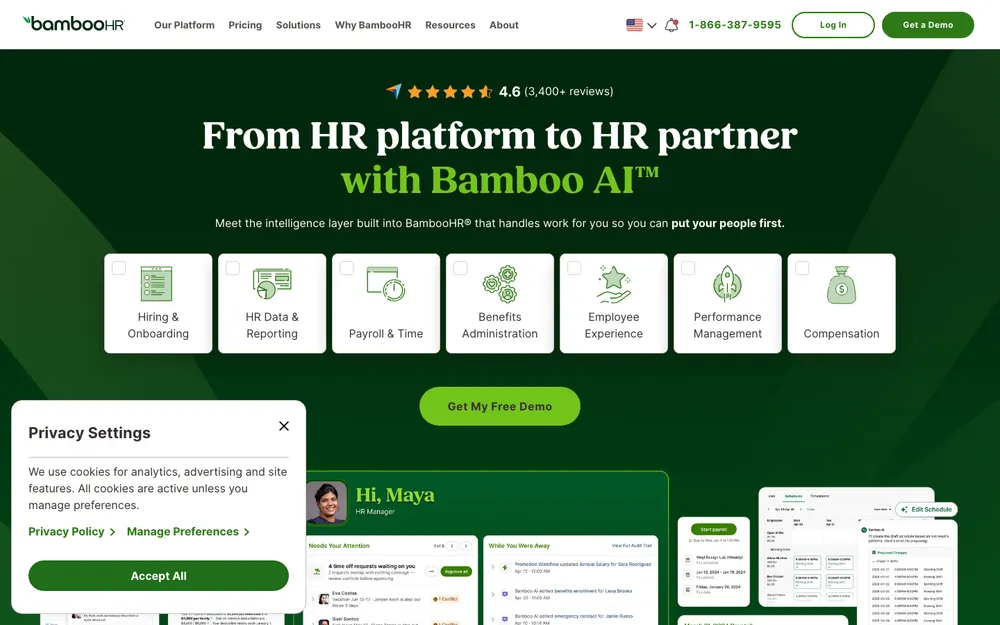
BambooHR is a dedicated HR platform, and for small teams its pricing is actually easy to understand (which is rarer than it should be). Per BambooHR’s official pricing page, teams of 25 employees or fewer pay a flat monthly rate. That’s $250 for Core, $425 for Pro and $650 for Elite.
Go above 25 employees and it flips to per-employee pricing, starting at $10.25 per employee per month for Core, $17.50 for Pro and $25 for Elite.
If you’re at 20 people and hiring, that flat rate is great. At four people? Harder to justify. $250 a month is a lot for a handful of profiles. I couldn’t confirm exactly what each tier includes for payroll, add-ons and security certifications, so ask their sales team before you commit.
Best for: teams of around 10 to 25 people that want a focused HR tool and predictable billing.
4. Rippling
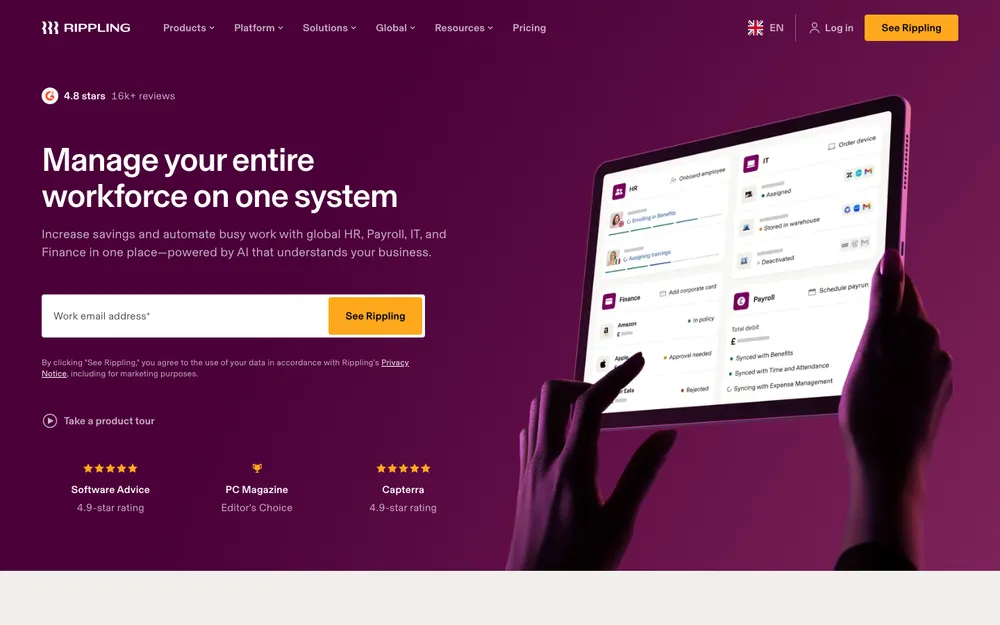
Rippling is more like a box of building blocks. You choose the products you need and pay mostly per employee. Its pricing page says plans start at $8 per employee per month with a monthly base fee, and that most products are priced per employee per month, though some may include a base fee.
I couldn’t find the base fee amount from an official source, so I’m not going to guess. Get a quote. The modular thing is nice if you think you’ll add tools later, but here’s the thing: your bill depends a lot on what you turn on. Watch that closely on the sales call.
Best for: growing companies that want to start small and add products over time.
5. Gusto

Gusto is mostly known for payroll, with HR features added on top. If paying people correctly is your number one worry and HR is a close second, it fits pretty naturally. Payroll first, HR second.
I couldn’t confirm Gusto’s current prices from its official pricing page, or which HR features (time-off tracking, onboarding, reviews and so on) come with each plan. So go check Gusto’s site directly before you decide. I’d honestly rather send you there than repeat numbers I can’t back up.
Best for: small businesses where payroll is the main job and HR tools are a bonus.
6. Justworks

Justworks is a different animal. It’s best known as a PEO (I explain what that is further down). You’re not only buying software here. You’re handing a good chunk of your HR admin over to a partner.
Same story as Gusto. I couldn’t confirm Justworks’ current plans and prices on its official page, so look at its pricing page yourself. With PEOs the plan details matter a lot, so read exactly what each tier covers.
Best for: owners who’d rather outsource HR admin than run it in-house.
7. Zoho People
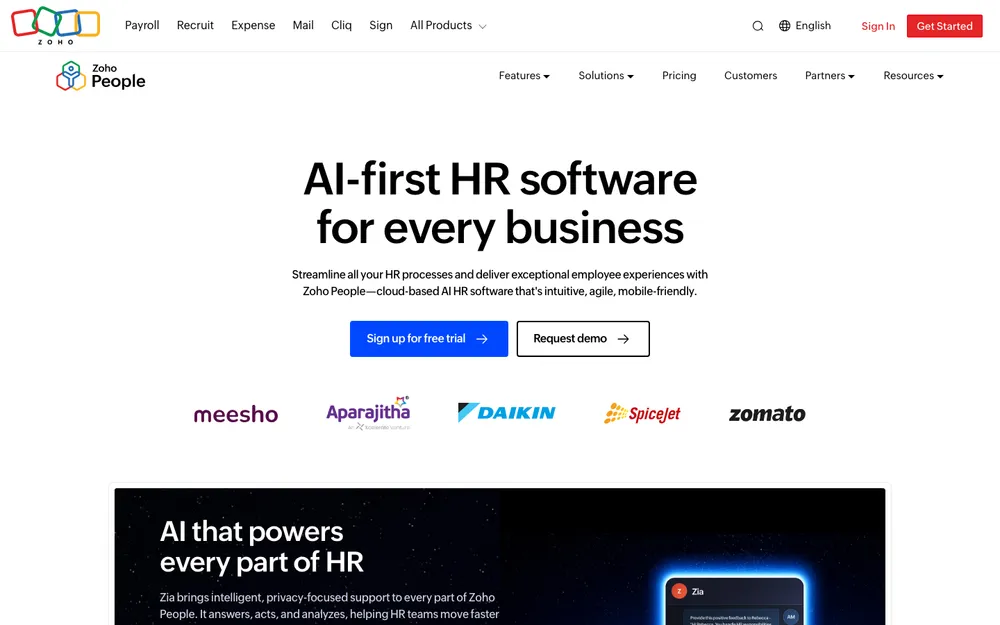
Zoho People is the cheap one. Zoho calls it AI-powered HR software for the USA, with flexible per-user pricing and plans starting at $3 per user. You get a 30-day free trial.
Per-user pricing is nice for small teams since you only pay for the people you actually have. I couldn’t confirm the US prices of the higher tiers on Zoho’s own site, or whether there’s a free plan, so check both before you count on them. Still, it’s an easy way to get basic HR in order without a scary monthly bill.
Best for: very cost-conscious teams that need the HR basics.
How to Choose the Right HR Software
Start with your team size
Under 5 employees: honestly, you might not need a paid tool yet. A free plan, like QrewHR’s for up to 5 employees, gets your records and leave tracking sorted without costing anything.
5 to 25 employees: this is the range where HR software really pays for itself. Compare BambooHR’s flat rate against per-user pricing from Zoho People or Rippling, using your real headcount and hiring plans. On the smaller side, per-user usually works out cheaper. Get closer to 25 and a flat rate starts making more sense.
Over 25 employees: pretty much everything goes per employee at this point, so focus more on depth. Once you’ve got several managers, performance reviews, recruiting, approval workflows and reporting start to matter a lot more.
HR software vs a PEO
HR software is a tool you run yourself. You’re still the employer, and you handle payroll, benefits and compliance while the software does most of the paperwork grind.
A PEO, or professional employer organization, goes a step further. It enters a co-employment arrangement with your business and takes on a lot of the HR admin for you. If you don’t have an HR person, that can feel like a huge relief. The catch is control, because you’re working inside the PEO’s processes now. Make sure you know what’s included, and how leaving works, before you sign.
Look hard at data security
Think about what’s sitting in HR software. Social Security numbers, bank details for direct deposit, salaries, personal documents. It’s some of the most sensitive data your business has. Ask every vendor how access is controlled, whether you can limit managers to their own teams, and whether two-factor login is available. Ask how you’d get your data out if you ever left, too. And if a vendor brings up security certifications, ask for the documentation (a badge on the homepage doesn’t prove much).
Know what the law still expects from you
Software helps with compliance. It doesn’t make you compliant by itself, though. The U.S. Department of Labor’s Fact Sheet #21 on FLSA recordkeeping (revised July 2008) says every covered employer has to keep certain records for each non-exempt worker. Non-exempt basically means employees who are entitled to overtime. No specific format is required, but the records have to include identifying information about the employee plus data on hours worked and wages earned. Employers also have to display an official poster outlining the Act’s provisions.
The DOL also points out that employers must comply with both federal and state laws, so your state might pile on its own rules. When you’re comparing tools, make sure the time and pay records they keep cover what you need, and that you can export them any time you want.
Tips for a Smooth Rollout
- Clean your data first. Fix up names, job titles, start dates and leave balances in your spreadsheet before you import anything. Garbage in, garbage out.
- Start with the core. Get employee records and time off running first, and add reviews and recruiting once everyone’s comfortable.
- Connect payroll and accounting early. Figure out how hours, leave and pay data will make it into your books. Still picking that side? My roundup of the best accounting software for small businesses might help.
- Set permissions before inviting anyone. Decide who gets to see salaries and personal details, and only then invite employees.
- Run a small pilot. Try it with one team for a few weeks, smooth out the rough spots, then roll it out to everyone.
- Explain the why to employees. Show people how to request leave and update their own details, and they’ll actually use the thing.
- Use the free trial properly. Don’t just click around. Run real scenarios through it, like a new hire, a leave request and a manager approval.
Which One I’d Pick
If I had to set up HR for a small US team today, I’d start with QrewHR’s free plan for up to 5 employees or its 14-day trial and see if the all-in-one setup works for you. Just remember it’s our product, so test it against the others. And if HR needs to sit alongside orders, inventory and finance, a discovery call about a custom ERP is worth your time.
If not, BambooHR is a solid pick for teams close to 25 that like flat pricing. Gusto and Rippling make sense when payroll is leading the decision, Justworks is for owners who’d rather outsource HR admin, and Zoho People is the cheapest way in.
Whichever way you go, test it with your actual workflows and confirm prices on the official pricing page the day you buy. Don’t forget your recordkeeping duties either. The software takes a lot off your plate, sure, but the responsibility is still yours.
Frequently Asked Questions
What is the best HR software for a small business?
Honestly, it depends on your size and what you care about most. QrewHR (our own product) is a good fit for teams that want an all-in-one HR platform with a free plan for up to 5 employees. BambooHR works well for teams of 25 or fewer who want flat monthly pricing. Gusto and Rippling fit when payroll is leading the decision, Justworks is for businesses that want a PEO, and Zoho People is the budget option.
Is there free HR software for small businesses?
Yes, sort of. QrewHR has a free plan for up to 5 employees plus a 14-day free trial, no credit card required. Zoho People has a 30-day free trial. Free options for the other tools vary, so check each vendor’s official site.
What is the difference between HR software and a PEO?
HR software is a tool you run yourself, and you stay the employer. A PEO (professional employer organization) enters a co-employment arrangement with your business and takes on a lot of the HR administration. Less work for you with a PEO, but also less control over how things get done.
How much does HR software cost for a small business?
When I wrote this, BambooHR charged a flat $250 per month for Core for teams of 25 or fewer, Rippling started at $8 per employee per month plus a monthly base fee, and Zoho People started at $3 per user. Prices change a lot, so confirm on each vendor’s official pricing page.
Does HR software make my business compliant with labor laws?
Nope. It helps you keep your records organized, but you’re still the one responsible. The U.S. Department of Labor requires covered employers to keep records for non-exempt workers, including identifying information, hours worked and wages earned, and to display the official FLSA poster. You also have to follow your state’s laws.
Featured image: Christina @ wocintechchat.com M on Unsplash.
You might also like

Best CRM Software for Small Businesses in the US
Making sure that your customers are happy is probably the most crucial thing you can do as a business owner. Making them unhappy is digging your own hole. To keep them satisfied, you need the help of a perfect CRM tool. Not only to maintain better customer relationship, but a good CRM software will also…

10 of the Best QuickBooks Alternatives
It’s no secret that Quickbooks is one of the most popular accounting programs. QuickBooks is one of the most well-known small and medium-level business accounting solutions, especially in the US. With certain packages, it offers simple inventory management tools for small businesses. However, like with any system, there are advantages and disadvantages to selecting QuickBooks…

Best Accounting Software for Small Businesses: QuickBooks vs Xero vs FreshBooks (2026)
I compare QuickBooks Online, Xero, FreshBooks, Zoho Books and Wave for US small businesses, covering plans, user limits, payroll add-ons, accountant access and migration. I also explain when accounting inside an ERP is the better fit.
The week in tech, minus the noise.
New reviews, fixes and the stories that matter — once a week, straight to your inbox.
We only use your email to send the newsletter. Unsubscribe any time. See our privacy policy.
Comments