

Best Data Recovery Software for Windows and Mac in 2026
Deleted something important? Here are the six data recovery tools I’d look at in 2026, from Microsoft’s free Windows File Recovery to Disk Drill, EaseUS, Recuva, Stellar and R-Studio, plus when it’s time to call a lab instead.

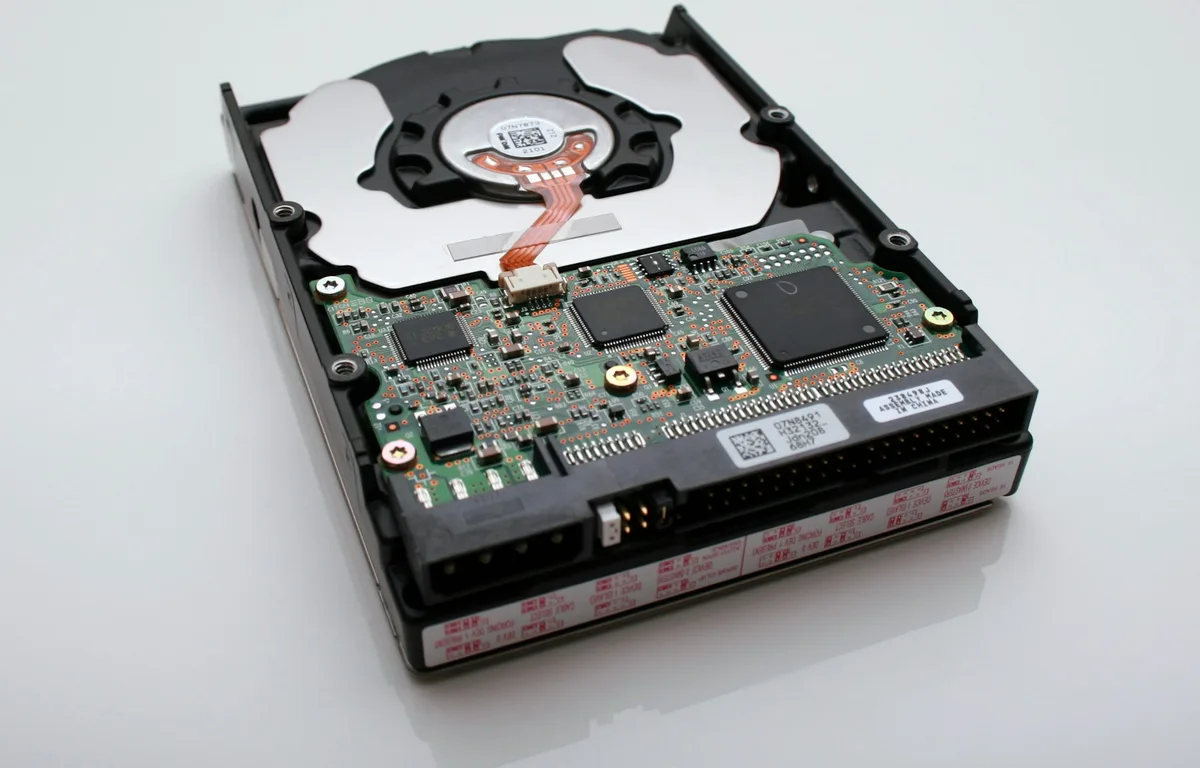
Photo by Vincent Botta on Unsplash
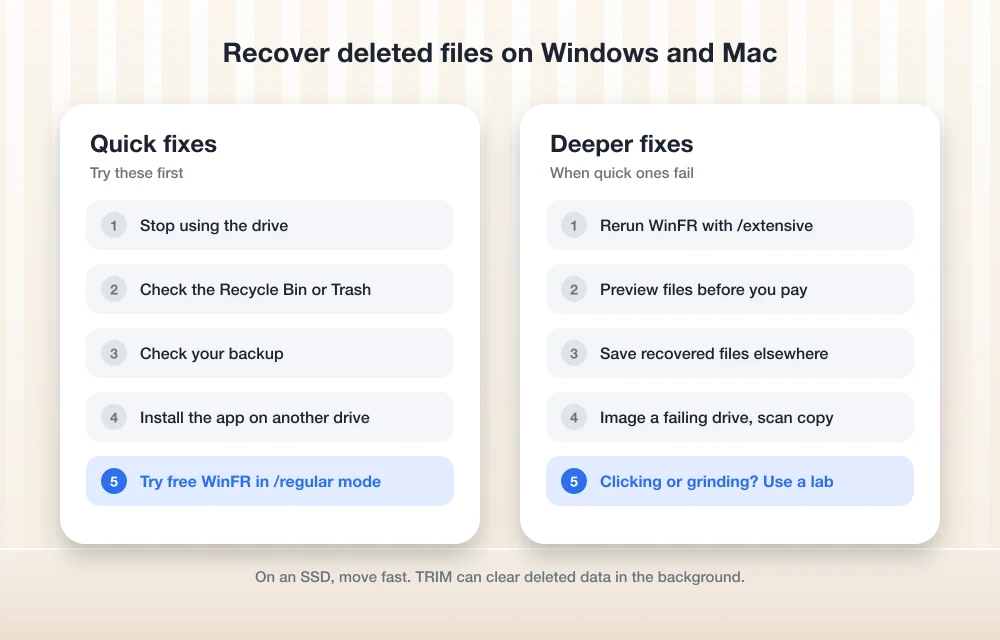
Deleting the wrong folder or formatting the wrong USB stick is one of those small disasters that ruins an afternoon. But deleted usually doesn’t mean gone. At least not right away.
When Windows deletes a file, it just marks that space on the drive as free. The data itself often sits there, untouched, until something new gets written over it. That little window is where recovery software does its thing, and it’s why the first rule never changes. Stop using the drive. Seriously.
I’ve rounded up six tools worth knowing about in 2026, from Microsoft’s free option all the way up to pro-level apps, plus who I think each one suits.
Quick answer: On Windows, start with Microsoft’s free Windows File Recovery. If you’d rather click than type commands, or you need Windows and Mac covered, Disk Drill is my pick because one PRO license covers both on up to 3 devices. EaseUS has the biggest free allowance I could confirm, Recuva is the cheapest upgrade right now, and Stellar or R-Studio make sense for tougher jobs. If the drive clicks, grinds or is physically damaged, skip software and go to a professional recovery lab.
Before you install anything
Check the obvious stuff first. I know, I know. But people skip this all the time. Look in the Recycle Bin on Windows or the Trash on a Mac, and check whatever backup you’ve got. Even Microsoft only sends people to Windows File Recovery when the lost file isn’t in their backup.
Two quick sanity checks. If your external drive or SSD doesn’t show up at all, recovery software can’t see it either (makes sense, right?), so work through my guide on fixing an external hard drive or SSD not showing up on Windows 11 or Mac first. And if the thing that’s “missing” is actually email? That’s usually a sync problem, not deleted data, so my walkthrough on fixing Outlook not syncing email is the better place to start.
Best data recovery software at a glance
I haven’t run these tools myself, so everything below comes straight from each vendor’s own website. A lot of these are sale prices that move around, so check again before you pay.
| Feature | Windows File Recovery | Disk Drill | EaseUS | Recuva | Stellar | R-Studio |
|---|---|---|---|---|---|---|
| Mac support | No | Yes, same license as Windows | Separate Mac edition | No | Separate Mac edition | Separate Mac edition |
| Free recovery | Free app | Up to 100 MB (Windows) | 500 MB, up to 2 GB | Free version (limit not confirmed) | Free version (limit not confirmed) | Demo mode (limit not confirmed) |
| Lowest paid price listed | Not needed | $89/yr | $69.95/mo | $24.95 (promo) | From $59.99/yr | $79.99 |
| One-time license | Not needed | $149 lifetime | $149.95 lifetime upgrades | Not confirmed | Not confirmed | $79.99 permanent |
The best data recovery tools for Windows and Mac
1. Windows File Recovery
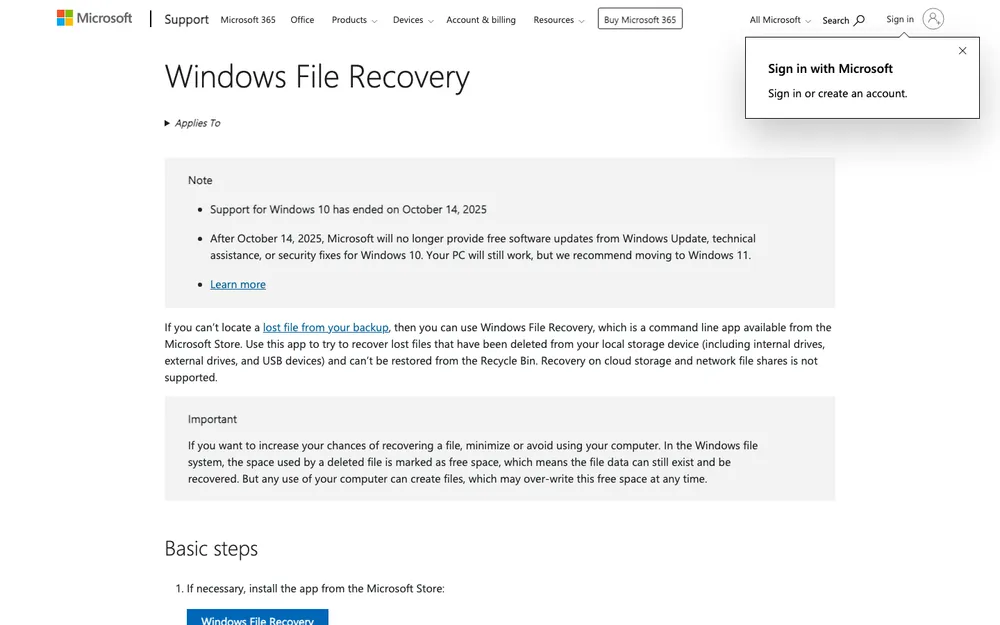
Windows File Recovery (most people call it WinFR) is Microsoft’s own free tool, and you grab it from the Microsoft Store. It runs on Windows 11 and Windows 10. Small caveat, though. Windows 10 support ended on October 14, 2025, so it doesn’t get free updates or security fixes anymore. Still on it? Once your files are back, it’s a pretty good moment to start planning a move.
The catch with WinFR is that it’s a command-line app. No buttons, no window to click around in, just a text prompt where you type an instruction. Looks scary. I get it. But the format is short: winfr source-drive: destination-drive: [/mode] [/switches]. It also can’t pull anything back from cloud storage or network file shares, so it’s only for drives physically attached to your PC.
Here’s the basic flow, based on Microsoft’s Windows File Recovery support page:
Open the app
Hit the Windows key, type “Windows File Recovery” and pick the app.
Type your command
Microsoft’s example is winfr C: E: /regular /n *.pdf /n *.docx, which searches the C: drive for PDF and Word files and drops them onto the E: drive.
Find your files
Open the destination drive and look for a folder called Recovery_ followed by the date and time.
You get two main modes, /regular and /extensive, and both work on all file systems. I’d start with /regular like Microsoft’s example does, and only reach for /extensive if your files don’t turn up. For trickier cases there’s also /segment, which only works on NTFS drives (NTFS is the file system Windows uses for its main drive) and digs through file records, and /signature, which works on any file system and hunts for files by their headers.
Who it’s for: anyone on Windows who doesn’t mind typing a command and wants to try something before spending money.
2. Disk Drill
Disk Drill from CleverFiles is the one I’d point most people to if they just want a normal app with buttons. For me the big draw is the license. One PRO license covers both macOS and Windows for one user on up to 3 devices, for personal or business use, with future upgrades included. Nice deal.
The free Windows version runs on Windows 7 through 11, lets you preview as many found files as you like, and recovers up to 100 MB. Fine for a handful of documents. A photo library? Not a chance. But those unlimited previews are genuinely useful, because you can see whether your files are actually recoverable before paying a thing.
On a Mac the free version is tighter. You still get unlimited previews, but it only recovers files that were already protected by Disk Drill’s Recovery Vault or Guaranteed Recovery features. So if you didn’t have Disk Drill set up before the accident (and let’s be fair, who does?), you’ll need PRO. One more thing: the Mac version is the only one that can recover from iPhone and Android devices.
According to the official Disk Drill PRO pricing page, PRO Lifetime costs $149 (shown against a $239 list price) and the PRO One-Year Subscription is $89 per year, renewing every year.
3. EaseUS Data Recovery Wizard
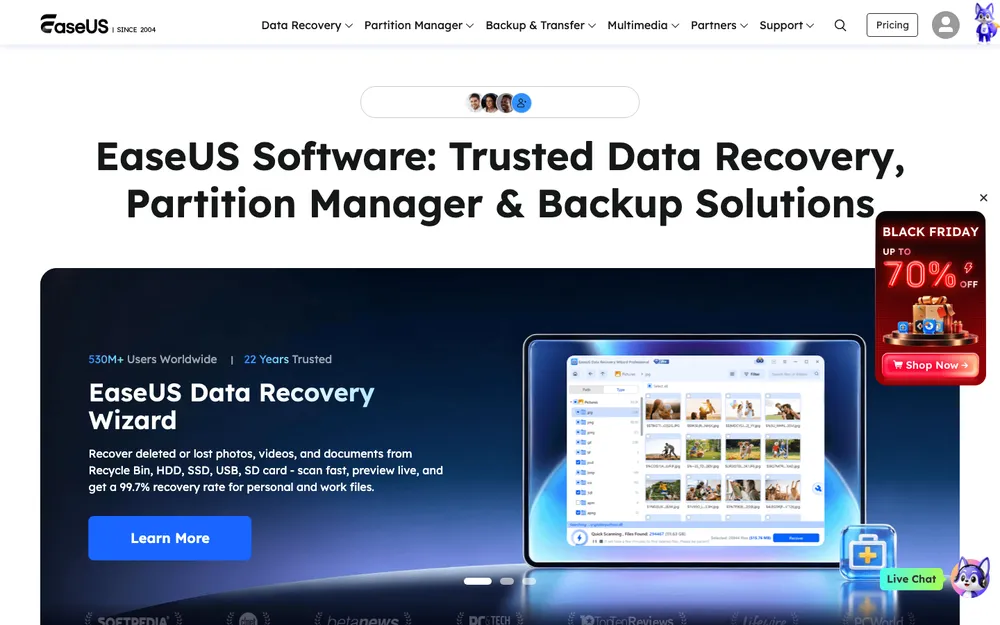
EaseUS has the most generous free tier I could confirm. The free version (currently 19.6) recovers 500 MB out of the box, and you can unlock another 1.5 GB, for 2 GB total, by sharing it on Facebook and X. Lost a modest amount of data? That might cover you without paying a cent.
Pro for Windows is licensed per computer. The official page lists One-Month at $69.95, One-Year at $99.95 and Lifetime Upgrades at $149.95, though I couldn’t tell how recently that page was updated. You might also spot a one-week option at $39.95. I’d treat that as a promotion, not a regular price. There’s a Mac edition too, but I couldn’t confirm what it costs, so check the EaseUS site yourself.
Who it’s for: Windows users who want a guided app and are hoping to stay inside the free allowance, or who only need a license for a short burst.
4. Recuva
Recuva comes from the people behind CCleaner, and it’s Windows only. There’s a free version, but I couldn’t find official word on whether it caps how much you can recover. So I won’t guess.
The upgrade, Recuva Professional, was listed at $24.95 as a “Special promotion price for November 2026” when I looked. That gets you a 30-day money-back guarantee, automatic updates and priority support. The page doesn’t say clearly whether that price is billed yearly, so read the checkout screen carefully before you click pay. And I do like that refund window, especially next to Disk Drill’s no-refund policy.
Who it’s for: budget-minded Windows users who want a graphical app and the safety net of a refund.
5. Stellar Data Recovery
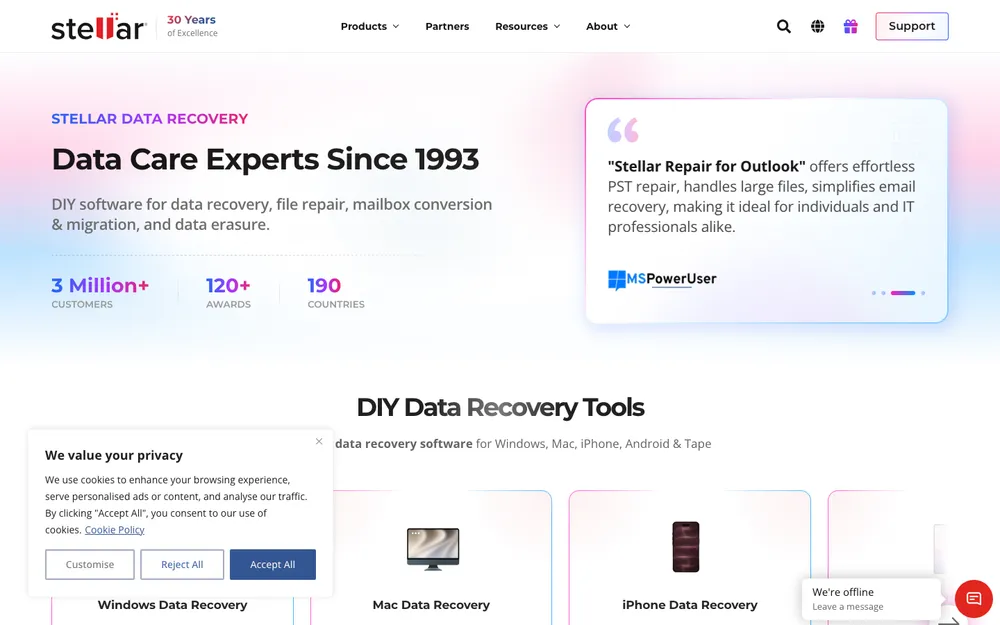
Stellar’s Windows app comes in tiers, and the higher ones add the stuff that matters when things are properly messed up. Professional adds recovery from PCs that won’t boot, disk imaging, SMART drive monitoring and photo and video repair. Technician adds support for RAID 0, 5 and 6, SHR and nested RAID setups.
Some of that is jargon, so quickly. Disk imaging copies the whole drive into a file, and you scan that copy instead of the original, which is far kinder to a drive that’s starting to die. SMART monitoring reads the health warnings drives report about themselves. And RAID and SHR are ways of combining several drives into one, which you’ll mostly run into on network storage boxes.
Pricing is where Stellar gets messy. Its compare page lists Standard at $59.99, Professional at $79.99 and Technician at $99.99, all shown as discounts, while a different buy page has Professional at $89.99 per year. Confusing. So I’ll just say it starts from $59.99 per year and prices vary between Stellar’s own pages. Licenses are per PC with unlimited data recovery. The current Windows version is 14.0.0.0, listed as released in October 2026. There’s a Mac edition, but I couldn’t confirm its price.
Who it’s for: anyone dealing with a PC that won’t start, a drive that’s showing signs of trouble, or a RAID array.
6. R-Studio
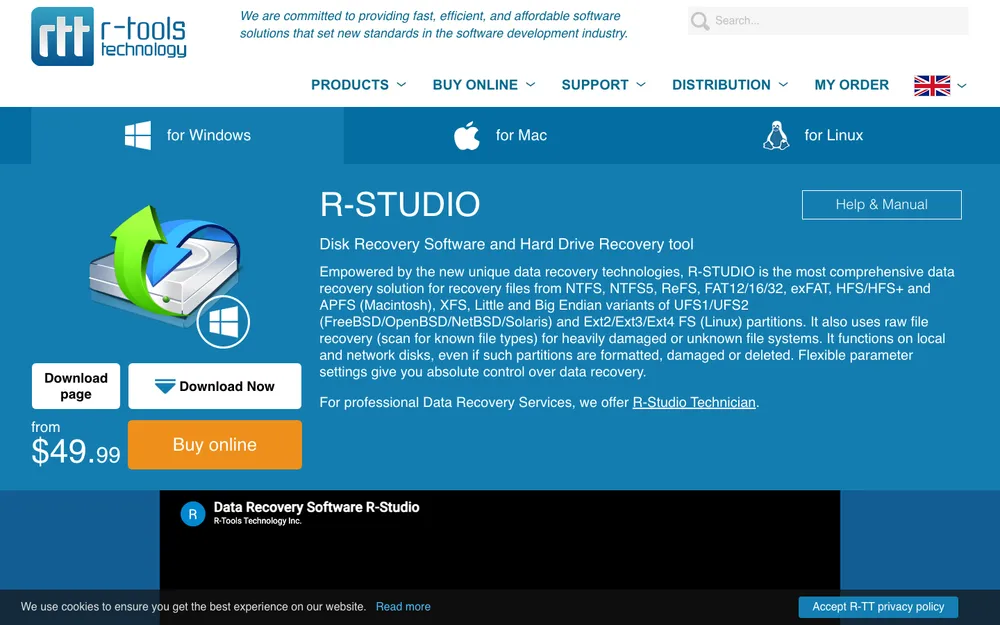
R-Studio from R-Tools Technology is the most technical tool here, and it’s clearly built with IT folks and recovery pros in mind. What I like most is the pricing. Every license on the official buy page is permanent. No subscription.
The standard R-Studio license is $79.99. There are cheaper editions called NTFS ($59.99) and FAT ($49.99), which, going by the names, target those specific file systems (FAT is an older format you’ll see a lot on USB sticks and memory cards). Corporate is $179.99, Technician is $899.99, and T80+ is $80.00. Mac and Linux editions exist, but I couldn’t confirm their prices. There’s also a demo mode to try it out, though I couldn’t pin down its current limit either.
Who it’s for: confident users and IT staff who want a one-time purchase and a lot of control.
What the paid licenses actually cost
These are only the prices I could confirm on official pricing pages. Everything else lives in the sections above, caveats and all.
Windows File Recovery
Free from the Microsoft Store
- Windows 11 and Windows 10
- Command line only
Disk Drill PRO One-Year
Renews every year
- Windows and Mac
- Up to 3 devices
Disk Drill PRO Lifetime
One-time payment, list price shown as $239
- Windows and Mac
- Future upgrades included
R-Studio
Permanent license
- Standard edition
- Technician edition costs more
Prices checked in November 2026 on each vendor’s official pricing page. Lots of them are sale prices, and they change often.
Recovering files on a Mac
Mac owners get fewer options, since Windows File Recovery and Recuva don’t run on macOS at all. Disk Drill is the easiest fit, and the same PRO license covers your Windows PC too. Just remember the free Mac version only restores files it was already protecting. Recovering something new? Plan on paying.
EaseUS, Stellar and R-Studio all have Mac editions, but I couldn’t confirm their Mac prices on official pages. If you go that route, check the vendor’s Mac page directly, and use any free scan or preview to see what’s actually recoverable before you spend anything.
When software works and when you need a lab
I couldn’t find an official vendor or government source that spells out exactly when a lab is the right call. So treat this as general advice from me, not hard rules.
Software is usually fine when the drive itself is healthy. Accidental deletion, an emptied Recycle Bin, a formatted memory card, a partition that just vanished. If the drive spins up, shows in File Explorer or Finder and otherwise acts normal, you’re in software territory.
A professional lab makes more sense when the problem is physical. If a hard drive clicks, grinds or starts making new noises, turn it off. Right away. Running scan after scan on a failing drive can make things worse. Same goes for drives that got dropped, got wet, or sat through a fire. And if the data is irreplaceable, please don’t experiment.
SSDs are their own thing. A lot of them use a feature called TRIM, which lets the drive quietly clear deleted blocks in the background. Once that’s happened, software might find very little, and your odds tend to be worse than with an old-school hard drive. Not ideal. Deleted something from an SSD? Move fast and don’t expect miracles.
How to avoid needing any of this again
Recovery software is a rescue tool. Not a plan. The cheapest, least stressful fix is a backup you set up before anything goes wrong. If you run a business, or you’ve just got files you can’t afford to lose, my guide to backing up your business data with cloud backup options walks through the choices. Keep one copy off your computer, ideally in the cloud or on a separate drive, and every so often check that it’s actually working (the part everyone forgets).
Matching the recovery tool to your situation
On Windows, try Windows File Recovery first. It’s free, it’s from Microsoft, and finding out whether your files are still there costs you nothing. If the command line puts you off, or you need Mac support too, go with Disk Drill and lean on its free preview before paying. Want a bigger free allowance? EaseUS is worth a look. Recuva’s refund window makes it a pretty low-risk upgrade. And I’d save Stellar and R-Studio for the harder jobs.
Windows File Recovery
Free from Microsoft and fine for most accidental deletions, as long as you’re OK typing a command.
Disk Drill
One PRO license covers both systems on up to 3 devices, and you get free previews before you buy.
R-Studio
Permanent licenses and a ton of control for confident users and IT staff.
Oh, and whatever you end up picking, stop using that drive until your files are back.
Frequently Asked Questions
Can I recover files after emptying the Recycle Bin?
Often, yes. Microsoft explains that Windows just marks a deleted file’s space as free, so the data can still be sitting on the drive until something new overwrites it. So stop using the drive and run a recovery tool like Windows File Recovery as soon as you can.
Is Windows File Recovery really free?
Yep. It’s a free command-line app from Microsoft, and you’ll find it in the Microsoft Store for Windows 11 and Windows 10. It can’t recover files from cloud storage or network file shares, though. And keep in mind Windows 10 support ended on October 14, 2025, so that version of Windows doesn’t get free updates or security fixes anymore.
Is Disk Drill free on Mac?
Only partly. The free Mac version gives you unlimited previews, but it only recovers files that were already protected by Recovery Vault or Guaranteed Recovery. Anything else? You’ll need Disk Drill PRO.
Can data recovery software get files back from an SSD?
Sometimes, but it’s harder than with a traditional hard drive. Lots of SSDs use TRIM, which can clear deleted data in the background. So the sooner you try, the better your chances.
When should I use a data recovery lab instead of software?
If the drive clicks, grinds, got dropped, got wet or has some other physical damage, turn it off and contact a professional lab. Software works best on healthy drives where files were deleted or a drive got formatted by mistake.
Featured image: Vincent Botta on Unsplash.
Disclosure: TheTechHacker has no paid relationship with the companies in this article.
You might also like

Best Data Recovery Software for Windows, Mac & Linux
Before we start explaining in-depth, you need not fear – recovering the data you deleted by accident (or intentionally) is not hard at all. The first step you need to take – stop transferring files from and to your PC or Mac or Linux based machine in order to mitigate the “damage” you already did…
Essential Steps to Set Up and Optimize Your Brand New Computer
You’ve just bought a brand-new computer and can’t wait to get started. But, before you start surfing and gaming, it’s a good idea to set up and optimize your laptop for the greatest potential performance. In this post, we’ll walk you through the essential and critical steps to getting your computer up and running like…

Best Tools to Repair Corrupted or Damaged Files in Windows
Data corruption is a nightmare. It suddenly happens and it will damage all our precious data saved on hard disks. Data corruption happens when data is writing, editing or transferring to another hard drive. The program corrupts the data when anything interrupts during the process. In some cases, a virus can also corrupt the files…
The week in tech, minus the noise.
New reviews, fixes and the stories that matter — once a week, straight to your inbox.
We only use your email to send the newsletter. Unsubscribe any time. See our privacy policy.
Comments