

Best Game Server Hosting in 2026: Minecraft Server Hosts Compared
I compared Shockbyte, Apex Hosting, BisectHosting, Nitrado, Akliz and Minecraft Realms on RAM, player slots, mod support, DDoS protection and US locations. I also flag what I could and couldn’t confirm.

Photo by Connor Gan on Unsplash
A Minecraft server comes down to three decisions: the host, how much RAM, and where the data center sits. Setup takes minutes. Picking the host is the hard part, because most pricing pages look alike and promise the same things. I’m covering the names that come up most often: Apex Hosting, Shockbyte, BisectHosting, Nitrado, Akliz and Minecraft Realms.
Game hosting prices change often, and stale numbers hang around online for years after they stop being true. If a figure has no check date, don’t trust it. Same goes for old screenshots.
Quick answer: For most small groups, Shockbyte is the easiest pick I can back with official numbers. Its budget Minecraft plans start at $1.99/mo for 1GB, and the page lists DDoS protection, a one-click modpack installer and a 72-hour refund. Want unlimited player slots and West Coast US locations? Apex Hosting is worth a look, though I couldn’t verify its current prices. Minecraft Realms is the official, hands-off route. For BisectHosting, Nitrado and Akliz, check the pricing pages yourself before you buy.
What to look for in a game server host
Most of the marketing on hosting sites does nothing for performance. Only a few specs decide whether your server runs smoothly or lags.
RAM comes first
RAM is the server’s working memory. While Minecraft runs, the loaded world, every connected player and every installed mod all sit in it. Run short and the game stutters, chunks load slowly, or the server crashes the moment someone wanders far enough to load new terrain. Not ideal. And since most Minecraft hosts sell plans by RAM, it’s the main thing you’re actually choosing.
Player slots vs RAM-based pricing
Some hosts sell by RAM and let as many people join as the hardware can take. Others cap player slots or charge per slot. Both work. But they change the math. If your community is growing, a RAM-based plan with unlimited slots fits better, while a slot-based plan is simpler if you know exactly who’s playing. Check which model each host uses before you line prices up side by side, or you’ll be comparing different things.
Mod and plugin support
A modpack bundles mods that change or extend the game, anything from new machines to whole new dimensions. Plugins run on the server side: anti-griefing tools, economy systems, that kind of thing. Planning to use either? Look for a one-click installer. You can install a big modpack by hand, sure, but it can eat an entire evening.
Game server DDoS protection
A DDoS attack (distributed denial of service) floods your server with junk traffic until real players can’t get in. Public game servers get hit a lot, especially once they pick up traction or a banned player wants revenge. A good host filters that traffic before it ever reaches your server. If strangers can join, DDoS protection isn’t optional.
US server locations and latency
Latency, or ping, is how long data takes to travel from a player to the server and back. The farther away the server, the higher the ping, and you’ll feel it as rubber-banding and hits that land late. So pick a location close to most of your players. Your own connection counts too. Not sure your home internet can keep up? My comparison of 5G home internet vs cable vs fiber covers how the main US connection types stack up.
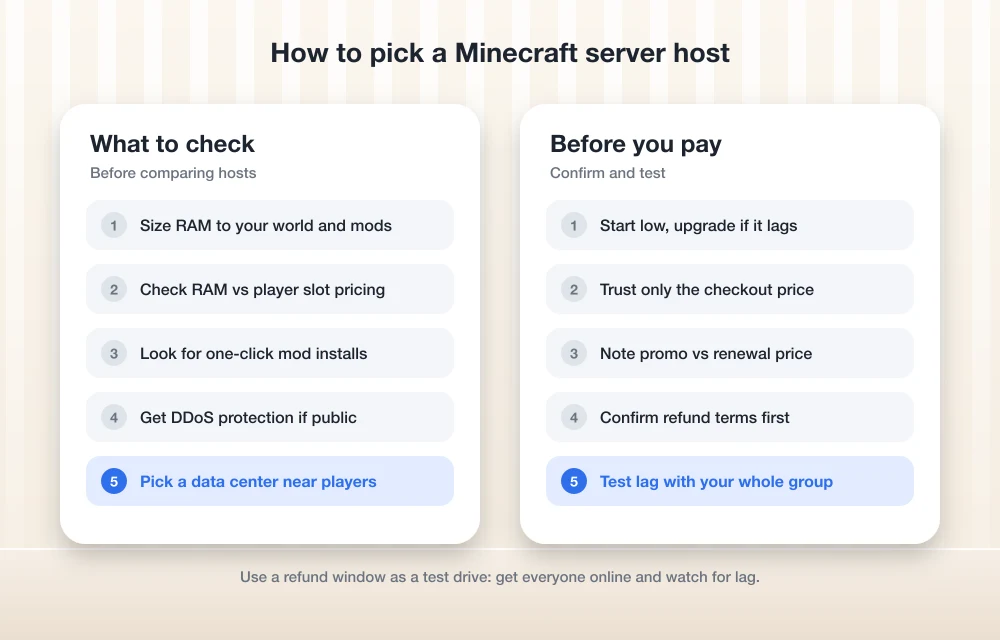
How much RAM does a Minecraft server need?
There’s no single right number. Apex Hosting publishes a sensible starting guide on its site, and it matches how the game behaves: vanilla is light, heavy modpacks are hungry.
| Your server | Suggested RAM (per Apex Hosting) |
|---|---|
| Small vanilla group | 2 to 3GB |
| Bigger group, or small to medium modpack | 4 to 6GB |
| Heavy modpack or large community | 8GB or more |
Start at the low end and upgrade if you see lag. Most hosts let you move up a plan, and 8GB for four players on vanilla is just money wasted.
Six Minecraft hosts, ordered by confirmed details
Everything below comes from each host’s own website, and Shockbyte was the only one where I could confirm detailed pricing. So the order reflects how much I could verify. It’s not a score. Shockbyte is first because its prices and features are published on its own pages. The last three are well-known names whose plans I couldn’t confirm in time, so treat those sections as a checklist for your own research.
1. Shockbyte
Shockbyte is the cheapest host here with confirmed official pricing. The budget Minecraft hosting page on Shockbyte’s site lists a 72-hour self-serve refund, instant setup, a 99.9% uptime claim, a one-click modpack and plugin installer, 24/7 support and DDoS protection. At this price, that’s a solid list.
Each budget plan comes with a suggested player count, which helps if you’ve never sized a server before. Here’s the budget line as listed on the official page:
Casual
Monthly price, budget line
- 1GB RAM
- Suggested for 3+ players
Survivor
Monthly price, budget line
- 2GB RAM
- Suggested for 5+ players
Explorer
Monthly price, budget line
- 3GB RAM
- Suggested for 8+ players
Warrior
Monthly price, budget line
- 6GB RAM
- Suggested for 20+ players
Mage
Monthly price, budget line
- 8GB RAM
- Suggested for 25+ players
Prices checked November 8, 2026 on Shockbyte’s official pricing pages. They change a lot, so double-check before you buy.
Explorer is my pick for small groups. 3GB sits at the top of Apex’s 2 to 3GB vanilla range, so you get some headroom without a big jump in cost.
Shockbyte also runs a standard line that covers Bedrock. It goes from Dirt (1GB, $3.99/mo) through Iron (4GB, $15.99), Redstone (6GB, $23.99) and Emerald (8GB, $31.99) up to Obsidian (9GB, $35.99), and there’s a Custom option from $67.83/mo for 17GB and up. That works out to $3.99 per GB, which matches the per-GB figure on Shockbyte’s blog. Spartan ($39.99) and Zeus ($47.99) plans exist too, but the official page I checked didn’t list their RAM. Ask before you order. The Bedrock page lists behavior pack and add-on support plus DDoS protection, and the modded Minecraft page shows the same Redstone, Emerald and Obsidian pricing.
One thing stands out. 6GB costs $11.99 on the budget line and $23.99 on the standard line, exactly double. The official pages don’t spell out every difference between the two, so if you’re torn, ask support what the extra money actually buys. Shockbyte’s blog also mentions a 30% recurring discount on its Premium line, but I couldn’t confirm the terms. Look for it at checkout. Don’t count on it.
Shockbyte isn’t just Minecraft, either. Its blog says it supports 70+ games across 15 locations. Which of those are in the US? Not confirmed. That’s the one real gap in otherwise clear information.
What I liked
- Lowest confirmed entry price here: $1.99/mo for 1GB
- DDoS protection listed on both the budget and Bedrock pages
- 72-hour self-serve refund on budget plans, so you’ve got time to try it out
- One-click installer for modpacks and plugins
- Supports Bedrock behavior packs and add-ons
What could be better
- Couldn’t confirm which of its 15 locations are in the US
- The official page doesn’t show RAM for the Spartan and Zeus plans
- Doesn’t fully explain what separates the budget and standard plans
2. Apex Hosting
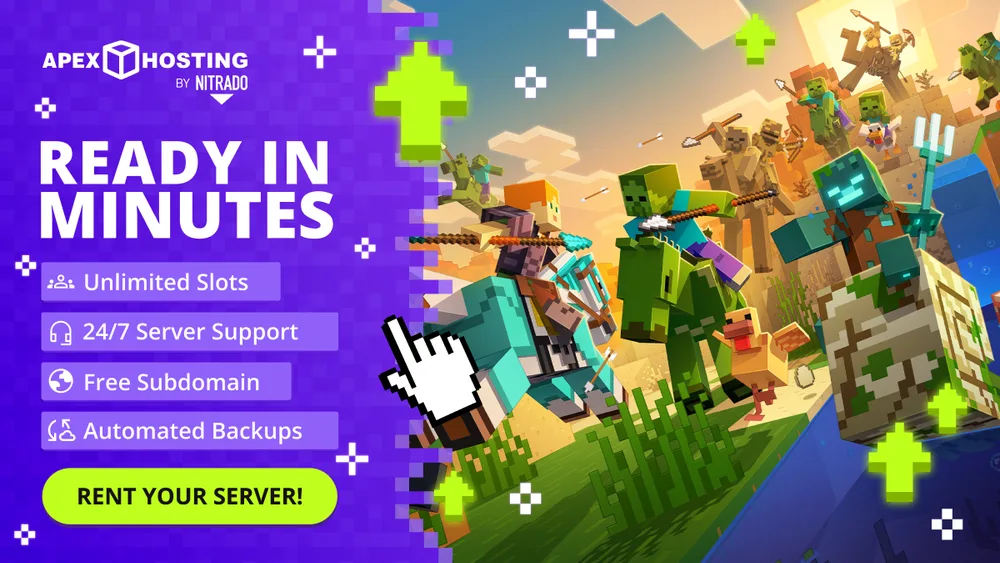
Apex Hosting is a Minecraft specialist. Its site says it was founded in 2013, and it runs both Java and Bedrock servers. Plans are sold by RAM with unlimited player slots, so adding one more player doesn’t cost you anything extra. One-click modpack installs come included.
On US locations, Apex’s blog announced Los Angeles and San Jose, California, around 2022. An older post from roughly 2020 listed Portland, Las Vegas, Dallas and Vint Hill, Virginia, along with international sites including Montreal, London, France, Singapore and Sydney. Those posts are a few years old now. Confirm the current list when you sign up.
Apex’s official pricing page didn’t load when I checked, so you won’t find prices here. I also couldn’t confirm DDoS protection or a money-back guarantee on an official Apex page. Both may well exist. But verify them with Apex directly instead of relying on a figure nobody’s confirmed.
What I liked
- RAM-based plans with unlimited player slots
- Supports both Java and Bedrock
- One-click modpack installs
- A bunch of US data centers announced over the years, two of them in California
What could be better
- Couldn’t confirm current prices on the official site
- DDoS protection and refund terms not confirmed on an official page
- The location announcements are a few years old
3. Minecraft Realms

Realms is the official subscription server from Minecraft’s developers. No control panel to learn, no host to pick. If you want a private world for a small group and don’t care about configuration, this is the one I’d check first.
I couldn’t confirm current Realms plans, prices, player limits or mod rules for this update, so see the Minecraft Realms official page for the latest. Planning a heavily modded server? Make sure Realms supports your setup before you pay, because mod support is usually where third-party hosts pull ahead.
4. BisectHosting
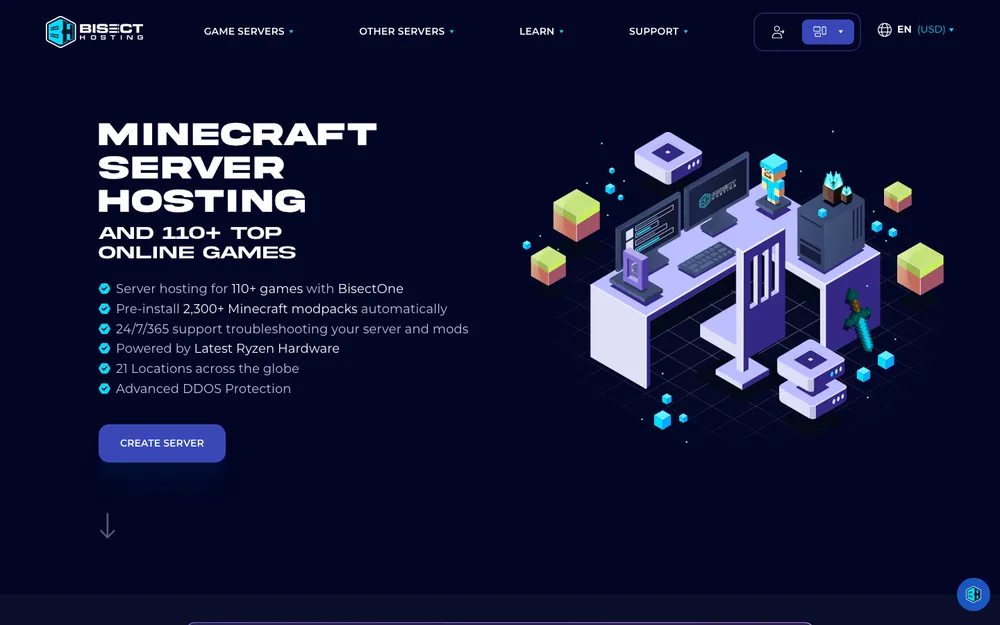
BisectHosting comes up a lot in Minecraft communities. I couldn’t confirm its plans, prices, US locations, DDoS protection or mod support on its official site in time for this update. If it’s on your shortlist, check those at bisecthosting.com and hold them up against Shockbyte’s numbers above.
5. Nitrado
Nitrado hosts a wide range of games beyond Minecraft. Handy if your group switches games every few months. Its pricing model and US locations weren’t confirmed, though. On nitrado.net, check whether each plan is priced by RAM or by player slots, because that decides how it compares with the hosts above.
6. Akliz
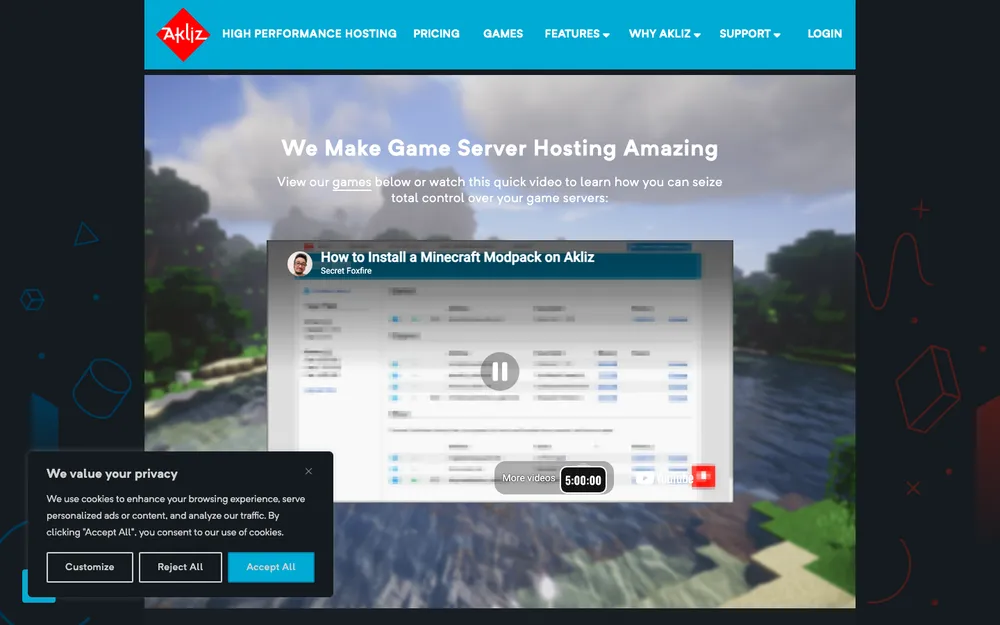
Akliz comes up often for Minecraft too. Nothing about its plans or locations could be confirmed. So run akliz.net through the criteria at the top of this article: RAM, slot model, mod support, DDoS protection and a data center near your players.
Shockbyte vs Apex Hosting at a glance
These two have the most confirmed details, so here they are side by side. “Not confirmed” means I couldn’t find it on an official page. It doesn’t mean the feature is missing.
| Feature | Shockbyte | Apex Hosting |
|---|---|---|
| Pricing model | By RAM, with suggested player counts on budget plans | By RAM, unlimited player slots |
| Cheapest confirmed plan | $1.99/mo (1GB, budget line) | Not confirmed on official page |
| Java and Bedrock | Separate Bedrock line with behavior packs and add-ons | Both, per Apex’s site |
| Modpacks | One-click modpack and plugin installer | One-click modpack installs |
| DDoS protection | Listed on official pages | Not confirmed on an official page |
| Refund | 72-hour self-serve refund (budget page) | Not confirmed on an official page |
| US locations | 15 locations total; US ones not confirmed | LA and San Jose announced; older list includes Portland, Las Vegas, Dallas, Vint Hill |
| Other games | 70+ games, per its blog | Minecraft is what I confirmed |
Game server hosting vs regular web hosting
People mix these two up a lot. A game server host runs the game process itself, so it needs plenty of RAM and a low-latency path to your players. A web host serves websites. Different workload entirely. If you also want a site for your server community or a small business, my guide to the best web hosting for small business covers that side.
Your home network matters here too. Even a good host can feel laggy if your Wi-Fi drops packets in the room where you play. Before you blame the server, read my breakdown of mesh Wi-Fi vs a router.
Shockbyte, Apex or Realms: which to choose
Going by what I could verify, Shockbyte is the pick. The budget plans are cheap, the features that matter are listed on its own pages, and the refund window covers you if it doesn’t suit your group. For a few players on vanilla, start with the 3GB Explorer plan.
Apex Hosting is next, especially if your community might grow, since unlimited slots takes one constraint off the table. Get current pricing and DDoS details straight from Apex, though. Want to skip a control panel entirely? Look at Realms. BisectHosting, Nitrado and Akliz might be good choices too, but I couldn’t confirm their details, so compare their official pages against the criteria above before you pay.
Frequently Asked Questions
How much RAM do I need for a Minecraft server?
Apex Hosting suggests 2 to 3GB for a small vanilla group, 4 to 6GB for bigger groups or small to medium modpacks, and 8GB or more for heavy modpacks and large communities. Start low. If you notice lag, upgrade.
What is the cheapest Minecraft server hosting?
Of the hosts I could confirm, Shockbyte’s budget Casual plan is the cheapest at $1.99/mo for 1GB RAM, suggested for 3+ players. I checked prices on November 8, 2026, and they change often, so check the official page before you buy.
Do I need DDoS protection for a game server?
If your server is public, yes. A DDoS attack floods the server with junk traffic so real players can’t connect. Shockbyte lists DDoS protection on its official pages. For other hosts, confirm it on their own sites.
Is Minecraft Realms better than a hosted server?
Realms is the official, hands-off option, which suits small private groups who don’t want a control panel. Third-party hosts usually give you more control over RAM and mods. I couldn’t confirm current Realms plans or mod rules, so check minecraft.net before you decide.
Does server location matter for Minecraft?
Yes. The closer the data center is to your players, the lower the ping and the less lag they’ll feel. Pick the location nearest to most of your group, not just the one nearest to you.
Featured image: Connor Gan on Unsplash.
Disclosure: TheTechHacker has no paid relationship with the companies in this article.
You might also like

Best Web Hosting for Small Business Websites (2026)
How to choose web hosting for a US small business site, from shared and managed WordPress plans to cloud servers and website builders, plus the renewal-price traps to avoid and how to migrate safely.

Best VPS Hosting in 2026: DigitalOcean vs Linode vs Vultr vs Hostinger vs AWS Lightsail
I compare DigitalOcean, Akamai Linode, Vultr, Hostinger VPS and AWS Lightsail on CPU and RAM per plan, US data centers, backups and how much server work you’ll handle yourself.

Which is Best? Shared vs Dedicated Hosting
Which is Best? Shared vs Dedicated Hosting: Are you new into website business? Looking for a good service to host your website? Welcome to the hosting guide. There a lot of debate is we can see in Google, forums about the shared and dedicated hosting services. You do not just go ahead and hire a…
The week in tech, minus the noise.
New reviews, fixes and the stories that matter — once a week, straight to your inbox.
We only use your email to send the newsletter. Unsubscribe any time. See our privacy policy.
Comments