

Thanksgiving Storm Power Outages: How to Keep Your Phone Charged and Get Emergency Alerts
A powerful nor’easter is hitting the East Coast on Thanksgiving, with strong winds, heavy rain and flooding. FOX Weather reports the storms are affecting more than 250 million people, and utilities from Virginia to New Jersey have warned of outages. If the power goes out, your phone becomes your flashlight, radio and only way to…
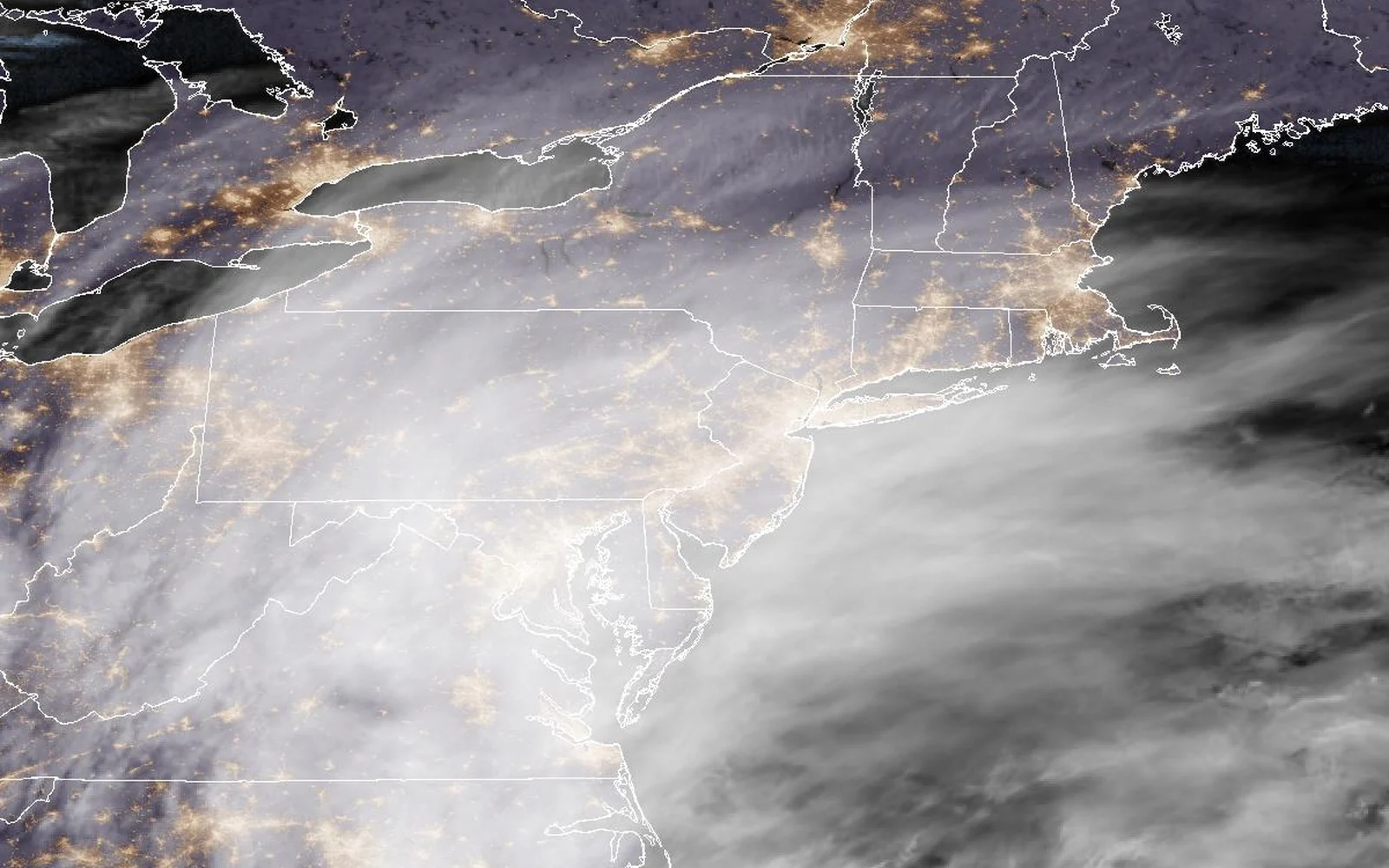
Thanksgiving Noreaster Satellite NOAA
A powerful nor’easter is hitting the East Coast on Thanksgiving, with strong winds, heavy rain and flooding. FOX Weather reports the storms are affecting more than 250 million people, and utilities from Virginia to New Jersey have warned of outages. If the power goes out, your phone becomes your flashlight, radio and only way to reach family. A few settings now can make its battery last much longer.
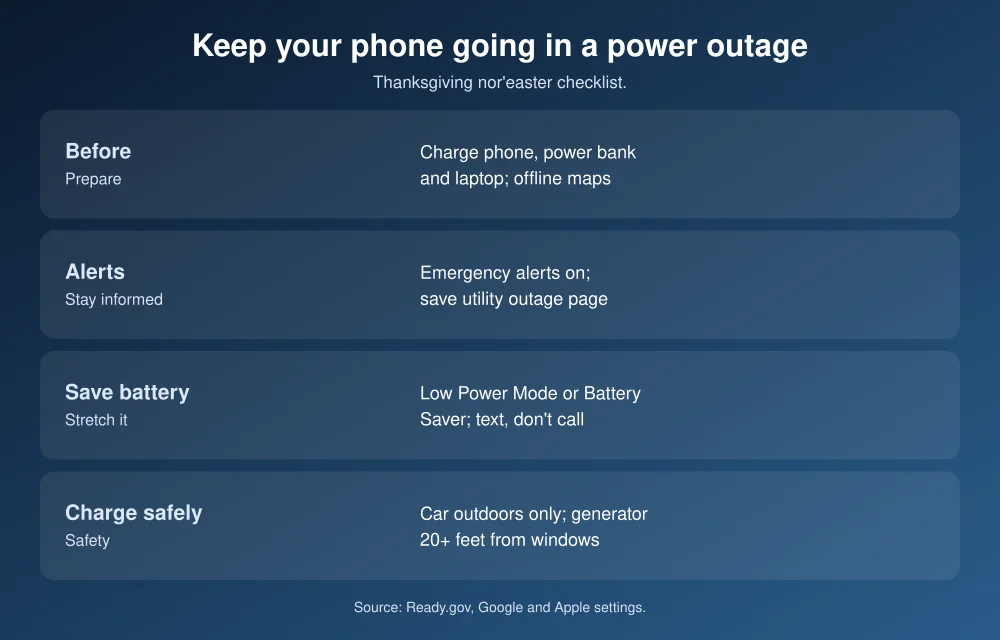
Quick answer: Charge your phone and a power bank now. Turn on Low Power Mode on iPhone or Battery Saver on Android when the power goes out. Make sure emergency alerts are turned on, lower the screen brightness, and text instead of calling. Save your utility’s outage map and phone number. Run a car only outdoors to charge a phone, never in a closed garage.
Before the Power Goes Out
- Charge everything: phones, power banks, laptops, tablets and wireless earbuds. A laptop can charge a phone over USB.
- Save your utility’s outage page and phone number. Most utilities let you report and track outages by text or app.
- Download offline maps for your area in Google Maps or Apple Maps.
- Write down key phone numbers on paper in case your phone dies.
- Install the FEMA app from FEMA’s mobile page for alerts and shelter info.
Turn On Emergency Alerts
- iPhone: go to Settings > Notifications, scroll to the bottom, and make sure Emergency Alerts and Public Safety Alerts are on.
- Android: Google’s emergency alerts guide says to open Settings > Notifications > Wireless emergency alerts and choose which alerts you want. Samsung and other phones may use a slightly different path.
Check forecasts and warnings for your area at weather.gov.
Make Your Battery Last Longer
- Turn on Low Power Mode or Battery Saver. On iPhone, go to Settings > Battery. On Android, look in Settings > Battery.
- Lower the brightness and use a short auto-lock time.
- Close video and game apps. Streaming uses the most power.
- Turn off Wi-Fi if your router has no power. The phone stops searching for it.
- Use Airplane Mode in weak signal areas and turn it off every hour or so to check messages.
- Text instead of calling. Texts use less battery and are more likely to get through when networks are busy.
How to Charge Safely Without Power
- Power banks are the safest choice. A charged power bank can often refill a phone more than once.
- Your car: charge only with the car outdoors and away from the house. Never run a car in a garage, even with the door open.
- Generators: Ready.gov says to use them only outdoors and at least 20 feet away from windows, doors and attached garages.
- Unplug electronics when the power goes out. Power can come back with surges that damage devices, according to Ready.gov.
Other Safety Tips From Ready.gov
- Keep the fridge and freezer closed. A fridge keeps food cold for about four hours, and a full freezer for about 48 hours.
- Never use a gas stove or oven to heat your home, because of the risk of carbon monoxide poisoning.
- Install battery-backed carbon monoxide detectors on every level of your home.
Read the full Ready.gov power outage guide for more.
Flying this week? See our Thanksgiving storm flight waivers guide. Our tech outage checklist covers money and travel, and the Thanksgiving tech checklist helps set up a parent’s phone.
FAQs
How do I make my phone battery last during a power outage?
Turn on Low Power Mode or Battery Saver, lower brightness, close streaming apps and text instead of calling.
Is it safe to charge my phone in the car?
Yes, if the car is outdoors. Never run it in a garage because of carbon monoxide.
How do I turn on emergency alerts on Android?
Open Settings > Notifications > Wireless emergency alerts, per Google. Paths vary on some phones.
How long does food stay cold in a power outage?
Ready.gov says about four hours in a closed fridge and about 48 hours in a full freezer.
Featured image: NOAA/NESDIS GOES-19.
Disclosure: TheTechHacker has no paid relationship with any company mentioned here.
More in Guides

How to Prepare for More Tech Outages: A Phone, Money and Travel Checklist
The run of tech outages this month may not be over. On Sunday, November 22, Microsoft President Brad Smith told CBS’s Face the Nation, “I think we have to be prepared, frankly, for the coming months,” because “the whole information infrastructure of the world is in effect being upgraded right now.” The same day, Director…
Thanksgiving Storm Flight Waivers: How to Change Your Delta, United, American or Southwest Flight
A strong coastal storm is set to hit the Northeast on Thanksgiving Day, November 26, and airlines are letting people move their trips. Delta, United and Southwest have posted waivers, and American is reported to have one too. The rules aren’t the same. Airports, deadlines and whether you pay a fare difference all depend on…

How to Spot Fake Flight Cancellation Texts Before Thanksgiving Travel
Thanksgiving week is the busiest stretch of the year for travel scams, and fake flight cancellation messages are one of the nastiest. A text arrives saying your flight was canceled, it uses your airline’s name and sometimes a real-looking flight number, and it gives you a number to call or a link to “rebook.” The…
The week in tech, minus the noise.
New reviews, fixes and the stories that matter — once a week, straight to your inbox.
We only use your email to send the newsletter. Unsubscribe any time. See our privacy policy.
Comments