

11 Ways to Reuse an Old iPad Instead of Letting It Collect Dust
Upgrading to a new iPad this holiday season? Your old one doesn’t have to sit in a drawer. With the right setup, it can replace gadgets that cost $100 to $300, from smart displays to digital photo frames. Now in this article, I will show 11 useful ways to reuse an old iPad, and the…

Reuse Old iPad
Upgrading to a new iPad this holiday season? Your old one doesn’t have to sit in a drawer. With the right setup, it can replace gadgets that cost $100 to $300, from smart displays to digital photo frames.
Now in this article, I will show 11 useful ways to reuse an old iPad, and the settings that make each one work.
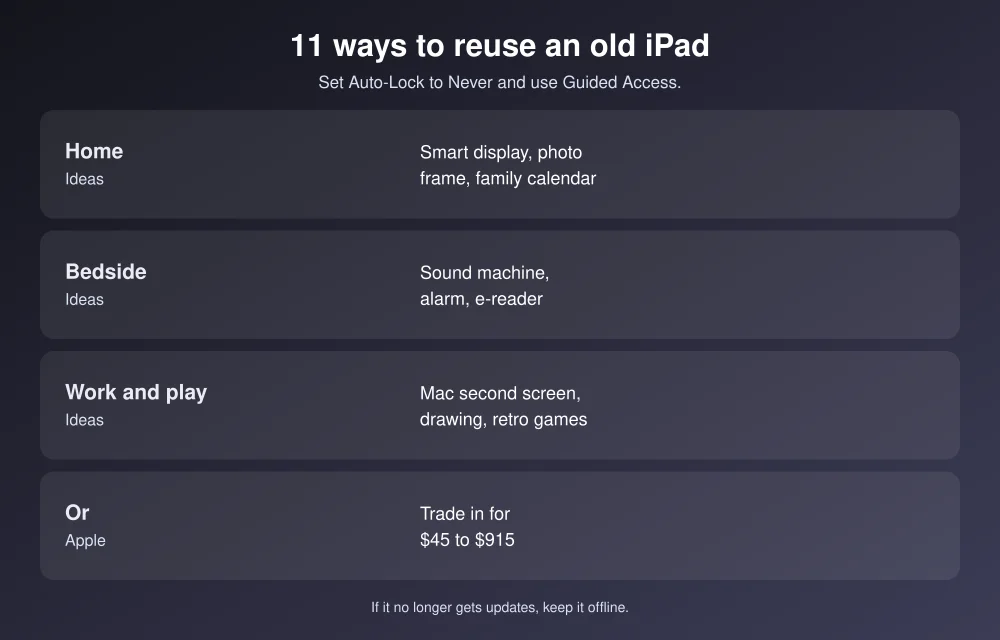
Quick answer: Turn your old iPad into a kitchen smart display, bedside sound machine and alarm, digital photo frame, family calendar, e-reader for library books, second screen for your Mac, drawing tablet, retro game console, backseat movie screen or music player. Or trade it in: Apple offers $45 to $915 for an iPad, Engadget reports. For most uses, set Auto-Lock to Never, keep it plugged in and use Guided Access.
Getting Started
- Auto-Lock: Settings > Display & Brightness > Auto-Lock > Never.
- Guided Access: Settings > Accessibility > Guided Access. Then triple-press the top button in an app to lock the iPad to that app.
- Check updates: iPadOS 27 supports the iPad (9th gen), iPad mini (6th gen), iPad Air (4th gen), 11-inch iPad Pro (2nd gen), 12.9-inch iPad Pro (4th gen) and newer, Engadget reports. If yours is older, use it offline and keep it away from banking and passwords. See Apple’s iPadOS page.
1. Kitchen Smart Display
On a stand, an old iPad covers the basics of Apple’s $299 HomeView: Home app controls, recipes, Siri timers and FaceTime. It can’t act as a Home hub, so you’ll still need a HomePod or Apple TV for automations.
2. Bedside Sound Machine and Alarm
Turn on Background Sounds in Settings > Accessibility > Audio & Visual for rain, ocean or noise. Use the Clock app for alarms.
3. Digital Photo Frame
Even the 9th-gen iPad’s screen is sharper than most photo frames. Use a shared iCloud album with a photo frame app, or play an album as a slideshow in Photos.
4. Family Calendar
Mount it on a wall with a shared calendar. Everyone adds events from their iPhone. Add a shared Reminders list for chores and groceries.
5. E-Reader for Free Library Books
Use your library card with the Libby app to borrow ebooks and audiobooks, and download them to read offline.
6. Second Screen for Your Mac or PC
Use Apple’s built-in Sidecar to extend your Mac’s display, following Apple’s Sidecar guide. Universal Control lets one keyboard and mouse work across both. For Windows, you’ll need a third-party app.
7. Drawing Tablet
With an Apple Pencil-compatible iPad, an app like Astropad Studio mirrors your Mac or PC so you can draw in desktop apps.
8. Retro Game Console
Pair a Bluetooth controller and play older games with an emulator app from the App Store, using games you own.
9. Backseat Movie Screen
On a headrest mount, it’s a free in-car screen for passengers. Download shows before you leave.
10. Dedicated Music Player
Keep it on a dock with Apple Music, Spotify or your music library, and AirPlay to speakers around the house.
11. Sell, Trade In or Hand It Down
Apple Trade In gives credit or a gift card and recycles iPads that don’t qualify. Selling it yourself usually pays more. Before you do, back it up, unpair accessories, sign out of your Apple Account and erase it in Settings > General > Transfer or Reset iPad.
Shopping for a new one? See whether the iPad Mini is worth $599, Alexa Tablet 12 Pro vs iPad and the red HomePod mini 2.
That’s all for now. Please do share your views and feedback in the comment box below.
FAQs
What can I do with an old iPad?
Use it as a smart display, photo frame, family calendar, e-reader, second Mac screen or music player, or trade it in.
Is an old iPad safe to use?
Yes for offline uses. If it no longer gets updates, avoid banking, passwords and shopping on it.
How much will Apple give me for an old iPad?
Apple Trade In offers $45 to $915 depending on model and condition, Engadget reports.
How do I lock an iPad to one app?
Turn on Guided Access in Settings > Accessibility, then triple-press the top button in the app.
Featured image: Apple.
Disclosure: TheTechHacker has no paid relationship with Apple.
More in How-to
How to Get the Old Screenshot Thumbnail Back on iPhone in iOS 27
Taking a screenshot on iPhone used to be simple. You press the buttons, a small thumbnail appears in the corner, and you swipe it away or tap to edit it. iOS 26 changed this habit by opening every screenshot in a full-screen view. It’s useful for people who crop or mark up their screenshots. If…
What Is ChatGPT Space? How to Use It Now That It Replaced Library
If the Library button in ChatGPT has disappeared, you’ve probably got ChatGPT Space instead. OpenAI started rolling Space out to Plus subscribers on November 20, 2026. Space is where your pages, slides, images and uploaded files now live. It also lets ChatGPT build interactive pages and presentations you can edit and share. Pro, Business and…
How to Create E-Signatures in Adobe Acrobat
An electronic signature or e-signature is a very useful way to sign documents without printing them. Instead of printing, signing with a pen and scanning the page again, you can add your signature to a PDF in a few clicks. Adobe Acrobat is widely used software that lets you sign PDF documents, and it can…
The week in tech, minus the noise.
New reviews, fixes and the stories that matter — once a week, straight to your inbox.
We only use your email to send the newsletter. Unsubscribe any time. See our privacy policy.
Comments