

Windows
All Windows software's, apps and tips can be found here. If you can’t find a topic in here, use the Search box.

How to Download Zoom on Windows
Zoom is one of the most popular video conferencing applications today. If you mostly make use of your computer instead of your smartphone for video conferencing, you might want to install it on your Windows PC. This makes it much convenient to make video calls without having to depend on your smartphone even while sitting…

How to Create a Local User Account in Windows 10
Windows 10, like any other computer operating system, has the ability to provide multiple user accounts. You do not need to purchase a separate PC for everyone in your house. All you have to do is creating local user accounts that will create separate working environments for every user. One user will not be able…
How to Find Windows 10 Product Key
If you want to activate your Windows, you need a product key. Not only in the latest version of the Microsoft OS. But a product key (in some form including digital license) is necessary to activate any previous versions as well. It allows preventing unauthorized access and piracy of the most popular computer OS the…

How to Find the Version of your Windows 10 Installation?
If you don’t know which version of Windows 10 you are currently using, you can follow this guide to find it out. There are several situations you may need to know the version of the current Windows 10 installation. For example, to find the correct drivers for your graphics or other hardware without facing compatibility…

How to Add Python Path to Windows 10
Python doesn’t need any introduction. Being one of the most used programming languages in the world, Python is working on almost all of our devices in one way or another. When you want to start programming in Python, it is necessary to make sure that it is currently installed and ready to run Python scripts.…

How to Change Windows 10 Password
Windows 10 passwords protect your system from unauthorized access. Being a highly versatile and feature-rich operating system has its own disadvantages. Providing all those features leniently sacrifices some security aspects. So, in order to help Windows 10 to secure your computer, you should have a password in place, So no one can get access to…

How to Download and Setup iTunes in Windows 10
iTunes is a great media manager not only for your Mac but also for your Windows 10 system. With millions of songs and artists to choose from and the abundance of features you can make use of, iTunes is the perfect media manager you can ever dream of. If you still haven’t downloaded iTunes on…

How to Turn Windows 10 Airplane Mode ON/OFF
You might be familiar with the Airplane mode on your smartphone. It is no different on Windows as well. It simply prevents any wireless communication such as connecting to the internet, turning on Bluetooth, GPS, NFC, etc. If you want to turn on the Airplane mode while traveling, or just want to turn it off,…
How to Activate Windows 10
Activating Windows 10 is a necessary thing to get rid of that activation message. If you are using the Pro or Enterprise versions of Windows 10 that comes with additional security benefits and features, activating it will let you make use of it. As Windows 10 standard version is available for free at the moment,…

How to Clear Windows 10 Search History
In certain situations, you may be required to clear the search history on your Windows 10 OS. Whether it is to make the Windows 10 search faster or for some other reason, clearing it or completely disabling it is very easy. You can follow the steps we mentioned in this guide to clear the search…
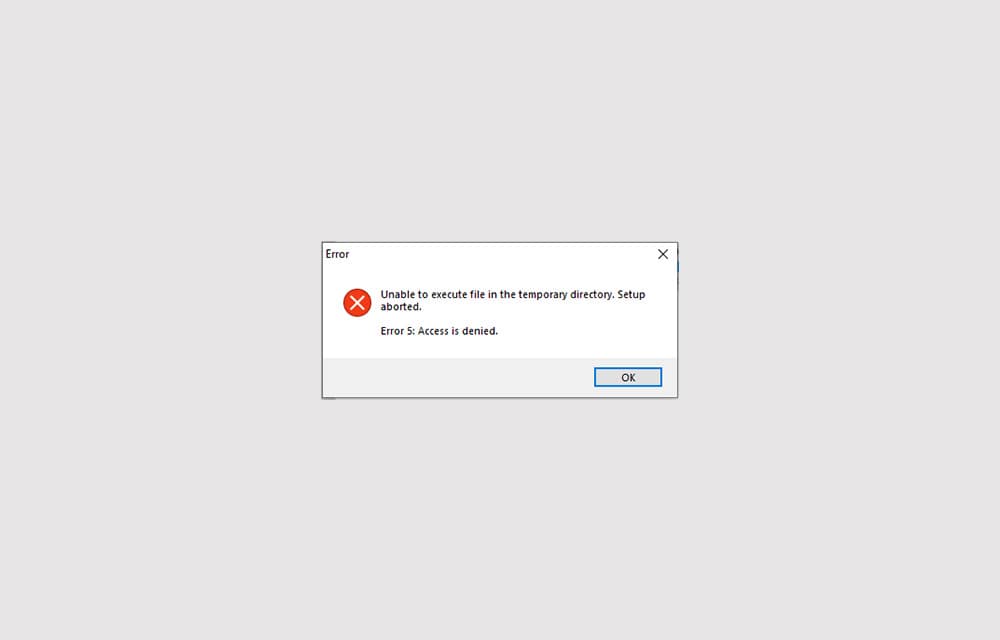
How to Fix ‘Error 5: Access is denied’ in Windows 10
Error 5: Access is denied is an error that shows up when Windows doesn’t have enough permission to perform the operation. Usually, the error is related to the Windows directory permissions and can be fixed by setting the correct permissions or giving access to the user to perform the action. In some other cases, the…
How to Turn Off Login Password in Windows 10
Securing your computer with a password is one of the most important things you should do. Especially if the system holds your important business documents and personal details. However, sometimes, you may not have such important things that you want to protect and need quick access to the OS without waiting for the login screen.…