

Gemini Personal Intelligence on Android Auto: What It Does and Which Cars Get It
Gemini on Android Auto can now use your Gmail, Calendar and Photos. What Personal Intelligence does, who gets it in the US, which cars, and how to turn it off.

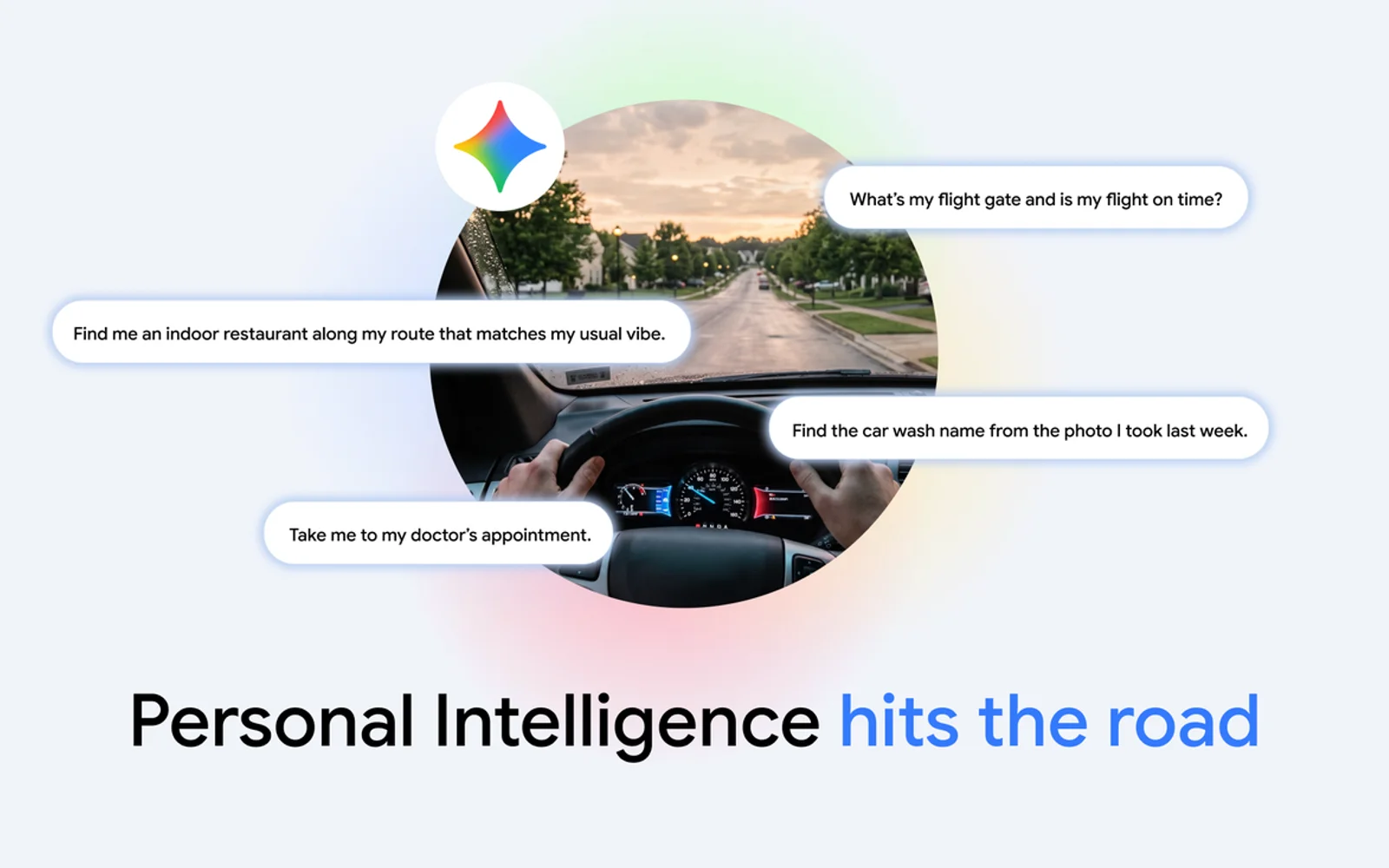
Gemini on Android Auto can now answer questions about your own trips, emails and photos. Google calls it Personal Intelligence. It started rolling out to Android Auto on October 20, 2026, and is coming to cars with Google built-in “in the coming months,” according to Google’s announcement on The Keyword. You can say “Take me to my doctor’s appointment” without giving an address, and Gemini finds it in your Calendar or Gmail. This guide covers what it can do, who can get it in the US, how to turn it on or off, and what data it uses.
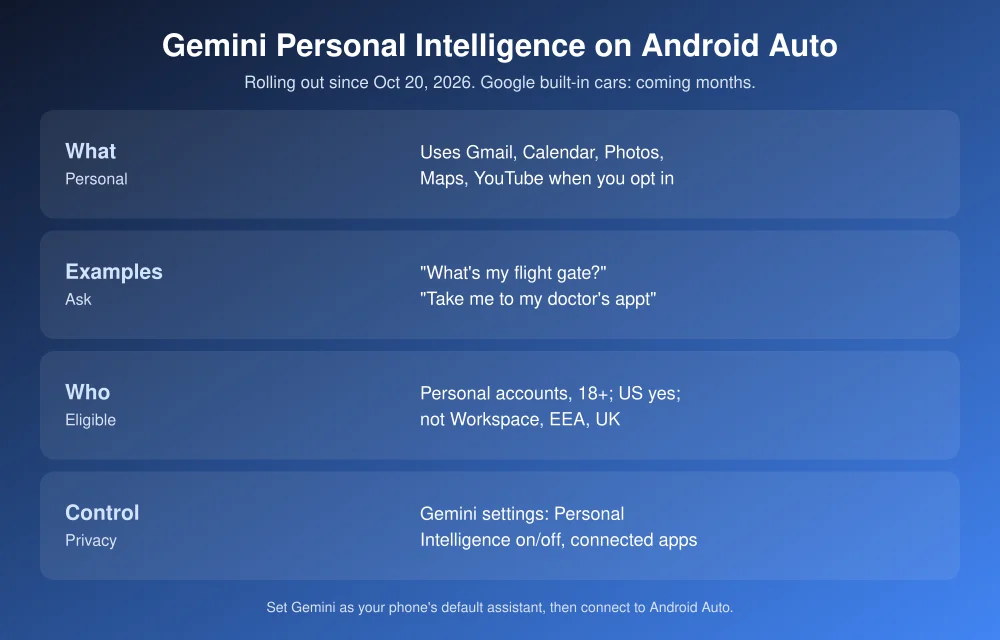
Quick answer: Personal Intelligence lets Gemini on Android Auto use your connected Google apps, such as Gmail, Calendar, Photos, Maps and YouTube, to answer requests like “What’s my flight gate?” or “Navigate to the car wash from the photo I took last week.” It’s opt-in and works on personal Google accounts for people 18 and older, including in the US. It isn’t available for Workspace work or school accounts, or in the EEA, Switzerland, the UK and Nigeria. Turn it on in Gemini settings on your phone. If it’s already on there, it carries over to the car. Cars with Google built-in get it later.
What Personal Intelligence can do in the car
Examples from Google’s post:
- “What’s my flight gate? And is my flight on time?” Gemini checks your flight details, for example from Gmail.
- “Take me to my doctor’s appointment.” Gemini finds the appointment and starts navigation, with no address needed.
- “Find the car wash from the photo I took last week and navigate there.” It uses Google Photos.
- “Take me to the coffee shop we were talking about yesterday.”
- Restaurant suggestions along your route that match your usual preferences. Google’s example is a vegetarian getting a shortlist of matching places.
Without Personal Intelligence, Gemini still handles navigation, music, calls and general questions. The answers just aren’t tailored to your own data.
Who can get it
| Requirement | Details |
|---|---|
| Account | Personal Google account. Not Workspace business, enterprise or education |
| Age | 18 and older |
| Where | Global, including the US. Not the EEA, Switzerland, UK or Nigeria |
| Android Auto | Rolling out since October 20, 2026 |
| Cars with Google built-in | “In the coming months,” with no date or brands named |
Google’s car post doesn’t mention a paid plan. Personal Intelligence first launched in January 2026 for Google AI Pro and Ultra subscribers in the US, and 9to5Google and Engadget reported it reached free US users in March. Check Gemini’s settings on your phone to see if it’s offered to you.
How to get Gemini on Android Auto
Per Google’s Android Auto page:
- Use an Android phone running Android 9 or later for wired Android Auto, or Android 11 or later for wireless.
- Set Gemini as your phone’s default assistant.
- Connect to your car. When your account is eligible, Gemini replaces Google Assistant in Android Auto. Google says this is a server-side update rolling out over time.
- Say “Hey Google” or press the voice button on the steering wheel.
If your phone won’t connect after a Samsung update, see our Android Auto not connecting on One UI 9 fix. iPhone users can use Gemini through CarPlay instead. See how to use Gemini on Apple CarPlay, or our fix if Gemini isn’t showing on CarPlay.
How to turn Personal Intelligence on or off
- Open the Gemini app on your phone and go to its settings.
- Find Personal Intelligence and turn it on, then choose which Google apps to connect.
- To change or remove apps later, visit gemini.google.com/personalization-settings.
Google says, “Your apps aren’t connected until you choose to turn it on,” and you can switch it off anytime. In cars with Google built-in, personal answers are only shared when you’re in the car with your phone connected.
What data it uses
Google’s Gemini Personal Intelligence help page says:
- Connected apps can include Gmail, Calendar, Drive, Docs, Keep, Tasks, Contacts, Photos, Maps, YouTube and more.
- Gemini doesn’t train directly on your Gmail, Drive, Calendar or Photos content, but it may use summaries, excerpts and inferences from them to improve Google services.
- Some conversations are reviewed by people after being disconnected from your account.
- Google advises against connecting apps that hold confidential information.
Passengers can hear spoken answers, so think about what you ask with others in the car. Want to know more about the model behind it? See our Gemini 4 Neon explainer.
FAQs
Is Gemini Personal Intelligence available on Android Auto in the US?
Yes. Google began rolling it out on Android Auto on October 20, 2026, for personal Google accounts aged 18 and older. Rollout is gradual, so it may not appear for everyone yet.
Which cars get Personal Intelligence with Google built-in?
Google says cars with Google built-in get it “in the coming months” but hasn’t named brands or a date.
Does it work with a Google Workspace account?
No. Google says it isn’t available for Workspace business, enterprise or education accounts.
How do I stop Gemini from using my Gmail in the car?
Turn off Personal Intelligence or disconnect Gmail in Gemini settings, or at gemini.google.com/personalization-settings. Gemini still works for navigation, music and calls.
Featured image: Google.
Disclosure: TheTechHacker has no paid relationship with Google or any carmaker mentioned here.
More in News
Google’s November Pixel Drop Rolls Out With Gemini on Pixel 10, Custom Widgets and $29.99 Pixel Tag
Google's November 2026 Pixel Drop brings Gemini Intelligence to Pixel 10, custom widgets and a new Call Screen. Pixel Tag goes on sale Nov 11 for $29.99.
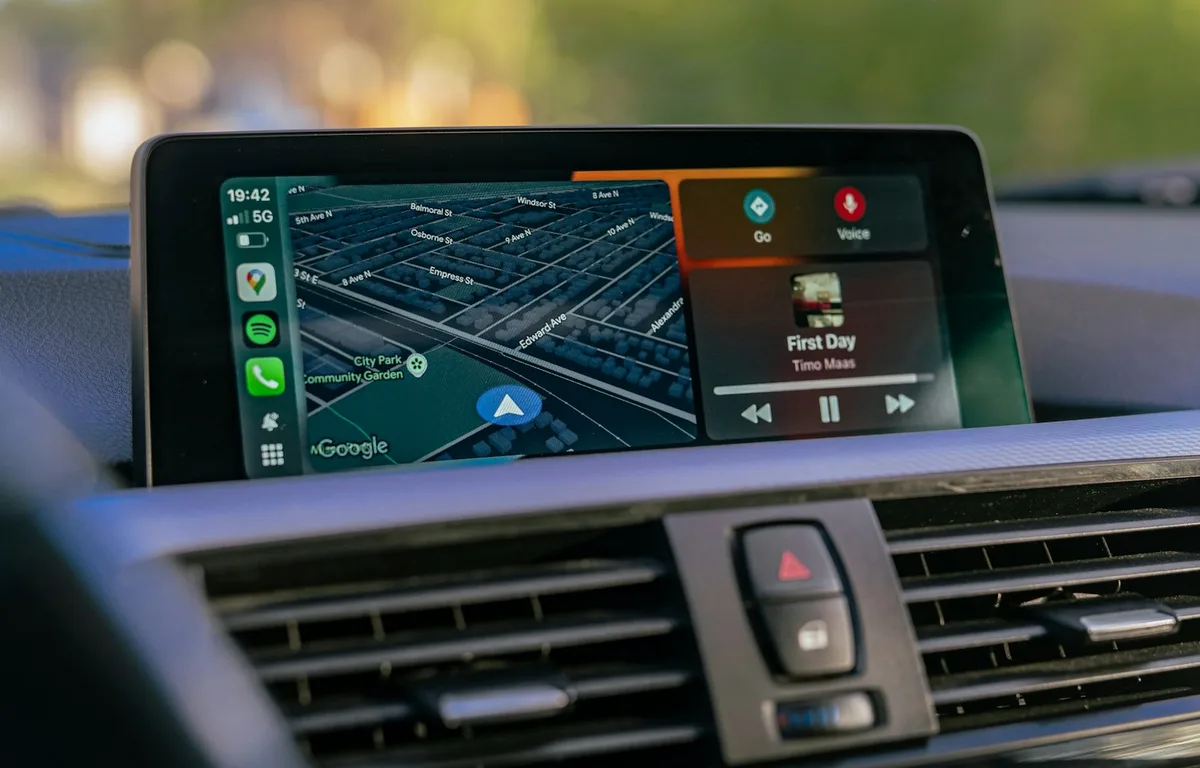
How to Fix Gemini Not Showing on Apple CarPlay: 8 Fixes That Work
Google started rolling out the Gemini app to Apple CarPlay on November 11, and plenty of iPhone owners got into their cars this week expecting a new icon that simply wasn’t there. If that’s you, the fix is usually quick. Google’s setup has a couple of steps that are easy to miss, and CarPlay itself…
How to Use Gemini on Apple CarPlay: Setup, Voice Tips and Limits
Google’s Gemini app now works on Apple CarPlay. Google announced it on November 11, 2026, rolling out “to all Gemini users on iOS,” and the App Store listing now shows a “Gemini is now on CarPlay” banner. Many people will be on the road for Thanksgiving this week, and Gemini can read out your calendar,…
The week in tech, minus the noise.
New reviews, fixes and the stories that matter — once a week, straight to your inbox.
We only use your email to send the newsletter. Unsubscribe any time. See our privacy policy.
Comments