

How to Use Gemini on Apple CarPlay: Setup, Voice Tips and Limits
Google’s Gemini app now works on Apple CarPlay. Google announced it on November 11, 2026, rolling out “to all Gemini users on iOS,” and the App Store listing now shows a “Gemini is now on CarPlay” banner. Many people will be on the road for Thanksgiving this week, and Gemini can read out your calendar,…

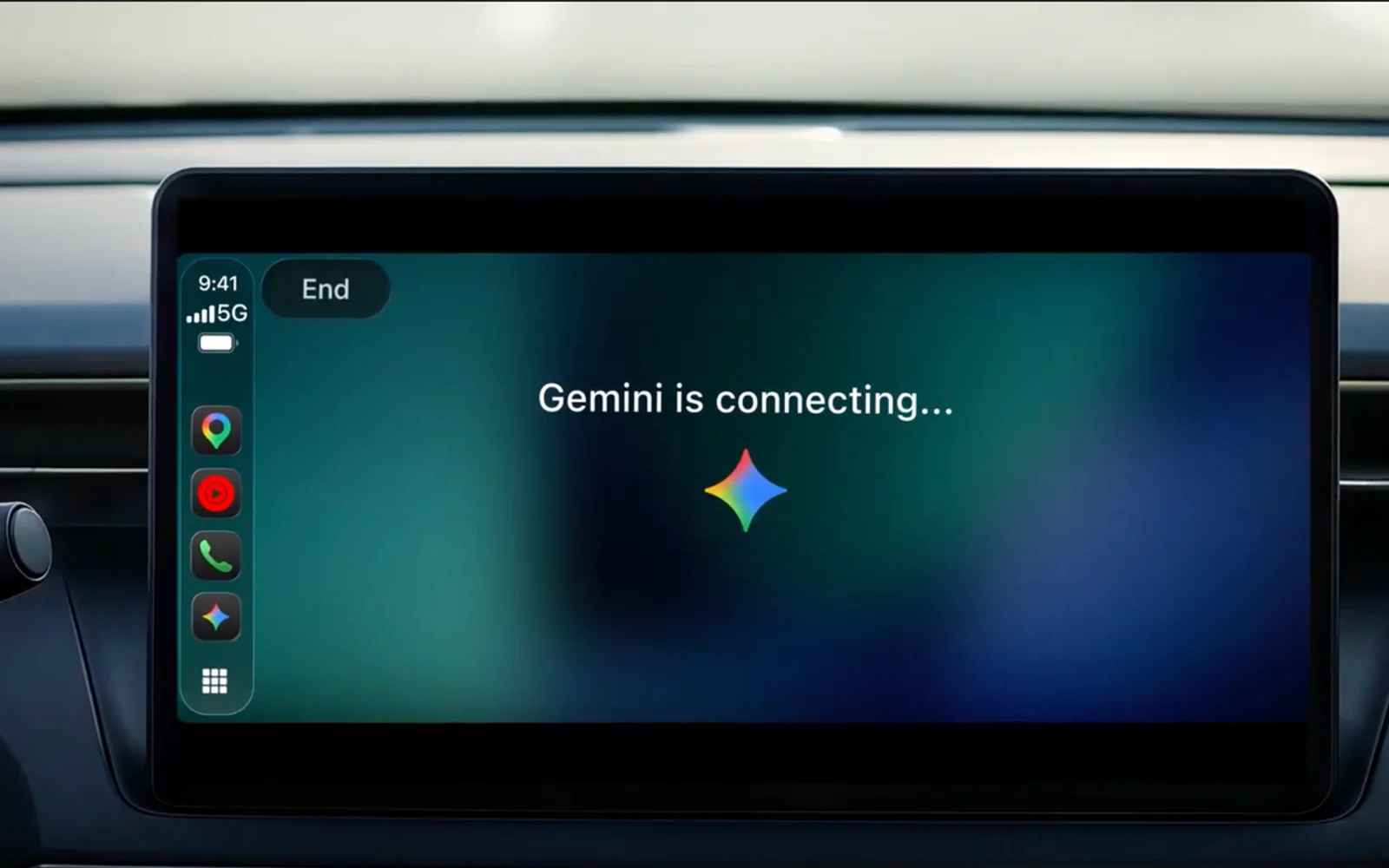
Image: Google
Google’s Gemini app now works on Apple CarPlay. Google announced it on November 11, 2026, rolling out “to all Gemini users on iOS,” and the App Store listing now shows a “Gemini is now on CarPlay” banner. Many people will be on the road for Thanksgiving this week, and Gemini can read out your calendar, catch you up on unread Gmail, or talk through a presentation while you drive. Setting it up takes about two minutes. This guide covers how to add it, how to start a chat, and what it can’t do in the car.
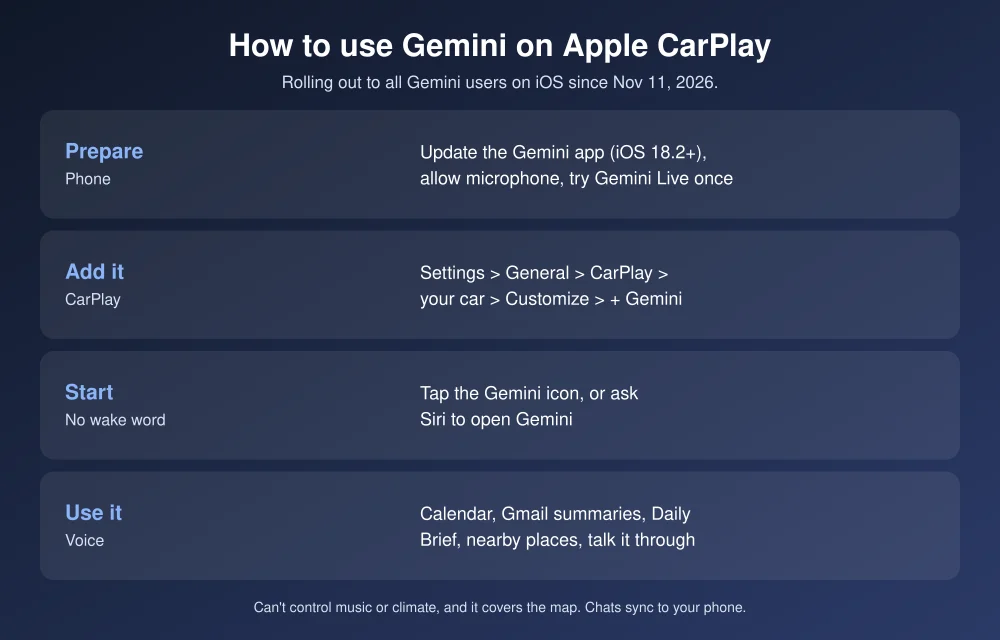
Quick answer: To use Gemini on CarPlay, update the Google Gemini app on your iPhone (it needs iOS 18.2 or later). Turn on its microphone permission, and use Gemini Live at least once on the phone. Then connect to CarPlay and tap the Gemini icon. If you don’t see it, go to Settings > General > CarPlay > [your car] > Customize and add it. There’s no “Hey Google” wake word. Tap the icon, or ask Siri to open Gemini. It’s free, though paid Google AI plans exist.
What you need
- An iPhone running iOS 18.2 or later, the minimum on the Google Gemini App Store listing.
- The latest Gemini app. The CarPlay update arrived on November 12, according to 9to5Mac.
- A car with CarPlay, wired or wireless.
- A Google Account. Google says it’s for all Gemini users on iOS in every language Gemini Live supports. It doesn’t say paid plans get anything extra in the car.
How to set up Gemini on CarPlay
- Update the app. Open the App Store, tap your profile picture, and update Google Gemini.
- Allow the microphone. Go to Settings > Apps > Gemini and make sure Microphone is on.
- Use Gemini Live once on your phone. Open the Gemini app, tap the Live button, and say anything. Google lists this as a requirement, so don’t skip it even if you never plan to use Live on the phone.
- Connect to CarPlay. Look for the Gemini icon on the CarPlay home screen or in the side rail.
- Icon missing? On your iPhone, go to Settings > General > CarPlay, pick your car, tap Customize, and tap the green + next to Gemini. Drag it to the first page so you can reach it without scrolling. Apple notes on its CarPlay support page that the new layout appears the next time you connect.
Android Authority reports the rollout may take a few days to reach everyone. If the icon still isn’t there after updating, wait a day and reconnect.
How to talk to Gemini while driving
- Tap the Gemini icon on the CarPlay screen, then start a new chat or pick up a recent one.
- Ask Siri: hold the voice button on your steering wheel and say “Open Gemini.” Apple doesn’t let third-party apps use their own wake word, so “Hey Google” won’t work, and the steering wheel button always opens Siri.
- Talk naturally. You can interrupt Gemini, change topics, or pause the conversation.
Set it up while parked. Customizing the CarPlay layout and the first Gemini Live chat both happen on your phone.
What Gemini can do in the car
| Ask it to | Example |
|---|---|
| Check your calendar | “What’s on my calendar today, and when should I leave?” |
| Catch up on email | “Summarize my unread Gmail,” then dictate a reply |
| Brief you | “Give me my Daily Brief” (turn it on first; not for under-18s) |
| Find places | “Find a coffee shop near my route” or “What’s that landmark?” |
| Think out loud | Rehearse a toast, a presentation, or talk through a decision |
Gmail and Calendar answers rely on Gemini’s Google Workspace connections, so turn those on in the Gemini app first. Your car chats sync to the Gemini app on your phone, so you can find them after you park.
What it can’t do
- No wake word. Siri stays the default assistant in CarPlay.
- No car or phone controls. Android Authority reports it can’t change music, adjust the climate, or control other CarPlay apps. Use Siri for those.
- It takes over the screen. autoevolution reports Gemini runs full screen, so your navigation map is hidden during a conversation. Listen for turn-by-turn audio, or end the chat before a tricky exit.
- Texting isn’t confirmed. Google mentions email replies, not iMessage or SMS. Siri still handles texts.
Privacy: what to know
CarPlay conversations are saved to your Gemini history like any other chat. The App Store privacy label lists location, contacts, user content and usage data among the data the app may collect and link to you. To review or delete chats, open your activity settings in the Gemini app. Avoid reading out passwords, card numbers or other sensitive details in the car, since passengers can hear Gemini’s replies too.
Gemini vs Siri vs Gemini in Google Maps
Before this app arrived, Gemini was only on CarPlay inside Google Maps, starting in October, 9to5Google reported. Use Maps’ Gemini for questions about your route. Use the Gemini app for longer conversations, email and your calendar. Siri is still the fastest way to text, call or change music. If you’re on Android, Gemini already works in Android Auto, and our Android Auto connection fix helps if it won’t link. Gemini’s agent mode is now free too: see how to use Gemini Tasks. To compare it with Apple’s assistant, read about Siri AI daily limits in iOS 27.3. Flying instead of driving? Set up flight delay alerts.
FAQs
Is Gemini available on Apple CarPlay?
Yes. Google announced Gemini for CarPlay on November 11, 2026, rolling out to all Gemini users on iOS in every language Gemini Live supports.
Why don’t I see Gemini on CarPlay?
Update the Gemini app, allow microphone access, and use Gemini Live once on your phone. Then add it under Settings > General > CarPlay > your car > Customize. The rollout can take a few days.
Can I say “Hey Google” in CarPlay?
No. Apple doesn’t allow third-party wake words in CarPlay. Tap the Gemini icon or ask Siri to open Gemini.
Is Gemini on CarPlay free?
Yes. The Gemini app is free, and Google says CarPlay support is for all Gemini users on iOS. Paid Google AI plans are optional.
Featured image: Google.
Disclosure: TheTechHacker has no paid relationship with Google, Apple or any company mentioned here.
More in How-to
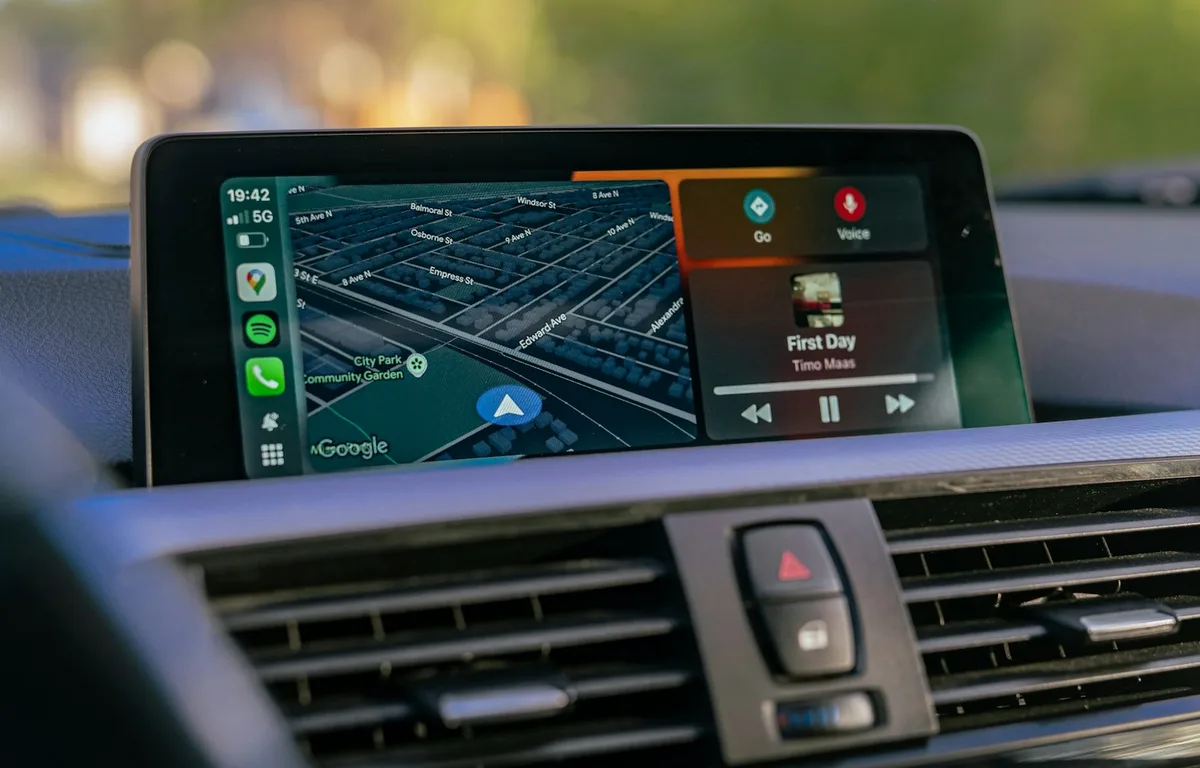
How to Fix Gemini Not Showing on Apple CarPlay: 8 Fixes That Work
Google started rolling out the Gemini app to Apple CarPlay on November 11, and plenty of iPhone owners got into their cars this week expecting a new icon that simply wasn’t there. If that’s you, the fix is usually quick. Google’s setup has a couple of steps that are easy to miss, and CarPlay itself…
How to Check If a Video Is AI-Generated: 7 Ways to Spot a Fake
A year ago, you could usually spot an AI video in a few seconds. The hands were wrong, the faces melted, and the physics felt off. That’s no longer reliable. Tools like Google’s Veo and OpenAI’s Sora now make clips with realistic lighting, natural voices and believable motion, and they’re all over YouTube Shorts, TikTok,…
How to Use Gemini to Call Businesses for You: Requirements, Steps and Limits
Gemini can now phone a business for you, wait on hold, ask your question or book the appointment, and send you a summary when it’s done. Google calls the feature Call for Me. It’s part of the Tasks update Google announced on November 17, 2026, but the calling part has a much shorter list of…
The week in tech, minus the noise.
New reviews, fixes and the stories that matter — once a week, straight to your inbox.
We only use your email to send the newsletter. Unsubscribe any time. See our privacy policy.
Comments