

How to Fix Gemini Not Showing on Apple CarPlay: 8 Fixes That Work
Google started rolling out the Gemini app to Apple CarPlay on November 11, and plenty of iPhone owners got into their cars this week expecting a new icon that simply wasn’t there. If that’s you, the fix is usually quick. Google’s setup has a couple of steps that are easy to miss, and CarPlay itself…
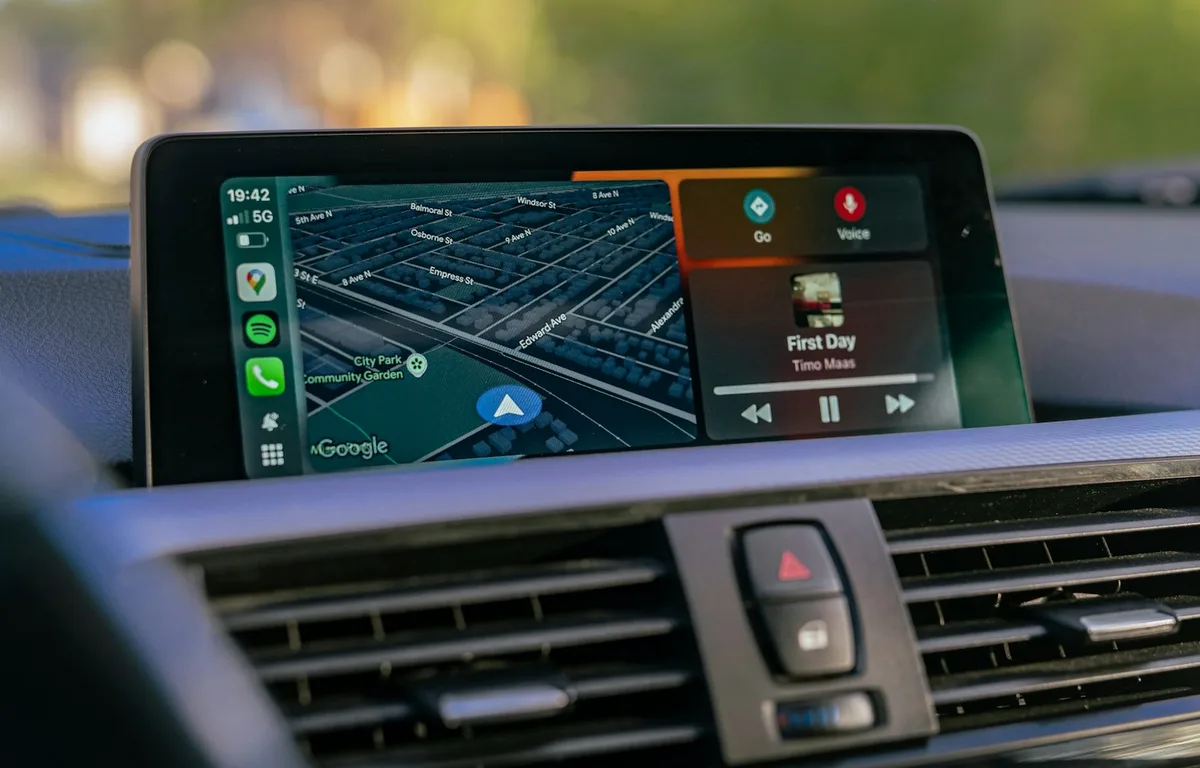
Photo by Vadym Kudriavtsev on Unsplash
Google started rolling out the Gemini app to Apple CarPlay on November 11, and plenty of iPhone owners got into their cars this week expecting a new icon that simply wasn’t there. If that’s you, the fix is usually quick. Google’s setup has a couple of steps that are easy to miss, and CarPlay itself sometimes tucks new apps onto a second page.
I’ve put the fixes in the order I’d try them, starting with the three things Google says you need before the icon shows up at all.
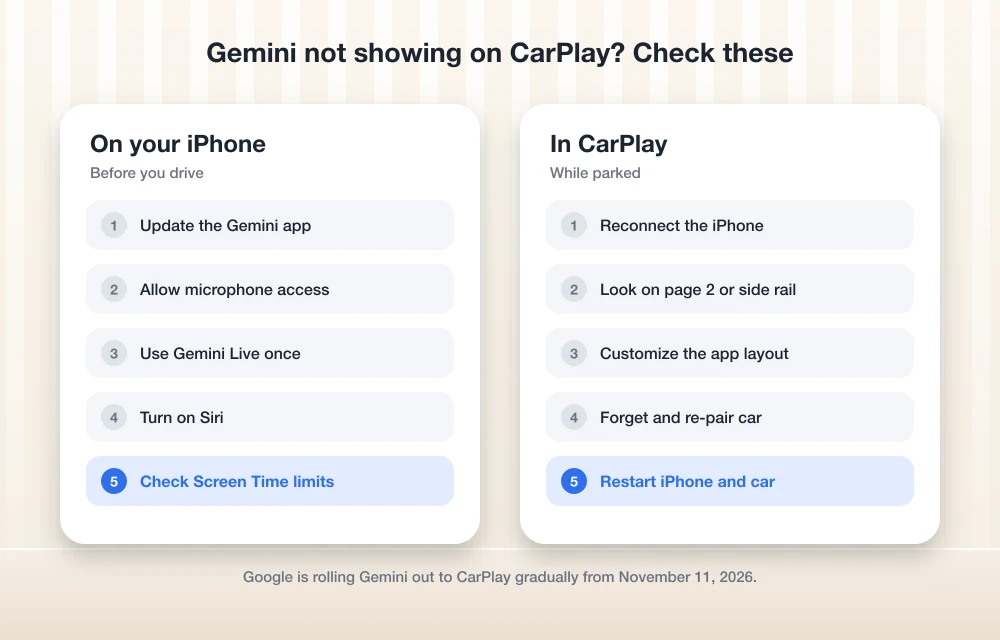
Quick answer: Update the Gemini app, give it microphone access, and have one Gemini Live conversation on your iPhone before you connect to CarPlay. Then look for the Gemini icon on the second CarPlay page or add it under Settings > General > CarPlay > your car > Customize. If it’s still missing, check Screen Time restrictions, make sure Siri is on, and reconnect. Google is rolling the feature out gradually, so it may take a few days to reach you.
Why Gemini isn’t on your CarPlay screen yet
In its announcement on the Google blog, Google said Gemini on CarPlay is “rolling out globally” to Gemini users on iOS in every language Gemini Live supports. A gradual rollout means some phones get it days before others. Google also lists three steps to complete on the iPhone first, so check those before assuming the rollout hasn’t reached you.
1. Update the Gemini app
Open the App Store, tap your profile picture, and scroll to see pending updates. If Gemini is listed, tap Update. CarPlay support comes with the latest version of the app, so an older build won’t show the icon no matter what else you do.
2. Turn on microphone access for Gemini
Google says Gemini needs microphone permission to work in the car, which makes sense since the CarPlay version is voice-first. Go to Settings > Apps > Gemini and make sure Microphone is switched on. If you tapped “Don’t Allow” the first time the app asked, this is the setting that’s been holding you back.
3. Use Gemini Live on your phone once
This is the step most people skip. Google says you need to use Gemini Live on your iPhone at least once before it appears in CarPlay. Open the Gemini app, tap the Live button, say a sentence or two, and end the conversation. Then disconnect and reconnect your phone to the car.
4. Look on the second CarPlay page or add Gemini manually
New CarPlay apps don’t always land on the first screen. Swipe across your car’s display to check the other pages. To move Gemini where you’ll see it, Apple’s CarPlay guide says to go to Settings > General > CarPlay, select your car, then tap Customize. From there you can add Gemini and drag it higher in the list. Do this while you’re parked.
5. Check Screen Time restrictions
If your iPhone has Content & Privacy Restrictions turned on, CarPlay or specific apps can be blocked. Go to Settings > Screen Time > Content & Privacy Restrictions, tap Allowed Apps, and make sure CarPlay is enabled. This is one of the fixes Apple lists for CarPlay connection problems.
6. Make sure Siri is on
Apple says Siri must be on for CarPlay to work properly. Open Settings, go to the Siri section, and confirm it’s enabled. Gemini runs as its own app, but if CarPlay itself is misbehaving, nothing new will show up reliably.
7. Forget the car and pair it again
A fresh connection often clears up a stale CarPlay layout. Apple’s steps: go to Settings > General > CarPlay, tap your car, then tap Forget This Car. Reconnect with the cable or wirelessly, set it up again, and check for the Gemini icon.
8. Restart your iPhone and your car
Apple lists a restart of both the iPhone and the car’s infotainment system as a basic CarPlay fix. Turn the car off, restart your iPhone, then start the car and reconnect.
What Gemini can do in CarPlay once it works
According to Google, you can have a back-and-forth conversation with Gemini Live from the car display or side rail, interrupt it to add details, and pick up a recent chat. If you’ve connected Google Workspace, it can give you a daily brief, catch you up on unread emails, summarize email threads, and help you draft a quick reply by voice. Your chats also sync to the Gemini app on your iPhone.
Two limits are worth knowing. Google says the Daily Brief must be turned on first, and some personalization features, including Daily Brief, aren’t available to users under 18. If you use an Android phone in the car instead, our guide on fixing Android Auto not connecting covers the Android side, and our November Pixel Drop report explains the latest Gemini features on Pixel phones. iPhone owners should also install the iOS 27.2.1 update if they haven’t yet.
FAQs
Is Gemini on CarPlay free?
Google says Gemini on CarPlay is rolling out to all Gemini users on iOS. The announcement doesn’t mention a subscription requirement for the CarPlay app itself.
Why does Gemini not show up in CarPlay after updating?
Google says you also need to allow microphone access and use Gemini Live on your iPhone at least once. The rollout is gradual too, so it may not have reached your phone yet.
Can I move the Gemini icon on my CarPlay screen?
Yes. On your iPhone, go to Settings > General > CarPlay, select your car, tap Customize, and drag Gemini to where you want it.
Why is Daily Brief missing in Gemini on CarPlay?
Google says Daily Brief has to be turned on first, and it isn’t available to users under 18 or in the European Economic Area and Nigeria.
Featured image: Vadym Kudriavtsev on Unsplash.
Disclosure: TheTechHacker has no paid relationship with Google, Apple or any company mentioned here.
You might also like
How to Stop Android Auto Overheating Your Phone: 5 Fixes That Actually Work
If you’ve ever reached for your phone after a long drive and felt like you were picking up a hot baked potato, you aren’t alone. A quick search for “Android auto makes phone hot reddit” shows thousands of drivers dealing with the exact same issue every single day. Whether you are experiencing a Samsung S22…
How to Fix Wrong or Missing Battery Percentage on iPhone
If your iPhone battery percentage is missing, showing the wrong level, or behaving inconsistently, it is usually a settings issue or a temporary iOS glitch. In some cases, the battery indicator can also become inaccurate after an update, especially when the system has not fully stabilized yet. The good news is that this problem is…
iOS 27.2.1 Is Out: What the Bluetooth and iMessage Security Fixes Mean for Your iPhone
Apple pushed iOS 27.2.1 out on November 9, only two weeks after iOS 27.2, and if you glanced at the update screen you probably saw the usual one-liner about “bug fixes and security updates” and moved on. I’d actually tap Download on this one, because when you open Apple’s security notes, most of what got…
The week in tech, minus the noise.
New reviews, fixes and the stories that matter — once a week, straight to your inbox.
We only use your email to send the newsletter. Unsubscribe any time. See our privacy policy.
Comments