

Google Launches A New Web App Called Chrome Canvas For Drawing Doodles
Google launched a new progressive web app, Chrome Canvas, which allows quick drawings or scribbles. We can access it directly from the web browser.
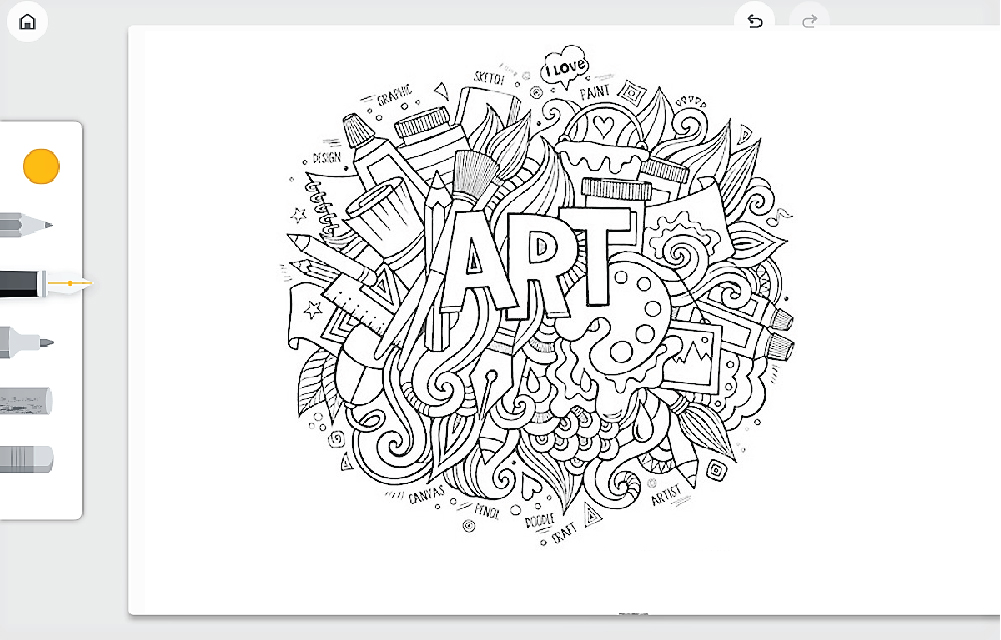
Google launched a new progressive web app, Chrome Canvas, which allows quick drawings or scribbles. We can access it directly from the web browser on any computer, on Chromebook or install it on an Android device, following the option “Add it to the home page“.
Well, we found that it is a simple app, with the basic options to entertain us doing scribbles or quick notes. There are several options to choose from, such as pencil tip, ink pen, marker, chalk, among other possibilities, as we see in the image:
Chrome Canvas
To give a little variety to the drawing, we can change the size and opacity of the strokes. We can also choose the color we want, by moving the color bar, choosing palettes or specifying the hexadecimal color code. An interesting option is that if we do not want to start with the blank page, we can upload an image and draw or write on it.
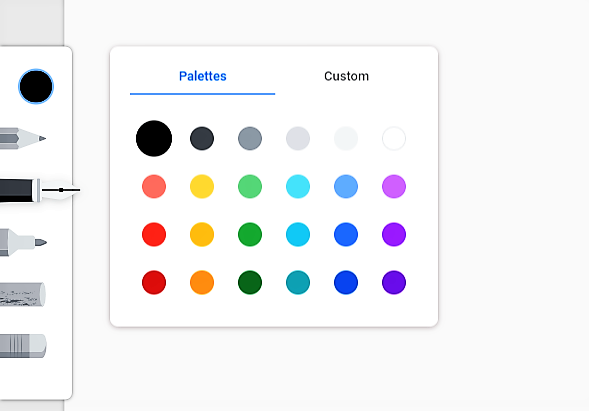
We can export (as .png) the drawings that we are creating, or simply save them in our Google account. All the drawings that we will save will be organized on the main page, along with the options to change the name, export or delete.
It is a simple and practical app, which does not require that anything to download and that we can use from all our devices since they will be synchronized through the Google account. To install the app on your Chromebook, just tap the three-dot button and hit ‘install Canvas’, and it’ll show up as a palette icon on the Chrome OS launcher. It’ll also prompt you to add Chrome Canvas if you access the site from your Android phone.
More in News

How to Use Gemini Tasks for Free: Calls, Texts, Shopping and More
Until this week, Gemini’s agent mode, the version that actually does things for you instead of only answering questions, needed a paid Google AI Pro or Ultra plan. On November 17, 2026, Google made it free. Gemini Tasks can now book appointments, shop for groceries, sort your inbox into calendar events, and, in the US,…

Best Parental Control Apps for iPhone and Android (2026)
Apple Screen Time and Google Family Link are free and cover the basics. Here’s when Qustodio, Bark, Norton Family or Net Nanny are worth paying for, with confirmed prices.

How to Track Price Drops Before Cyber Monday 2026: Google, Chrome and Amazon Alerts
Cyber Monday is November 30, 2026, and Amazon’s Black Friday Week sale has been running since November 19. The best way to tell a real deal from a fake one is to watch the price before you buy. Google, Chrome and Amazon all have free tools that track a product’s price and alert you when…
The week in tech, minus the noise.
New reviews, fixes and the stories that matter — once a week, straight to your inbox.
We only use your email to send the newsletter. Unsubscribe any time. See our privacy policy.
Comments