

Microsoft removes Huawei Matebook X Pro from their store after US ban
We know that Huawei is facing testing times currently in the industry. And this situation is because of the current trade war between China and the US.

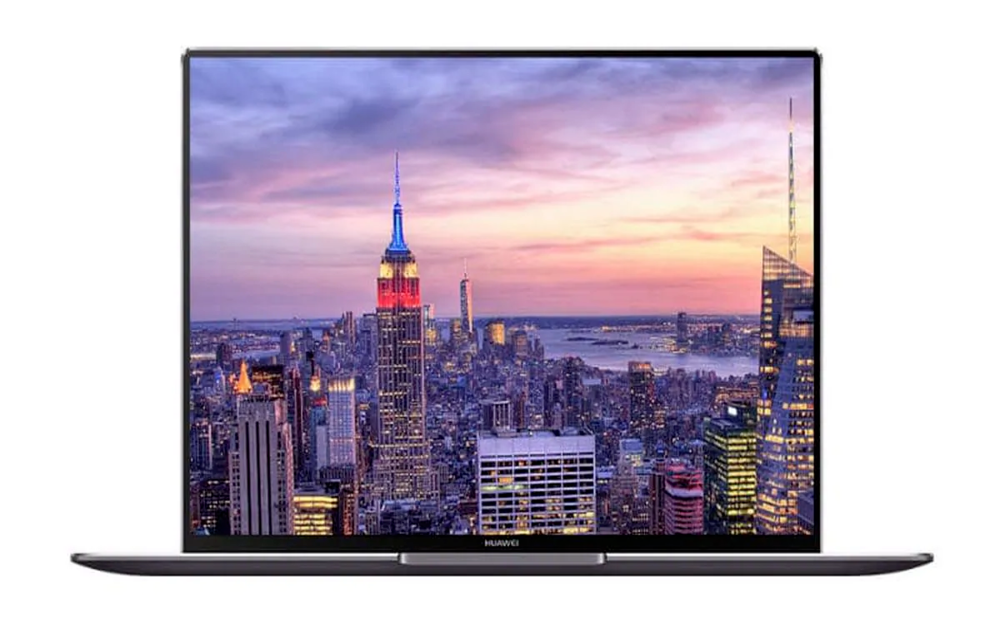
We know that Huawei is facing testing times currently in the industry. And this situation is because of the current trade war between China and the US. Due to this, US has banned China’s Huawei from trading with US companies. As part of this, the company along with many others have been blacklisted in the US. Therefore, Google has complied with the order by cutting ties with Huawei and ending its partnership due to the ban. Thus, Huawei smartphones will not get Android updates anymore.
But this is not the end of Huawei’s troubles. We know that Huawei also makes Windows laptops. And we must add that its Matebook X Pro has been very popular. But the Matebook X Pro is also under the cloud because the Microsoft ban is also looming on Huawei. You should be aware that Microsoft is also a US company. Therefore, Microsoft is also banned from being in partnership with Huawei and cannot supply hardware or software.
This means that Microsoft cannot supply Windows OS to Huawei. As a part of this, Microsoft has already removed the Matebook X Pro from their website’s list of laptops running Windows. We should also note though, that, Microsoft has not yet banned Huawei from using Windows.
So you can still get updates from Microsoft for Windows as long as the ban has not been placed. But we should expect to see Microsoft reacting very soon. As the company has to abide by the law set in place by the US’s Trump administration.
Huawei will also face another issue because of the Microsoft ban because of its cloud services being hosted on Microsoft Azure. Also, it is being said that Huawei’s 90 day extension period for the Android updates does not apply to Huawei’s laptops according to a report from The Verge.
More in News
How to Fix ‘Your Computer Has Been Locked’ Scam Pop-Ups on Windows and Mac
A fake Microsoft or Apple warning took over your screen and wants you to call a number? Here’s how to close it safely on Windows and Mac, clean up your browser, and recover if you already called or paid.
How to Fix Outlook Not Syncing Email in Microsoft 365 (Windows, Mac, iPhone and Android)
Outlook stuck on old mail? Here’s how I’d fix Microsoft 365 sync problems in new and classic Outlook on Windows, Outlook for Mac, and the Outlook app on iPhone and Android.
How to Fix Memory Integrity Problems After the Windows 11 Update
After installing this month’s Windows 11 update, some people opened Windows Security and found Memory Integrity switched on when they never touched it. Others ran into a warning about an incompatible driver, or a game or older tool that stopped behaving. That’s not a bug. Microsoft is now turning the feature on automatically for supported…
The week in tech, minus the noise.
New reviews, fixes and the stories that matter — once a week, straight to your inbox.
We only use your email to send the newsletter. Unsubscribe any time. See our privacy policy.
Comments