

Samsung November 2026 Security Patch: 155 Android Fixes Plus 24 Galaxy Fixes
Samsung's November 2026 security patch brings 155 Android fixes and 24 Galaxy fixes. See what's fixed, which phones get it first and how to install it now.

Samsung has published its November 2026 security bulletin, and it’s a big one. The company calls it SMR-NOV-2026, short for Security Maintenance Release, and it combines Google’s monthly Android fixes with Samsung’s own patches for Galaxy phones.
You’ll see different totals depending on where you read about it. Some sites say 160+, others say almost 180 or even 200+. I’m going with the breakdown from SamMobile’s detailed report, because it’s the clearest.
Quick answer: Samsung’s November 2026 patch includes 155 Android fixes from Google plus 24 Galaxy-specific fixes. Samsung hasn’t shared a firm rollout schedule, but flagships like the Galaxy S26 series and Z Fold7 usually get monthly patches first. To install it, go to Settings > Software update > Download and install. No source confirms that this patch fixes any One UI 9 bugs.
What the November patch fixes
Samsung published the bulletin on November 3, 2026, a day after Google released its own Android Security Bulletin for the month. You can read the full list on Samsung’s official security bulletin page.
The most serious Google flaw is CVE-2026-58868, a bug in the Android Framework that could allow remote code execution with no user interaction. In plain terms, an attacker could run their own code on your phone without you tapping anything. Google also fixed two other critical remote code execution flaws in the System component, plus CVE-2026-58882, the so-called “SMS of Death” bug that can silently disconnect calls.
On Samsung’s side, 17 of the 24 Galaxy fixes are publicly described, while 7 stay private for now. The three High-severity Galaxy fixes cover:
- An out-of-bounds write in the bootloader (an attacker would need physical access to the phone)
- A camera filter plugin that could run arbitrary code after user interaction
- A stack buffer overflow in a system library called libsecuibc
Moderate fixes include a SIM lock bypass caused by weak certificate checks, Contacts widgets on the cover screen that could place calls without permission, and a memory bug in the MKV video parser. Samsung Semiconductor also contributed patches for Exynos chipsets and modems.
The good news: neither Google nor Samsung reports any of these bugs being exploited in the wild. There are no new features in this update either. It’s purely a security release.
Which Galaxy phones get it first
Samsung hasn’t announced a firm schedule. Timing depends on your model, carrier and region, and flagships such as the Galaxy S26 and Z Fold7 usually get monthly patches first.
Reports differ on whether the update is already live. One site says it has reached the Galaxy S26 lineup, the S25 series and recent foldables, while SamMobile and Android Headlines say it’s still expected in the coming days. I couldn’t confirm which is right, so if you don’t see it yet, don’t worry. The S25 and S26 series are also still getting a second October 2026 update right now.
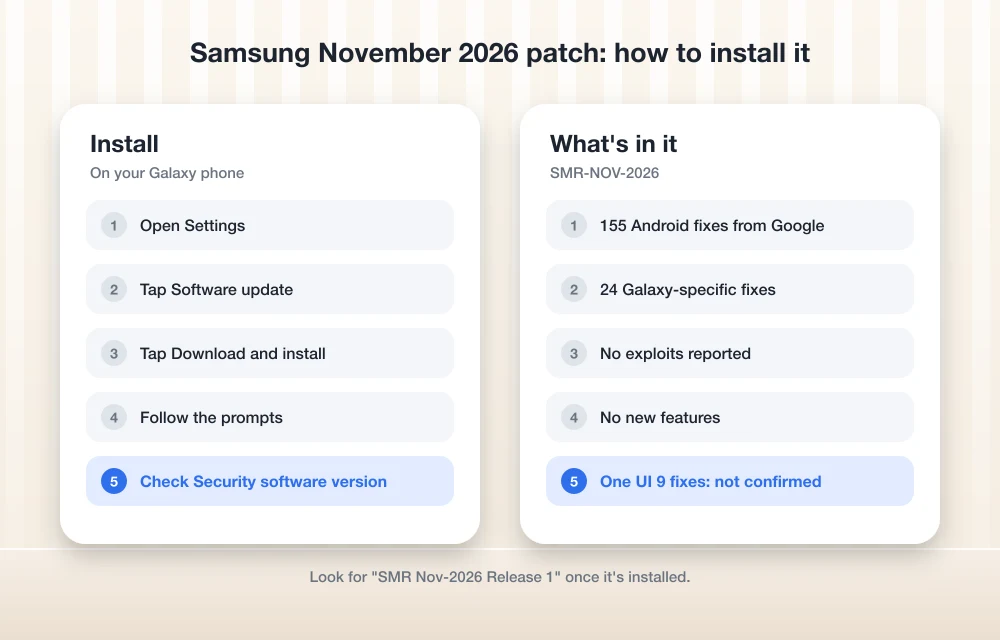
How to install the update
- Open Settings on your Galaxy phone.
- Tap Software update.
- Tap Download and install and follow the prompts.
Once it’s installed, look for “SMR Nov-2026 Release 1” listed as your Security software version. That’s Samsung’s name for the November release.
Does it fix One UI 9 bugs?
Not confirmed. No source says the November patch fixes any One UI 9 problem. Android Police only guessed that a fix “might” arrive with it.
Here’s where the known issues stand. A Samsung community manager linked a WebView error on the Galaxy S26 Ultra to One UI 9 and shared a temporary workaround, but there’s no date for a permanent fix. Freezing after the One UI 9 update hasn’t been confirmed by Samsung at all. If that’s hitting you, my guide on fixing One UI 9 battery drain and freezing has steps you can try now.
The Android Auto connection problem is a separate case. Google, not Samsung, is handling that fix and says it’s rolling out, but hasn’t said which update carries it. Until then, see how to fix Android Auto not connecting after One UI 9. And if your phone is stuck on setup after updating, this guide on the Galaxy S26 Ultra stuck at Samsung Account sign-in may help.
What you should do
My advice is simple: install the November patch as soon as it shows up on your phone. Nothing is being actively exploited, but the critical Framework bug is exactly the kind of flaw you want closed early. Just don’t expect it to cure your One UI 9 headaches until Samsung says so.
Frequently Asked Questions
How many vulnerabilities does Samsung’s November 2026 security patch fix?
According to SamMobile, it includes 155 Android fixes from Google plus 24 Galaxy-specific fixes. Other sites report different totals, ranging from 160+ to over 200, because they count Google and chip vendor fixes differently.
Does the November 2026 patch fix One UI 9 bugs?
That isn’t confirmed. Neither Samsung nor any report says the November patch fixes One UI 9 bugs like freezing or the WebView error. The Android Auto fix is coming from Google separately.
When will my Galaxy phone get the November update?
Samsung hasn’t shared a firm schedule. It depends on your model, carrier and region, and flagships like the Galaxy S26 series and Z Fold7 usually get monthly patches first.
More in News
Android November 2026 Security Update Fixes 216 Flaws, but Android 12 and 13 Miss the SMS of Death Fix
Google's November 2026 Android security update fixes 216 flaws, but the SMS of Death crash bug stays unpatched on Android 12 and 13. Here's how to check.
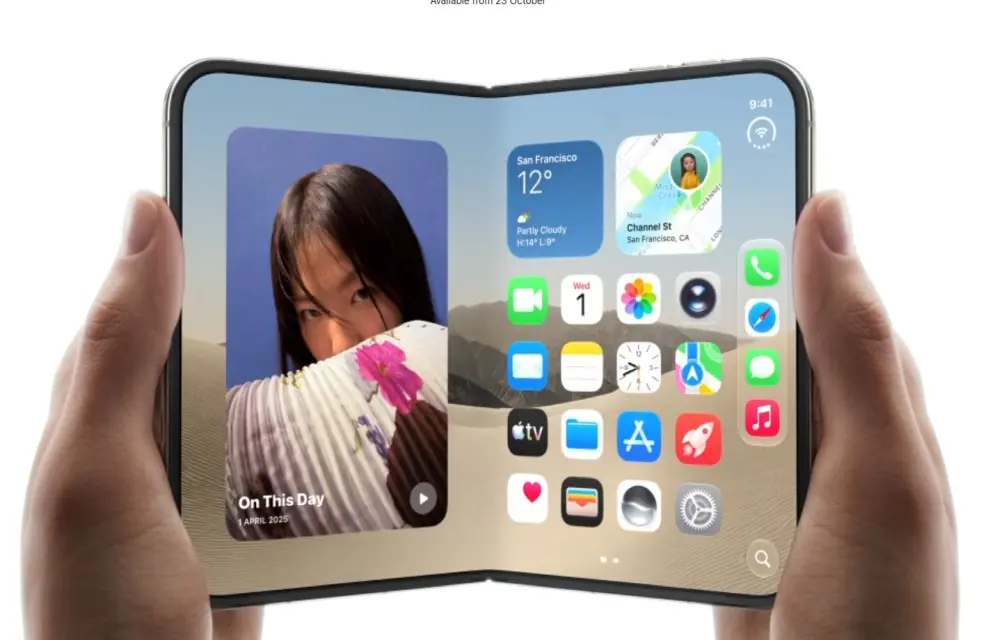
Apple Limits iPhone Duo Orders To Two Per Shopper
Apple restricts iPhone Duo purchases to two units per customer online, citing extraordinary demand and pushing standard shipping dates.
Google Play Services Links Phone Numbers to All Google Accounts on Android Without Asking
Android phones now link phone numbers to Google accounts without asking; a Reddit user spotted this change in settings recently. This matter
The week in tech, minus the noise.
New reviews, fixes and the stories that matter — once a week, straight to your inbox.
We only use your email to send the newsletter. Unsubscribe any time. See our privacy policy.
Comments