

SplashData Revealed The Worst Passwords of 2018 Which Do Not Think About Using Them
SplashData has revealed the list with the most used passwords and, in turn, are the worst that a user could use since they are quite insecure.
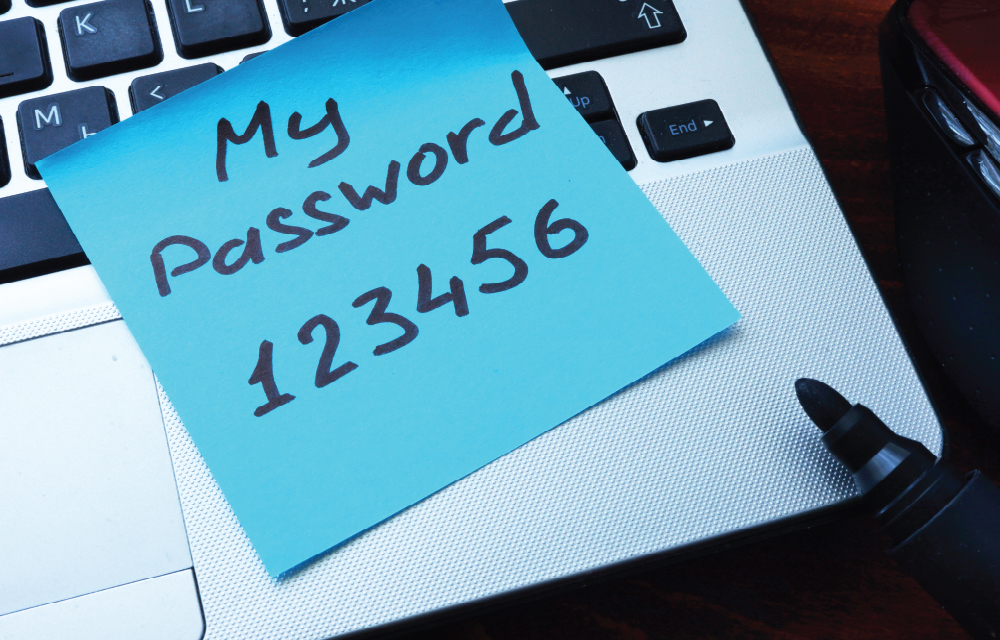
There are only a few weeks left until the end of the year, so it is a good time to remember everything that has happened in the last twelve months. Recently, Google published trends in 2018 searches, including Fortnite, Tinder and Cifuentes. Now the time has come to know the most used passwords, which in turn are the most insecure.
One more year, SplashData has revealed the list with the most used passwords and, in turn, are the worst that a user could use since they are quite insecure. The data obtained comes from the analysis of more than 5 million passwords that were leaked online in the last year. The funny thing is that the first two posts have remained unchanged after last year, and they correspond to 123456789 and password.
It is striking that from the 3rd to the 7th position passwords are repeated with mixes of numbers like 12345 or 111111. In addition, many of the first 25 passwords included in this year’s list are repeated from previous years, although there are also some new ones. For example, Donald, 666666 or princess.
The company has assured in a press release that its intention when bringing this list to light is nothing other than inviting users to adopt better security measures, such as passwords that are more secure. “Using your name or any common name as a password is a dangerous decision,” said Morgan Slain, CEO of SplashData, in a press release. These are the most used passwords in 2018 and that you should avoid at all costs:
- 123456
- password
- 123456789
- 12345678
- 12345
- 111111
- 1234567
- sunshine
- QWERTY
- iloveyou
- princess
- admin
- welcome
- 666666
- abc123
- football
- 123123
- monkey
- 654321
- ! @ # $% ^ & *
- charlie
- aa123456
- donald
- password1 -qwerty123
Some passwords that you should never aim to use them in your personal accounts and thus improves your security. Remember always to use a complicated password, with capital letters and numbers. That makes things more difficult for cybercriminals. If you do not want to have to write by hand, you can always use LastPass, a password manager specialized in ensuring your safety.
More in News
Can AI Agents Use Your Bank Account? What Chase, Citi and Bank of America Allow
AI agents that can shop, pay bills and move money for you are arriving fast, and the biggest US banks are pushing back. Chase, Citi and Bank of America have all moved to keep outside AI agents from logging into customer accounts. If you are thinking about handing your bank login to an AI assistant,…
How to Fix ‘Your Computer Has Been Locked’ Scam Pop-Ups on Windows and Mac
A fake Microsoft or Apple warning took over your screen and wants you to call a number? Here’s how to close it safely on Windows and Mac, clean up your browser, and recover if you already called or paid.
iOS 27.2.1 Is Out: What the Bluetooth and iMessage Security Fixes Mean for Your iPhone
Apple pushed iOS 27.2.1 out on November 9, only two weeks after iOS 27.2, and if you glanced at the update screen you probably saw the usual one-liner about “bug fixes and security updates” and moved on. I’d actually tap Download on this one, because when you open Apple’s security notes, most of what got…
The week in tech, minus the noise.
New reviews, fixes and the stories that matter — once a week, straight to your inbox.
We only use your email to send the newsletter. Unsubscribe any time. See our privacy policy.
Comments