

iOS 27.2.1 Is Out: What the Bluetooth and iMessage Security Fixes Mean for Your iPhone
Apple pushed iOS 27.2.1 out on November 9, only two weeks after iOS 27.2, and if you glanced at the update screen you probably saw the usual one-liner about “bug fixes and security updates” and moved on. I’d actually tap Download on this one, because when you open Apple’s security notes, most of what got…

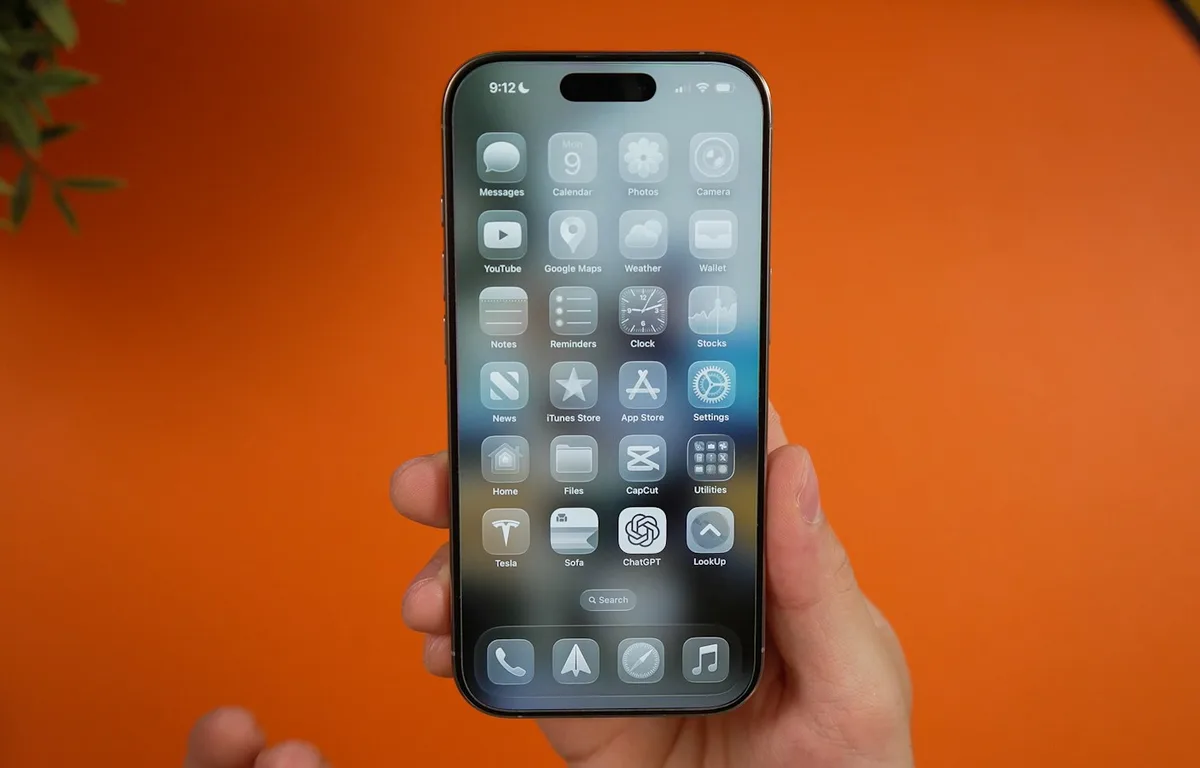
Photo by Daniel Romero on Unsplash
Apple pushed iOS 27.2.1 out on November 9, only two weeks after iOS 27.2, and if you glanced at the update screen you probably saw the usual one-liner about “bug fixes and security updates” and moved on. I’d actually tap Download on this one, because when you open Apple’s security notes, most of what got patched involves Bluetooth pairing and iMessage group chats, which are two things almost everyone with an iPhone uses every single day.
None of the bugs are marked as exploited, so this isn’t a drop-everything emergency. It’s more of a “do it tonight before bed” update, and below I go through what each fix means in normal terms, which iPhones get it, and what to do if you’re sticking with an older iOS version.
Quick answer: iOS 27.2.1 is a security update for iPhone 11 and later. It fixes bugs that could let someone nearby pair a Bluetooth device or get around AirPlay pairing-code limits, plus two iMessage bugs involving who can see group chat messages. Install it from Settings > General > Software Update. If you’re on iOS 26 or iOS 18, Apple released iOS 26.7.3 and iOS 18.7.12 with fixes the same day.
What Does iOS 27.2.1 Fix?
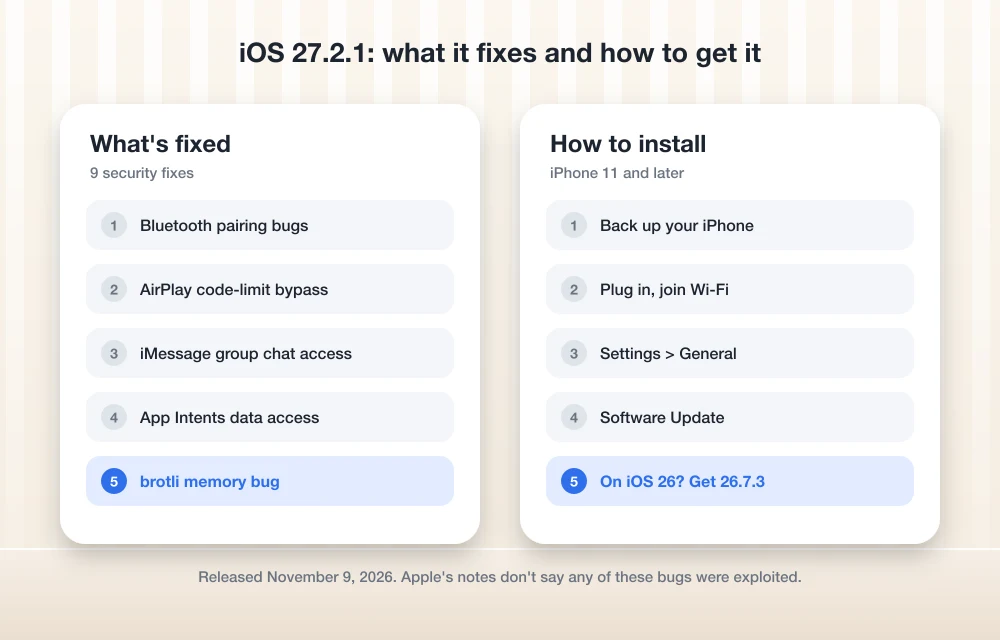
The full list is on Apple’s security content page for iOS 27.2.1, and it’s nine entries long. Apple writes these in pretty dry language, so I’ve grouped them below by what they’d actually mean for you.
Bluetooth and AirPlay pairing (five of the nine fixes)
This is the bulk of the update. Apple fixed a CoreUtils issue where, in its words, a malicious Bluetooth device “may be able to establish a pairing without user interaction,” and a separate Bluetooth bug where an attacker within range could corrupt memory. The other three are all about pairing codes: AirPlay, CoreUtils and rapportd each had a logic issue that let someone get around the limit on how many times a pairing code can be guessed, either from Bluetooth range or from the same network.
That rate limit is the thing that stops a stranger from just trying code after code until one works, so having it bypassable is not great, especially on busy Wi-Fi like a coffee shop, an airport or a hotel. To be clear about the limits here, every one of these needs the attacker to be physically nearby or on your network, so this isn’t something that can hit you from across the internet.
iMessage group chats (two fixes)
The two Messages bugs are the ones I’d find most unsettling as a regular user. One could let a remote attacker join an iMessage group chat and receive its messages, and the other could let someone who was added to a group read messages that were sent before they joined. Apple fixed the second by removing the vulnerable code entirely. If you’ve got family chats or work group threads with anything private in them (and who doesn’t), that alone is reason enough to update.
The other two
An App Intents bug could let an app reach sensitive user data it shouldn’t have, and a bug in brotli, a compression library, could cause memory corruption when the phone processes maliciously crafted input. Both are the sort of behind-the-scenes fixes you won’t notice, and both are fixed now.
Which iPhones Get iOS 27.2.1?
Apple lists iPhone 11 and later, which is the same list of phones that can run iOS 27 at all. On the iPad side, iPadOS 27.2.1 covers iPad Pro 12.9-inch (4th generation) and later, iPad Pro 11-inch (2nd generation) and later, iPad Air (4th generation) and later, iPad (9th generation) and later, and iPad mini (6th generation) and later.
Apple also shipped matching updates the same day for people on older software, and the table below shows which one you need.
| If you’re on | Install this | Devices |
|---|---|---|
| iOS 27 | iOS 27.2.1 | iPhone 11 and later |
| iOS 26 (didn’t upgrade) | iOS 26.7.3 | iPhone 11 and later |
| iOS 18 | iOS 18.7.12 | iPhone XS, XS Max and XR |
Apple also updated watchOS, macOS and visionOS the same day, so if you’ve got an Apple Watch or a Mac, check those for updates too while you’re at it.
How to Install iOS 27.2.1
Apple’s own guide to updating your iPhone or iPad keeps it simple, and I’d add just one thing to it, which is to plug in before you start, because a phone at 30% battery can refuse to install.
- Back up first, either with iCloud (Settings > your name > iCloud > iCloud Backup) or to a computer.
- Plug in your iPhone and connect to Wi-Fi.
- Go to Settings > General > Software Update.
- Tap Update Now or Download and Install, and enter your passcode when it asks.
If you’d rather not think about this every couple of weeks, go to Settings > General > Software Update > Automatic Updates and turn on Automatically Install. Your iPhone will then install updates overnight while it’s charging on Wi-Fi.
And if the update just isn’t showing up, or it gets stuck on “Preparing Update” or “Unable to Verify Update,” we’ve got a separate guide on how to fix an iPhone not showing the iOS 27.2 update, and the same steps work for 27.2.1.
Is iOS 27.2.1 Safe to Install?
Apple’s release notes describe it only as bug fixes and security updates, with no new features, and small point releases like this are usually the least risky updates to install. Apple doesn’t say whether it fixes any of the iOS 27 annoyances people have been running into, like the home screen freezing when you move widgets around, so if that’s been bugging you, our iOS 27 widget freeze fix is still the thing to try.
While you’re thinking about phone security anyway, it’s a decent moment to check your passwords too. Updates fix the bugs Apple knows about, but they can’t do anything about a reused password, and our roundup of password managers for families and small businesses covers the options if you’re still keeping them in your head or the Notes app.
FAQs
What does iOS 27.2.1 fix?
It fixes nine security issues, mostly in Bluetooth and AirPlay pairing, along with two iMessage group chat bugs, an App Intents data access bug and a memory corruption bug in the brotli compression library.
Is iOS 27.2.1 being exploited?
Apple’s security notes for iOS 27.2.1 don’t say any of the issues were exploited, so it’s an important update but not an emergency one.
Which iPhones can get iOS 27.2.1?
iPhone 11 and later. People who stayed on iOS 26 can install iOS 26.7.3 instead, and the iPhone XS, XS Max and XR get iOS 18.7.12.
Does iOS 27.2.1 add new features?
No. Apple describes it as bug fixes and security updates only, so your iPhone will look and work the same after you install it.
So that’s iOS 27.2.1. It isn’t exciting and you won’t see anything new, but the Bluetooth and iMessage fixes are worth the ten minutes, so plug your phone in tonight and let it install.
Disclosure: TheTechHacker has no paid relationship with Apple or any company mentioned here.
You might also like
iOS 10: The 5 Best New Features
Apple flashed upcoming version of its famous iPhone operating system, iOS 10 at WWDC 2016, expanded for World Wide Developer Conference. In case you missed yesterday’s live stream cause of your busy schedule then nothing to regret about it. We at TTH have got you covered. Many interesting decisions went in iOS 10 this year. There are a…
Copy and Paste Between iPhone and Mac Not Working? 9 Fixes for Universal Clipboard
You copy a link on your iPhone, walk over to the Mac, press Command + V, and… nothing. Or worse, it pastes something you copied an hour ago. If that sounds like your day, you’re dealing with Universal Clipboard, the Apple feature that’s supposed to make copy and paste between iPhone and Mac feel like…
What Does “Low Disk Space” Mean on iPhone? (And How to Clear It)
You try to take a photo, and the camera refuses. You try to update iOS, and it says there’s not enough space. Somewhere in between, you see a warning about storage and start wondering: what does low disk space mean on iPhone, and how serious is it? Don’t worry, it is one of the most…
The week in tech, minus the noise.
New reviews, fixes and the stories that matter — once a week, straight to your inbox.
We only use your email to send the newsletter. Unsubscribe any time. See our privacy policy.
Comments