

Best Google Reader Alternatives For Android And iOS
Best Google Reader Alternatives for Android and iOS: Google Reader is shutting down in July. People are searching for best alternative feed reader for the mobile platform.

Best Google Reader Alternatives for Android and iOS: Google Reader is shutting down in July. People are searching for best alternative feed reader for the mobile platform.Some people just want a simple notification to let them know when a new post has arrived. Some want to read like in magazine style. There are many ways to read feeds. Here is the list best Google Reader alternatives for Android and iOS.
Flipboard (Android & iOS)
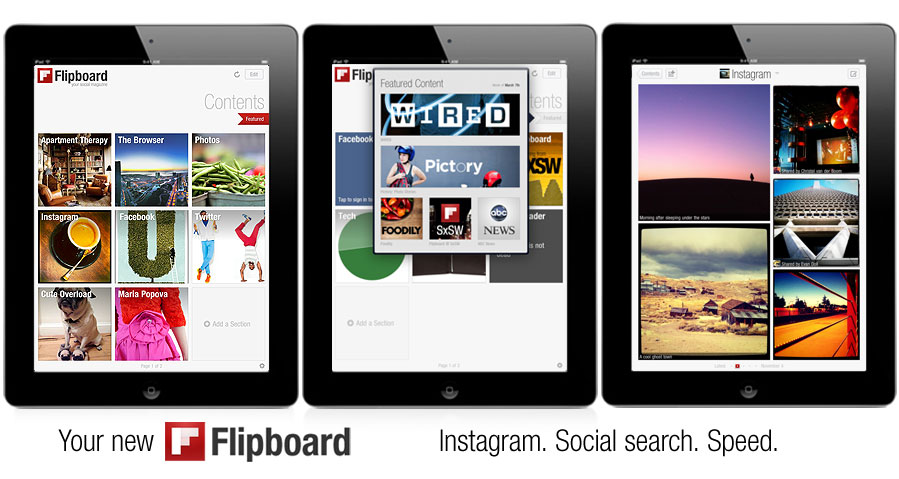
Flipboard is a social-network and feeds reader and magazine format application software for Android and iOS. Flipboard is called a social magazine because it’s designed to integrate all of your social media accounts. It is a fierce competitor to Google Currents. The user interface is fantastic. When you use this app on the tablet, you feel like you are reading and holding a magazine in your hand. Most of the popular site feeds are pre-integrated.
Google Currents (Android & iOS)
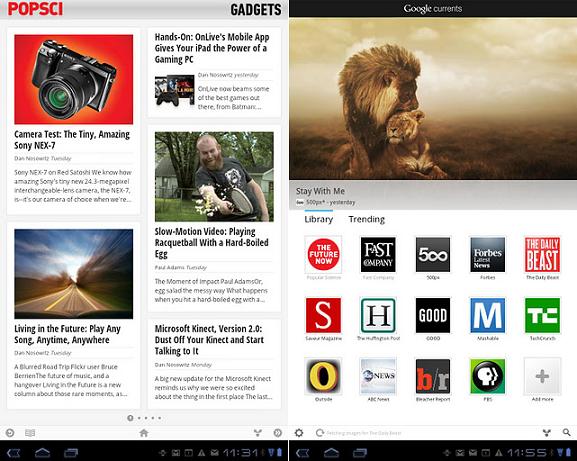
Google Currents delivers beautiful magazine-like editions to your tablet and smartphone for high speed and offline reading. It is currently available for Android and iOS devices running IOS 6. Adding new publications is easy in Google Currents. You can easily add RSS feeds from Reader by clicking the plus button at the top of the hidden left-hand navigation bar. Scroll down, to see a list of your RSS feeds from Google Reader.You can easily share stories to Twitter, Facebook, and online storage services like Google Drive. You can easily use Google Currents because it is an integrated part of Google, log in with your Google credentials and start using.
Pulse (The Web, Android & iOS)
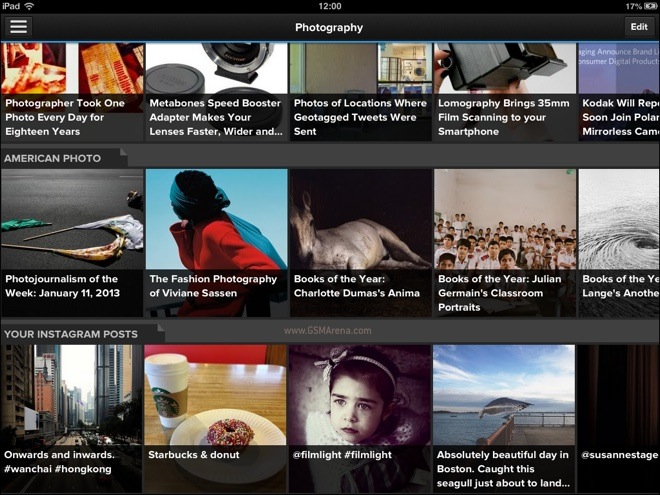
Pulse is a social reading app for Android and iOS and HTML5 browsers. Pulse News brings all your favorite blogs, magazines, social networks and newspapers in one place for free. You can easily save stories for reading later across all platforms or sync them with Instapaper, Read it Later and Evernote. Sharing a story via Facebook, Twitter, Google + and email is as easy as one tap. Pulse offers offline mode loads the news stories you read and makes them available wherever you are.
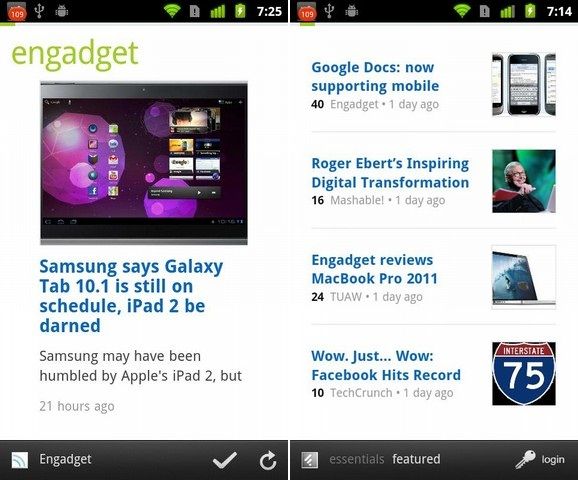
Feedly (Web, Mobile, Android, iOS & Kindle)
Feedly is a news aggregator or RSS feed reader application for various Web browsers and mobile devices running iOS and Android. Feedly is a simple way to read and share the content of sites. It has integration with Google Reader, Twitter, Delicious, YouTube, and Amazon. You can import your favorite RSS feeds and sources from Google Reader, Bloglines, Netvibes or your bookmarks.
Also, consider NewsBlur
More in How-to

How to Get FaceTime for Android?
Does FaceTime work on Android? Let me answer this question for you. As we all know, FaceTime is developed by Apple exclusively for iOS devices. FaceTime is used for video calling between iOS devices. FaceTime is used for video calling between iOS devices. It is nothing just an exclusive video calling service between iOS devices.…
Is TutuApp Safe? Why We Don’t Recommend It (and Safe Alternatives)
TutuApp is one of those names that keeps coming up when people look for free versions of paid apps or “hacked” games on Android and iPhone. We used to have a guide on how to install it. We have replaced that guide, because after looking at how TutuApp works and the risks involved, we can’t…

How to Import Feeds From Google Reader?
Google is shutting down its reader services in July. Everybody is searching and moving on a better alternative to it. Thetechhacker already provides a list of Best alternatives to Google Reader. Once you find your best RSS reader, you can import your entire feed. You do not need to re-subscribe by going to the addresses of individual…
The week in tech, minus the noise.
New reviews, fixes and the stories that matter — once a week, straight to your inbox.
We only use your email to send the newsletter. Unsubscribe any time. See our privacy policy.
Comments