
Digital Camera’s provide the easiest way to shoot and store your precious moments on a memory card. DSLR’s and normal digital cameras come with the delete button, which erases photos with a single click. Mistakenly if you tap on delete button you lose all pictures stored on that memory card. So, what really happens to your pictures or videos when you delete them on the memory card? Let’s see.
Technically when you delete an image from a memory card, your digital camera will locate the space allocated and make it as it is available for further use. This means your digital camera won’t remove when you click on delete button, it just stops showing on the screen. So, with a good image recovery tool, you can get back your deleted images or videos from a memory card.
Thanks to the technology, we can recover deleted photos using some awesome software. Some are paid and some are free, here is the list of best photo and video recovery tools which will help you to recover deleted photos and videos from the digital camera memory card.
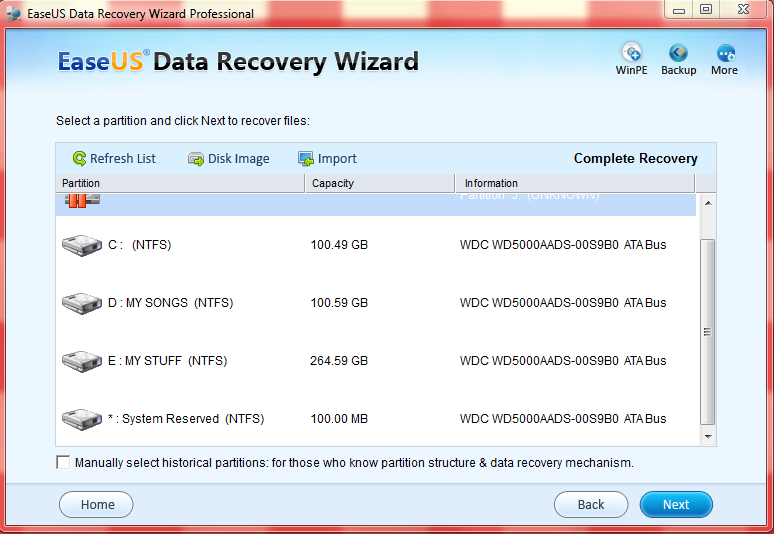
EaseUS Card Recovery Wizard
EaseUS is a very popular name in the recovery tools category. To recover your digital camera memory card lost data simply connect it to your computer and open the EaseUS recovery wizard program.
The program displays 2 modes of recovery: Deleted file recovery and deep scan. The first option is useful for recovering all deleted photos or videos from a memory card, whereas the deep scan is used to recover photos and videos from a damaged memory card.
It easily recovers photos and videos from mistakenly deleted, unreadable, damaged and defective memory cards. The program works perfectly, with a simple and intuitive user interface you can easily recover any media type file.
Recuva
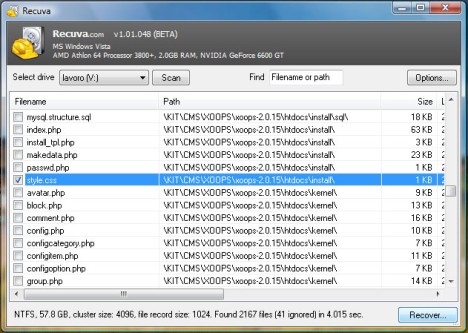
Recuva is another excellent product from Piriform after Ccleaner.Recuva recovers files deleted from your Windows computer, Recycle Bin, digital camera card, or MP3 player. User interface very simple to operate, when we click the Scan button, the program immediately went to work, and within seconds and generates a very long list of deleted files and their paths. Except for Deep Scan, Recuva works extremely fast and uses a fair amount of system memory.
SoftAmbulance Photo Undelete
SoftAmbulance Photo Undelete is a powerful tool for recovering lost images from a digital camera. This program can recover data from hard disks including SSD FAT, NTFS, DVD’s, Blue Ray disks and Compact Disks as well. It supports over 150 file formats, and it can recover even 3DStudio Max, RAW, CAD|CAM file formats.
Another interesting feature of this program is direct recovery from your digital camera. You don’t need to remove the memory card from the camera. You can directly connect your camera to your PC and start recovery using the program.
CardRecovery
The program has very simple and intuitive interface. Apart from the clean look, the program is very lightweight and supports all Windows platforms starting from Windows 98 to Windows 10.
It is a specially designed application to recover files from memory cards used by digital cameras. It can powerfully recover deleted, corrupted or formatted photos from SD card, CF card, and other memory cards.
That’s all for now. Please do share your views about the article in the comment box below.
All of these are the great apps for solving data loss problem. In my opinion, no matter Mac or Windows PC, data loss cannot be avoided sometimes. To protect your important files is very important. Just read this post to get the tips: http://www.uflysoft.com/data-recovery-mac/recover-deleted-files-from-trash.html
Its
feeling great to read your article and software suggestions.Getting back the
deleted data is always a headache and that to our deleted favorite
photos.
Other than this i have also tried Remo recover software and got
all my deleted data and photos.
keep going.
Its feeling great to read your article and software suggestions.Getting back the deleted data is always a headache and that to our deleted favorite photos.
Other than this i have also tried Remo recover software and got all my deleted data and photos.
keep going
Photos stored on the digital camera could be great value and throws huge loss to someone. I don’t think giving freeware a single chance to recover pictures as it involves risk of overwritting your photos permanently after which, no software could able to recover it.
Professional photo recovery software like one from Stellar Phoenix is a trustworthy and helpful program that will runs in read only mode and recover files or photos as it was before deletion.
Like the article and way you’re presenting software info. Keep it going.
Thanks