

How To Transfer Photos And Videos From Facebook To Google Photos
Facebook is popular for sharing and storing our precious moments on our wall for a lifetime. Sometimes we use camera image direct upload to the Facebook account. In that case, the camera doesn’t store the image to the gallery. The only way to get that important photo is on your Facebook wall. Recently, Facebook has…

How To Transfer Photos And Videos From Facebook To Google Photos
Facebook is popular for sharing and storing our precious moments on our wall for a lifetime. Sometimes we use camera image direct upload to the Facebook account. In that case, the camera doesn’t store the image to the gallery. The only way to get that important photo is on your Facebook wall.
Recently, Facebook has introduced a feature which lets you move all the Facebook images and clips to Google Photos. It is a pretty much-awaited feature for everyone who wants to store Facebook images on a different cloud platform.
It is a welcoming alternative path to store Facebook image data to a Google platform. Google photos is an interesting and righteous platform to store and manage photos online.
If you are a decade old user of Facebook like me, the time has arrived to transfer Facebook photos to a better image management program.
How to transfer photos and videos from Facebook to Google Photos?
To use the new Facebook media transfer feature, you need the help of a computer. Follow the below steps finish the image transfer job.
- Open Facebook.com on your computer and log in using your credentials.
- Now click on the down arrow at the top right corner of the browser window.
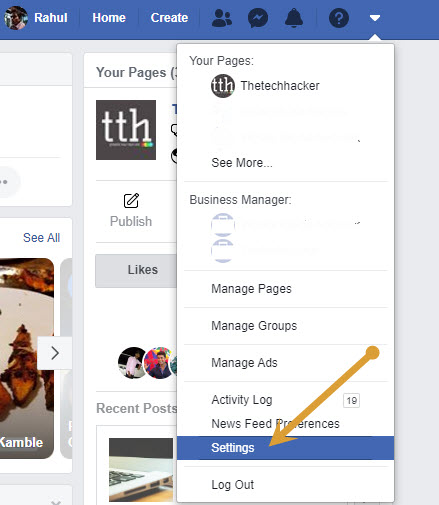
- Here, click on the “Settings” option.
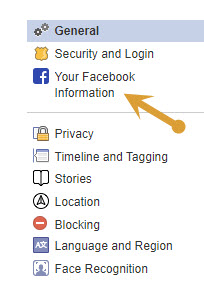
- Now click on Your Facebook Information.
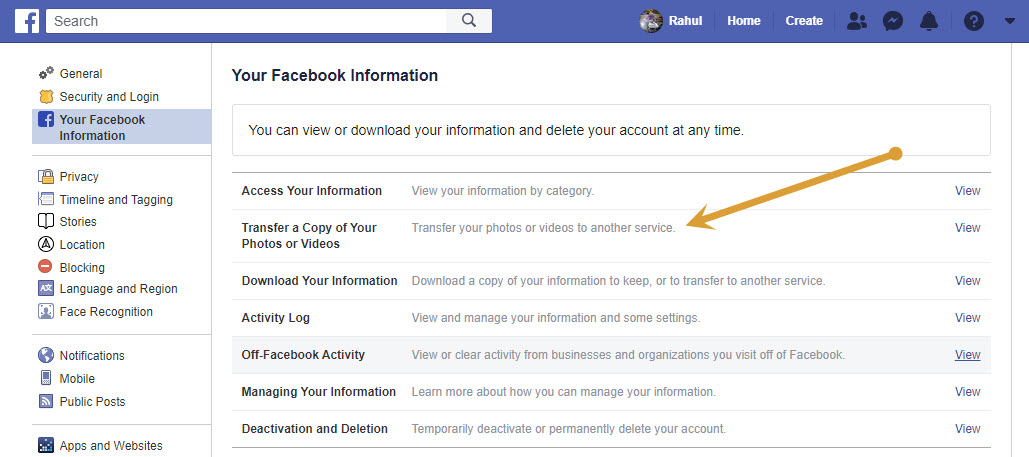
- Here, click on Transfer a copy of your photos and videos.
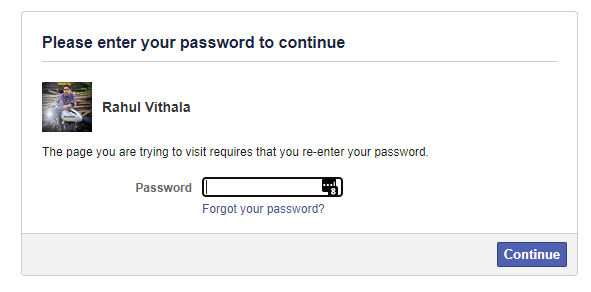
- Now, Facebook asks you to enter your Facebook password to authorize.
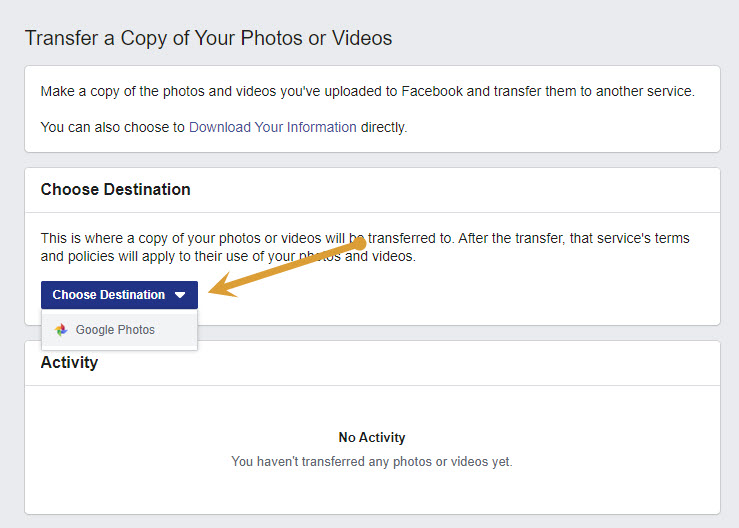
- Click on the drop-down menu, here you will see Choose Destination and select Google Photos.
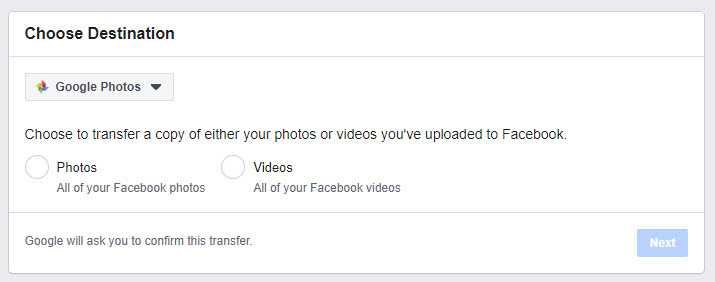
- Now, choose whether you want to transfer a copy of photos or videos uploaded on your Facebook account.
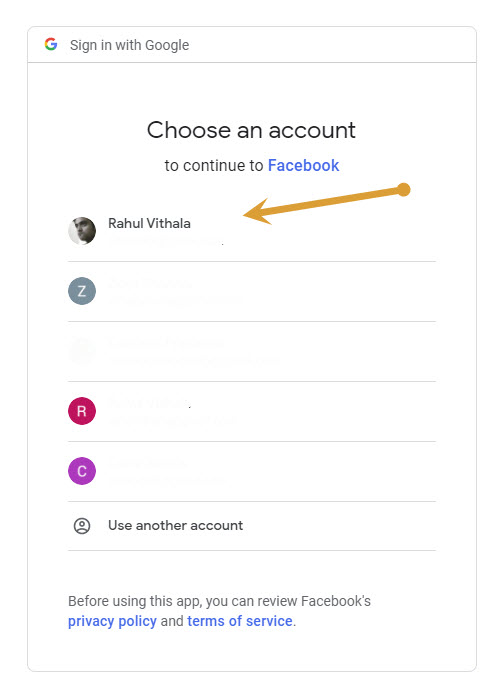
- Here, you need to sign in to Google to authorize Google Photos.
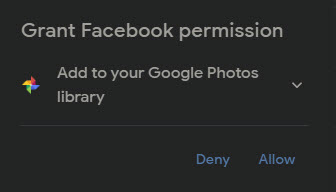
- After, granting permission by clicking on “Allow”, the setup is completed.
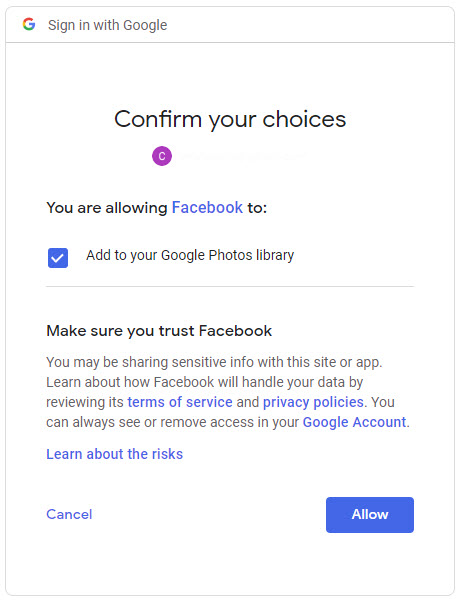
- Now, confirm it once again by clicking allow.
- Once you finish the process, you will get an email from Facebook confirming that the process is complete.
Conclusion
Transferring all the media data from Facebook to Google Photos takes a few minutes time. Just follow the above steps and move the data easily to Google Photos. If you are concerned about the Facebook privacy problems, you can delete the Facebook account after migrating all your personal data.
More in How-to
Why Facebook is addictive? Best Ways To Avoid Facebook From Your Life
Facebook is a most popular social networking site in the world. Millions of people are using Facebook to share their photos, videos and even feelings to loved one’s, friends and public.
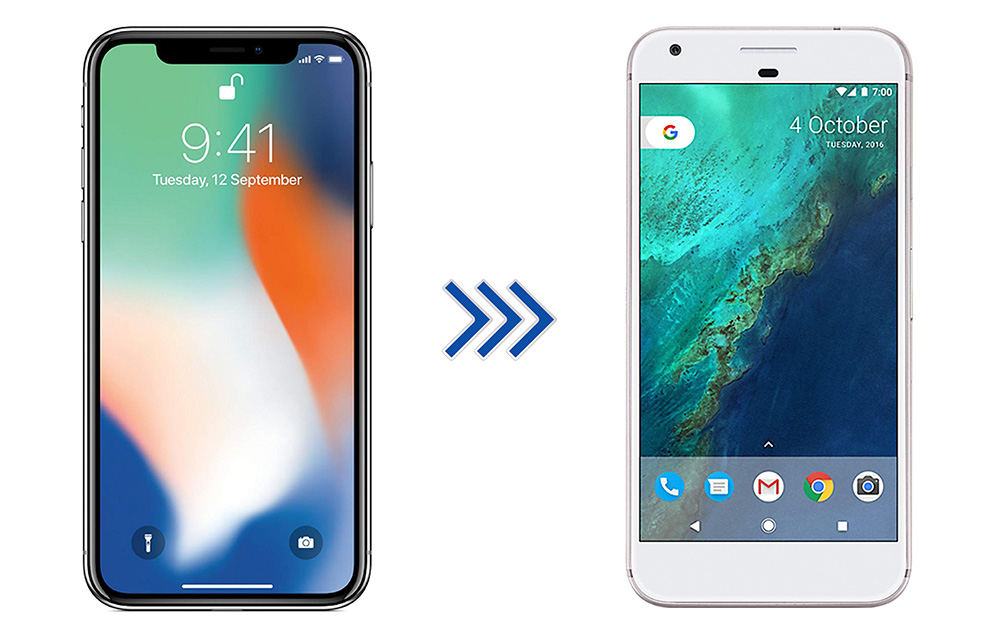
How to Switch from iPhone to Android Smartphone
iPhone is great, it is one of the best devices in terms of quality, it has some unique functions, and everything is perfect. But, then there is Android, which has more features, extremely flexible, various brands to choose from, and a ton of apps to accomplish almost anything that you can do with a smartphone.…
How to Disable Videos from Automatically Playing on Facebook
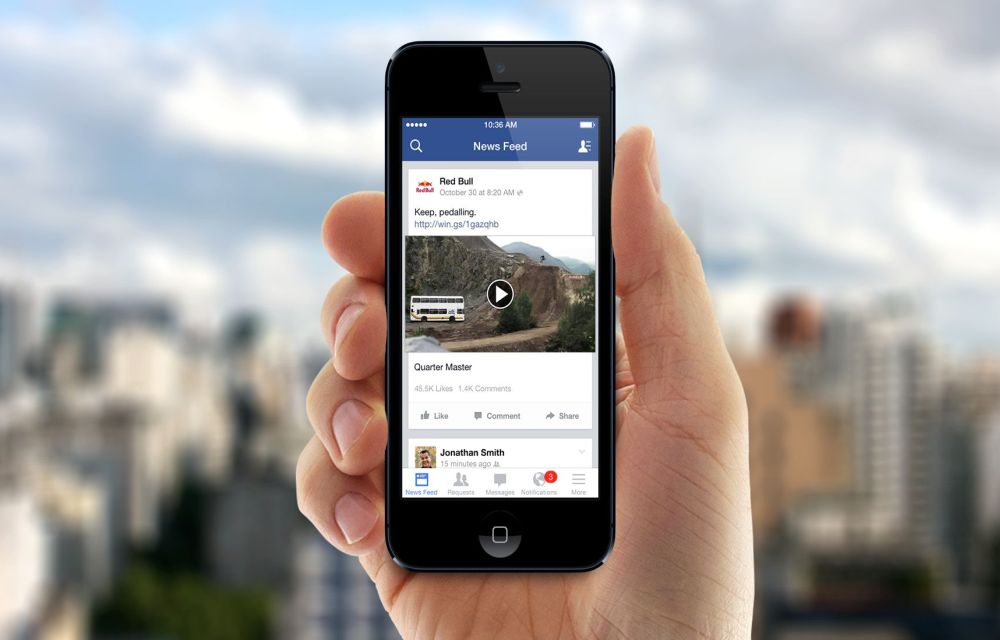
If you are driven to insane with the irritating autoplay feature, we are here to help you. In this complete guide on How to disable videos from automatically playing on facebook, we are gonna give you some methods to disable those auto-playing videos and giving you some extra data to browse. How to disable videos from automatically playing on Facebook because we know you really need it.
The week in tech, minus the noise.
New reviews, fixes and the stories that matter — once a week, straight to your inbox.
We only use your email to send the newsletter. Unsubscribe any time. See our privacy policy.
Comments