

tinySpell Is A Spell Checker For Windows
It happens quite so often that we miss one tiny utility in Windows typing. Yes, it is spell checker, this feature is not available for all Windows OS features. The latest browsers, MS Office suites come with spelling checking features. Unfortunately, if you are working with a text editor in Windows, spell checking is a…

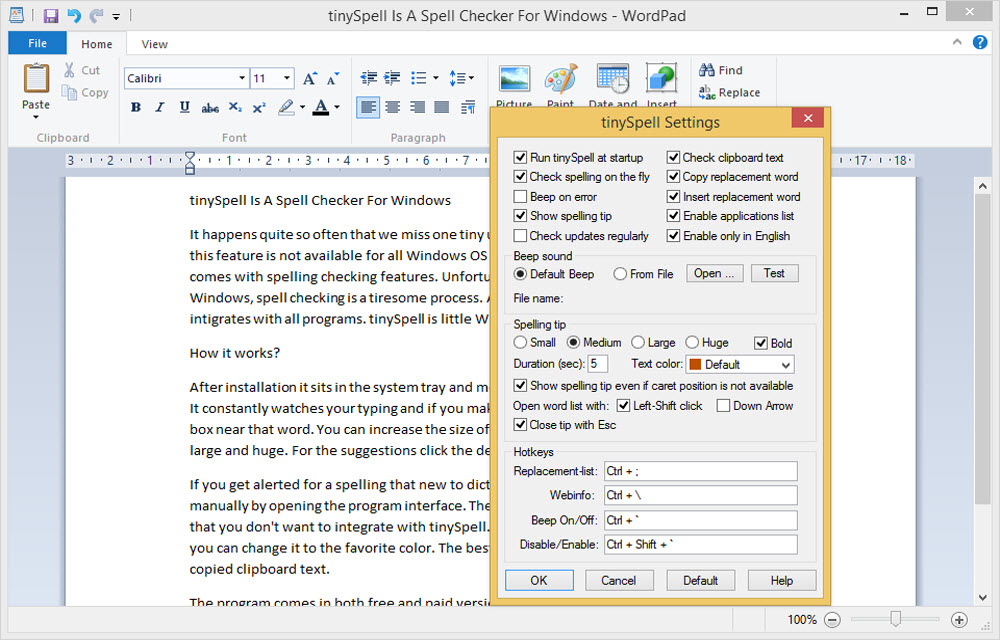
It happens quite so often that we miss one tiny utility in Windows typing. Yes, it is spell checker, this feature is not available for all Windows OS features. The latest browsers, MS Office suites come with spelling checking features. Unfortunately, if you are working with a text editor in Windows, spell checking is a tiresome process. All we need is a spell checker for Windows that integrates with all programs. tinySpell is little and tiny spell check program that integrates with all programs.
How tinySpell works?
After installation, it sits on the system tray and monitors all the mistakes you make while typing. It constantly watches your typing and if you make any mistake it alerts you to a small pop up box near that word. You can increase the size of the pop-up box from default small to medium, large and huge. For the suggestions click the default hotkey “Ctrl+” to list the suggestions.
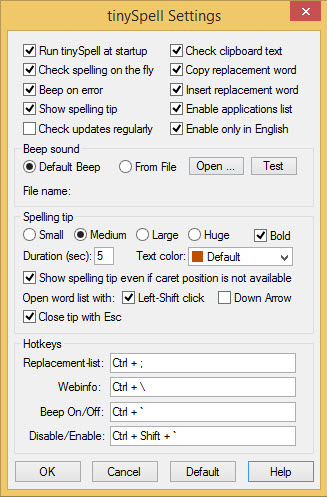
If you get alerted for a spelling that new to a dictionary, you can add the word to the dictionary manually by opening the program interface. The tinySpell also lets you blacklist the programs that you don’t want to integrate with tinySpell. The default color of the pop-up box is orange you can change it to the favorite color. The best part of this tiny program is that it also checks the copied clipboard text.
The program comes in both free and paid versions, paid version contains more features like auto replacements, instant corrections, and case sensitivity.
Features
- Checks spelling in any Windows application.
- Checks spelling on-the-fly (alerts if the last typed word was misspelled).
- Checks spelling of text that is copied to the clipboard.
- Allows you to specify applications for which tinySpell is disabled or enabled.
- Allows you to add words to the dictionary.
- Optionally beeps on error.
That’s all for now. Please do share your views and feedback in the comment box below. Also, please don’t forget to share this article on your social media platforms.
More in Windows

Ashampoo Anti-Virus 2014 Review
Ashampoo launched its brand new Anti-Virus 2014. It is a decent Anti-Virus software for windows users. It securely scans and deletes the viruses, Trojans, malware and other spyware from your computer. It acts like a bodyguard to your PC from internet threats. First thing you may notice in the main user interface is very clean…
How to fix autorun.dll Error in Windows 10
A very annoying thing that happens with computer users is the occurring of the message- ‘autorun.dll file not found‘. This is encountered when users try to install or update an application or programme. This error prevents the proper launching of a programme. There are many kinds of autorun.dll error that occur while installing a programme.…
Transform Your Old Windows Look Into Windows 10
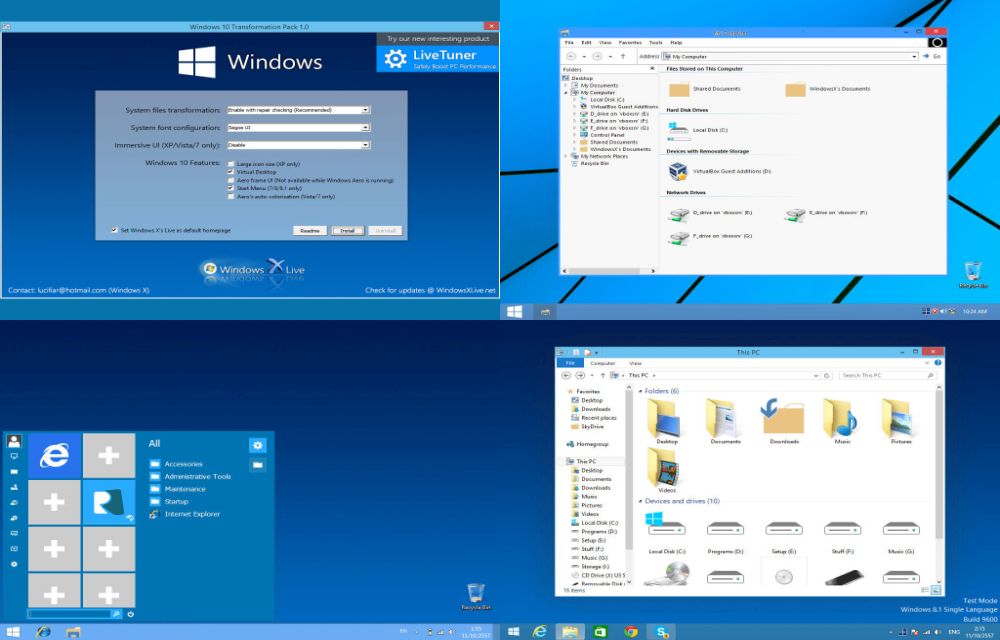
Recently Microsoft revealed its latest operating system Windows 10. An event held in San Francisco, Microsoft announced the Windows 10 operating system officially. Windows 10 is most advanced OS with a broad range of new features and new styles.
The week in tech, minus the noise.
New reviews, fixes and the stories that matter — once a week, straight to your inbox.
We only use your email to send the newsletter. Unsubscribe any time. See our privacy policy.
Comments