

Top 5 Ways To Speed Up Your Android Device
Almost all budget Android phones are similar when it comes to speed and performance. Speed matters a lot, if your Android hangs frequently then its important that you should consider removing unnecessary Apps, deleting unwanted cache and much more.


Top 5 Ways To Speed Up Your Android Device
Almost all budget Android phones are similar when it comes to speed and performance. Speed matters a lot, if your Android hangs frequently then its important that you should consider removing unnecessary Apps, deleting unwanted cache and much more.It is really frustrating when after opening few applications the device become unable to work. With the following guide, you’ll make your slow Android phone to super charged device.
Top 5 Ways To Speed Up Your Android Device

Delete Unwanted Apps
After buying new Android device we usually install ton of Apps. Slowly the device becomes slow and unable use. First delete unwanted apps from your device, you can uninstall even built in bloatware apps from Android using some Apps like Titanium Backup.
Must read: How to Remove Unwanted Built-In Apps from Android Device
Install Firmware Updates
Some popular manufacturers like Samsung, Motorola and Xioami regularly updates their firmwares to improve the device performance and usage. If your device becomes slow, check for the latest update and install on your device. You can update device firmware over OTA (Over the air) or by manually downloading the firmware file. You can check our firmware update guides to learn more about installing firmwares on your Android device.
Related articles
- Top 5 Ways To Free Up Space On Your Android Device
- How To Protect Your Android Phone From Being Hacked
- How To Install Android 5.0 Lollipop On Windows

Regularly Clear Cache
Upon continuous usage of Android lot of our activity we do in the device is stored as cache. You can clear cache in Android in two ways. You can manually clear cache or using some third party Apps. Go to Settings app Scroll down and go to Apps here in the App info click on go down and click on “Clear Cache” option.
Must read: How And Why To Clear Your Phone Cache To Regain Tons Of Free Space
Restarting Phone
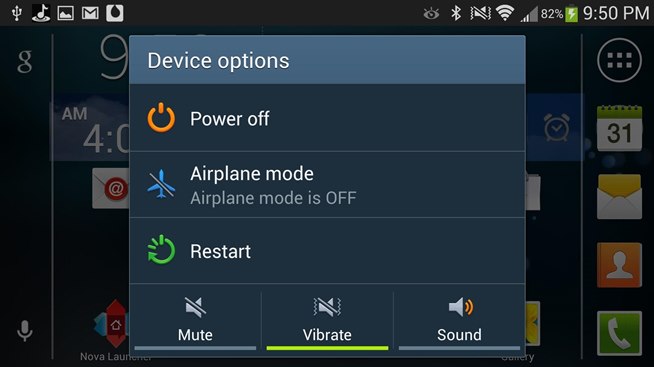
Restarting phone is a temporary option to speed up your Android device. Restarting phone will stops all the running process which consuming your device RAM. After restarting your device it starts with basic apps and you can feel the speed improvement until you again open new apps. This solution is temporary, it is always advisable to close all the apps after usage.
Disabling Widgets
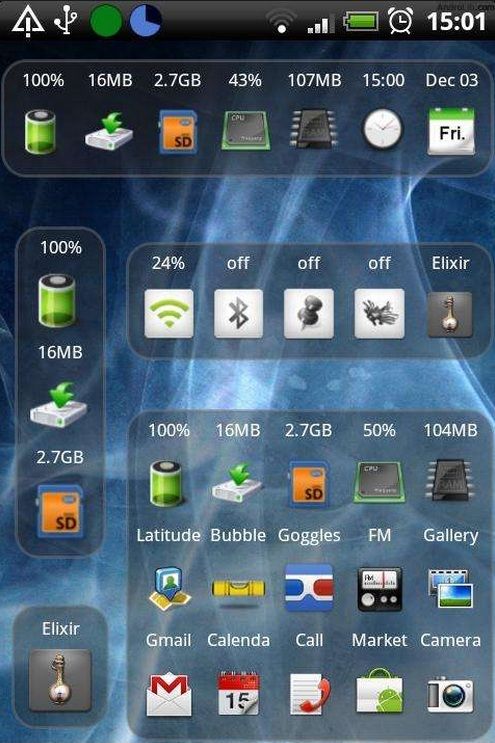
Widgets consumes lot of device resources in the background. Running so many widgets at the same times consumes lot of your RAM and device becomes very slow and some times hangs. It is better to disable unwanted widgets when not in use.
More in Mobile

APUS Android Launcher Review
The good thing about the Android ecosystem is that you can customize it however you want and to your heart’s content. One way of customizing your Android experience is to use custom skins and launchers which come with loads of features, usability, and awesome looks.

Best Budget Android Smartphones – 2016
Without any doubt Budget Android mobile phones selling in huge numbers. The competition is also heavy in this category. If we filter the Budget Android Mobile phones, we will get nearly 50 – 100 phones list. Picking best one from that list is not so easy. Here we listed 3 best Android budget phones based…
LeEco Le 1s Smartphone Tips and Tricks
LeEco Le 1s is a flagship device from the LeEco. Elegant features including the unique fingerprint sensor placed on the backside of the device made it stand up in the crowd. It was already made the debut on the market by selling out thousands of devices within seconds of the launch. The features of the…
The week in tech, minus the noise.
New reviews, fixes and the stories that matter — once a week, straight to your inbox.
We only use your email to send the newsletter. Unsubscribe any time. See our privacy policy.
Comments