

How To Set Automatically Change Wallpapers Option On Windows 10
Are you a frequent Wallpaper changer like me? I like wallpaper if I have time I daily change them. Bing Desktop App is a Microsoft product, which regularly and automatically changes wallpapers for you. Microsoft started rolling out its brand new version of most popular OS Windows 10. The update is available from Windows 7…

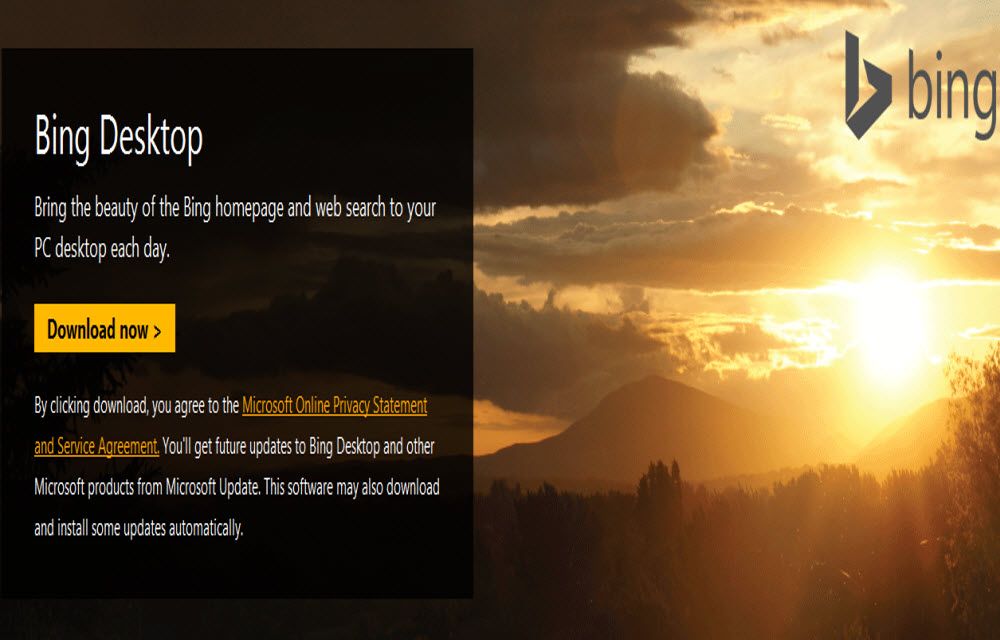
Are you a frequent Wallpaper changer like me? I like wallpaper if I have time I daily change them. Bing Desktop App is a Microsoft product, which regularly and automatically changes wallpapers for you. Microsoft started rolling out its brand new version of most popular OS Windows 10. The update is available from Windows 7 and Windows 8.1 genuine users. The existing users can upgrade to Windows 10 using the Media Creation Tool released by Microsoft.
How to use Bing Desktop App?
Microsoft Bing is a good search engine as well as a stock photos library. Unfortunately, the Bing images feature not available in Windows 10 for PC. If you are a fan of Bing wallpapers and missing the feature in your latest update you can manually install the app.
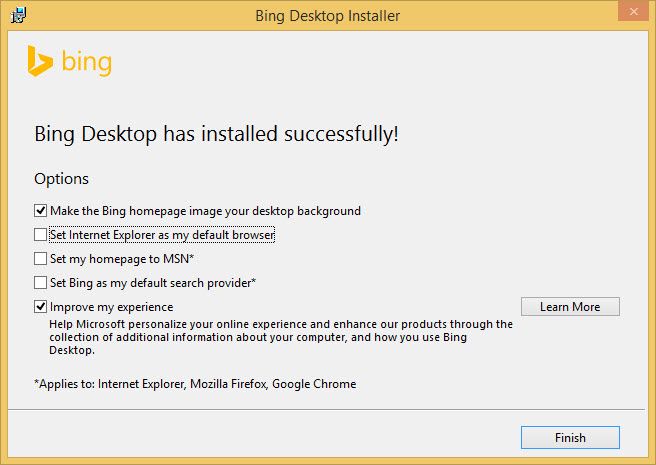
The Bing Desktop App is available for Windows, download and install Bing Desktop app on your Windows 10 PC. The program offers high-resolution wallpapers as your desktop background. The installation procedure is normal like other programs. After installing the app you can choose the option, the first option is “Make the Bing homepage image your desktop background.
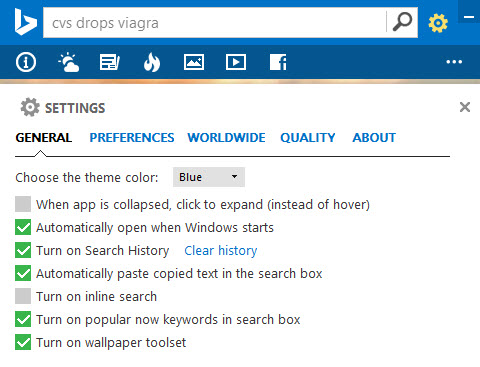
The app creates a desktop widget which lets you customize the settings. In that clicking on the gear, the icon shows a list of options. To automatically change wallpapers on Windows 10 daily check on “Turn on Wallpaper toolset” option. This option set the wallpapers automatic change every day.
The Bing Desktop App is a good app for Windows 10 users not only for wallpapers, the app also offers some best weather, news feed, trending stories and Facebook options.
That’s all for now. Hope you liked our article, please do not forget to share it on your social media platforms. Also, please do share your views and feedback in the comment box below.
More in Windows

How to Enable Live Wallpaper in Windows 10?
Live wallpapers are a great way to enhance the beauty of your desktop. If you have enough resources to spend on the always working wallpaper animations, you can go for it without thinking twice. However, for small systems with fewer resources, it may not be the best thing to do. We recommend sticking to the…
Top 20 Windows 8 Themes To Make Your Desktop Visually Super Cool
Sick and bored of default Windows 8 themes? we are here to showcase some super cool third-party Windows 8 themes to transform your Desktop. Windows always offer tons of customization options. In Windows 8 like previous versions, you can change icons, apply wallpapers & themes, gadgets and widgets and much more. Why third-party Windows 8 theme?…

How to Disable Automatic Updates in Windows 10
Windows 10 is one of the most advanced operating systems available today. Even it has some problems and bugs in it, there is no doubt in the reliability and functionality of the Microsoft OS. If you’ve ever faced a situation where you need to disable automatic updates in Windows 10 due to excess internet usage…
The week in tech, minus the noise.
New reviews, fixes and the stories that matter — once a week, straight to your inbox.
We only use your email to send the newsletter. Unsubscribe any time. See our privacy policy.
Comments