

How To Create A Recovery Drive In Windows 10
Windows 10 is the latest operating system from Microsoft. The new Windows 10 is built with a lot of new changes and features along with compatibility with Mobiles and PC. Many PC’s and Laptops are started receiving Windows 10 update. As a new OS in some cases, it faces hiccups while loading and booting. In…

Windows 10 is the latest operating system from Microsoft. The new Windows 10 is built with a lot of new changes and features along with compatibility with Mobiles and PC. Many PC’s and Laptops are started receiving Windows 10 update.
As a new OS in some cases, it faces hiccups while loading and booting. In worst case scenario the system even crashes and files getting corrupted. To avoid these issues, a recovery drive is a good option. A recovery drive can fix issues like booting errors, system crashes and even starting problems. In detail Windows 10 Recovery Drive will allow you to boot your system and easily access a number of recovery and troubleshooting tools that you can use to fix a corrupted installation.
Normally we see recovery image CD comes with newly bought laptops and desktops with genuine versions of Windows OS. The recovery image stored in a separate location on your PC or in a USB drive to help you to recover from the above-discussed issues.
In this tutorial, I will guide you to create a recovery drive in Windows 10.
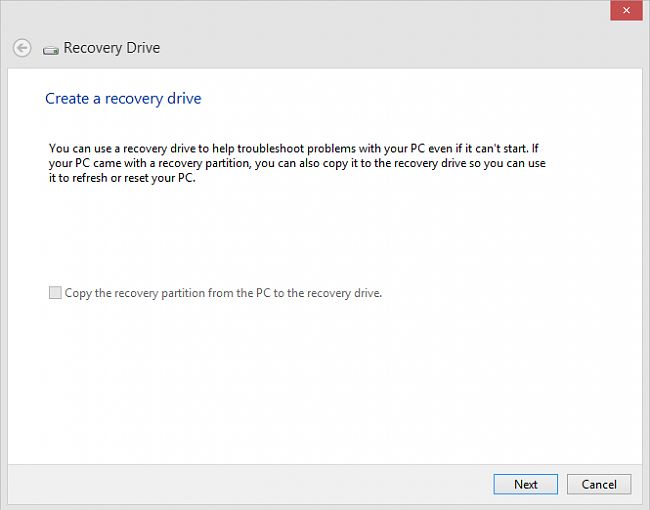
To create a separate and dedicated recovery drive click on the start menu and search for “recovery drive”. The first result you will get the option and click on it. It opens a new window and asks to create a recovery drive. Check the option “Back up system files to the recovery drive” and proceed to next.
Now insert the USB Drive or Pen Drive to your PC with a minimum of 8GB or 16GB storage. Here select the drive you’ve inserted, the wizard will create an image of your Windows OS in the drive.
Next time when you face any issues simply insert the USB drive and recover your PC from the errors.
That’s all for now. Please do share your views in the comment box below.
More in Windows

Solution to Repair Damaged, Missing, and Inaccessible JPEG File
Images are one of the most important parts of our memories, and we have a secure attachment to them. Any corruption can lead our memories away from us, but do not worry we have some very efficient tools that can help us to repair all those damaged Images.
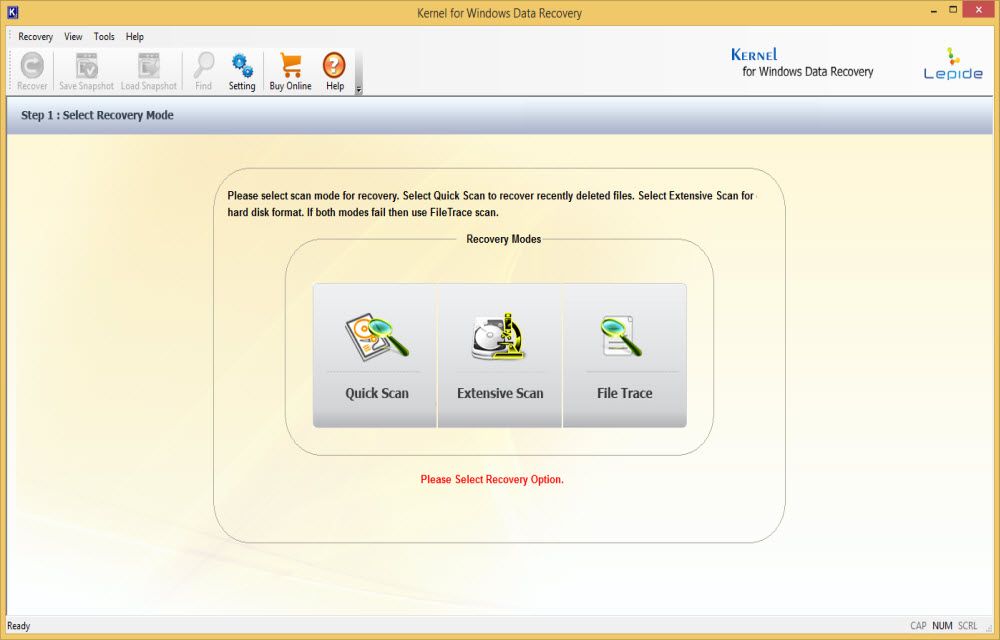
Recover Data From Corrupted Drives With Kernel Data Recovery For Windows
We have seen plenty of Windows data recovery programs out there, instead of using a poor quality confusing program to recover your files Kernel is a simple, intuitive option to restore back the deleted files. Kernel Data Recovery is a Windows utility to restore files that have been accidentally crashed computer. Kernel Data Recovery for Windows…

Must Have Best Boot Disk’s For Every Windows User
A system crash is the most common action when OS crashes, boot failures, and error messages occur. Keeping a good rescue CD on your desk will help you handle sudden system crash issues. A boot disk (live CD) is a removable digital data storage medium from which a computer can load and run an operating…
The week in tech, minus the noise.
New reviews, fixes and the stories that matter — once a week, straight to your inbox.
We only use your email to send the newsletter. Unsubscribe any time. See our privacy policy.
Comments