

Ulysses For Mac Review
I’m writing this article on Ulysses after having some great days with it. Yes, it is a beautiful writing app for Mac. When it comes to writing we never forget our childhood days. We have done so much of writing tasks in Schools and college on notebooks. Life has changed completely, technology is so much…


I’m writing this article on Ulysses after having some great days with it. Yes, it is a beautiful writing app for Mac. When it comes to writing we never forget our childhood days. We have done so much of writing tasks in Schools and college on notebooks. Life has changed completely, technology is so much advanced and we can take advantage of apps to improve our writing in a distraction-free environment.
Mac is very popular for its hardware, design and app ecosystem. If you are looking for a smooth writing app for Mac, then you must consider Ulysses. The Ulysses app is perfectly designed for Authors, Bloggers, Journalists, and Scriptwriters. If you come under these categories or similar profession which has a lot of writing tasks, Ulysses will help you to quickly and efficiently.
What Makes Ulysses Special?
There are certain things to focus while talking about the Ulysses. We listed some most important ones below so that you can understand this app better.
Markdown
Ulysses is a Markdown feature enabled app. Markdown is nothing but the styling of text we type. With the help of Markdown, we can easily mark text to bold, italic, and headings. For scriptwriters, it is necessary to add styles to the sentences to make the scene important.
Ulysses offers almost all types of text styling features. When you export the writing from Ulysses to other formats, the Markdown will simply convert the styling to according to the target format. So, you will never have to revise your article styling again.

Design
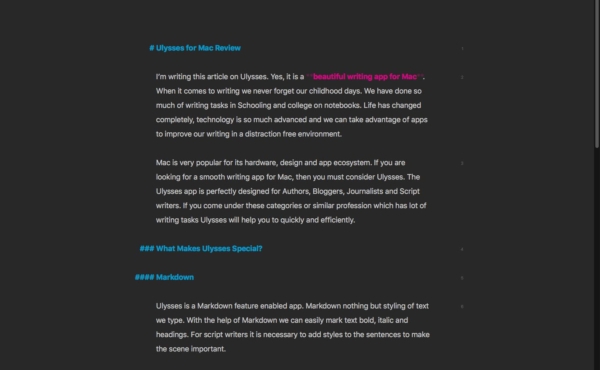
The app is well designed for regular writers as well. The interface of the app is pretty neat and offers continuous workflow. It makes your writing work easier and you can expect distraction-free working experience all the time. The app’s interface is very simple that even beginners will be able to use it without the need of a guide. The speed is good, the interface is perfect, and all the necessary functions are stacked in the main interface itself.
Export Options
After the finishing your writing project now it is the time to export. Here where the Ulysses excels, you can export file to HTML or directly WordPress and PDF format. So, you do not have to depend on an extra application to do this conversion. Ulysses itself supports all the popular formats that you ever need. This is very helpful for people with versatile writing needs.
Syncing
Ulysses is available for MacOS and iOS. With the help of iCloud, you can sync every word written on one device to other connected device instantly. If you are a traveler and loves writing in between your journeys, you should consider using the Ulysses application. The real-time cloud sync makes sure that the writing stays up to date on the cloud and accessible from any of your devices.
Stay Focused
I’m specially mentioning this feature for serious writers. The full-screen mode of the app offers minimalistic user interface. Which are just your words and nothing else? An interruption-free writing experience is needed to focus on quality writing. So, by using Ulysses, you can make this possible. Nothing else will be on the screen other than your mouse and your words. So, enjoy writing at its best.
Auto-Save & Automatic Backup
Ulysses will never make you lose your valuable writings. The auto-save and the auto-backup feature will ensure that your entire writing library is safe all the time. Even if you forgot to save your content after finishing a project, or if the system shutdown unexpectedly, there is no need to worry. Your content is always backed up on the cloud.
Live Preview
The live preview feature will preview your content real-time. In other words, you can see how the final output of the article look like even before you save it. This is a very useful feature, especially for the design-rich documents.

Share your Content Right from the App
You do not have to manually copy and share your creation. You just have to use the built-in share feature of the Ulysses. It allows sharing the content on numerous platforms such as iBooks, Google Drive, Dropbox, etc. within a click on a button.
The Final Thoughts
There are plenty more features to mention about Ulysses. But we think these are enough for now. From our experience, Ulysses is one of the best writing apps for Mac. If you are a regular writer who writes scripts, articles, or publications frequently, you should consider using Ulysses. The features are great, the design is good, pricing is also affordable ($4.99/month). Then why hesitating to use such a useful product?
More in App Reviews
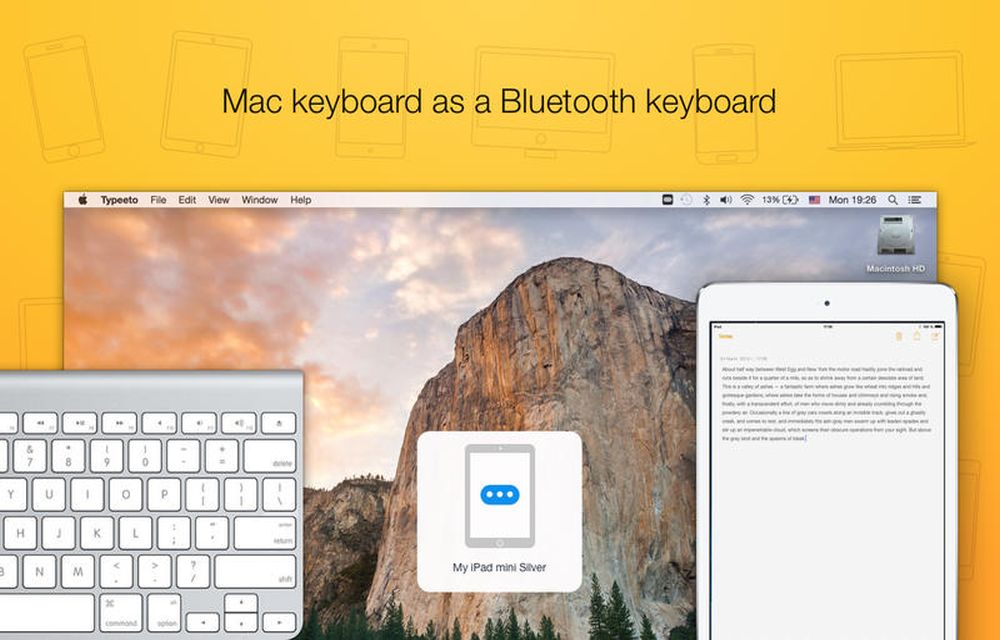
Typeeto Mac App Review – Turn Your Mac as Universal Keyboard for Any Device
Typing on small screen tablets and smartphones is a painful task. For heavy messenger apps, users typing is like hell using a small keyboard layout. Thinking of physical keyboard for a mobile device? Just read this article and plan for the buy. If you own a Macbook or iMac, you can use their keyboard for…

MacKeeper – An App to Master All the Apps for your Mac
Do you have a Mac that takes like eons to start? Is your Mac infected with viruses and your best efforts and software can’t do anything about it? Are you worried about your expensive Mac getting stolen? These are common issues with Mac owners. But you don’t have to live with them. You can simply…

Track My Mac App Review
Mac is a beautiful piece of art created by one of the best tech companies in this modern tech world, the Apple. From the great insights of Steve Jobs, the company had a glory path in providing quality products to the customers. If you are a lucky customer that owns a Macbook of your own,…
The week in tech, minus the noise.
New reviews, fixes and the stories that matter — once a week, straight to your inbox.
We only use your email to send the newsletter. Unsubscribe any time. See our privacy policy.
Comments