

Strike is a Collaborative Writing App for Mac and iOS
Mac/iOS: There are several apps available for distraction-free and collaborative writing on Mac and iOS. Everything is perfectly made on Strike app. It lets you type freely in a distraction-free environment. The features like smart markdown, tables support, attachments and photos, text sorting, tags, and many other features make Strike as a perfect app for…
Strike is a Collaborative Writing App for Mac and iOS
Mac/iOS: There are several apps available for distraction-free and collaborative writing on Mac and iOS. Everything is perfectly made on Strike app. It lets you type freely in a distraction-free environment. The features like smart markdown, tables support, attachments and photos, text sorting, tags, and many other features make Strike as a perfect app for everyone.
Create Features
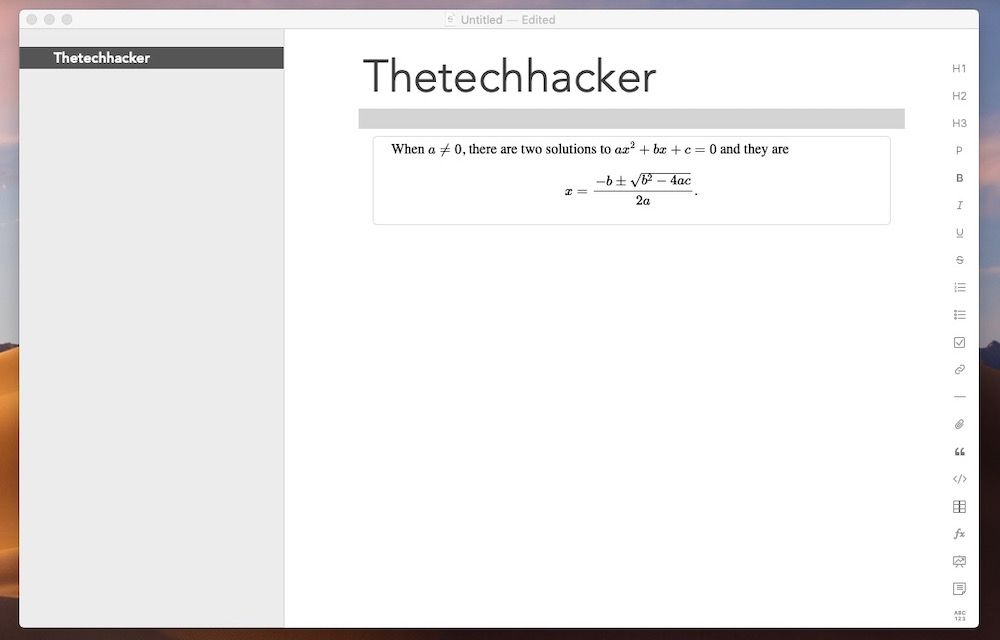
When you try to create a new document in Strike app, there are several options available to start with. The user interface is nicely organized, you can access saved docs on the left side panel and markdown option on the right side. You can create your document more information-rich by adding professional looking tables and charts.

Formatting text is very easier with Strike App. One of the unique features of Strike is support for accurate mathematical equations with MathJax JavaScript display engine. Strike lets you attach files for easy organization. The app also lets you generate outlines and add tags for quick navigation.
Edit Features
The edit features of Strike are feature rich. It lets you fix grammar mistakes with the support of Spellcheck and autocorrect features. Adding tags is pretty easy, using hash you can add the tag and it will help you in finding with a click. Strike app supports various colors as background support to make your document rich. Background coloring makes each and every document different from each other with the help of rich colors.
Collaborative Features
Collaborative features are the main attractions of Strike app. For safety and security, Strike supports password protection for files with sensitive data. Once the file is password protected, no one can edit the particular file.
Another interesting feature is the track of versions and edits history. In a collaborative writing project, you can check who edited and when it is done with this history feature.
Conclusion
We got hands on the Strike app today. The app is very easy to use and has pretty nice collaborative options. It is one of the best modern writing app available for Mac and iOS.
That’s all for now. Please do share your views in the comment box below.
More in Tech Stories

Advantages and Disadvantages of Artificial Intelligence
In the recent past, you must have been looking at mobile devices with AI inside them. So what exactly is Artificial Intelligence, as we know the mobile devices are machines, and by default, these machines are designed to do what they are instructed to in a particular function, and hence their response will be fixed.…

Become a Better Artist with the Help of Augmented Reality Through this App
There are many people out there who have always had an interest of some sort in painting. This may be taken as a hobby by some and a profession by some. Now, you can use your hobby or profession and create beautiful paintings straight on your smart devices. This is all thanks to Augmented Reality…

You Can Now Create Custom Stickers for Instagram Stories With This App
Instagram has always been a place where people love to share their photos. There are many people are in the world are active Instagram followers, who admire beautiful photos online. Also, it has become a trend nowadays to use the filters on each and every photo that has been posted. And we would agree that…
The week in tech, minus the noise.
New reviews, fixes and the stories that matter — once a week, straight to your inbox.
We only use your email to send the newsletter. Unsubscribe any time. See our privacy policy.
Comments