

Best Browser Extensions to Stop Facebook Tracking Activity
Facebook is the most controversial social media network with over 3.5 billion active users as of December 2018. Facebook comes many times in news for its data leaks, breaches and collecting users sensitive information. The privacy violations are not new to Facebook, recently Facebook is again in the news for collecting users sensitive information from…


Best Browser Extensions to Stop Facebook Tracking Activity
Facebook is the most controversial social media network with over 3.5 billion active users as of December 2018. Facebook comes many times in news for its data leaks, breaches and collecting users sensitive information.
The privacy violations are not new to Facebook, recently Facebook is again in the news for collecting users sensitive information from the third-party apps. Facebook’s recent privacy violation is caused by health and fitness applications, which usually collects users physical activity, diet plans, and ovulation cycle data.
Facebook’s SDK was designed to create custom trackers for user activity, it is used to target advertising on thousands of implemented third-party apps. Whether you have a Facebook account or not, the company is targeting every smartphone user with SDK using third-party applications.
How Facebook Collects Users Information?
Facebook collects your data from the posts you share on the wall, your interests, likes, status updates, and the activities data which also contains your location information. Creating a Facebook profile of yours is like sharing your complete details to Facebook and which is later utilized for advertising.
Whether you use Facebook on mobile devices or in desktops, Facebook cookies always collect your information. Facebook use collected information from users to target ads on their walls.
For example, if you opened Facebook in one tab and browsing about the vitamin tablets on the other tab of the browser, you will see a vitamin tablets ads on your Facebook timeline. This is a clear example of Facebook targeting uses by collecting the data.
Facebook can learn almost anything about you by using artificial intelligence to analyze your behavior,” said Peter Eckersley, the chief computer scientist for the Electronic Frontier Foundation, a digital rights nonprofit.
These are the major example of how Facebook uses and sells your data to advertisers. If you are afraid of the Facebook activity and not willing to be part of the privacy theft there are some security tips to follow.
There are plenty of add-ons and extensions are claiming they can block Facebook trackers. In that list, I’ve handpicked 5 powerful extensions which can effectively block the Facebook trackers. Here are the Best Browser Extensions to Stop Facebook Tracking Activity. Also, we suggested some tips to the advanced users to make their online information protected.
1. Adblocker Plus
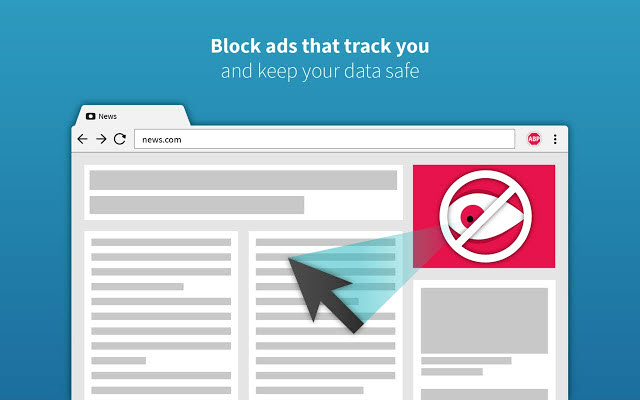
Adblocker Plus is a very popular name for its powerful blocking abilities. It is initially launched in 2005 as a Mozilla Firefox extension to block unwanted ads. Now the extension is available for Google Chrome, Internet Explorer, Microsoft Edge, Yandex and Safari browsers with more advanced features including content filtering and ad blocking options.
The availability of the extension to all the popular browsers is its main asset. The extension regularly updates its files to work effectively with the latest Facebook trackers. With over 500 million downloads, Adblocker Plus has secured the first position in the list.
2. Privacy Badger
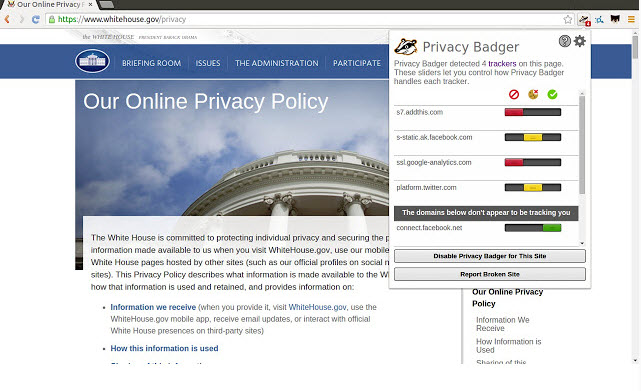
Privacy Badger is a product of EFF. It is a powerful tool to stop Facebook tracking activity on your browser. The extension sends the do not track signal to the trackers, if the tracker is trying to avoid the block signal, the Privacy Badger will learn to block them. Another important feature of the extension is removing outgoing link tracking on Facebook, Google, and Twitter.
3. Disconnect Facebook™ pixel & FB™ tracking
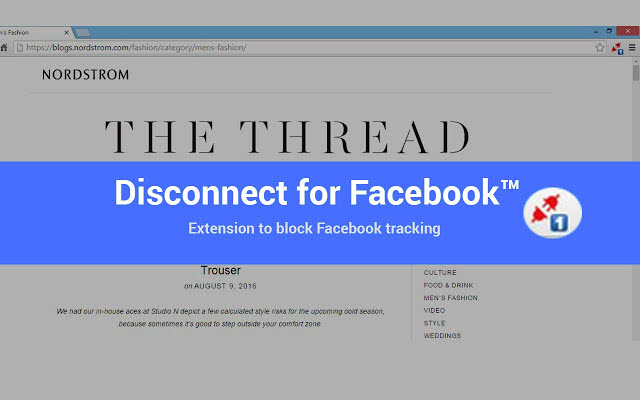
It is yet another extension available for Chrome users to stop the Facebook tracking activity. Disconnect Facebook™ pixel & FB™ tracking extension promises robust protection against the tracking sites including Facebook. Apart from stopping Facebook from tracking the webpages you visit, it also makes the web faster and more secure.
These are the 3 best Google Chrome extensions to block Facebook activity to maintain your privacy. If you have any better suggestions for stopping the Facebook link tracking, let us know in the comment box below.
More in Best Extensions
30+ Best Chrome Extensions to Improve Your Browsing
Every day we use the Google Chrome browser. Google Chrome is a fantastic browser with a ton of customization options. There are a ton of browsers available on the Internet, but if you are looking for a productive browser then Google Chrome is the ultimate choice. Yes, this article contains 30+ unique extensions for Google…

Best Chrome Extensions for Bloggers – Tools To Improve Productivity
90% of the Bloggers work on browsers. Except for few like vloggers who work on Mac workstations to tweak their videos. As we know, Google Chrome is one of the best browsers available on the Internet. Its ease of use, the number of extensions support makes Chrome as a user-friendly browser. Also, Chrome extensions work…

Best Download Manager Extensions For Google Chrome
Are you using Google Chrome as a default browser for all kinds of Internet-related activity including downloading files? If yes, this article helps you to download files faster with the help of Google Chrome extensions. Google Chrome is a fantastic browser from the house of Google. Its unmatchable unique features keep the rest of the…
The week in tech, minus the noise.
New reviews, fixes and the stories that matter — once a week, straight to your inbox.
We only use your email to send the newsletter. Unsubscribe any time. See our privacy policy.
Comments