

How to run Android apps on Mac
The ecosystem of Mac and Android are completely different. If you are planning to run Android apps on Mac, there are some approaches which connect two different worlds. In this article, you will know how to run Android apps on Mac. Use of Android Emulators Android Emulators makes this task possible on the macOS. Choosing…


How to run Android apps on Mac
The ecosystem of Mac and Android are completely different. If you are planning to run Android apps on Mac, there are some approaches which connect two different worlds.
In this article, you will know how to run Android apps on Mac.
Use of Android Emulators
Android Emulators makes this task possible on the macOS. Choosing a good Android emulator for Mac, not a big task. However, there are plenty of Android emulators available for Windows, Mac, and Linux platforms. These are designed for developers to test their apps before they launch.
But, soon the use of Emulators are liked by the common people, who are interested to play Android games on their big-screen laptops and desktops.
Qualities we look in Emulator for Mac
As we are specifically choosing an Emulator for Mac, we have looked for these qualities.
- Lag-free and bug-free emulator
- Trustworthiness
- Regular updates from the developer.
Keeping the above points in mind, we have chosen Blustacks is the best Android emulator for Mac.
How to install and run Android apps on Bluestacks?
Blustacks is a very popular Android emulator available for all platforms. The ease of installation and the minimum hardware resources consumption are the advantages of using Blustacks on Mac.
To install and run Blustacks, you need a Mac running on macOS Sierra, High Sierra, Mojave or Catalina. Also, it needs a 4GB of RAM and 4GB of storage space.
The installation of Bluestacks on Android goes like the normal app’s installation. During the installation, the program asks additional permissions from macOS to send notifications, location permissions etc.
Also, you will need a Gmail account to access the Google Play Store on the Blustacks emulator Android interface.
Once you check listed all the above requirements, now you are all set to run Android apps on Mac.
- Download and install Bluestacks from here.
- Open Blustacks from the applications and run.
- In the initial run, it asks your Gmail account details to access Google Play Store and other Google related services.
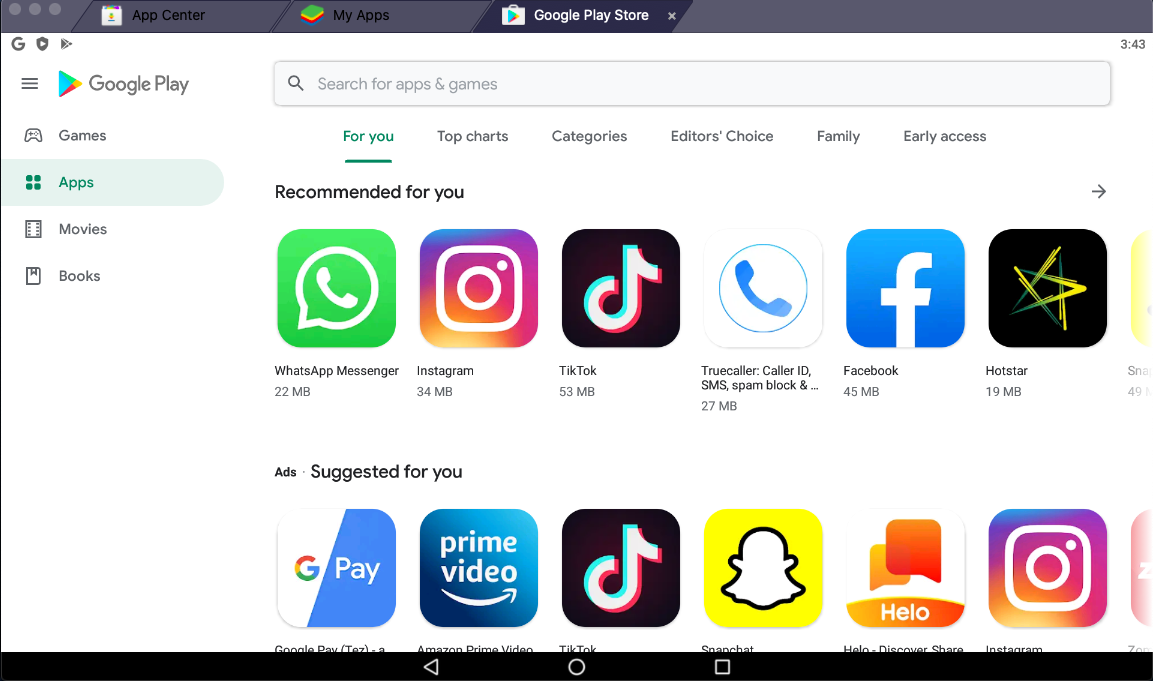
- From here, you can download and install Android apps on the Mac using Blustacks.
That’s it. Apple doesn’t have a straightforward process of running Android apps on Mac. But with the help of Android emulators, we can make it possible.
On the Internet, there are plenty of Android emulators with different options available as well. But we found Bluestacks as a stable one to run Android apps on Mac with ease.
More in How-to
How To Run Android On Windows With GenyMotion
Android on Windows sounds super cool? Yes anyone can run Android on Windows with Genymotion. This is very useful for normal people who want play games and developer’s to test their apps without buying device. What is GenyMotion Android Emulator? Whatever your needs may be, GenyMotion solves your problem easily. GenyMotion is a third-party application…

How To Install Android 5.0 Lollipop On Windows
Google revealed the Android 5.0 Lollipop version. Before the actual launch, we named Android 5.0 as L, which means a lot to developers, users and much more in terms of material design.
Virtual Machine Applications To Run More Than One Operating System – Windows / Linux / Mac
While we cross through an App or a software program that would be useful for us but only run in different OS that what we are using, we will think that we are not lucky to use that App or Software. But, there is an easy solution to run more than one OS in same…
The week in tech, minus the noise.
New reviews, fixes and the stories that matter — once a week, straight to your inbox.
We only use your email to send the newsletter. Unsubscribe any time. See our privacy policy.
Comments