

5 Most Stylish Keyboards for Writing
A convenient keyboard is one of the considerable factors when it comes to writing. As a writer, I know the importance of the keyboard for writing works. Today I’m here with some of the most stylish-looking keyboards for writers. If a keyboard is a writer’s instrument, style is the craftsmanship that makes you want to…


NuPhy Air75 V2
A convenient keyboard is one of the considerable factors when it comes to writing. As a writer, I know the importance of the keyboard for writing works. Today I’m here with some of the most stylish-looking keyboards for writers.
If a keyboard is a writer’s instrument, style is the craftsmanship that makes you want to play every day, and in 2025, there are gorgeous boards that blend aesthetics, comfort, and focus with modern connectivity and clean acoustics built for deep work sessions.
Why style matters for writers
A stylish keyboard does more than look good; it sets a tone for sessions, encourages better posture, reduces fatigue, and makes long-form drafting feel intentional, whether you prefer low-profile chic, retro-inspired curves, or premium aluminum builds with soft, thocky acoustics.
How this guide is curated
This guide shows the keyboards that pair useful design with proven typing quality, reliable wireless, good switch options, and layouts that suit writers who spend hours in docs instead of macros and games.
1) NuPhy Air75 V2
NuPhy’s Air75 V2 nails the minimal, desk-friendly aesthetic with a slim metal chassis, crisp legends, and low-profile mechanical switches that keep noise polite and travel satisfying for fast typists. It supports Bluetooth multi-device and 2.4 GHz wireless, works great on macOS/Windows, and its tile-like PBT caps feel premium without shouting for attention.
-
Why writers love it: Low fatigue, compact footprint, great portability, and a look that matches clean setups and café workflows without sacrificing real mechanical feel.
2) Logitech MX Keys S
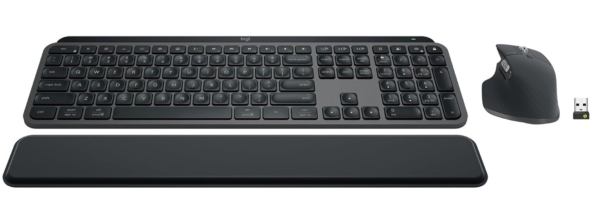
For non-mechanical fans, the MX Keys S is a sleek, low-profile board with smart backlighting, sculpted key wells, and rock-solid multi-device switching—perfect for quiet environments and late-night drafts. Its understated aesthetic integrates seamlessly with modern desktop gear and its battery endurance plus unified software make it a reliable daily driver.
-
Why writers love it: Near-silent typing, excellent ergonomics, and a classy design that feels professional in any workspace or studio.
3) Keychron Q5 Max
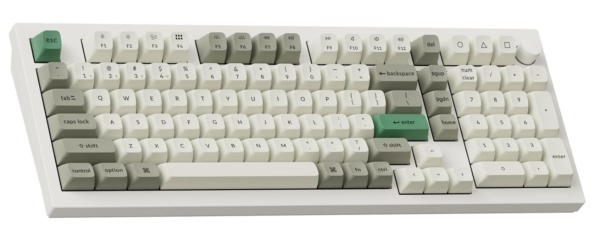
If you want a premium, stylish centerpiece, the Q5 Max’s all-aluminum body, gasket mount, and high-quality stabilizers deliver a luxurious, muted sound and buttery key feel in a 96% layout with a number pad. It supports hot-swaps, wireless modes, and Mac/Windows keycaps in the box, making it both beautiful and pragmatic for long writing sessions.
-
Why writers love it: Classy industrial design, customizable sound/feel, and a layout that balances compactness with full productivity keys.
4) Logitech G915 X TKL

The G915 X TKL brings aircraft-grade aluminum elegance, ultra-thin low-profile switches, tri-mode connectivity, and a refined, premium presence that still feels appropriate for professional writing setups. While marketed for gaming, its slim build, long battery life, and refined key feel make it a stylish, practical tool for content creators.
-
Why writers love it: Slim, sturdy, and modern with excellent wireless reliability and a restrained aesthetic that looks great on camera and on a desk.
5) Lofree Designer Series
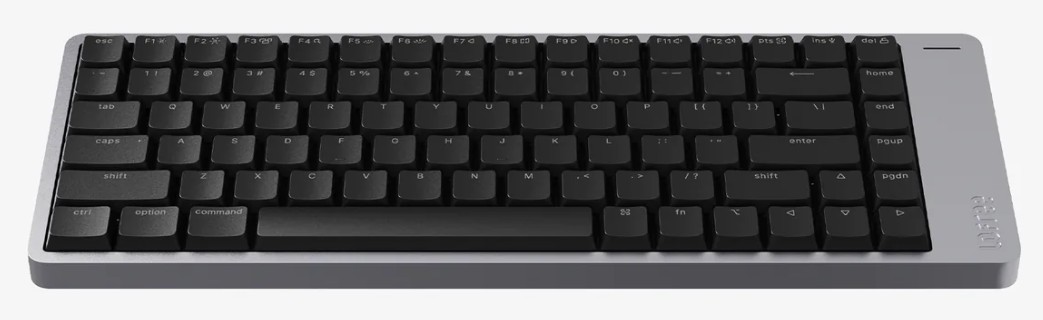
Lofree’s designer boards lean into retro charm with rounded keycaps and playful, tasteful themes that photograph beautifully while remaining surprisingly usable for day-to-day writing. If you want a conversation-starting keyboard that still types comfortably and makes your desk feel uniquely yours, this is a standout.
-
Why writers love it: Personality-packed styling with functional layouts and a creative vibe that inspires long-form writing and journaling.
Buying tips for stylish writing keyboards
-
Prioritize key feel and acoustics first: tactile or smooth linear with good stabilizers; sound should be soft and non-distracting to sustain flow.
-
Pick the right profile: low-profile for wrist comfort and portability, standard profile for deeper travel and richer sound.
-
Ensure strong wireless and multi-device switching: modern Bluetooth plus 2.4 GHz helps glide between laptop, tablet, and desktop.
-
Consider layout: 75% and 96% of designs balance desk space and productivity without compromising writing shortcuts.
Quick comparison
| Keyboard | Style angle | Best for writers |
|---|---|---|
| NuPhy Air75 V2 | Minimal, low-profile metal | Portable, quiet, modern setups |
| Logitech MX Keys S | Sculpted, pro, quiet | Office, long sessions, cross-device |
| Keychron Q5 Max | Premium aluminum, muted | Custom sound/feel, 96% layout |
| Logitech G915 X TKL | Ultra-thin luxe | Slim desks, marathon battery |
| Lofree Designer Series | Retro-chic | Creative desks, personality |
FAQs
Q1: Are low-profile keyboards better for long writing?
A: Low-profile boards reduce wrist extension and feel faster, which can cut fatigue, but some writers prefer standard profile for deeper travel and fuller acoustics—try both if possible.
Q2: What switch types suit writers?
A: Light tactiles are popular for feedback without noise, while quiet linears offer smooth, low-distraction typing; premium stabilizers matter as much as switch choice for spacebar and enter feel.
Q3: Is wireless reliable enough for drafting?
A: Yes—look for boards with both Bluetooth multi-device and 2.4 GHz dongles for low-latency stability across laptops, desktops, and tablets.
Q4: What layout is best for writing?
A: 75% keeps arrows and functions in a compact frame; 96% adds a numpad without going full-size, which is useful for data entry and shortcuts-heavy workflows.
Q5: Are “stylish” keyboards just about looks?
A: The best stylish boards fuse design with ergonomics, acoustics, and reliable connectivity—form should enhance function to keep you in flow for hours.
More in Top 5
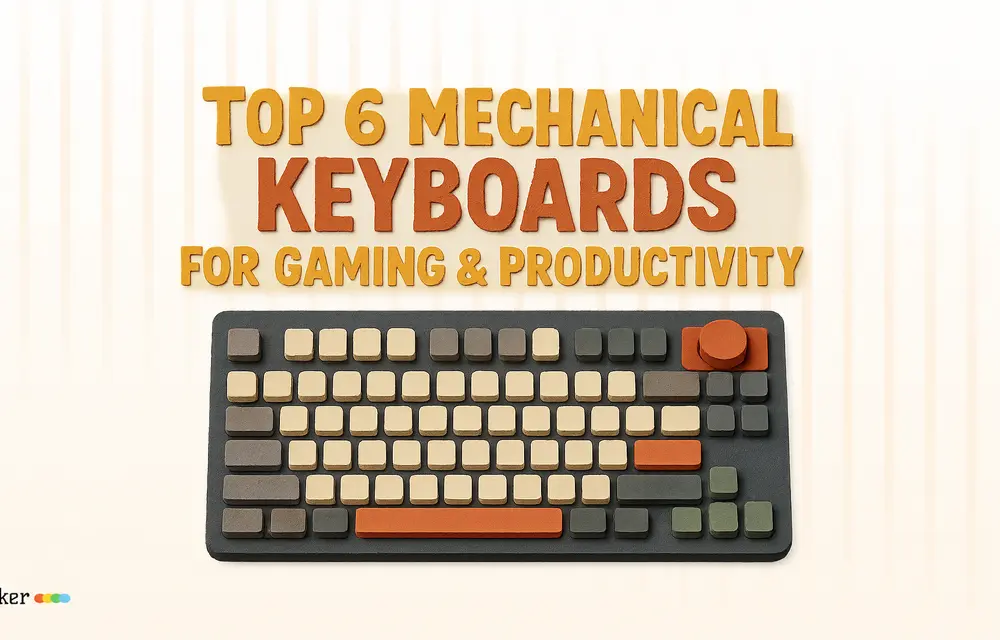
Top 6 Mechanical Keyboards for Gaming & Productivity
If you are still typing on the flat, mushy laptop keyboard that came with your computer, it is time for an upgrade. The mechanical keyboard market has completely shifted away from generic, bulky plastic boards. Today, the focus is on enthusiast-grade acoustics (how the keyboard sounds), premium materials (like solid wood and CNC-machined metals), and…
Essential Steps to Set Up and Optimize Your Brand New Computer
You’ve just bought a brand-new computer and can’t wait to get started. But, before you start surfing and gaming, it’s a good idea to set up and optimize your laptop for the greatest potential performance. In this post, we’ll walk you through the essential and critical steps to getting your computer up and running like…

5 Best Free Word Processing Tools For Windows
Word Processing software exists since the launch of Windows 3.1 and Windows 95. We had worked with Notepad and WordPad since last several years. Microsoft has integrated several new features into the default Word processing software. However, you will not find the spell checking feature in Notepad. Microsoft Office ships with several tools for word…
The week in tech, minus the noise.
New reviews, fixes and the stories that matter — once a week, straight to your inbox.
We only use your email to send the newsletter. Unsubscribe any time. See our privacy policy.
Comments