

Best Video Conferencing Software for Small Businesses (2026): Zoom vs Teams vs Google Meet vs Webex vs RingCentral
Zoom, Microsoft Teams, Google Meet, Webex and RingCentral Video compared for small teams, with Zoom’s official limits and prices and a clear list of what to check for the rest.

Photo by Chris Montgomery on Unsplash
Picking small business video conferencing software sounds easy, right? Then you open the plan pages. Every app promises crisp video and some flavor of AI, and the stuff that actually matters is buried in the fine print: how long a free meeting lasts, how many people can join, where your recordings end up, and what you pay per person once the team starts growing.
So in this guide I’m comparing the five names most small teams end up stuck choosing between: Zoom, Microsoft Teams, Google Meet, Webex and RingCentral Video. I’ll be real with you about one thing first. I haven’t run hands-on tests for this piece, and Zoom is the only one whose numbers I could verify against its official pages. For the other four, I’ll tell you what each one’s good for and exactly what you should check before you pay.
Is that less flashy than a ranked list stuffed with prices? Sure. But I’d rather hand you numbers you can trust than numbers I guessed.
Quick answer: If you want a standalone meeting app that works with pretty much anyone, Zoom is the safest pick, and Zoom Workplace Business ($18.33 per user per month billed annually, per Zoom’s pricing page) gets you meetings of up to 300 people. If your company already pays for Microsoft 365 or Google Workspace, start with Teams or Meet, since you may already have it. Go with RingCentral if you also need a business phone system, and keep Webex on your shortlist as an established alternative with a free tier.
How I picked these, and what I couldn’t confirm
For a small business, a video app really only has a few jobs. It has to handle your biggest meeting without booting people. It should save recordings somewhere sensible. Once you’ve got more than a handful of staff, it needs decent admin and security controls. And the per-seat price has to make sense.
Zoom spells most of this out on its pricing page, so I could check its meeting lengths, participant caps, recording storage and plan prices right there. For Teams, Google Meet, Webex and RingCentral, I couldn’t confirm current limits or prices from their official pages while writing this. Instead of printing numbers from memory (which is how bad info spreads), I’ve left them out and pointed you to the right page. Prices change a lot anyway, so glancing at the live page is a good habit with any of these.
Small business video conferencing at a glance
| Feature | Zoom | Microsoft Teams | Google Meet | Webex | RingCentral Video |
|---|---|---|---|---|---|
| Best fit for | Teams that want a standalone meeting app | Businesses already on Microsoft 365 | Businesses already on Gmail and Google Workspace | Teams wanting an established alternative | Businesses that also need phones |
| Comes bundled with | Zoom Workplace | Microsoft 365 | Google Workspace | Cisco’s Webex suite | RingCentral’s phone plans |
| Free plan meeting length | 40 minutes | Not confirmed | Not confirmed | Not confirmed | Not confirmed |
| Free plan participants | 100 | Not confirmed | Not confirmed | Not confirmed | Not confirmed |
| Paid meeting length | Up to 30 hours | Not confirmed | Not confirmed | Not confirmed | Not confirmed |
| Largest small business plan size | 300 people (Business) | Not confirmed | Not confirmed | Not confirmed | Not confirmed |
| End-to-end encryption | Listed on Pro and Business | Not confirmed | Not confirmed | Available; plans not confirmed | Not confirmed |
Quick note on all those “not confirmed” cells. They don’t mean the feature is missing. They just mean I couldn’t check the current figure against the vendor’s own page, so think of them as homework before you sign up.
The best video conferencing software for small businesses
1. Zoom Workplace
Zoom is still the app most people already have installed, and honestly that matters more than it sounds. When you’re meeting clients, suppliers or job candidates, the last thing you want is the first five minutes going to someone downloading a new app.
The free Basic plan lets you host unlimited meetings, but each one tops out at 40 minutes, with up to 100 people. Here’s the thing that catches people out: since May 2, 2022, that 40-minute cap applies to one-on-one meetings too, not just group calls. Basic also only records to your own computer.
Paid plans are where Zoom actually gets useful for a business. Pro, Business and Enterprise meetings can run up to 30 hours. Pro keeps the 100-person cap but throws in 10 GB of cloud recording storage per license. Business bumps meetings to 300 people, covers teams from 1 to 250 users, and adds admin tools like single sign-on (SSO, which lets staff log in with your company account instead of yet another password), managed domains and device management. Enterprise goes to 500 participants and beyond.
Zoom also says its AI Companion comes at no extra cost with paid plans, though some features vary by region. And if you run a verified nonprofit, Zoom gives 50% off Workplace Pro, Workplace Business, Webinars and Large Meetings. That’s a big chunk off, so definitely apply if you qualify.
What I liked
- You can host as many free meetings as you want
- Paid meetings can run up to 30 hours
- The Business plan jumps to 300 participants and adds SSO
- AI Companion comes with paid plans at no extra cost
- Verified nonprofits get 50% off
What could be better
- The 40-minute free limit hits even one-on-one calls
- The free plan only records to your computer
- Two official Zoom pages showed different Pro prices
- Webinars are sold separately, and I couldn’t confirm what they cost
2. Microsoft Teams
Teams lives inside Microsoft 365, right next to Outlook, Word, Excel and OneDrive. If your business already pays for a Microsoft 365 business plan, check what you’ve got before buying anything else. You might already be paying for video meetings and just… not using them.
The big draw is having chat, files and meetings in one spot. A Teams meeting can sit inside a channel, so the notes and shared docs stay with the project after everyone hangs up. Microsoft has also sold a meetings-focused plan called Teams Essentials for businesses that don’t need the full Office apps.
What I couldn’t confirm: current Teams and Microsoft 365 business prices, free-plan meeting limits, participant caps, and the details on Teams webinars and town halls. Microsoft tweaks its business plan prices every so often, so head to its official compare page for today’s numbers.
3. Google Meet
If your company email runs on Gmail through Google Workspace, Google Meet is kind of the obvious pick. Meetings drop right into Google Calendar invites, and guests can join from a browser without installing anything, which is super handy when you’re meeting customers.
Meet’s features scale with your Workspace tier. Participant limits, recording and extras like attendance tracking all depend on which Workspace plan you’re on, and that’s exactly the sort of detail that keeps changing. I couldn’t verify the current tiers, so check Google Workspace’s official pricing page and make sure the plan you’re eyeing includes recording if you need it.
You can also use Meet free with a personal Google account, but I couldn’t confirm the current time and participant limits on free calls.
4. Webex
Webex is Cisco’s meeting platform, and it’s been around in the business world for a long time. There’s a free plan and paid tiers, plus a separate webinar product for bigger events.
Cisco does offer end-to-end encryption on Webex, but I couldn’t confirm which plans include it. I also couldn’t check the free plan’s limits or what the paid meeting plans cost. If Webex catches your eye, its official US pricing page is where you can compare tiers side by side.
My honest take? Webex makes the most sense if someone on your team already knows it, or a big client of yours runs everything on it. Otherwise it’s a solid alternative, just not the obvious first choice for a small team.
5. RingCentral Video
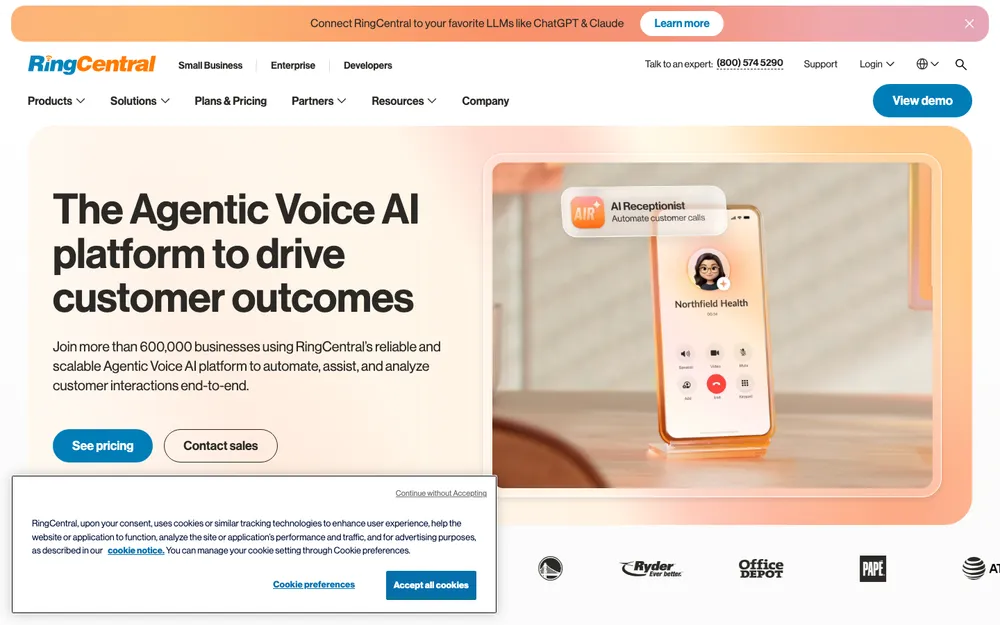
RingCentral is mostly a business phone company, and as far as I could tell its video meetings come two ways: a free version called RingCentral Video Pro, and video bundled into its RingEX phone plans. The appeal’s pretty easy to see. One vendor, one bill, one app for calls, texts and meetings.
I couldn’t confirm the free version’s meeting limits, the paid limits or current RingEX prices, so check RingCentral’s official plans page. If phones are part of the decision, have a read of my guide to the best business phone systems (VoIP) for small businesses before you commit, because the phone side is usually where the bigger cost hides.
Zoom pricing: the official numbers
These are the Zoom plans I could confirm on Zoom’s official pricing page. All prices are in USD.
Zoom Basic
Free plan
- Meetings up to 40 minutes
- Up to 100 participants
- Local recording only
Zoom Workplace Business
Billed annually; $21.99/user/mo billed monthly
- Up to 300 participants
- Meetings up to 30 hours
- SSO, managed domains and device management
- For 1 to 250 users
Prices taken from Zoom’s official pricing page. They change, so check the live page before you buy.
Zoom Workplace Pro sits in between these two, with 30-hour meetings, 100 participants and 10 GB of cloud storage per license. I left its price off on purpose. When I checked, Zoom’s main pricing page and its Pro product page listed different monthly rates (annoying, I know), so look at the live page to see what you’ll actually be charged.
Free plans: what you actually get
Free plans are great for kicking the tires, but they’re rarely enough to run a business on. Zoom’s is the clearest example. You can host as many meetings as you like, yet every single one ends at 40 minutes, even that quick one-on-one with a client that runs a bit long.
The other four have free options too, but I couldn’t confirm their current time limits or participant caps. Don’t just assume they’re more generous than Zoom’s. Check the official page, then do a real test.
Recording, webinars and security
Recording
On Zoom’s free plan, recordings only save to the host’s computer. Pro adds 10 GB of cloud storage per license, so recordings live online and you can just share a link instead of shuffling huge video files around. For the other apps, recording depends on the plan, and I couldn’t confirm which tiers include it.
Webinars
Running public events, product demos or training sessions? Then you’ll probably want a proper webinar tool instead of a regular meeting. Zoom sells Webinars and Large Meetings as separate products, and Microsoft, Cisco and RingCentral have their own webinar options too. I couldn’t confirm current prices or attendee limits for any of them, so compare those on each vendor’s page.
Security
Zoom lists end-to-end encryption on its Pro and Business plan cards. In plain terms, the audio and video get scrambled so only the people in the meeting can read them, not the service sitting in between. Zoom Business goes further for admins with SSO, managed domains, device management, information barriers (rules that stop certain groups from meeting each other) and APIs for archiving and data loss prevention, which helps keep sensitive info from leaking out.
For the others, I couldn’t confirm which security features come with which plan. If you handle client data, just ask each vendor straight up which plan includes encryption and admin controls before you buy.
How to choose the right one for your team
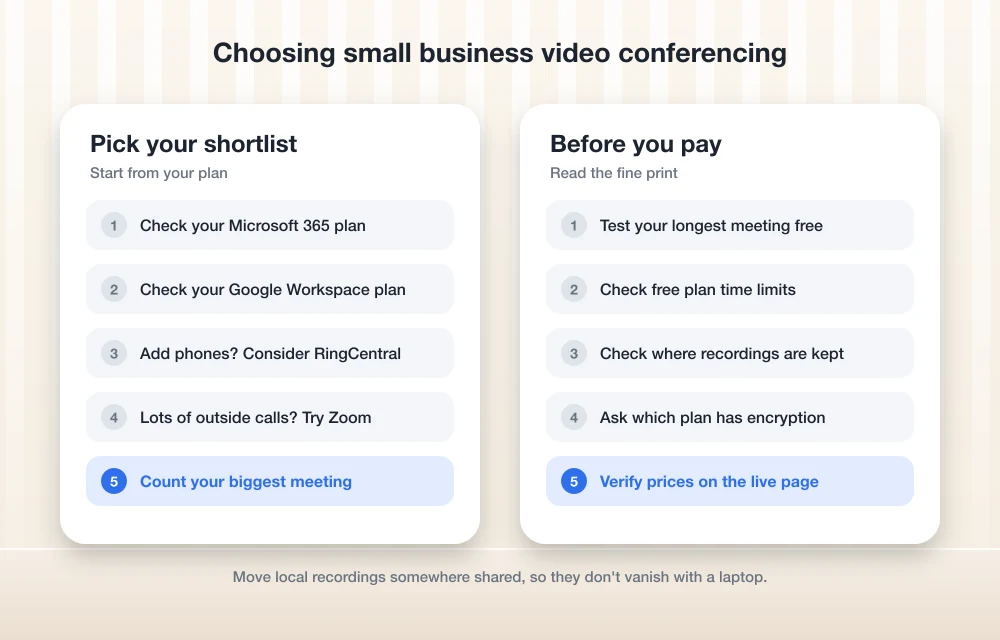
Start with what you already pay for. For a lot of small businesses, that one question settles things before features even come up.
Microsoft Teams
Check your current plan first. Meetings, chat and files in one place, and you’re probably already paying for it.
Google Meet
Baked into Google Workspace and Calendar, and guests can join from a browser.
RingCentral Video
Worth it if you want calls and meetings from one vendor.
Zoom
The app most clients and partners already know how to join.
Next, count your biggest meeting, not your average one. If your all-hands or client training regularly goes past 100 people, you’ll need a plan that handles it, like Zoom Business at 300.
Then think about what happens once the call ends. Meetings are only half the job. The tasks everyone agreed on need a home, or they’re gone by Friday. If your team doesn’t have one yet, my comparison of the best project management software for small teams covers Asana, monday, ClickUp and Trello.
And if you use video calls for customer support, like walking someone through a setup, a meeting app on its own won’t keep track of those conversations. Pair it with one of the best help desk tools for small businesses so every request gets a ticket and nothing falls through the cracks.
My pick for most small businesses
Starting from scratch and meeting with lots of outside people? I’d go Zoom. The limits are clear, the free plan is fine for testing, and Business covers 300-person meetings plus the admin controls a growing team ends up needing.
If you already pay for Microsoft 365 or Google Workspace, though, please don’t buy a second tool out of habit. Look at what’s in your current plan first. You might already have everything you need.
Whichever way you lean, double-check the price and limits on the vendor’s live page the day you buy. These numbers move around more than you’d think.
Frequently Asked Questions
Is Zoom free for small businesses?
There’s a free Basic plan, yes. You can host unlimited meetings, but each one lasts up to 40 minutes, with up to 100 participants and local recording only. If your business meets regularly, you’ll probably want a paid plan for longer meetings and cloud recording.
Does Zoom’s 40-minute limit apply to one-on-one calls?
Yep. Since May 2, 2022, the 40-minute limit on free Zoom accounts covers one-on-one meetings as well as group ones.
How many people can join a Zoom meeting?
Going by Zoom’s pricing page, Basic and Pro meetings allow up to 100 people, Business allows 300, and Enterprise allows 500 or more.
Does Zoom offer end-to-end encryption?
Zoom lists end-to-end encryption on its Pro and Business plan cards. Basically, the audio and video get scrambled so only the people in the meeting can read them, not the service in between.
Do I need to pay for Teams or Google Meet separately?
Maybe not. Teams comes with Microsoft 365 and Google Meet comes with Google Workspace, so check your current business plan first. Features and limits vary by plan, so confirm on the official Microsoft or Google pricing page.
Featured image: Chris Montgomery on Unsplash.
You might also like

Best Zoom Alternatives With More Privacy And Features
Video calling and meeting is undoubtedly the best option to stay connected during the novel Coronavirus pandemic period. For this reason, most of the office employees are currently using Zoom app for video conferencing. However, the Zoom is in the news these days for other reasons. The company is not clear about their security and…
Best Business Phone Systems (VoIP) for Small Businesses in 2026
A guide to choosing a small business VoIP phone system in 2026, covering RingCentral, Nextiva, Dialpad, Zoom Phone, Google Voice, Teams Phone, Grasshopper and Quo, plus the 10DLC, E911 and porting details most buyers miss.

Best Skype alternatives for better video conferencing and VOIP
Skype is one of the most popular video conferencing app available for almost all platforms. You could also consider VoIP and general video calls with Skype. However, no matter how good an app or service is, there are definitely better alternatives to it depending on what a user wants. In this case, we consider the…
The week in tech, minus the noise.
New reviews, fixes and the stories that matter — once a week, straight to your inbox.
We only use your email to send the newsletter. Unsubscribe any time. See our privacy policy.
Comments