

Best Warehouse Management Systems for Small Businesses (2026)
Six warehouse management systems for small businesses, compared on picking, barcode scanning, multi-warehouse support and pricing. I’ve flagged clearly which prices I could confirm on official vendor pages.


Photo by CHUTTERSNAP on Unsplash
Spreadsheets are fine for running a warehouse. Until they aren’t. Someone mistypes one SKU, or an order gets picked off the wrong shelf, and now you’re refunding a customer and recounting a whole aisle on a Saturday (ask me how I know that feeling).
That’s usually the moment owners go looking for small business warehouse management software. A WMS (warehouse management system) tells your team where every item lives, what to pick next and what just showed up at the dock. And most of it runs on barcode scans, not clipboards.
I’ve got six options below, and I’m starting with our own custom ERP. I’ll be real with you: I could only confirm official pricing for one of these products. If a price isn’t on the vendor’s own page, I just say so. No guessing.
Quick answer: If you want published pricing and a proven barcode workflow, start with Fishbowl. Its Growth plan adds picking and unlimited warehouses, and Advanced Warehouse adds mobile barcode scanning, EDI and 3PL workflows. If you already run NetSuite, its built-in WMS keeps warehouse data next to your financials, and if your process is unusual (garment, logistics or distribution especially), a custom ERP like ours is worth a free discovery call. Zoho Inventory, ShipHero and Logiwa are worth a look too, but get an official quote from each, because I couldn’t verify their pricing.
What small business warehouse management software should do
Think of a WMS as sitting one level below regular inventory software. Inventory tools tell you how many units you own. A WMS goes further and tells you which shelf, bin or pallet they’re actually on, then walks your team through moving them around.
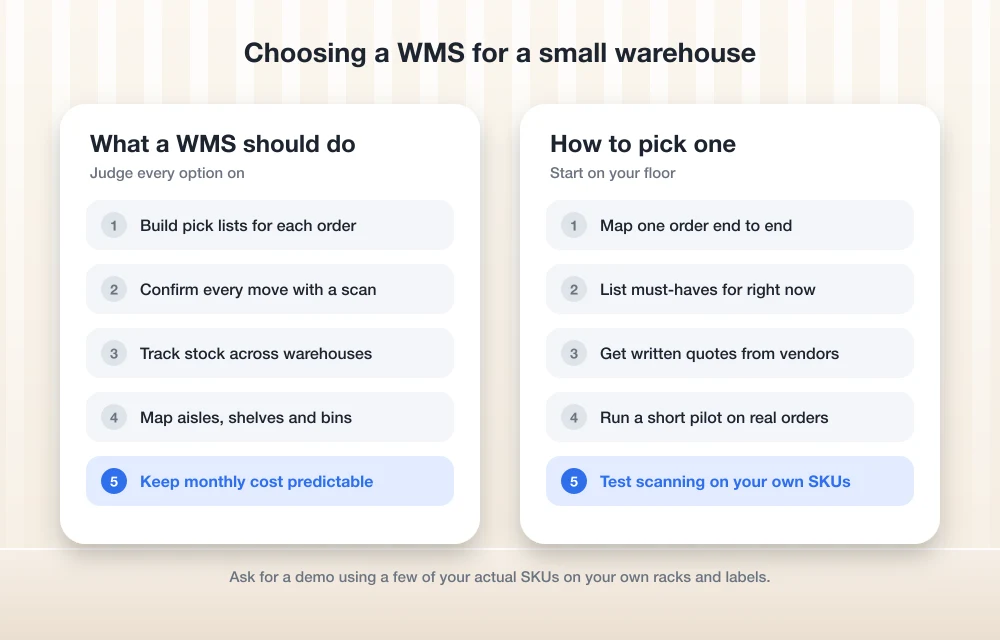
For a small warehouse, this is what I’d judge every option on:
- Picking: the system builds a pick list for each order, so your staff grab the right item from the right spot.
- Barcode inventory scanning: every receive, move and pick gets confirmed with a scan. Nobody’s typing SKUs by hand.
- Multi-warehouse inventory: stock tracked across separate buildings, plus sub-locations inside each one like aisles, shelves and bins.
- Pricing you can predict: a clear monthly cost, and no surprise per-user charges every time you hire someone.
A few other terms pop up below, so quickly. “Put-away” just means putting received stock in its proper home. “3PL” is third-party logistics, basically a warehouse that stores and ships goods for other brands. And “EDI” (electronic data interchange) is how big retailers send purchase orders straight from their system into yours.
Now, if what you mostly need is stock counts and reorder alerts, and not shelf-level picking? A full WMS is probably overkill. I cover lighter tools in my guide to the best inventory management software for small businesses.
Warehouse management systems compared
This is what I could confirm from official pages. Quick heads up: “Not confirmed” means I couldn’t find it on the vendor’s own site. It doesn’t mean the feature is missing.
| Feature | Thetechhacker Custom ERP | Fishbowl | NetSuite WMS | Zoho Inventory | ShipHero | Logiwa |
|---|---|---|---|---|---|---|
| Best fit | Custom workflows; garment, logistics, distribution | Small teams that want published plans | Businesses already on NetSuite | Check fit in a trial or demo | Check fit in a demo | Check fit in a demo |
| Price on official page | Scoped on discovery call | Yes, from $229/mo | No, quote-based | Not confirmed | Not confirmed | Not confirmed |
| Barcode scanning (official) | Scoped to your build | Yes | Not confirmed | Not confirmed | Not confirmed | Not confirmed |
| Multi-warehouse (official) | Scoped to your build | Yes, unlimited warehouses from Growth | Yes, all locations in one dashboard | Not confirmed | Not confirmed | Not confirmed |
| Per-user license fees | None | Not confirmed | Not confirmed | Not confirmed | Not confirmed | Not confirmed |
The best warehouse management systems for small businesses
1. Thetechhacker Global Solutions Custom ERP
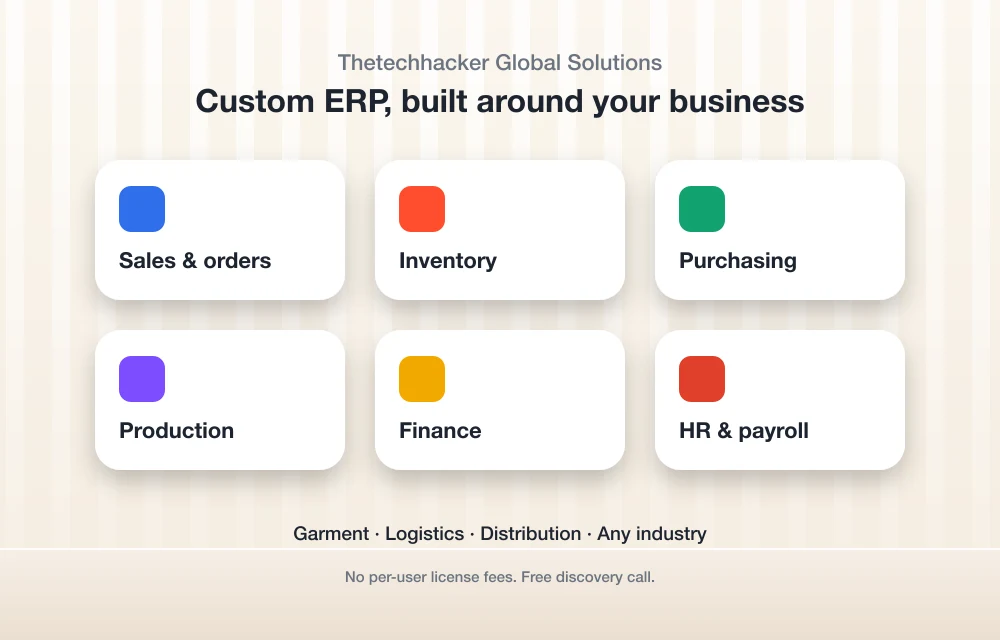
Disclosure: Thetechhacker Global Solutions is our own company. It’s first on the list because it’s what we build, so yeah, take my opinion here with that in mind.
This isn’t an off-the-shelf WMS. It’s a custom-built ERP for any industry, with modules for sales and orders, inventory, purchasing, production, finance, and HR and payroll. The whole point is that the warehouse side gets shaped around how your floor really runs. You don’t have to bend your process to fit somebody else’s screens.
We specialize in garment, logistics and distribution ERP. Honestly, those are the businesses where generic tools pinch the most. One garment style can turn into dozens of size and color variants. And a distributor’s order flow? It almost never looks like the textbook example.
There are no per-user license fees. Sounds like a small thing, but it isn’t. With per-seat pricing, every new picker or packer you bring on nudges the software bill up a bit, and that cost just sits there forever.
Since it’s custom, I don’t have a price list to show you. The first step is a free discovery call, which you can book on our custom ERP software page. On that call we figure out which modules you need and how your warehouse should flow.
2. Fishbowl
Fishbowl is the easiest one here to evaluate, for one simple reason. It actually publishes its prices. They’re up on the official Fishbowl pricing page.
There are two product families. Fishbowl Inventory comes in three plans, all billed annually. Every one of them includes unlimited sub-locations, so you can map out aisles and bins from day one. Growth is where the real warehouse stuff kicks in: it adds pick, receive, ship and fulfillment, automated reordering and unlimited warehouses. Demand forecasting costs extra as an add-on.
Then there’s Fishbowl Advanced, which is the step up. Advanced Warehouse is sold for teams of 2 to 200+ users and covers multi-warehouse, 3PL and distribution workflows, mobile barcode scanning, EDI and transfer orders. Its pricing always gets confirmed by quote, though, so treat the starting figure as a rough guide.
For warehouse work, Fishbowl says it handles receiving, put-away, picking, packing, shipping and counting off barcode scans. It also plays nice with QuickBooks, Xero and NetSuite. Handy if your accountant has strong feelings about how your books are kept.
Essentials
Billed annually
- Unlimited sub-locations
Growth
Billed annually
- Unlimited sub-locations
- Pick, receive, ship and fulfillment
- Automated reordering
- Unlimited warehouses
Scale
Billed annually
- Unlimited sub-locations
- Top Fishbowl Inventory tier
Advanced Warehouse
Starting price, confirmed by quote
- 2 to 200+ users
- Mobile barcode scanning
- 3PL and distribution workflows
- EDI and transfer orders
I pulled these prices from Fishbowl’s official pricing page at the time of writing. They do change, so double check that page before you buy.
What I liked
- The prices are right there on the official site
- Every Inventory plan gets unlimited sub-locations
- Receiving, picking, packing and counting all run on barcodes
- Connects with QuickBooks, Xero and NetSuite
What could be better
- Inventory plans are billed annually, there’s no month to month
- You don’t get picking or unlimited warehouses until Growth (Essentials doesn’t have them)
- No manufacturing features like BOMs, work orders or MRP on the Inventory plans
- I couldn’t confirm user counts per plan or any setup fee on official pages
Do you make products as well as store them? Then keep in mind the manufacturing tools live in a separate Advanced Manufacturing product, which Fishbowl lists from $675/mo.
3. NetSuite WMS
NetSuite WMS is Oracle’s warehouse module. The big selling point is that it’s not a separate app at all. Oracle says it’s built into NetSuite’s financials, inventory and order management, so a pick out on the floor and a line in your books come from the same system.
Going by Oracle’s NetSuite WMS overview, you get real-time visibility, automated inventory tracking and productivity monitoring across all your warehouse locations in one dashboard. That productivity bit is actually useful if you want to spot which shifts or zones keep falling behind.
Two honest caveats, though. First, I found no public NetSuite price. It’s quote-based, and I’m not going to make up a number. Second, I couldn’t confirm stuff like mobile barcode scanning, directed put-away and picking, cycle counting or device requirements on Oracle’s own pages. So ask for a live demo of exactly those things before you sign anything.
My take? NetSuite WMS makes the most sense if you already run NetSuite, or you were planning to move onto it anyway. Buying the whole platform just to get warehouse features is a big commitment for a small team.
4. Zoho Inventory
If you’re already using Zoho apps, I’d bet Zoho Inventory is the first name you check. Keeping all your tools in one family can make life a lot simpler.
What I couldn’t confirm from official pages: current pricing, whether picklists and barcode scanning come with every plan, and how many warehouses or locations each plan allows. Zoho does have an official US pricing page for Inventory, and honestly that’s the only source I’d trust for any of those details.
When you go look, find out which plan is the first to include picklists and scanning, and what the location limit is. Those two answers tell you pretty fast whether it can handle a second warehouse down the road.
5. ShipHero
ShipHero shows up as an app in the BigCommerce marketplace, so it connects to that store platform at least. Past that, I couldn’t verify its pricing or plan details on ShipHero’s own site.
If you sell online and you’re thinking about it, ask for the official price in writing. Ask what that price includes, and whether costs go up with order volume, users or warehouses. Marketplace listings can show different numbers from what the vendor actually quotes you, so go straight to ShipHero.
6. Logiwa
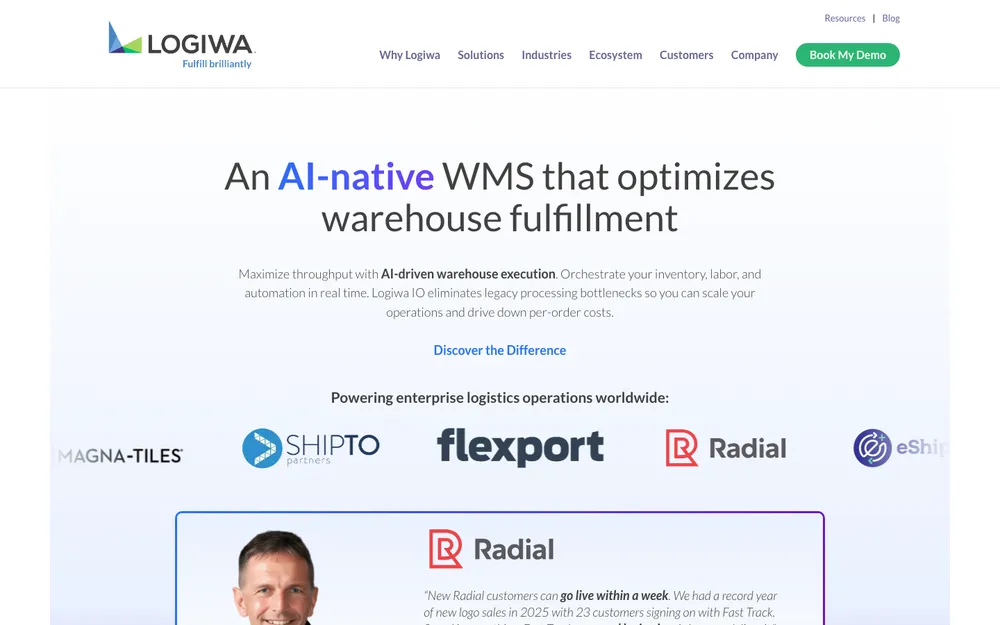
Logiwa is another WMS that comes up a lot for growing sellers and fulfillment businesses. Same story as the last two: I couldn’t confirm pricing on official pages, and the figures I found elsewhere didn’t agree with each other.
When you talk to Logiwa, ask if plans cap users, if warehouses are limited, and if there’s a separate plan for 3PL work. That last one matters a lot if you store goods for other brands.
How to pick the right WMS
Don’t start with feature lists. Start on your warehouse floor.
Map one order end to end
Write down every step from stock arriving to the box leaving your dock, and who touches it along the way.
List your must-haves
Figure out if you need picking, barcode scanning, more than one warehouse, EDI or 3PL billing right now. Not someday.
Get official quotes
Get written pricing from each vendor that covers users, warehouses, setup and any add-ons.
Run a short pilot
Let your actual pickers try the system on real orders before you commit to anything.
Which WMS I’d choose
If I ran a small warehouse and wanted to get moving fast with costs I could actually predict, I’d look at Fishbowl first. Published pricing, unlimited sub-locations, and a Growth plan that adds picking and unlimited warehouses. That’s easy to budget around.
If I already lived in NetSuite, I’d ask Oracle to demo the WMS before buying anything else. Having warehouse and finance data in one place is tough to beat.
And if my process didn’t fit anybody’s template? I’d book a discovery call for a custom build. Yes, that’s our company, and that’s exactly why I’ve been upfront about it the whole way through. As for Zoho Inventory, ShipHero and Logiwa, get official quotes and put them side by side with Fishbowl’s published prices.
Oh, one last thing. If your warehouse also runs delivery vans, you’re only seeing half the picture here. I cover the other half in my guide to fleet management and GPS tracking software.
Frequently Asked Questions
What is a warehouse management system (WMS)?
It’s software that tracks exactly where your stock sits inside the warehouse (aisle, shelf or bin) and guides your staff through receiving, put-away, picking, packing and shipping. Usually that’s all done by scanning barcodes.
Do small businesses need a WMS or just inventory software?
If all you need is stock counts and reorder alerts, inventory software is often plenty. A WMS starts paying for itself once you’ve got lots of SKUs, several storage locations or more than one warehouse, and picking mistakes are costing you real money.
How much does Fishbowl cost?
Fishbowl’s official pricing page lists Essentials at $229/mo, Growth at $429/mo and Scale at $729/mo, all billed annually. Advanced Warehouse starts from $595/mo and always gets confirmed by quote. Prices change, so check the official page before you buy.
Does NetSuite publish pricing for its WMS?
Not that I could find on Oracle’s pages. NetSuite WMS is quote-based, so you’ll have to contact Oracle NetSuite for a number. While you’re talking to them, ask for a demo of barcode scanning and picking on your own SKUs.
Can a custom ERP replace a WMS?
It can handle warehouse work if it’s built for that. Thetechhacker Global Solutions (that’s our own company) builds custom ERP with sales and orders, inventory, purchasing, production, finance, and HR and payroll modules. We specialize in garment, logistics and distribution, and there are no per-user license fees. The first step is a free discovery call.
Featured image: CHUTTERSNAP on Unsplash.
You might also like

Best POS Systems for Small Businesses: Square vs Toast vs Clover (2026)
Square, Toast, Clover, Shopify POS and Lightspeed compared for US small businesses: what each costs, the contract and offline catches, and when your POS should connect to an ERP.

Best Accounting Software for Small Businesses: QuickBooks vs Xero vs FreshBooks (2026)
I compare QuickBooks Online, Xero, FreshBooks, Zoho Books and Wave for US small businesses, covering plans, user limits, payroll add-ons, accountant access and migration. I also explain when accounting inside an ERP is the better fit.
Best Inventory Management Software for Small Businesses (2026)
Compare inventory management software for US small businesses, from Zoho Inventory’s free plan to Fishbowl, Cin7 and custom ERP, with official prices and advice on choosing for your type of business.
The week in tech, minus the noise.
New reviews, fixes and the stories that matter — once a week, straight to your inbox.
We only use your email to send the newsletter. Unsubscribe any time. See our privacy policy.
Comments