

Best Inventory Management Software for Small Businesses (2026)
Compare inventory management software for US small businesses, from Zoho Inventory’s free plan to Fishbowl, Cin7 and custom ERP, with official prices and advice on choosing for your type of business.
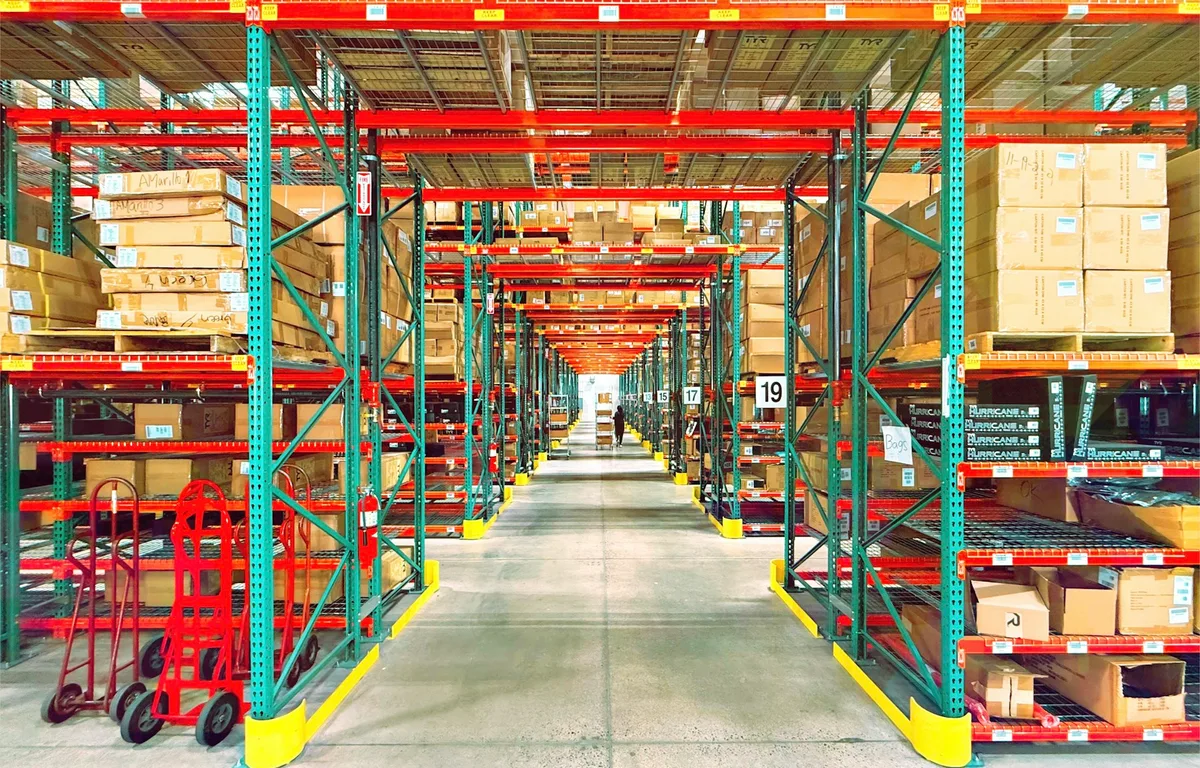
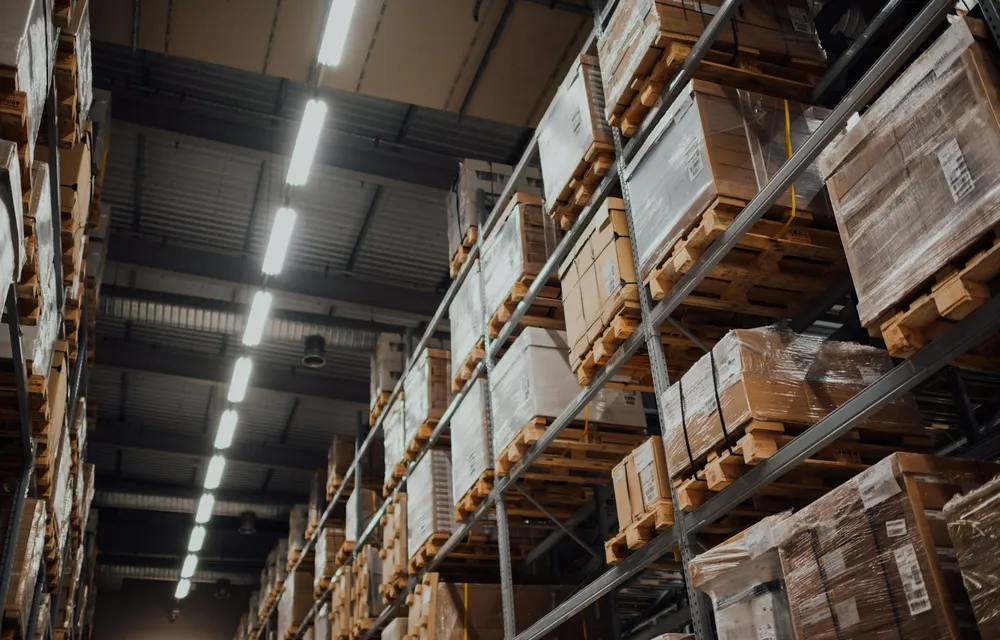
Photo by Russ Murray on Unsplash
Pretty much every small business starts tracking stock the same way: a spreadsheet, a stockroom, and that one person who “just knows” what’s on the shelf. And honestly? It works. Right up until it doesn’t. One day you oversell something online. Or a whole case of stuff sits in the back for months because nobody remembered it was even there.
Inventory management software fixes this by keeping a live count of what you’ve got, where it’s sitting and when you need to order more. The hard part is picking one. Prices go from free to well over a thousand dollars a month, and a tool that’s perfect for a Shopify seller can be totally useless for a small factory.
So in this guide I’ll go through what this software actually does, the signs your spreadsheet has hit its limit, and the options I think are worth a look in 2026. I took prices from the vendors’ own pricing pages wherever I could confirm them. Where I couldn’t, I’ve said so (no guessing here).
Quick answer: For a very small shop, Zoho Inventory’s free plan or its Standard plan ($29 a month billed annually) is the easiest place to start. Product businesses that want QuickBooks Online or Xero sync plus barcode scanning should look at Fishbowl (from $229 a month billed annually), and multichannel sellers or light manufacturers should compare Cin7 Core (from $349 a month). If your process doesn’t fit any of these boxes, a custom ERP built around your workflow, like the one my company builds, is worth a conversation.
What inventory management software actually does
At its core it’s just one record of every product you sell, and it’s always up to date. A sale knocks the count down. A delivery bumps it up. No more guessing.
Most tools then pile on some mix of these features:
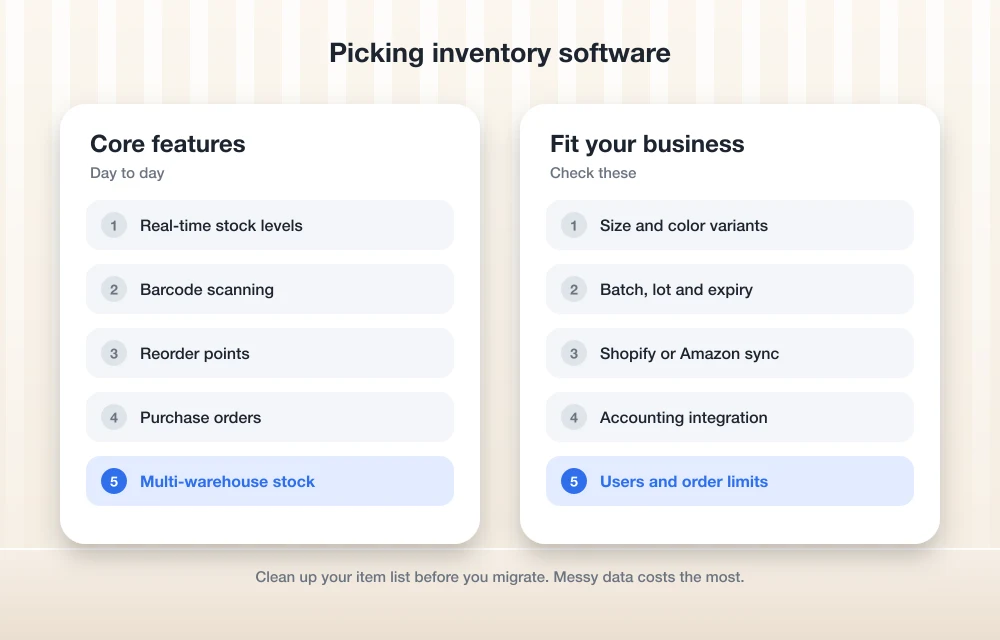
- Real-time stock levels for every SKU (stock keeping unit, which is just the unique code you give each product or variant).
- Barcode scanning, so you can receive, pick and count with a scanner or your phone instead of walking around with a clipboard.
- Reorder points, basically a minimum stock level that warns you (or raises an order automatically) before you run dry.
- Multi-warehouse inventory, which keeps stock counts separate for a shop, a warehouse, a van or a third-party fulfillment center.
- Purchase orders you send off to suppliers and then receive against when the goods show up.
- Batch, lot and expiry tracking, which really matters for food, cosmetics, chemicals and anything you might have to recall someday.
- E-commerce sync with channels like Shopify and Amazon, so an online sale updates the very same stock count your store is using.
Not every product does all of this, though. And a lot of the time the features depend on which plan you pay for. That’s the big thing to watch when you’re comparing.
When spreadsheets stop working
Look, I’m not anti-spreadsheet. A shared sheet in Google Sheets is a totally fine way to start, and it costs you nothing while you figure out what you actually need to track.
But some signs are pretty clear. You sell on more than one channel and the numbers keep drifting apart. A bunch of people edit the same file and nobody trusts it anymore. You’ve opened a second location. Your physical counts never match the sheet, and you honestly can’t tell if it’s theft, damage or someone’s typo.
Then there’s traceability, which is a big one. If a customer (or worse, a regulator) asks which batch a product came from and you can’t answer in a few minutes, that spreadsheet is costing you more than software would.
The best inventory management software options for 2026
Quick disclosure before the list. The first option is from Thetechhacker Global Solutions, and that’s my own company. I’ve put it first because it’s the route I’d point you to when off-the-shelf tools just don’t fit, but I’ll be just as straight with you about the rest.
1. Thetechhacker Global Solutions custom ERP (our company)
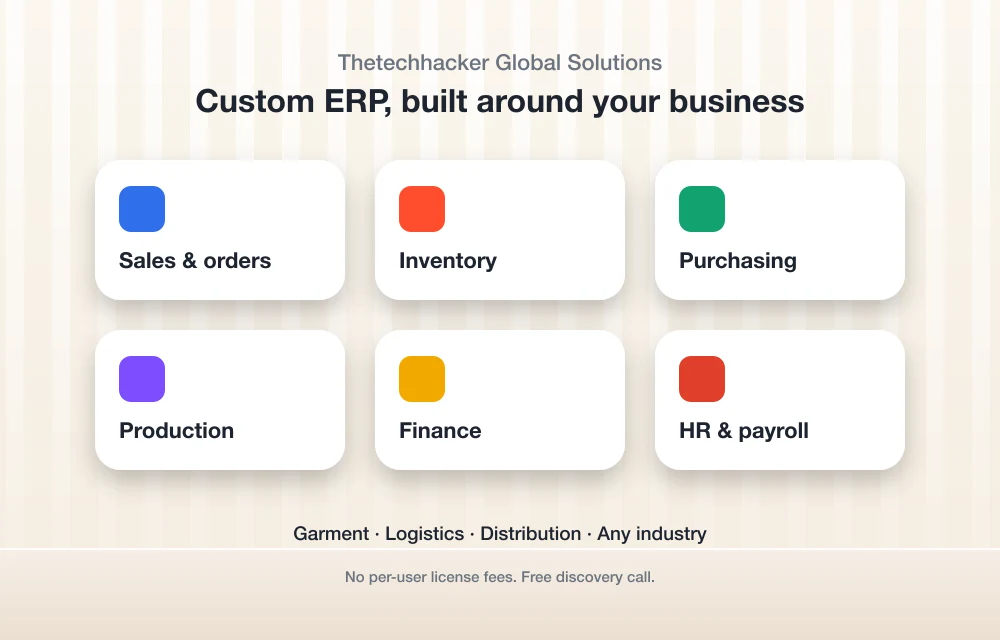
ERP means enterprise resource planning. It’s software that connects your inventory with the rest of the business (sales, purchasing, accounts and so on), so you’re not stuck copying data from one app into another.
We build a custom ERP for any industry, with modules for sales and orders, inventory, purchasing, production, finance, and HR and payroll. You only pay for the pieces you need, and they’re shaped around how you already work.
We specialize in three areas. Garment businesses get garment ERP. For logistics, the system keeps track of loads, vehicles and invoices. And for distribution it handles dealer and retailer orders, multi-warehouse stock, schemes and discounts, a sales team app, returns and collections.
There aren’t any per-user license fees, which starts to matter a lot once your team grows. You can book a free discovery call through the landing page and talk through your process before anything gets built.
Best for: businesses whose workflow just doesn’t fit a standard package, especially garment, logistics and distribution companies.
2. Zoho Inventory

Zoho Inventory is the friendliest starting point I know of, mostly because it has a free plan that’s actually free. Pricing is per organization (not per user), and it scales mostly on how many orders you process a month, plus users, locations and feature tier.
Here’s what Zoho’s US pricing page shows as I’m writing this:
- Free: $0 a month. You get 50 orders a month, 1 user and 1 location.
- Standard: $29 a month billed annually ($39 if you pay monthly). 500 orders a month, 3 users, 2 locations. Comes with composite items (bundles made from other items), dropshipment, backordering and a customer portal.
- Premium: $79 a month billed annually ($99 monthly). 3,000 orders, 5 users, 4 locations. This one adds barcode generation, stock counting, serial number tracking, batch tracking, a vendor portal and unit-of-measure conversion.
- Plus: $129 a month billed annually ($159 monthly). 7,500 orders, 10 users, 6 locations. It includes Zoho Commerce Premium, which is Zoho’s online store builder.
- Enterprise: $249 a month billed annually ($299 monthly). 15,000 orders, 10 users, 10 locations.
Paying yearly saves you 20%. Also keep an eye on purchase order limits: 20 a month on Free, 300 on Standard, 1,500 on Premium, 3,000 on Plus and 7,500 on Enterprise.
I’ll be real about one gap. I couldn’t confirm Zoho’s Shopify and Amazon integrations or expiry date tracking from official pages, so if you need those, check with Zoho directly.
Best for: small retailers and online sellers just getting going, and anyone who wants batch tracking without a huge monthly bill (that’s the Premium plan).
3. Fishbowl
Fishbowl has been a go-to for years if your books live in QuickBooks. Right now its US lineup is split into Fishbowl Inventory plans and a separate product called Fishbowl Advanced.
Essentials costs $229 a month billed annually for 2 users. You get QuickBooks Online and Xero sync, real-time inventory and SKU tracking, reorder points and mobile barcode scanning.
Growth costs $429 a month billed annually for 5 users. On top of that it adds pick, receive, ship and fulfillment, automated reordering, multichannel e-commerce selling, sales-tax automation and unlimited warehouses. Demand forecasting is a paid add-on, though.
Now here’s the catch. Fishbowl says its Inventory plans don’t include manufacturing. So no bills of materials (BOMs, the “recipe” of parts that go into a finished product), no work orders, no MRP. For any of that you’d need Fishbowl Advanced, which is priced by quote and runs either on-premise or cloud-hosted. Fishbowl’s site lists BOMs, work orders, MRP, lot and batch tracking, traceability, multi-warehouse, 3PL and EDI for Advanced. I couldn’t confirm what the Scale plan costs, or a US starting price for Advanced.
Best for: product businesses already on QuickBooks Online or Xero that want barcode scanning and decent reordering.
4. Cin7
Cin7 is built for businesses selling across a bunch of channels, and its Core plans start higher than anything else here. Cin7’s pricing page lists these in USD, excluding taxes, for new customers:
- Core Standard: $349 a month. 5 users, 2 e-commerce and app integrations (you can buy more), 6,000 sale orders a year and unlimited inventory locations.
- Core Pro: $599 a month. 10 users, 4 integrations, 24,000 sale orders a year, and you also get MRP (material requirements planning, which figures out what raw materials you need to make your products).
- Core Advanced: $1,199 a month. 15 users, 6 integrations, 120,000 sale orders a year, and more are available if you need them.
I couldn’t confirm if those prices are for annual or monthly billing, so ask before you sign anything. Cin7 Omni, their other product line, is priced by quote. One handy thing for wholesalers: Cin7 Core lets you set up to 10 price tiers per product, so your retail, wholesale and key-account pricing can all sit side by side.
Best for: multichannel brands, wholesalers juggling tiered pricing, and light manufacturers who need MRP.
5. Other options worth checking
A few more names come up constantly, and yes, they belong on your shortlist: Sortly, QuickBooks Online Advanced (its built-in inventory features), Shopify’s own inventory tools and Odoo Inventory.
I couldn’t confirm their current plans, prices or inventory features from official pages for this guide, so I’m not going to quote numbers. If you’re already on Shopify or QuickBooks, check what’s included in what you’re paying for right now before you buy something new. Odoo’s worth a look if you think you’ll want a bigger ERP down the line, but confirm the pricing on Odoo’s own site.
Side-by-side comparison
| Option | Starting price (official) | Best fit | Watch out for |
|---|---|---|---|
| Thetechhacker custom ERP (our company) | Scoped after a free discovery call; no per-user license fees | Garment, logistics, distribution, unusual workflows | Needs time to plan and build |
| Zoho Inventory | Free; paid from $29/mo billed annually | Small retail and e-commerce | Monthly order and PO caps |
| Fishbowl Inventory | $229/mo billed annually | QuickBooks Online and Xero users | No manufacturing on these plans |
| Fishbowl Advanced | By quote | Manufacturing, EDI, 3PL | Separate platform |
| Cin7 Core | $349/mo | Multichannel, wholesale, light manufacturing | Integration and order limits per plan |
| Sortly, QuickBooks Online Advanced, Shopify, Odoo | Not confirmed; check official pages | Varies | Confirm features before buying |
Any of these prices can change. So use this as a starting point and check each vendor’s page on the actual day you buy.
How to pick by business type
Retail
For you it’s all about quick counts and barcode scanning. Fishbowl Essentials has mobile barcode scanning, and Zoho’s Premium plan adds barcode generation and stock counting. Running one store with a modest catalog? Zoho’s Standard plan might be all you need at first.
E-commerce
Overselling across channels is your biggest risk. Look closely at how many integrations each plan gives you. Cin7 Core Standard comes with 2, and Fishbowl’s Growth plan adds multichannel e-commerce selling. Ask every vendor to show you the exact Shopify or Amazon connection you’d be using, since I couldn’t confirm each one for every tool.
Wholesale and distribution
Here, tiered pricing, multiple warehouses and dealer orders are just normal life. Cin7’s 10 price tiers per product help a lot, and Fishbowl Advanced lists EDI and 3PL support. Distribution is also one of our own specialties (dealer and retailer orders, schemes and discounts, returns and collections are all built in).
Manufacturing
You’ll need BOMs, work orders and MRP. That knocks out Fishbowl’s Inventory plans and leaves you with Fishbowl Advanced, Cin7 Core Pro or higher, or a custom ERP with a production module.
Apparel with size and color variants
One T-shirt in five sizes and four colors? That’s 20 SKUs already, and it adds up really fast. I couldn’t confirm how each off-the-shelf tool deals with size-color grids, so ask for a demo using your real catalog. Garment ERP is one of our specialties, and honestly that’s a big part of why we build it.
Custom ERP vs off-the-shelf
Off-the-shelf tools get you going quickly and come with a clear monthly price. The trade-off? Prices usually climb as you add users, orders or integrations, and you end up bending your process to fit the software.
Custom ERP turns that around. It takes longer up front, but it fits the way you work and, in our case, there are no per-user fees. I’ve gone through the numbers in a lot more detail in my guide on ERP software cost, custom vs off-the-shelf.
Implementation tips that save you pain
Buying the software is the easy bit, believe me. Getting your team to actually trust the numbers is the real work. This is the order I’d go in:
- Clean your product list first. One SKU per item and variant, names that stay consistent, and zero duplicates.
- Do a full physical count just before go-live, so you’re starting from true numbers.
- Set reorder points using real supplier lead times, not gut feelings. Then tweak them after a month or two.
- Connect one sales channel at a time and make sure the counts match before you add the next one.
- Start with one location if you’ve got several, and roll out from there.
- Train everyone who touches stock, part-timers included. One person skipping a scan and the count’s broken.
- Keep your old spreadsheet read-only for a short overlap, just so you can look things up.
- Back everything up. Export your data regularly; my guide on how to back up business data walks you through it.
If you’re cleaning up the rest of your operations too, the SBA’s guide to managing your business is a handy free resource.
Which one I’d start with
If you’re tiny and just getting off a spreadsheet, try Zoho Inventory’s free plan. It costs nothing, and you’ll find out pretty fast which features you actually miss.
Basically live in QuickBooks Online or Xero and want scanning and reordering? Put Fishbowl on your list. If you sell on several channels or make your own products, line up Cin7 Core Pro and Fishbowl Advanced and compare them side by side.
And if every demo leaves you thinking “close, but that’s not how we work,” that’s usually the sign a custom build makes sense. That’s exactly what our free discovery call is for. Whatever you end up picking, double-check prices and features on the vendor’s own site the day you buy, because they do change.
Frequently Asked Questions
Is there free inventory management software for small businesses?
Yep. Zoho Inventory has a free plan at $0 per organization per month, and according to Zoho’s US pricing page it covers 50 orders a month, 1 user and 1 location. It’s a nice way to find out if you’ve outgrown your spreadsheet before you pay for anything.
When should I switch from a spreadsheet to inventory software?
The usual signs are selling on more than one channel, opening a second location, lots of people editing the same file, counts that never match what’s on the shelf, and not being able to trace which batch a product came from. Sound familiar? Then it’s time to look at software.
Which inventory software works for small manufacturers?
You’ll need bills of materials, work orders and MRP. Cin7 Core Pro ($599 a month) includes MRP, and Fishbowl Advanced (priced by quote) covers BOMs, work orders and MRP. Fishbowl’s standard Inventory plans don’t include manufacturing, though. A custom ERP with a production module is another way to go.
Does inventory software sync with Shopify and Amazon?
A lot of tools have e-commerce integrations. Fishbowl’s Growth plan includes multichannel e-commerce selling, and Cin7 Core plans come with a set number of e-commerce and app integrations. I couldn’t confirm the exact Shopify and Amazon connections for every tool, so ask each vendor to demo the specific channels you sell on.
Is custom ERP better than off-the-shelf inventory software?
Honestly, it depends on your workflow. Off-the-shelf tools get you started faster, with set monthly prices that often go up with users, orders or integrations. Custom ERP takes longer to build but fits the way you work. Thetechhacker Global Solutions, our own company, builds custom ERP with no per-user license fees.
Featured image: Russ Murray on Unsplash.
You might also like

Best retail POS Softwares for your business
(POS) Software or Point of Sale Software helps you manage accounts, payments, invoices, inventory, and many more things for a small to scaled business. It further helps in automation of information processing and reduces extra labor cost. A small business like food chains, shops, drug-stores, general stores, or any other shopping mall, or an e-commerce…

Top 5 Backup & Data Recovery Software for Businesses in USA (2026 Guide)
In 2026, US businesses will face challenges related to data loss due to numerous causes — including ransomware attacks and hardware failures — as well as the potential for accidental deletions or outages related to their cloud computing environments. When trying to scale your business, selecting the best backup and recovery solutions should be a…

10 of the Best QuickBooks Alternatives
It’s no secret that Quickbooks is one of the most popular accounting programs. QuickBooks is one of the most well-known small and medium-level business accounting solutions, especially in the US. With certain packages, it offers simple inventory management tools for small businesses. However, like with any system, there are advantages and disadvantages to selecting QuickBooks…
The week in tech, minus the noise.
New reviews, fixes and the stories that matter — once a week, straight to your inbox.
We only use your email to send the newsletter. Unsubscribe any time. See our privacy policy.
Comments