

How to Fix Galaxy Watch Not Adding Up Multi-Activity Workouts
You finish stretching, the treadmill and weights in one session, and your Galaxy Watch shows the calories for the weights only. Your data isn’t lost. Android Authority reports that the watch now shows just the last activity instead of the session total, while every activity is still saved in Samsung Health. Its report points to…

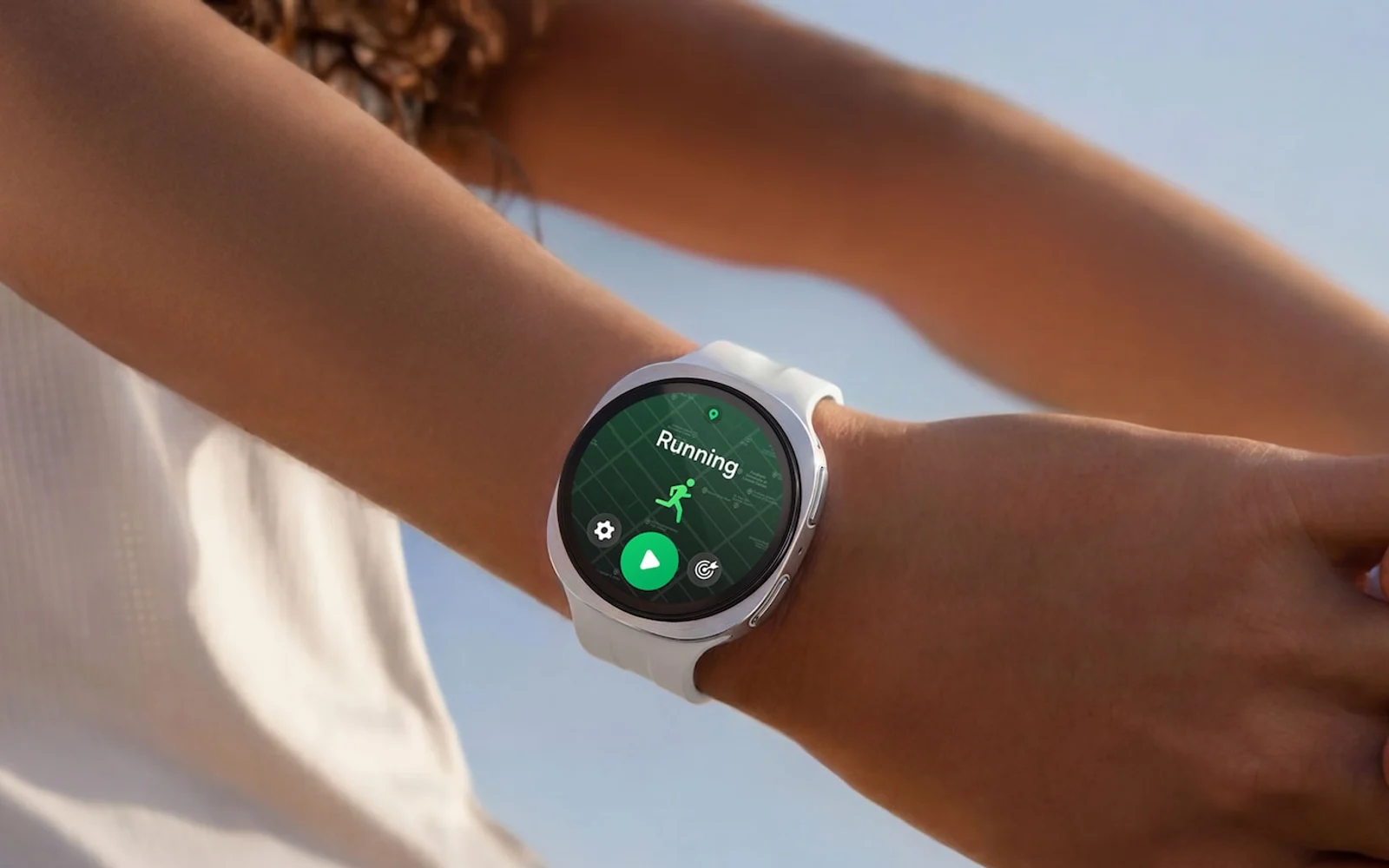
Image: Samsung
You finish stretching, the treadmill and weights in one session, and your Galaxy Watch shows the calories for the weights only. Your data isn’t lost. Android Authority reports that the watch now shows just the last activity instead of the session total, while every activity is still saved in Samsung Health. Its report points to a thread on Samsung’s Korean community forum, where a Samsung Health moderator confirmed the problem on November 24 and promised a fix in a future update. Until it arrives, a workout routine gives you the combined total.
Quick answer: To fix a Galaxy Watch not adding up multiple workouts, create a workout routine. On your phone, open Samsung Health, go to the exercise section, tap + and choose Create workout routine. Add your activities, save it, and start that routine from the watch. Samsung’s moderator says a routine shows both the combined and individual results. Samsung says a permanent fix is coming in a watch Samsung Health app update, with no date yet. Don’t reset your watch, since the workouts are already saved in Samsung Health.
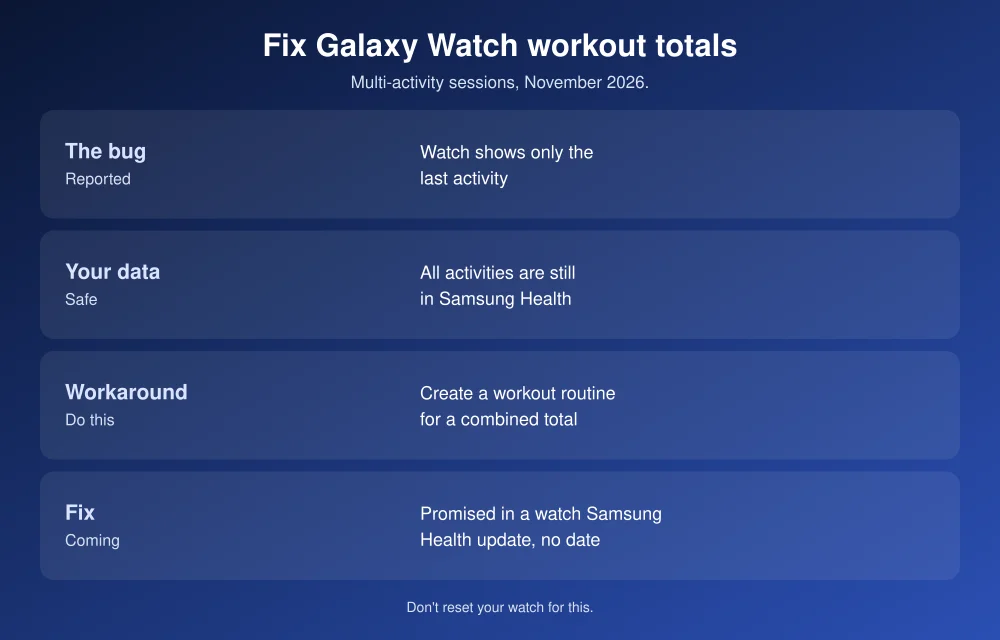
What’s going wrong
- Before: when you did several activities in one session, the watch showed the total time and calories.
- Now: it shows only the last activity’s time and calories.
- Example: a Galaxy Watch4 owner on the Samsung forum did 30 minutes each of stretching, treadmill and strength work. The watch used to show 1 hour 30 minutes, and now shows only the strength session.
- Your data: each activity is still recorded and viewable in Samsung Health on your phone.
Neither source lists which models or software versions are affected, beyond that Watch4.
Step 1: Create a workout routine on your phone
Routines work on any Galaxy Watch with One UI 6 Watch or newer, including the Watch4, according to Android Authority. These steps combine Samsung’s US support page and the moderator’s instructions, so labels may differ a little.
- Open Samsung Health on your phone and stay on the Home tab.
- On the exercise tile, tap More.
- Tap + in the upper right, then Create workout routine.
- Name it, such as “Gym day.”
- Add each activity in the order you do it.
- Set how many times to repeat it, then tap Save.
Exercises you add here also appear on the watch under Work out.
Step 2: Start the routine on your watch
- Swipe up to open Apps and tap Samsung Health.
- Tap Work out and scroll to your routine.
- Tap it to start. Swipe right during the workout to pause, resume or stop.
- At the end, check the combined record and each activity.
The routine suits people who repeat the same list. If your workouts change each day, use Step 3 instead.
Step 3: See your full totals on the phone
- Open Samsung Health on your phone.
- Open the exercise tile and choose the day.
- Check each activity and add up the time and calories yourself.
If an activity is missing there, it’s a sync problem. Go to More options > Settings and check that Sync with Samsung Cloud is on, as Samsung’s sync guide describes.
Step 4: Install updates so you get the fix
The moderator said the fix will come in the Samsung Health app on the watch, so keep both apps current.
- Watch apps: open the Play Store on the watch, then My apps > Update all.
- Phone app: in Samsung Health, go to More options > Settings > About Samsung Health, and update it in the Play Store.
- Watch software: on the watch, go to Settings > Software update. On the phone, use Galaxy Wearable > Watch settings > Watch software update. Samsung says you need about 30% charge.
What not to do
- Don’t reset the watch or unpair it. Samsung lists that only for sync failures, and it erases data on the watch.
- Don’t uninstall Samsung Health for this. The records are fine.
Having other Galaxy trouble? See our fixes for One UI 9 battery drain, Wi-Fi dropping after One UI 9 and wireless Android Auto battery drain.
FAQs
Did my Galaxy Watch lose my workout?
No. The reports say every activity is still saved in Samsung Health. Only the summary on the watch changed.
Will Samsung fix the multi-activity bug?
A Samsung Health moderator on the Korean forum said it will be fixed in a future watch Samsung Health update. No date was given.
Does a workout routine show total calories?
Samsung’s moderator says routine results show both the combined record and the individual records.
Which Galaxy Watches support workout routines?
Android Authority says any Galaxy Watch on One UI 6 Watch or newer, including the Galaxy Watch4 and Watch4 Classic.
Featured image: Samsung.
Disclosure: TheTechHacker has no paid relationship with Samsung or any company mentioned here.
More in How-to

How to Use Two iPhones With the Same Phone Number in iOS 27 (iPhone Handoff)
iOS 27 lets you use one phone number on two iPhones. Apple’s feature is called iPhone Handoff, and its setup guide explains that your calls, voicemail and messages follow whichever iPhone you unlock. That’s useful if you carry a big phone like the iPhone Duo for home and a smaller one for workouts or nights…
How to Fix Siri Not Responding on Apple Watch
Is Siri not responding when you try to use it on your Apple Watch? You may raise your wrist, say “Hey Siri,” or press the Digital Crown, but nothing happens. This can be frustrating, especially when you depend on Siri for quick messages, reminders, calls, directions, or other hands-free tasks. The problem may be caused…
How to Fix Wi-Fi and Mobile Data Dropping on Samsung Galaxy After One UI 9
Your Galaxy installs One UI 9 and for an hour or so nothing seems wrong, and then the Wi-Fi starts connecting and disconnecting by itself with a “Connection failed” message that only clears when you restart the phone. Some owners are dealing with something worse than that, where mobile data won’t load a single page…
The week in tech, minus the noise.
New reviews, fixes and the stories that matter — once a week, straight to your inbox.
We only use your email to send the newsletter. Unsubscribe any time. See our privacy policy.
Comments