

How to Use Two iPhones With the Same Phone Number in iOS 27 (iPhone Handoff)
iOS 27 lets you use one phone number on two iPhones. Apple’s feature is called iPhone Handoff, and its setup guide explains that your calls, voicemail and messages follow whichever iPhone you unlock. That’s useful if you carry a big phone like the iPhone Duo for home and a smaller one for workouts or nights…

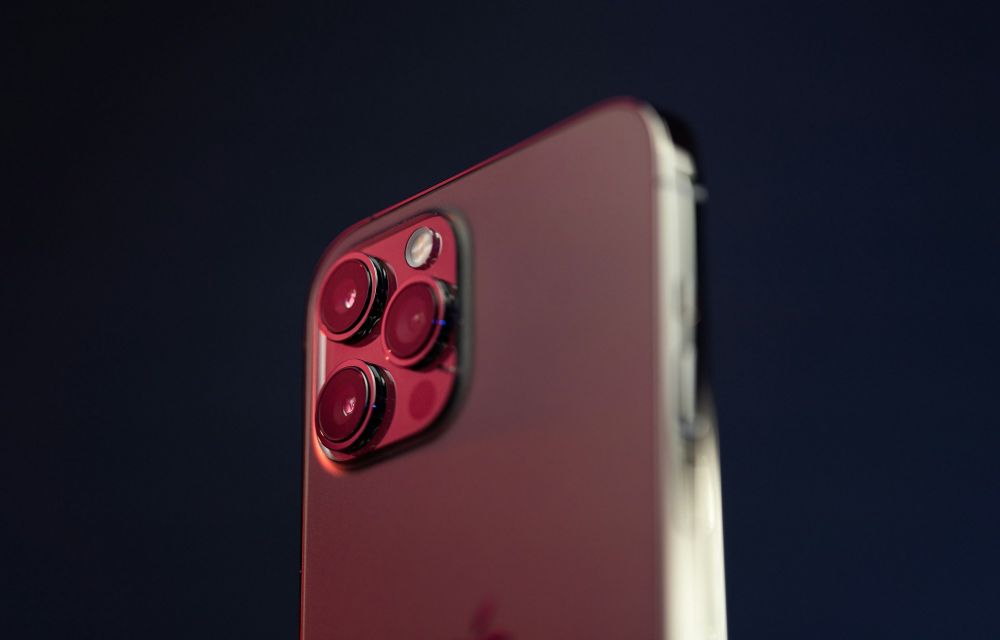
Image: Apple
iOS 27 lets you use one phone number on two iPhones. Apple’s feature is called iPhone Handoff, and its setup guide explains that your calls, voicemail and messages follow whichever iPhone you unlock. That’s useful if you carry a big phone like the iPhone Duo for home and a smaller one for workouts or nights out, or if you’re buying a second iPhone this Black Friday. It needs a supported carrier, though, and in the US that’s only T-Mobile for now. This guide covers requirements, cost, setup and the limits Apple lists.
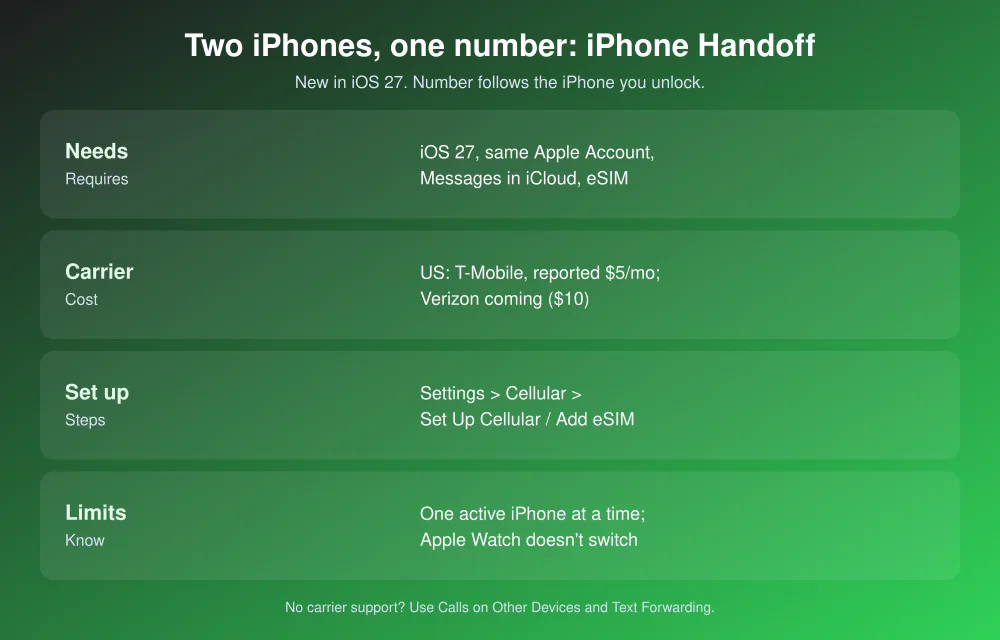
Quick answer: To use two iPhones with the same number, both need iOS 27, the same Apple Account, Messages in iCloud, and an eSIM from a carrier that supports iPhone Handoff. In the US, that’s T-Mobile, reported at $5 a month. On the second iPhone, go to Settings > Cellular > Set Up Cellular (or Add eSIM), choose the option to use the number on this iPhone and another, and follow the prompts on both phones. Your number is active on one iPhone at a time, and unlocking a phone switches it there.
What iPhone Handoff does
- One number, two iPhones: calls, voicemail, iMessage, RCS and SMS go to whichever iPhone you last unlocked. It shows “Switched to this iPhone.”
- Synced data: iCloud keeps your data in sync, and Wallet payment cards work on both phones.
- Find My: your location follows the active iPhone.
Requirements
- Two iPhones running iOS 27 or later.
- Both signed in to the same Apple Account, with FaceTime and iMessage signed in.
- Messages in iCloud turned on, and both phones on Wi-Fi during setup.
- An eSIM from a supported carrier. Apple lists T-Mobile in the US, Telekom in Germany and EE in the UK, and notes “Carrier fees might apply.”
How much it costs
| Carrier | iPhone Handoff |
|---|---|
| T-Mobile | Supported; $5 a month, as reported by 9to5Mac and MacRumors |
| Verizon | Not yet; 9to5Mac reports Verizon confirmed a $10 monthly fee when it launches |
| AT&T | No support announced, per MacRumors |
How to set up iPhone Handoff
When setting up a new iPhone
- Place both iPhones side by side and start setup on the new one.
- On the Set Up Cellular screen, choose the option to use your number on this iPhone and another.
- Review the Handoff details and follow the prompts on both iPhones.
- Choose whether your Apple Watch moves to the new iPhone or stays with the old one.
On an iPhone you already use
- On the second iPhone, go to Settings > Cellular.
- Tap Set Up Cellular or Add eSIM.
- Choose the option to use the number on this iPhone and another, then start Handoff setup.
- Pick your main iPhone. “Other iPhone” keeps the main eSIM on your current phone, and “This iPhone” moves it.
- Tap Continue on your current iPhone and follow the prompts.
Limits to know
- Your number is only active on one iPhone at a time.
- Apple Watch stays paired with one iPhone and doesn’t switch.
- Transit cards, IDs and badges in Wallet may work on only one iPhone.
- Call forwarding, caller ID settings and account management only work on the main iPhone.
- Some banking apps may sign you out when you switch.
- To turn Handoff off, you must contact your carrier. Apple warns that deleting the eSIM doesn’t stop the charges.
Free alternatives without a carrier plan
If your carrier doesn’t support Handoff, Apple’s older features still put calls and texts on your other devices while your main iPhone is nearby or on the same Wi-Fi:
- Calls on Other Devices: on your main iPhone, go to Settings > Apps > Phone > Calls on Other Devices and turn on Allow Calls on Other Devices.
- Text Message Forwarding: go to Settings > Apps > Messages > Text Message Forwarding and pick your devices. Apple’s Messages guide says this is automatic if you use Messages in iCloud.
Shopping for a second phone? Read the fine print on free iPhone 18 carrier deals, our iPhone Duo vs Galaxy Z Fold8 comparison, and how AirDrop now works with Galaxy phones.
FAQs
Can two iPhones have the same phone number?
Yes, with iOS 27’s iPhone Handoff and a supported carrier. In the US, that’s T-Mobile. Your number is active on whichever iPhone you unlock.
How much does iPhone Handoff cost?
Apple says carrier fees may apply. T-Mobile’s fee is reported at $5 a month, and Verizon has said it will charge $10 a month when it adds support.
Does iPhone Handoff work with Verizon or AT&T?
Not yet. Apple lists only T-Mobile in the US. Verizon has said support is coming, and AT&T hasn’t announced plans.
Does my Apple Watch work with both iPhones?
No. Apple says Apple Watch doesn’t switch between iPhones with Handoff. It stays paired with one.
Featured image: Apple.
Disclosure: TheTechHacker has no paid relationship with Apple, T-Mobile or any company mentioned here.
More in How-to

How to Let Important Calls Ring in iPhone Focus Mode
To let important calls ring on your iPhone while a Focus is on, open Settings > Focus, pick the Focus, tap People and add those contacts (or set Calls From to Favorites). For people who must always get through, even in Sleep or Silent mode, turn on Emergency Bypass in their contact card. Focus is…
How to Fix iPhone Freezing When Moving Widgets in iOS 27
Is your iPhone freezing when you drag widgets between Home Screen pages on iOS 27? Here’s which iOS 27 bug Apple has fixed, which one it hasn’t acknowledged, and what you can do right now.
How to Transfer Your Signal Account to a New iPhone
When you upgrade a new phone, there are plenty of things you need to take care of. Mostly users worry about transferring existing data to the new device. One of the most important things is migrating important conversations in the messenger app to a new device. One such important and popular messenger app we are…
The week in tech, minus the noise.
New reviews, fixes and the stories that matter — once a week, straight to your inbox.
We only use your email to send the newsletter. Unsubscribe any time. See our privacy policy.
Comments