

Best App Launchers For Mac (Alternatives to the Spotlight)
Why do we use launchers? Why do we use the best launcher programs for Mac? mainly due to the fact that they are both more powerful and faster than any built-in search system. Just give an app launcher a shot if you’ve never used one before. Launching applications is the primary function of the spotlight.…

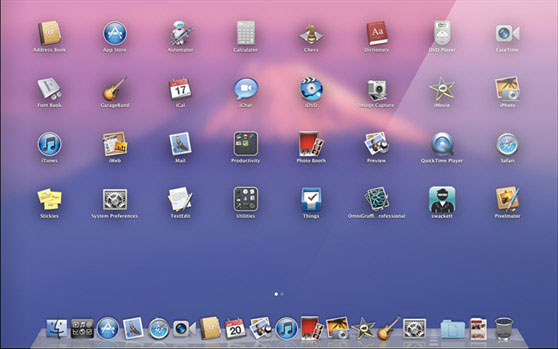
Why do we use launchers? Why do we use the best launcher programs for Mac? mainly due to the fact that they are both more powerful and faster than any built-in search system. Just give an app launcher a shot if you’ve never used one before. Launching applications is the primary function of the spotlight. Instead of using Spotlight on the Mac, we have a number of programs that make it simple to launch applications. The following is a list of the best launchers for Mac.
What is an app launcher for a Mac?
The app launcher’s job is to open installed apps using a shortcut. For example, On your Mac, you have many apps installed. To open a particular app, you don’t need to open the application folder every time. An app launcher will simply open your desired app with a few clicks.
Apple already installed (from 10.4 Tiger) the Spotlight feature for application launching and searching. However, we have great Spotlight alternative apps that have more features than the traditional app.
With a simplicity of mindset, developers have developed many launcher apps for Mac. Now the latest launcher apps offer more functionality options like instant search, application launching, news, Wikipedia search, and much more. These are worth trying for every Mac user.
1. Alfred

Alfred for Mac is an app designed to make it easier to locate files and applications and launch them faster. It is also a search tool, allowing you to search through files and their metadata. Anyone can easily increase productivity by launching apps with shortcuts. Instant access to web searches and bookmarks, browse and play music from your iTunes library quickly, and perform actions (copy, move, and email files and folders).
Installation of Alfred follows traditional app installation on the Mac. After installation, it starts working on the Mac menu bar. To start using it, you can set the keyboard shortcut in the app Preferences.
Here are some basic hotkeys for Alfred.
⌥ space Show Alfred
↓ Select the next result in the list
↑ Select the previous item in the list
↩ Action the currently selected item
⌘ # Action the # item directly [1-9]
⌘ o Open file or application in the default application
⌘ , Show the Preferences Window
⌥ ↩ Search the currently typed query in Spotlight
⌃ ↩ Search the currently typed query in the default web search
⌘ ↩ Reveal in Finder (if the result is a local file)
preferences Show Alfred Preferences
google, wiki, imdb, duck … For custom web search keywords
Alfred is our first and best alternative to the Spotlight.
2. QuickSilver
Quicksilver is a fantastic alternative to the spotlight. This app indexes your entire Mac apps, and files and instantly opens when you search for a file. Quicksilver gives you quick access to all your important things. With only a few keystrokes, you can get to your applications, files, contacts, bookmarks, music, etc. This app offers a simple and powerful app for anyone looking for alternative ways to launch applications from the Dock or to hunt through the Finder for files.
3. Launchy

Users who are looking for a smooth desktop experience will find Launchy to be an essential tool. The start menu, desktop icons, and file manager are made obsolete by this free software that is compatible with multiple platforms. This free utility frees you from the difficulties of traditional navigation. Launchy is a great app that is available for both Mac and Windows. With only a few keystrokes, you can quickly launch applications, access files, and carry out instructions. The simplicity of its appearance reveals the power it possesses, which will completely alter the way you interact with your computer. Launchy allows you to experience the freedom of having a desktop that is free of clutter, so you can say goodbye to clutter and hello to productivity.
4. Overflow
Overflow is an application designed to quickly launch applications, open documents, or access folders while reducing the number of items needed in your Dock. For example, any item you see in the Finder can be added to the Overflow interface, making it accessible with a few simple mouse clicks or keystrokes.
Conclusion
Overall, we find Alfred to be a great launcher app for Mac. This app has everything, to begin with. If you are not satisfied with Alfred’s work, you can try the remaining launcher apps for faster Mac operation.
You might also like

Best Twitch Alternative Video Streaming Services
Twitch in the recent days have been the new hype. It is the best place for gamers who are looking to stream their gaming skills live. Twitch is the most widely supported service, it supports PC, Consoles, and even smartphones. Most gamers use this service, while with more and more streamers and viewers being added…

Best Banned Chinese App Alternatives You Can Use In 2020
Amidst rising tension on the Indo-China border, the Indian government has taken a bold decision to ban 59 Chinese apps in the country. In a press release, the banned apps have been accused of collecting data from users and sending them to servers located outside India in an illegitimate manner. The list of apps banned…

Best Alternatives Of Windows 10 App Store
It is a known fact that you need apps for any platform that you are using. For example, your Android smartphone is of no use if you are not having any applications to run on it. Similarly, applications are available on Windows and macOS as well. If we talk about the Apple side of things,…
The week in tech, minus the noise.
New reviews, fixes and the stories that matter — once a week, straight to your inbox.
We only use your email to send the newsletter. Unsubscribe any time. See our privacy policy.
Comments