

How to Find People on Snapchat
Snapchat is a great picture based messaging service which lets you share your self-destructive images with your friends. When you start using Snapchat you feel more interesting when you more friends and celebrity followers in your account. If you are new to Snapchat and struggling to find people this tutorial will help you. This article…


Snapchat is a great picture based messaging service which lets you share your self-destructive images with your friends. When you start using Snapchat you feel more interesting when you more friends and celebrity followers in your account. If you are new to Snapchat and struggling to find people this tutorial will help you.
This article contains detailed steps to find people on Snapchat. if you haven’t installed Snapchat, download and install the app from here. (Android, iOS)
Step by step tutorial on how to find people on Snapchat
1. Open Snapchat on your phone.
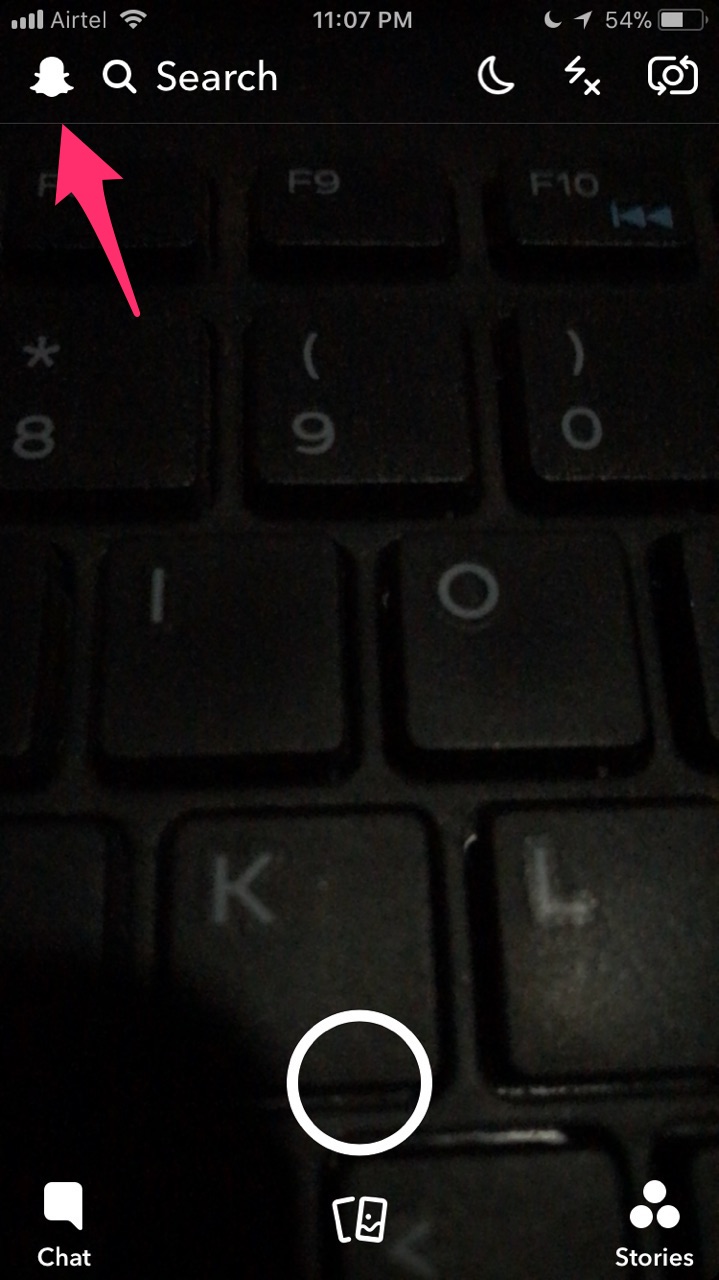
2. Now tap on your profile pic icon at the top left corner of the screen.
3. Here you will see your profile page with information about your pic, username, Add friends and My friend’s options.
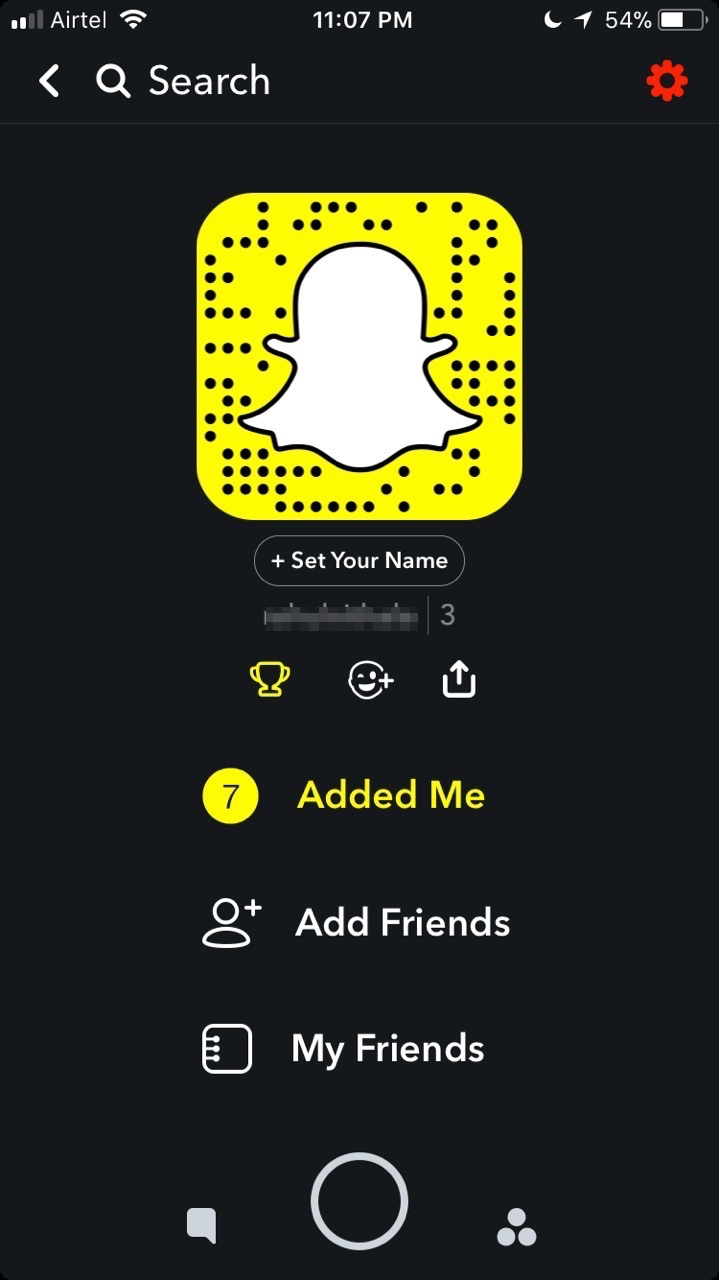
4. Here tap on the “Add friends” option.
5. The next screen opens with a list of options to add friends on Snapchat.
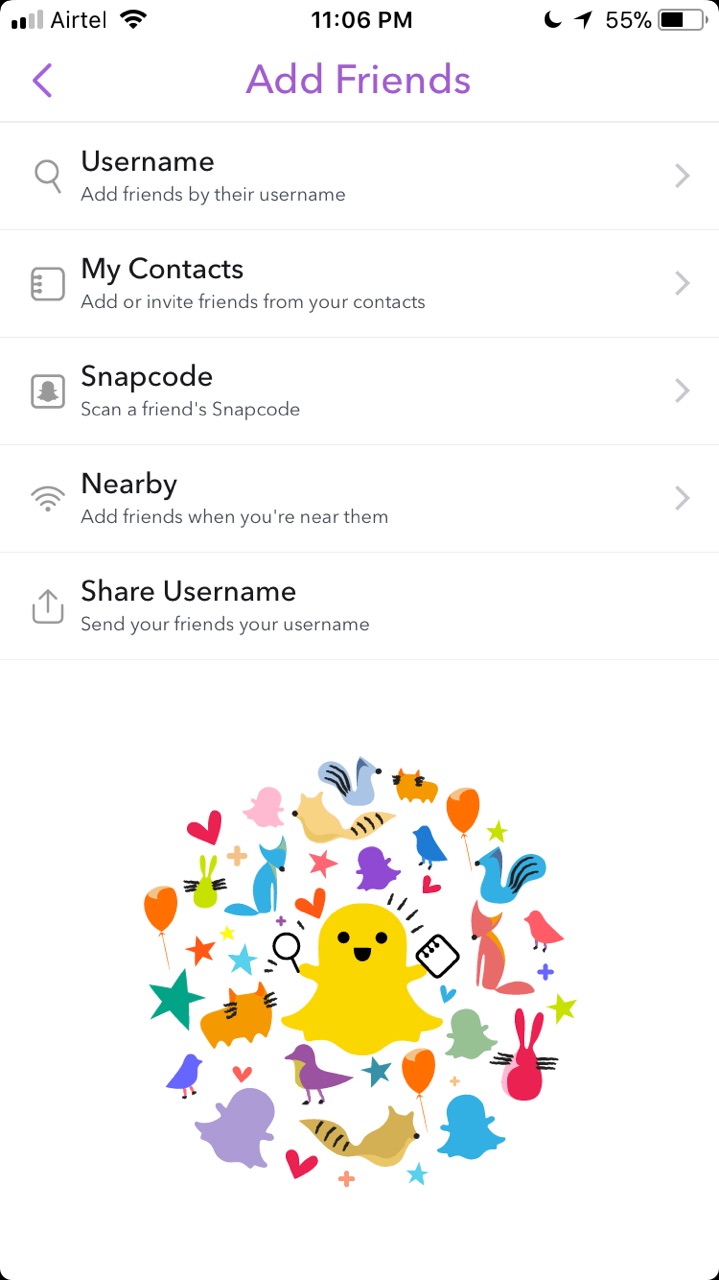
6. Here you will see options like find by username, My contacts, Snapcode, Nearby and share the username.
- By using the username you can find your friends from the first option.
- Using My contacts you can add or invite friends from your contacts. Tap on ‘Add from Address book’ option and on the next screen you can tap on ‘continue’ to proceed.
- Snapcode option lets you add friend by scanning a friend Snapcode.
- The nearby option lets you add friends when you’re near them.
- Lastly, you can add friends by sharing your username with them.
There is another great simple way to add friends using a QR code. You can directly add friend a person with this simple trick, just open Snapchat on your phone and point it to the ghost icon of the other persons Snapchat account. now just tap on the screen to add the person.
Snapchat also offers groups option, which lets you all your friends as a group. Once you make friends, you can now create Snapchat groups.
That’s all for now. I hope you enjoyed the article. Please do share your views in the comment box below. Also, please share this article on social media platforms.
You might also like

How to take screenshots on Snapchat without knowing the sender?
Snapchat, the popular picture-chatting app with disappearing messages and fleeting moments, presents a unique challenge when you encounter a Snap so remarkable that you wish to immortalize it. However, the features of Snapchat’s notification system complicate the task. If you are looking for a way to take screenshots on Snapchat without knowing the sender, this…

How To Enable Dark Mode On Facebook?
Dark mode is a favourite option for many users. The easy to read and soothing effect to the eye is the main reason for people adoption of dark mode in almost all apps. Mail, news reading and even few browsers are the early adopters of the dark mode in both Android and iOS platforms. Now…
How to save a playlist in VLC player on Windows 10
VLC Player is one of the best players used for music and video playback by millions of Windows users. Therefore, it is obvious that a lot of people would want to know how to do certain things inside the player which they are not aware of. Among these things is the ability to save playlists…
The week in tech, minus the noise.
New reviews, fixes and the stories that matter — once a week, straight to your inbox.
We only use your email to send the newsletter. Unsubscribe any time. See our privacy policy.
Comments