

Best Document Management Software for Small Businesses (2026)
I compare six document management options for small businesses in 2026, from SharePoint and Google Drive to Box, M-Files, DocuWare and our own custom ERP. The comparison focuses on version control, search, permissions and retention.


Photo by Maksym Kaharlytskyi on Unsplash
Every small business runs into the same wall sooner or later. Contracts sit in somebody’s inbox. The “final” price list somehow exists in four versions. Someone quits, and nobody can say for sure which folder had their files. That’s usually the moment people start googling small business document management software.
So I pulled together the options I’d actually shortlist for a small team in 2026. That’s our own custom ERP (yes, I’m biased, and I’ll be upfront about that below), Microsoft SharePoint, Google Drive, Box, M-Files and DocuWare. I’m judging them on the four things that start to matter once more than a handful of people are touching the same files: version control, search, permissions and retention.
Quick heads-up before we start. I haven’t tested these tools hands-on for this article, and I could only confirm some details on the vendors’ own pages. If something isn’t confirmed, I’ll just say so. I’m not going to guess.
Quick answer: If your team already pays for Microsoft 365, start with SharePoint, which is sold as part of Microsoft 365. Business Basic is $7 per user per month at Microsoft’s list price after the July 1, 2026 update. If your team basically lives in Gmail and Google Docs, Google Drive is the natural fit. Box, M-Files and DocuWare are worth a demo if you need tighter control over workflows and records. And if your “documents” are really orders, purchase records and payroll, a custom ERP like ours might fix the actual root problem.
What to look for in document management software
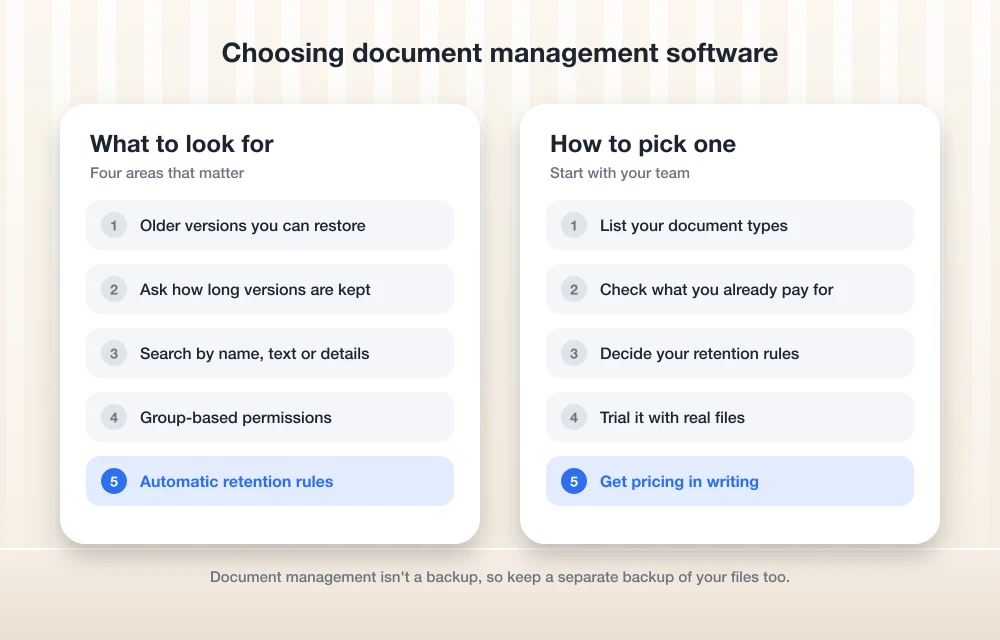
Plain cloud file storage for business and real document management overlap a lot. Where they split is in four areas, so I’ll walk through what each one means and why you should care.
Version control
Version control just means the software keeps older copies of a file every time someone saves changes. So if a coworker overwrites last month’s quote, you roll it back instead of panicking (we’ve all been there). Ask each vendor how many versions they keep, for how long, and whether you can change those limits.
Search
Folders are fine until you’ve got thousands of files. Good search lets you find a document by its name, by what’s inside it, or by details attached to it, like a client name or an invoice number. Is your team spending ten minutes hunting for one file? Then honestly, search is your biggest problem.
Permissions
Permissions decide who can see, edit or share each file or folder. Payroll records shouldn’t be visible to the whole company. And you probably don’t want interns sharing contracts with outside email addresses either. Look for group-based permissions, so you’re not setting access one file at a time.
Retention
Retention is about keeping files for exactly as long as you need them, and then deleting them on purpose. A retention policy is a rule like “keep signed contracts for X years, then delete.” Some tools can apply rules like that automatically, which takes a surprising amount of worry off your plate.
The best document management software for small businesses
1. Thetechhacker Global Solutions Custom ERP
Full disclosure: this one’s ours. Thetechhacker Global Solutions builds custom ERP software, so obviously I’d like you to consider it. I’m putting it first, and I’ll be straight with you about where it actually fits.
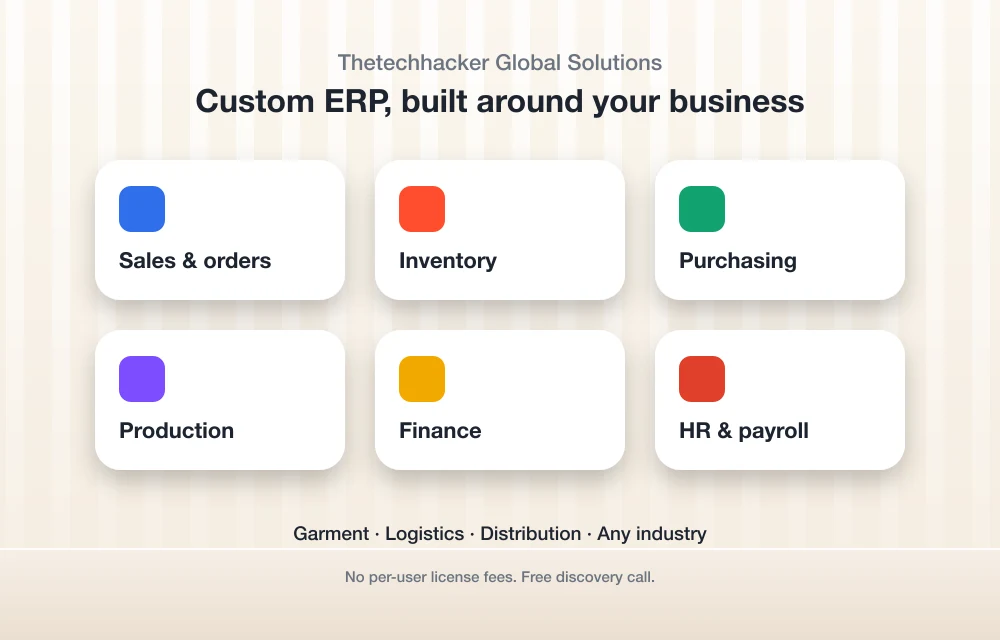
An ERP isn’t a file-storage app. It’s the system that runs your operations. Ours is custom-built for any industry, with modules for sales and orders, inventory, purchasing, production, finance, and HR and payroll. Our specialty is garment, logistics and distribution ERP.
So why is it in a document management roundup at all? Because for a lot of small businesses, the “document mess” is really an operations mess. Purchase orders, invoices, stock records and payroll paperwork scattered across spreadsheets and email? That’s a symptom of not having one system tying it all together. Fix that and a big chunk of the filing problem just goes away.
There are no per-user license fees, which starts to matter as your team grows. If you want to talk through what you need, you can book a free discovery call on our custom ERP software page. I’ll be real though, most businesses will still want one of the file tools below for general documents, and that’s totally normal.
2. Microsoft SharePoint (via Microsoft 365)
SharePoint is Microsoft’s document and intranet platform, and these days most small businesses get it through a Microsoft 365 business plan. If you’re already in Outlook, Word and Excel all day, this is the path of least resistance.
Prices changed recently, by the way. According to Microsoft’s 2026 packaging and pricing update, the new prices kicked in July 1, 2026, and existing customers keep their current price until they renew. These are Microsoft’s list prices for the plans that include Teams:
Business Basic
Was $6.00. Check the billing terms on Microsoft’s site.
- Comes with Microsoft Teams
- Without Teams it’s $5.40/user/mo
Business Standard
Was $12.50. Check the billing terms on Microsoft’s site.
- Comes with Microsoft Teams
- Without Teams it’s $10.79/user/mo
Business Premium
Same price as before. Check the billing terms on Microsoft’s site.
- Comes with Microsoft Teams
- Without Teams it’s $18.79/user/mo
These are Microsoft list prices in USD, taken from its announcement for the July 1, 2026 changes. Prices change, and I couldn’t confirm whether they assume an annual commitment, so check the Microsoft 365 business pricing page before you buy anything.
When it comes to version history, retention and search, SharePoint is a serious tool. But I couldn’t confirm the current default version limits for document libraries, or which retention features (Microsoft Purview) come with which Business plan. So ask Microsoft or your reseller to spell that out for your specific plan before you commit.
What I liked
- It’s bundled with Microsoft 365, so plenty of teams are already paying for it
- If you’re an existing customer, you keep your current price until renewal
- There are cheaper versions without Teams if you use some other chat app
What could be better
- Business Basic and Business Standard both went up on July 1, 2026
- New customers can’t buy standalone SharePoint plans anymore
- Confirming retention details plan by plan takes some digging
3. Google Drive (Google Workspace)
Google Drive comes with Google Workspace. If your team already writes in Google Docs and runs on Gmail, it’s the obvious place to start. Most people barely need any training to use it.
Now, what I couldn’t confirm for this article: current Workspace prices, how long Drive keeps older versions of uploaded files, and which plans include Google Vault (that’s Google’s tool for retention and legal holds). Google lists current pricing on its Workspace pricing page, and the version and Vault details are in its support center, so look at those before you pick a plan.
My honest read? Drive is great for collaboration and sharing. But if you need strict, automated retention rules, double check that the plan you’re eyeing actually includes them, because that’s usually where the cheaper tiers come up short.
4. Box
Box is a cloud content platform built around business file sharing. It’s popular with companies that deal with a lot of outside clients and partners. It also doesn’t lock you into Microsoft or Google, which some teams really like.
I couldn’t get Box’s official pricing page to open while I was researching this, and I’m not going to repeat numbers I can’t verify. So check Box’s own pricing page for the current plans, per-user prices, any minimum number of users, and how annual billing compares with monthly. While you’re at it, ask how many file versions each plan keeps and which plans get Box’s retention and governance features.
5. M-Files
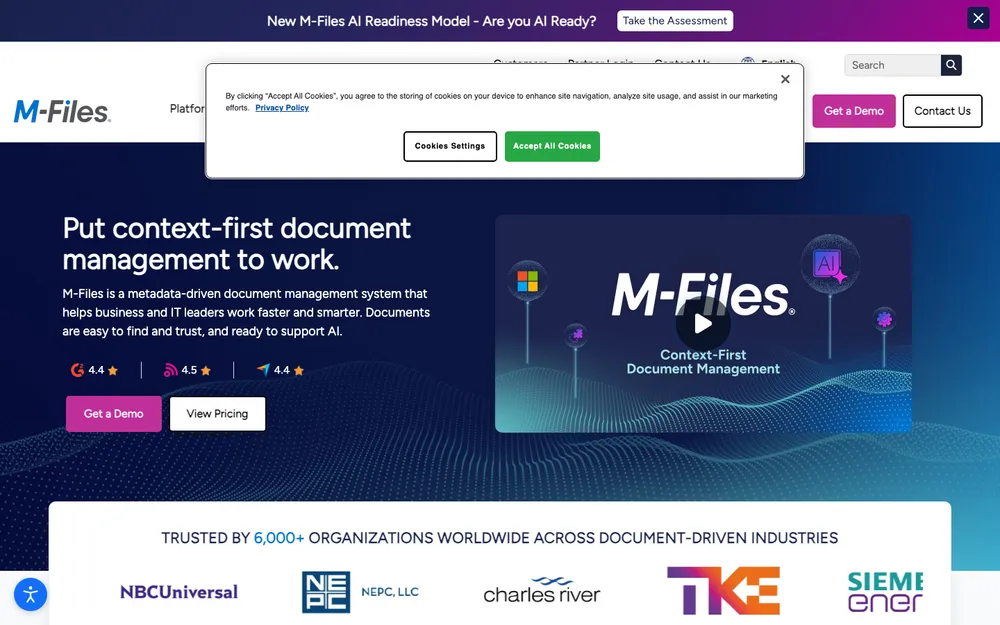
M-Files is a dedicated document management system, not a general file-sharing app. As far as I understand it, the big idea is organizing documents by what they are (a contract, an invoice, a client file) instead of whatever folder they happen to be sitting in. Once you’ve got years of paperwork piled up, that approach can make search a lot better.
I haven’t confirmed its current features or pricing on M-Files’ own site, and I believe pricing is quote-only. If folders just keep failing your team, book a demo and ask them to show you search and retention using your own document types.
6. DocuWare
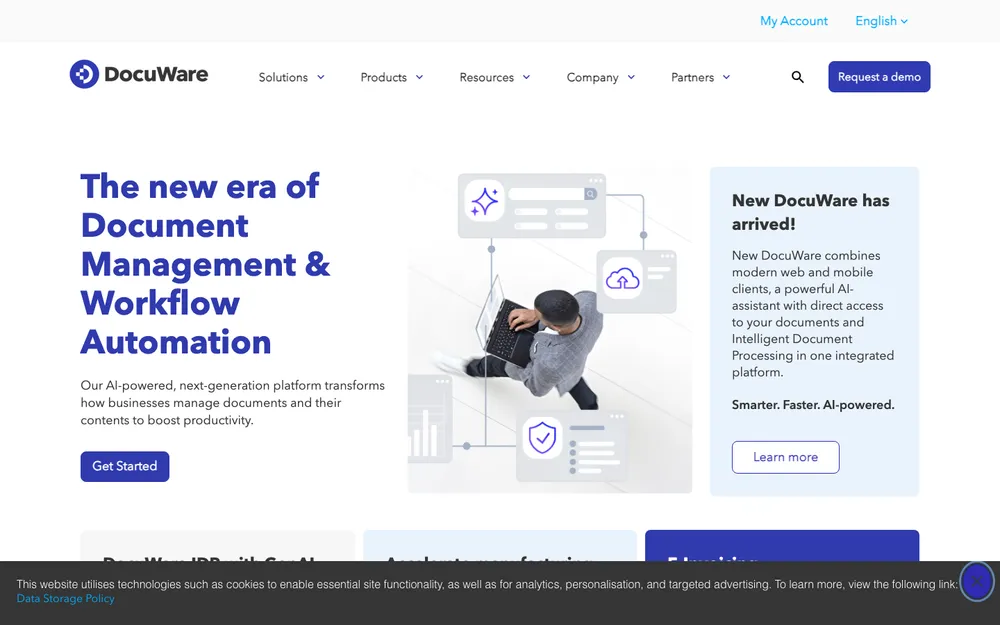
DocuWare is another dedicated document management platform. I couldn’t confirm its current cloud editions, its indexing, workflow and retention features, or its pricing from DocuWare’s own pages. I think it’s quote-based and often sold through partners, but please treat that as unconfirmed.
It’s worth a demo if your business still deals with a lot of paper and approval steps, like invoices that need a sign-off before they get paid. Ask for a written quote that covers setup and any partner fees too.
Side-by-side comparison
| Option | Best for | Pricing (confirmed) | Check before buying |
|---|---|---|---|
| Thetechhacker Custom ERP | Businesses whose paperwork is tied to orders, inventory and payroll | No per-user license fees; free discovery call | Whether you also need a separate file tool |
| Microsoft SharePoint | Teams already on Microsoft 365 | From $7.00/user/mo with Teams, $5.40 without (list price) | Billing terms, version limits, retention by plan |
| Google Drive | Teams on Gmail and Google Docs | Not confirmed | Current prices, version history, Vault availability |
| Box | Sharing files with lots of outside partners | Not confirmed | Prices, user minimums, versions, governance |
| M-Files | Teams outgrowing folders | Not confirmed | Quote, features, setup costs |
| DocuWare | Paper-heavy, approval-heavy workflows | Not confirmed | Quote, editions, partner fees |
How to pick the right one
Don’t start with the feature list. Seriously. Start with how your team actually works right now.
List your document types
Write down what you really store, like contracts, invoices, HR files, designs and quotes. Jot down who needs each one.
Check what you already pay for
Got Microsoft 365 or Google Workspace already? Try out the storage you own before you go buying something new.
Decide your retention rules
Agree on how long each type of document has to be kept, ideally with your accountant or attorney in the loop.
Run a short trial with real files
Upload a sample of real documents and get two or three people to try finding, editing and sharing them.
Get pricing in writing
Confirm per-user prices, billing terms and any setup fees from the vendor’s official pricing page or a quote.
Set a records retention policy before you migrate
This is the step most small businesses skip. And it’s the one that bites later. A records retention policy is just a written list of your document types and how long you keep each one. Nothing fancy. A one-page spreadsheet is honestly a great start.
How long you have to keep tax, payroll and employee records depends on your industry and your state, so I’m not going to throw numbers at you. Ask your accountant or attorney, then set those rules up in whatever tool you end up choosing.
Contracts are a nice example of where all of this connects. Once a deal’s signed, that final PDF needs a permanent, searchable home with the right permissions on it. Still printing and scanning signatures? My roundup of the best e-signature software for small businesses goes nicely with any of the tools above.
My take
For most small teams, the best document management software is the one you already half-own. On Microsoft 365? Give SharePoint a proper try before you spend more. A Google shop? Start with Drive, and confirm the retention features on your plan.
Box, M-Files and DocuWare make sense once you’ve clearly outgrown basic folders, but get every price and feature in writing, since I couldn’t confirm them for this article. And if your filing chaos really comes down to orders, stock and payroll living in different places, that’s a pretty good sign you might need a proper ERP. Which is exactly the kind of thing our free discovery call is there for.
Frequently Asked Questions
Can I still buy SharePoint on its own in 2026?
Not if you’re a new customer. Microsoft says SharePoint Online Plan 1 and Plan 2 reach end of sale in June 2026, and no new customers are taken after May 31, 2026. Existing customers can keep renewing. If you’re new, plan on getting SharePoint through a Microsoft 365 business plan.
Did Microsoft 365 business prices go up in 2026?
Yep. Microsoft’s new prices took effect July 1, 2026. Business Basic with Teams went from $6.00 to $7.00 per user per month, Business Standard went from $12.50 to $14.00, and Business Premium stayed at $22.00. Existing customers keep their current price until they renew. Prices do change, so check Microsoft’s pricing page before you buy.
What’s the difference between cloud storage and document management software?
Cloud storage mostly just holds and syncs your files. Document management adds tighter control over versions, search, permissions and how long files get kept. Lots of small businesses start out on cloud storage and switch to a dedicated system once they’ve got more people, more paperwork or stricter record-keeping needs.
How long should a small business keep its records?
Honestly, there isn’t one answer, because it depends on the type of record, your industry and your state. Make a simple list of your document types, ask your accountant or attorney how long each one should be kept, and then set those rules up in your document management tool.
Is a custom ERP a replacement for document management software?
Not completely. A custom ERP like ours runs operations such as sales and orders, inventory, purchasing, production, finance, and HR and payroll, so a lot of your business records end up in one system. But most businesses still use a file tool like SharePoint or Google Drive for general documents.
Featured image: Maksym Kaharlytskyi on Unsplash.
You might also like

Best HR Software for Small Businesses (2026)
A practical look at the best HR software for US small businesses in 2026, from all-in-one platforms and PEOs to budget per-user tools, plus how to choose by team size, security and compliance needs.

Best CRM Software for Small Businesses in the US
Making sure that your customers are happy is probably the most crucial thing you can do as a business owner. Making them unhappy is digging your own hole. To keep them satisfied, you need the help of a perfect CRM tool. Not only to maintain better customer relationship, but a good CRM software will also…

Best Project Management Software for Small Teams: Asana vs monday vs ClickUp vs Trello (2026)
Asana, monday.com, ClickUp, Trello, Notion and Basecamp suit different kinds of small teams. Here’s what to compare, which tool fits which team type, and how to roll one out so people use it.
The week in tech, minus the noise.
New reviews, fixes and the stories that matter — once a week, straight to your inbox.
We only use your email to send the newsletter. Unsubscribe any time. See our privacy policy.
Comments