

Best Employee Scheduling and Time Tracking Software (2026)
These are the employee scheduling and time tracking apps I’d shortlist for US small businesses in 2026, with the FLSA overtime and recordkeeping basics and how to choose for restaurants, retail, field service and offices.
Photo by K HOWARD on Unsplash
If you run a small business with hourly staff, you probably already know this: the schedule is never actually done. Someone swaps a shift over text. Someone forgets to clock out. Then Friday rolls around and you’re squinting at a spreadsheet trying to figure out who slipped into overtime.
That’s exactly the mess employee scheduling software is meant to fix. The good ones keep the schedule, the time clock and the timesheets together in one place, and then they hand clean hours over to payroll (so you’re not retyping everything at midnight, which, honestly, nobody should be doing).
Below I’ve got the options I’d shortlist for US small businesses in 2026, the federal overtime and recordkeeping basics you should know, and how I’d pick for a restaurant, a shop, a field crew or an office. Quick heads-up though: my first pick is our own product. I’ll say so clearly when we get there.
Quick answer: If you want attendance, leave and payroll inside one HR system, start with QrewHR (our own product, free for up to 5 employees). For a single-location hourly team, Homebase’s free Basic plan covers up to 10 employees, and When I Work gives every plan its full feature set from a low per-user price. Restaurants should look at 7shifts, and businesses already on QuickBooks should shortlist QuickBooks Time.
What employee scheduling and time tracking software actually does
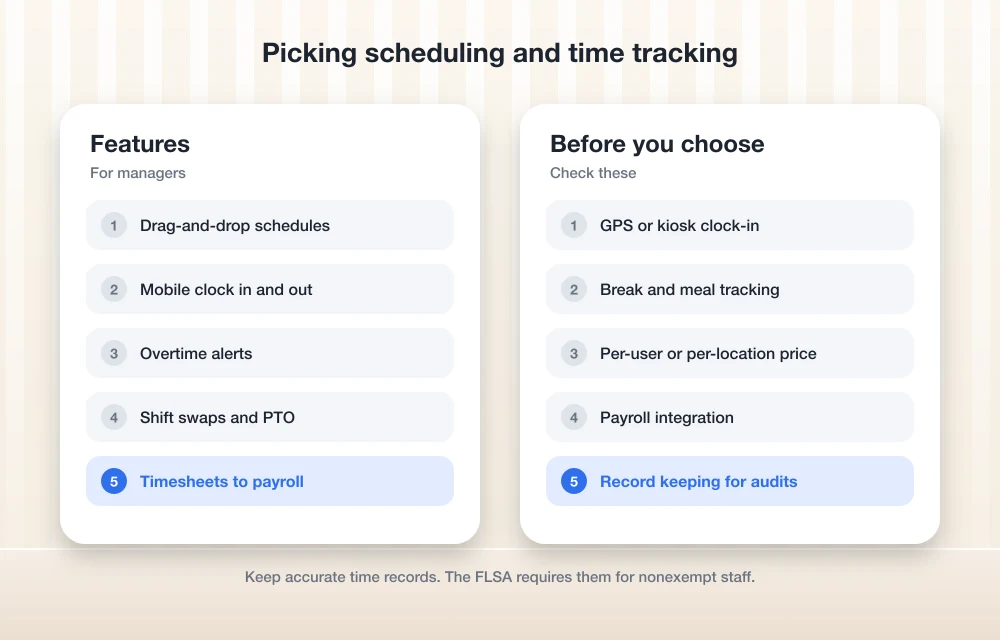
Basically, this kind of app replaces the schedule taped to the break-room wall and that old punch clock. It also kills most of the timesheet chasing. This is the stuff you’ll usually find inside.
- Shift scheduling: you build the week, copy last week’s schedule if nothing’s changed, and publish it straight to everyone’s phone.
- Clock in and out: staff punch in from their phone (often with GPS, so you can see where they clocked in) or on a kiosk, which is really just a shared tablet or computer at the front of your shop.
- Breaks: people clock out for meal breaks so their hours get recorded properly.
- Overtime alerts: you get warned before someone goes past 40 hours. Not after, when it’s too late.
- Shift swaps: employees trade shifts in the app and you just approve them. No more messy group chat.
- PTO: paid time off requests and balances live right next to the schedule, so you don’t accidentally book someone who’s on vacation.
- Timesheets to payroll: approved hours flow into your payroll tool, and honestly that’s where most of the time savings show up.
Here’s the thing, though. Not every tool does all of this on every plan. GPS tracking and payroll are often paid extras, so check which plan a feature actually sits on before you fall in love with it.
Still picking a payroll provider? My guide to the best payroll software for small businesses covers that side of things. I’d choose both together, because the hand-off between scheduling and payroll is usually where the errors sneak in.
FLSA overtime and recordkeeping basics
The Fair Labor Standards Act (FLSA) is the federal law behind minimum wage, overtime and pay records. A scheduling app won’t magically make you compliant. It does make compliance a whole lot easier, though. I’m not a lawyer, so please treat this section as a starting point and go read the Department of Labor’s own pages for the details.
Overtime
Non-exempt employees (meaning workers who are entitled to overtime pay) have to get at least 1.5 times their regular rate for hours over 40 in a workweek. And a workweek isn’t just “Monday to Sunday” in a loose sense. It’s a fixed, recurring block of 168 hours, so seven 24-hour periods back to back.
State law can be stricter than federal law. California, for example, has daily overtime. Rules vary from state to state, so check yours and make sure your app’s overtime alerts are set up to match it.
Breaks and hours worked
Short rest breaks, usually somewhere around 5 to 20 minutes, count as hours worked and have to be paid. A real meal period doesn’t count, and by “real” I mean typically 30 minutes or more where the employee is fully off duty. Something that surprises a lot of people: the FLSA itself doesn’t require employers to give breaks or paid time off at all. State rules can be different, though.
Rounding
Lots of time clocks round punches to the nearest 5 minutes, tenth of an hour or quarter hour. That’s fine, but only if it averages out so workers end up paid for all the time they actually work over time. If your rounding always seems to land in your favor? Red flag. Personally I’d just leave rounding off unless your accountant says otherwise.
Recordkeeping
Keep payroll records for at least 3 years. Time cards, wage rate tables and work schedules need to stick around for at least 2 years. The law doesn’t care which timekeeping method you use, only that your records are complete and accurate. The DOL’s FLSA recordkeeping fact sheet lists everything you need to hang on to.
And this is where a time tracking app quietly pays for itself. The records just pile up on their own, all in one place, ready if anyone ever comes asking.
The best employee scheduling and time tracking software
All the prices below come from each vendor’s own website, and they change a lot, so check the live pricing page before you buy anything. Where I couldn’t confirm a price or plan, I’ve just said so rather than guess.
1. QrewHR
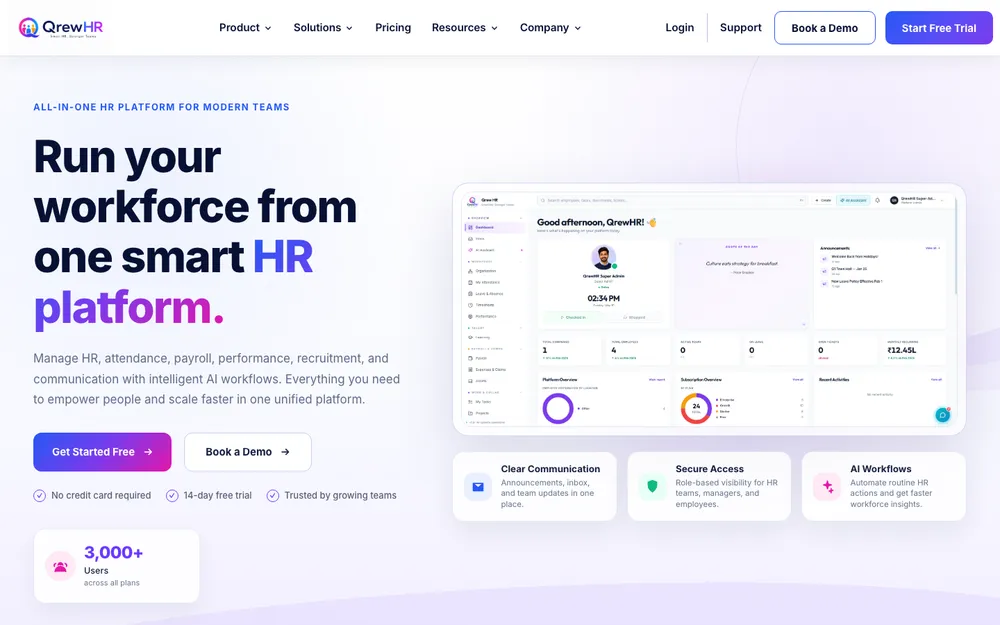
Full disclosure up front: QrewHR is a product from TheTechHacker, and I built it (I’m Rahul Vithala). It’s ours, so take my opinion with that in mind.
QrewHR isn’t a pure scheduling app. It’s an all-in-one HR platform. Attendance management and leave management sit right alongside HRMS and employee records, payroll and compliance, performance management, recruitment and onboarding, and there are AI workflows and a helpdesk on top. Access is role-based, so HR teams, managers, employees and leadership each only see what matters to them.
It’s made for startups, SMEs and enterprises. You get a free plan for up to 5 employees, plus a 14-day free trial that doesn’t ask for a credit card. If you’d rather have someone walk you through it, you can book a demo too.
So who’s it actually for? If your real headache is that attendance lives in one app, leave lives in a spreadsheet and payroll is off somewhere else entirely, QrewHR pulls it all under one roof. But if all you want is a drag-and-drop shift planner for one coffee shop, I’ll be real, one of the dedicated scheduling tools below might feel lighter. Use the demo to ask how it handles your shift patterns and US overtime rules before you commit.
Want a wider look at HR platforms? Check out my roundup of the best HR software for small businesses.
2. Homebase
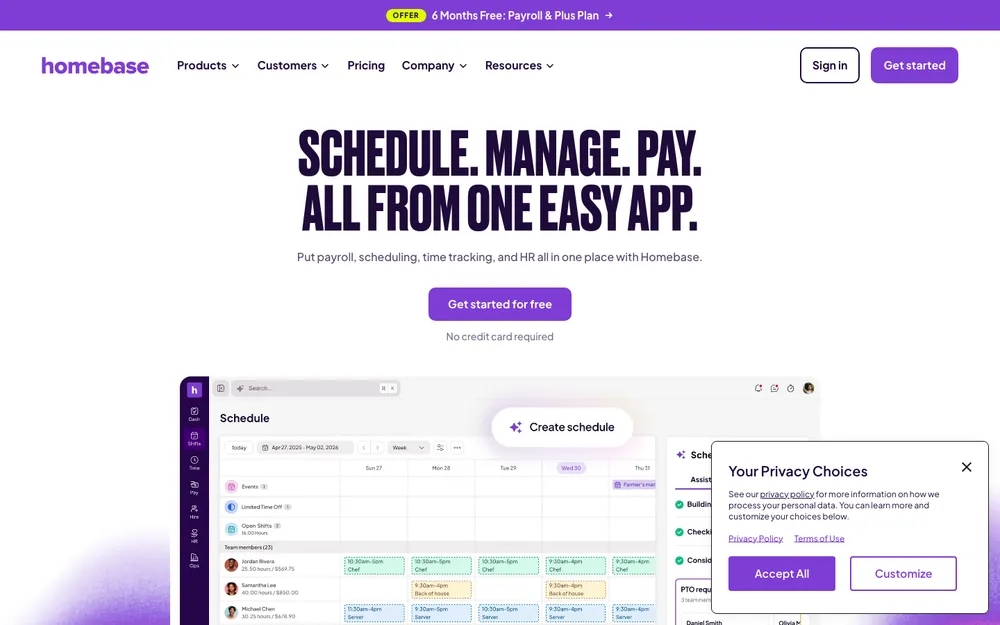
Homebase goes straight after small hourly teams, and its homepage says 150k small businesses use it. The free Basic plan has no trial period and doesn’t need a credit card. It covers scheduling, time tracking, team messaging and POS connections (POS = point of sale, so your register or card reader) for up to 10 employees at 1 location.
Go past 10 employees or open a second location and you’ll need a paid plan. Paid plans let you have unlimited employees, and they add the stuff I’d actually want for a growing team: GPS time tracking with geofencing, auto-scheduling, labor cost forecasting and payroll. Geofencing, if you haven’t come across it, is a virtual fence around your work site, so people can only clock in when they’re really there. You can try the All-in-One plan free for 14 days.
| Homebase plan | Billed monthly | Billed annually |
|---|---|---|
| Basic | Free (up to 10 employees, 1 location) | Free |
| Essentials | $30 per location/month | $24 per location/month |
| Plus | $70 per location/month | $56 per location/month |
| All-in-One | $120 per location/month | $96 per location/month |
Those are the prices on Homebase’s site at the time I’m writing this, and Homebase’s own comparison page says they were checked in May 2026. Payroll is a paid add-on, but I couldn’t confirm the current fee, so look that one up on the pricing page. On one of its comparison pages Homebase also lists extras like Tip Manager at $25 per location and Task Manager at $13 per location.
My take? For a single shop or restaurant with under 10 people, the free plan is pretty hard to argue with. Just remember GPS clock-in and payroll aren’t included in it.
3. When I Work
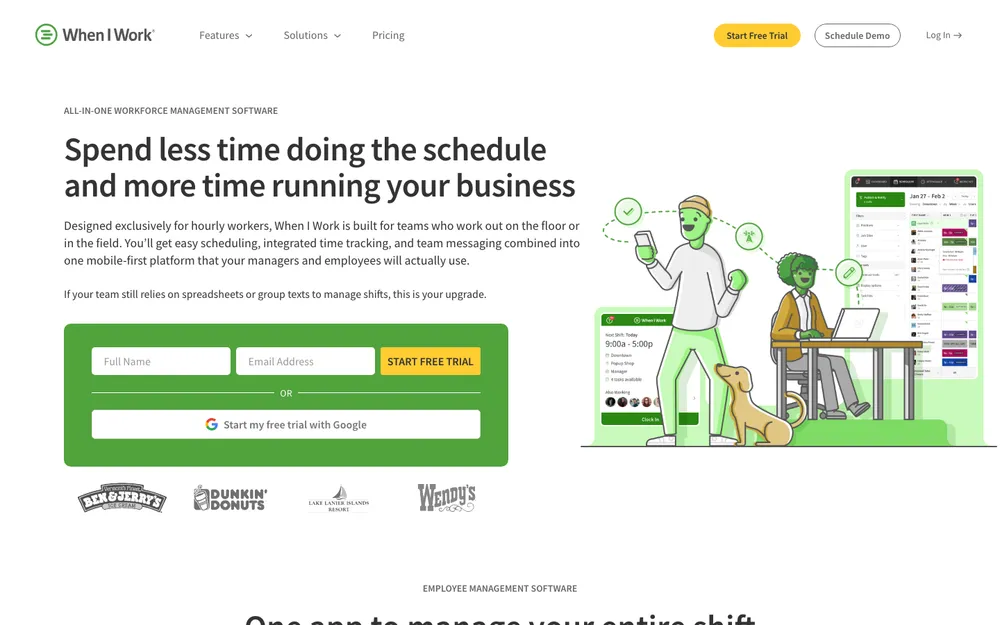
When I Work’s pricing page says plans start at $2.50 per user per month. The copy I saw might be out of date, so check the live page. Per-user pricing means you pay for every employee on the account. That’s nice for a small team, and it adds up as you grow.
What I actually like about how they pitch it is there’s no tier game. They say there are no setup fees and no feature restrictions, and every plan gets the full workforce management software. There’s a 14-day free trial with full access, no credit card needed. I couldn’t confirm the current plan names or what each one costs, so compare those on the pricing page yourself.
Honestly, it’s a good fit if you’re sick of being told the feature you need is on the next plan up.
4. Deputy
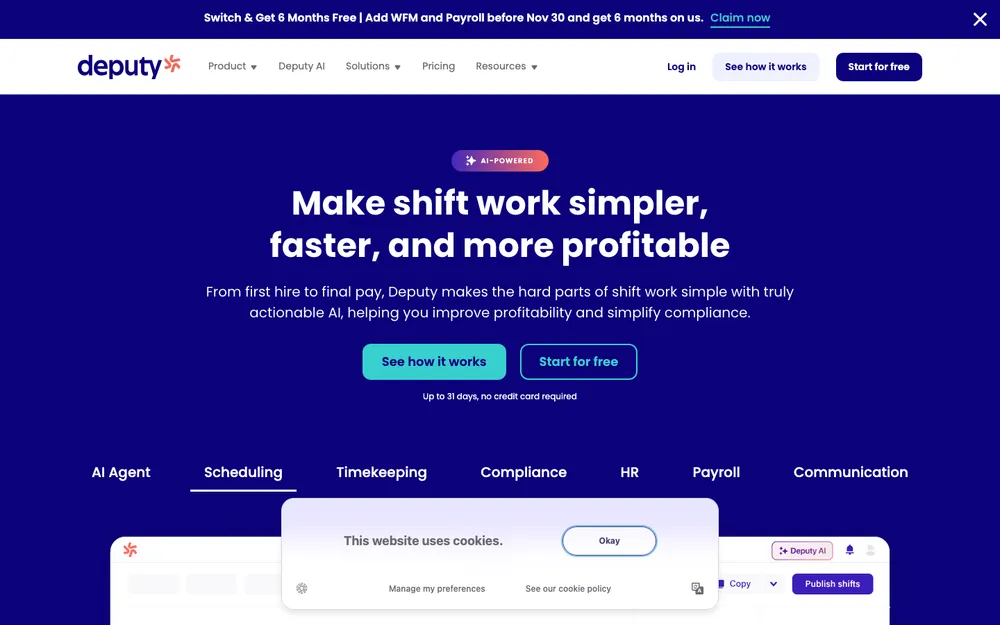
Deputy is a pretty well-known name for shift-based teams that want scheduling and a time clock in the same app. For this update I couldn’t confirm its current pricing, plan names or trial length, and I’m not going to guess. Go check Deputy’s pricing page directly.
If it lands on your shortlist, build a real week in it during the trial and push a test timesheet through to your payroll provider. You’ll learn more from that than from any feature page.
5. 7shifts
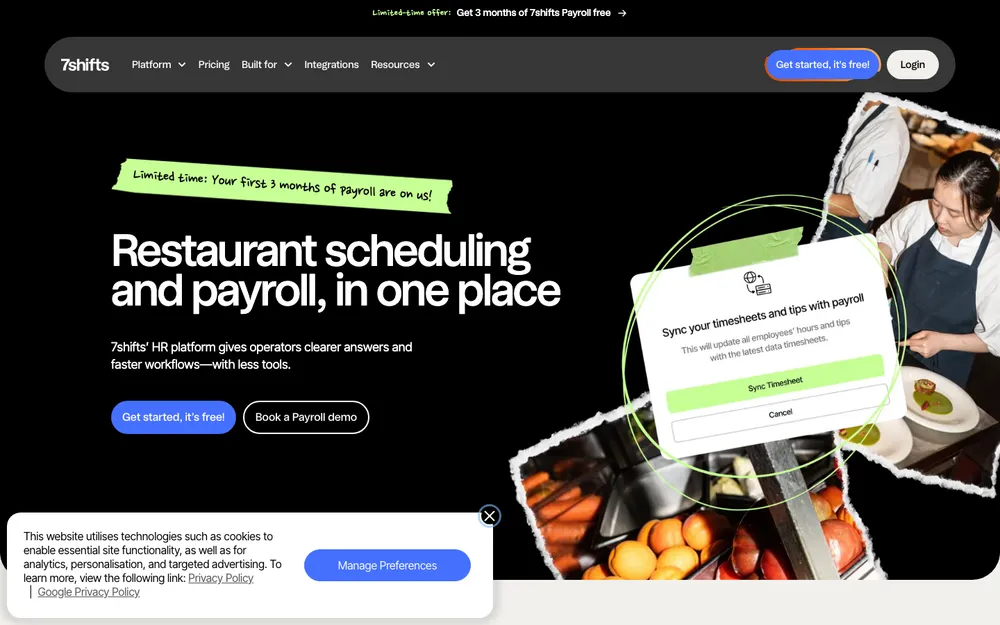
7shifts is built for restaurants. That focus is really the whole reason to look at it. Restaurant scheduling has its own weird quirks, like split shifts, tipped staff and labor costs that swing up and down with how busy service gets, and a restaurant-specific tool is just more likely to get all that than a general one.
This time around I couldn’t confirm 7shifts’ pricing, its plan names, or whether there’s a free tier, so check its pricing page. On a demo or trial, ask how it deals with tips and how it connects to your POS and payroll.
6. Connecteam
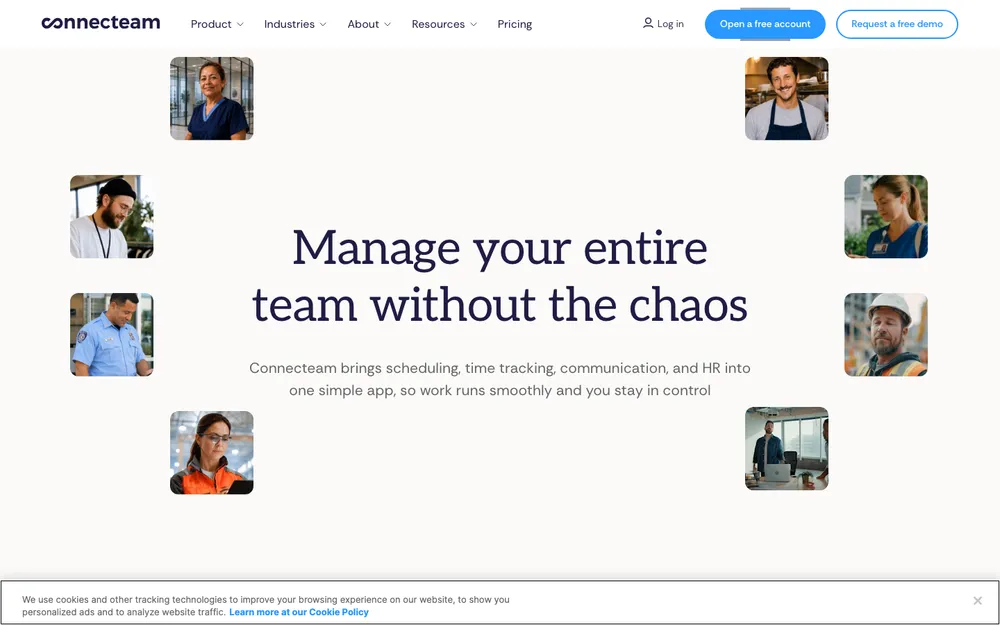
Connecteam pops up on a lot of small business shortlists, and if your team is spread out it’s worth throwing into your trial round. I couldn’t confirm its pricing or free plan limits for this update, so see its pricing page. During the trial, get a couple of your actual staff on the mobile app for a week and listen to what they tell you. They’ll be honest (probably more honest than the sales page).
7. QuickBooks Time
QuickBooks Time is Intuit’s time tracking product. The obvious reason to go with it: you already run your books or payroll in QuickBooks, and sticking with one vendor can save you a ton of export headaches.
I couldn’t confirm the current Premium and Elite pricing or the base fee, so check Intuit’s pricing page. And ask whether the plan you’re eyeing actually includes the scheduling features you need, not just the time clock.
Quick comparison
| Tool | Best fit | Free option | Starting price (check live page) |
|---|---|---|---|
| QrewHR (ours) | Teams wanting attendance, leave and payroll in one HR platform | Free plan up to 5 employees; 14-day trial | Not listed here |
| Homebase | Single-location hourly teams | Basic plan, up to 10 employees at 1 location | $24 per location/month billed annually ($30 monthly) |
| When I Work | Hourly teams that want every feature on every plan | 14-day trial | From $2.50 per user/month |
| Deputy | Shift-based teams | Not confirmed | Not confirmed |
| 7shifts | Restaurants | Not confirmed | Not confirmed |
| Connecteam | Spread-out teams | Not confirmed | Not confirmed |
| QuickBooks Time | Businesses already on QuickBooks | Not confirmed | Not confirmed |
How to choose for your type of business
Restaurants
I’d start with 7shifts and Homebase. Look really hard at tip handling, POS connections and labor cost forecasting, because food service margins are thin and a few extra hours a week add up fast. Homebase’s free plan does include POS connections, but labor cost forecasting needs a paid plan.
Retail
Retail schedules move around with foot traffic and the seasons. So you’ll want fast schedule copying, easy shift swaps, and a kiosk at the counter where staff can clock in on a shared tablet. For one store with fewer than 10 people, Homebase’s free plan is a sensible place to start.
Once you grow, the pricing model starts to matter. Homebase charges per location, When I Work charges per user. Rough example using the listed prices: 15 staff at one store would cost $24 a month on Homebase Essentials billed annually, versus $37.50 at When I Work’s starting rate. But you don’t get identical features, so compare like for like before you decide.
Field service
Plumbers, cleaners, lawn care crews, basically anyone working off-site? GPS clock-in is the big one for you. Geofencing helps stop the classic “I was nearly there” clock-in (we’ve all heard that one). Homebase includes GPS tracking and geofencing on its paid plans. For the other tools, confirm how location tracking works while you’re on the trial. Oh, and be upfront with your team about what’s tracked and when. It saves a lot of awkward conversations later.
Offices
Office teams usually don’t care much about shift swaps. They care more about attendance, leave, PTO balances and getting payroll right. That’s where an HR platform like QrewHR (ours) makes more sense than a restaurant-style shift app. Check with your accountant which roles are exempt and which are non-exempt, since that’s what decides who’s owed overtime.
When an off-the-shelf app isn’t enough
Sometimes scheduling is all tangled up with everything else in the business. Think production lines in a garment unit, drivers at a logistics company, or warehouse staff whose shifts depend on stock levels. In cases like that, a separate scheduling app can turn into just one more silo you have to keep in sync.
That’s the problem our team at Thetechhacker Global Solutions works on with custom ERP software. Disclosure again, because I want to be clear: this is our own company. We build custom ERP for any industry, with modules for sales and orders, inventory, purchasing, production, finance, and HR and payroll, and we specialize in garment, logistics and distribution businesses. No per-user license fees, and the discovery call is free.
My final take
Honestly, don’t overthink this. Pick two tools that suit your kind of business, start both free trials in the same week, and build one real schedule in each. Then push a test timesheet through to payroll. Whichever one throws fewer surprises at you wins.
If you want HR, attendance, leave and payroll all in one spot, give QrewHR’s free plan a try (yes, it’s ours, I know). For a single-location hourly team, Homebase’s free plan or When I Work’s trial are easy places to begin. Whatever you go with, get your overtime and recordkeeping right from day one, because fixing it after the fact is way more painful.
Frequently Asked Questions
What is the best free employee scheduling software for a small business?
Homebase’s free Basic plan gives you scheduling, time tracking, team messaging and POS connections for up to 10 employees at 1 location. If you’d rather have attendance, leave and payroll in one system, QrewHR (our own HR platform) has a free plan for up to 5 employees. Free plans do change though, so check the vendor’s pricing page.
When do I have to pay overtime under the FLSA?
Non-exempt employees have to get at least 1.5 times their regular rate for any hours over 40 in a workweek, and a workweek is a fixed, recurring 168-hour period. Some states, like California, are stricter and have things like daily overtime, so check your state’s laws as well.
How long do I need to keep employee time records?
Under the FLSA, payroll records need to be kept for at least 3 years, and time cards, wage rate tables and work schedules for at least 2 years. You don’t have to use any particular timekeeping method, as long as your records are complete and accurate.
Do I have to pay employees for breaks?
Short rest breaks of roughly 5 to 20 minutes count as hours worked, so yes, those get paid. A genuine meal period (usually 30 minutes or more, with the employee fully off duty) doesn’t count. The FLSA doesn’t actually require breaks at all, but state rules can be different.
Should I choose per-user or per-location pricing?
Per-user pricing, like When I Work’s, is great for small teams but goes up with headcount. Per-location pricing, like Homebase’s paid plans, can end up cheaper for a bigger team at one site. Run the numbers for your own headcount and compare what features each plan actually gives you.
Featured image: K HOWARD on Unsplash.
You might also like

Best Payroll Software for Small Businesses: Gusto, ADP, QuickBooks Payroll and More (2026)
I compare Gusto, QuickBooks Payroll, ADP RUN, Paychex Flex, Rippling and OnPay for US small businesses, with official pricing where it exists, contractor plans, tax penalty guarantees, mid-year switching and when payroll inside an ERP makes more sense.

Best HR Software for Small Businesses (2026)
A practical look at the best HR software for US small businesses in 2026, from all-in-one platforms and PEOs to budget per-user tools, plus how to choose by team size, security and compliance needs.

Best Fleet Management and GPS Tracking Software for Small Businesses (2026)
Compare fleet management and GPS tracking software for US small businesses, with confirmed Azuga pricing, FMCSA ELD rule basics, contract questions, driver privacy and how to choose by fleet size and industry.
The week in tech, minus the noise.
New reviews, fixes and the stories that matter — once a week, straight to your inbox.
We only use your email to send the newsletter. Unsubscribe any time. See our privacy policy.
Comments