

Best Endpoint Security (EDR) Software for US Small Businesses in 2026
Five endpoint security picks for US small businesses in 2026, from Microsoft Defender for Business to CrowdStrike, SentinelOne, Sophos and Bitdefender. This guide covers how EDR differs from antivirus, when a managed service makes sense, and how each vendor prices.


Photo by FlyD on Unsplash
If you run a small business, your laptops are basically the front door. One person clicks one bad link and boom, you’ve got ransomware, locked files and a really awkward call to make to your clients. Antivirus still helps, sure. But it was never built to tell you what happened after something got past it.
That gap is what endpoint detection and response (EDR) is for. Below are the five products I’d put on my shortlist for a US small business in 2026: Microsoft Defender for Business, CrowdStrike Falcon Go, SentinelOne Singularity, Sophos Intercept X and Bitdefender GravityZone. I’ll also get into managed options, for when nobody on your team has the time (or patience) to sit and watch security alerts.
Quick honest note before we start. I haven’t run these products side by side, so there are no scores or test charts here. This is a buying guide put together from the vendors’ own information plus my own judgement about what fits a small team.
Quick answer: If your business already runs on Microsoft 365, start with Microsoft Defender for Business, which is also included in Microsoft 365 Business Premium. If you’d rather use a security-only vendor, CrowdStrike and SentinelOne both sell per-device plans, and Sophos is the one I’d look at if you want an IT partner to run it for you. And if nobody will watch the alerts, budget for a managed (MDR) service, not just the software.
EDR vs antivirus: what’s the actual difference?
Antivirus blocks files it knows are bad, or ones that look suspicious. It’s like a bouncer with a list. Pretty good at stopping the obvious troublemakers at the door.
EDR is a different animal. It keeps a record of what’s going on on each device: which programs ran, what they changed, what they connected to. When something looks off, it alerts you, gives you a way to dig in, and lets you do something about it. That could mean cutting a laptop off from the network, or killing a process that’s busy encrypting your files.
And then there’s MDR, which stands for managed detection and response. Basically EDR plus a team (from the vendor or a partner) who watches those alerts around the clock and actually acts on them.
| Type | What it does | Who acts on a threat |
|---|---|---|
| Antivirus | Blocks known or suspicious files | The software, automatically |
| EDR | Records device activity so you can detect, investigate and respond | Software plus whoever on your team reads the alerts |
| MDR | EDR plus a human team watching 24/7 | The vendor’s or partner’s security team |
If you’re only protecting one personal computer, honestly, you might not need any of this. I talked about that in do you still need antivirus on Windows 11 and Mac. A business with a bunch of machines and customer data on them? Different story.
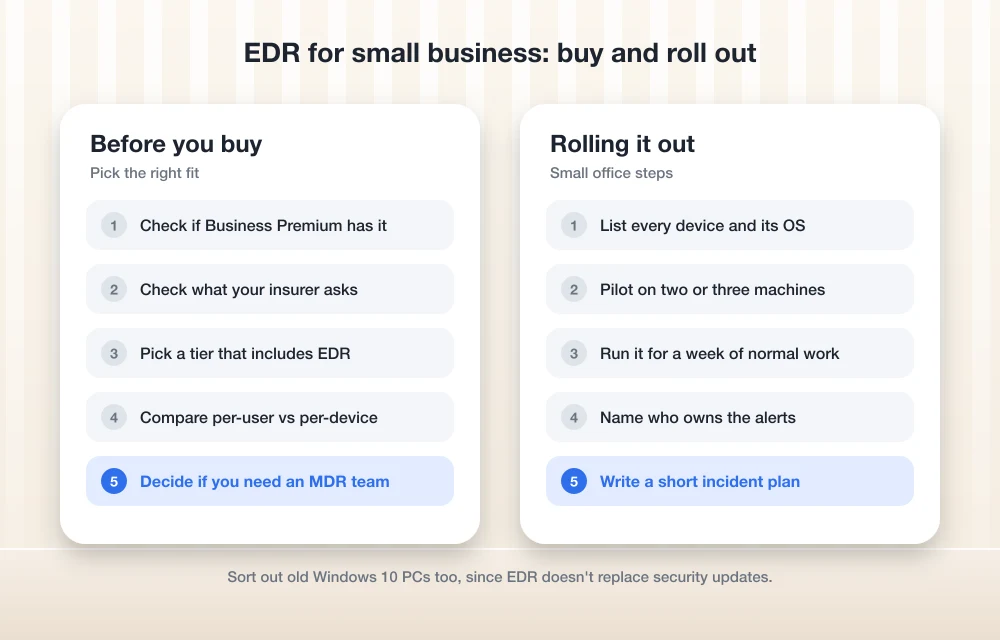
Do you actually need a managed (MDR) service?
Here’s the thing vendors don’t always say out loud. EDR makes alerts. Somebody has to read them. If they’re piling up in an inbox nobody looks at, say at 2 a.m. on a Saturday, you lose a lot of what you paid for.
So be real with yourself about who’s going to respond. Got an IT person, or an outside IT provider who’s on top of things? Then EDR software on its own can work fine. If it’s just you, juggling payroll and sales calls and everything else, a managed service deserves a proper look.
Every vendor here has some kind of managed option. CrowdStrike has Falcon Complete. SentinelOne has Vigilance MDR and WatchTower. Sophos has MDR Essentials and MDR Complete, and Bitdefender sells its own MDR service too. Microsoft’s managed add-on was called Defender Experts for Business, but I couldn’t confirm if it’s still around in the same form, so check with Microsoft before you count on it.
How I picked these five
I went for products that are actually sold to small businesses, not just giant enterprises. Each one had to have a clear path from basic protection up to EDR, and a managed option for when doing it yourself stops being realistic. I also leaned toward vendors that put out enough official info to make a comparison possible at all.
And that’s it. No lab, no stopwatch. Use this list to narrow things down, then do a trial or pilot before you sign anything.
The best endpoint security software for small businesses
1. Microsoft Defender for Business
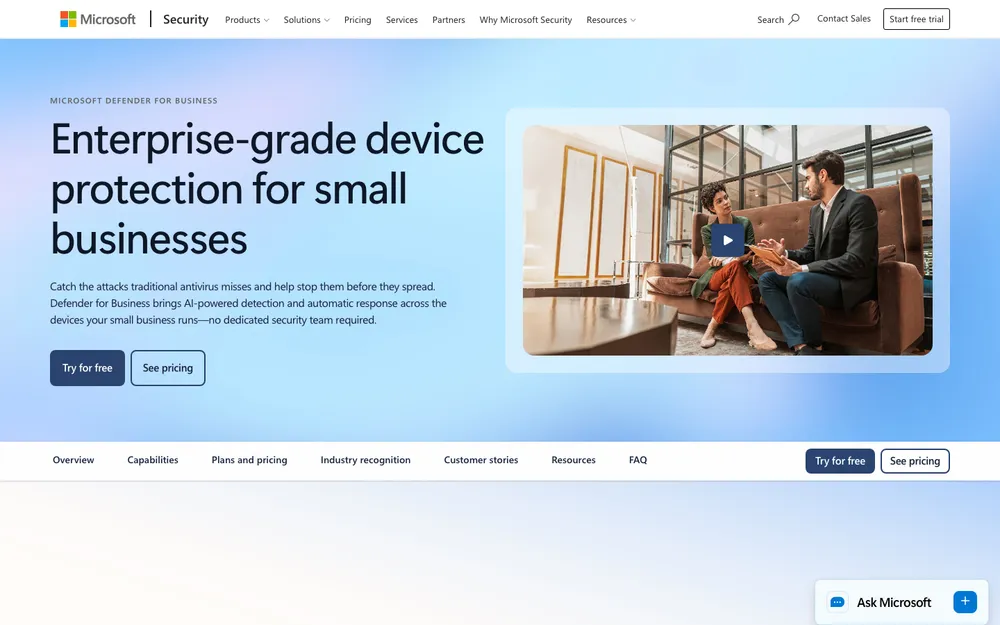
If your company already lives in Outlook, Teams and OneDrive, this is where I’d start. Microsoft Defender for Business is made for businesses with up to 300 users, and each user can protect up to five devices. Windows, macOS, iOS or Android, so the usual mess of work laptops and phones is covered.
You can buy it by itself, billed per user per month with an annual commitment. It’s also included in Microsoft 365 Business Premium, so go check whether you’re already paying for it before buying anything else. Happens more than you’d think, honestly.
Setup goes through the Microsoft Defender portal at security.microsoft.com. Microsoft’s onboarding guide has you choose the operating system and a deployment method, like a local script, Intune or Group Policy. Microsoft likes to rename menus every so often, so follow their current docs instead of some old screenshot.
The catch? It really shines for Microsoft-centric businesses. If your team is mostly on Google Workspace and Macs, the bundle isn’t as much of a deal, and a security-only vendor might feel like a better fit.
2. CrowdStrike Falcon Go
Falcon Go is CrowdStrike’s starter plan for smaller businesses. It’s aimed at companies with up to 100 devices and priced per device per year. It has included next-gen antivirus, device control (rules for stuff like USB drives) and CrowdStrike’s Express Support.
What I couldn’t confirm is whether Go now includes full EDR, which CrowdStrike calls Falcon Insight. If EDR is the whole reason you’re shopping, line Go up against Falcon Pro and Falcon Enterprise on CrowdStrike’s pricing page and see which tier lists Insight. Want it fully managed? Falcon Complete is CrowdStrike’s MDR service, sold by quote.
I’d feel bad skipping this part. On July 19, 2024, a faulty CrowdStrike content update crashed Windows machines all over the world, and Microsoft estimated about 8.5 million devices were affected. I don’t think one bad day defines a product. But it’s a totally fair reason to ask any security vendor how they test and roll out their updates.
3. SentinelOne Singularity
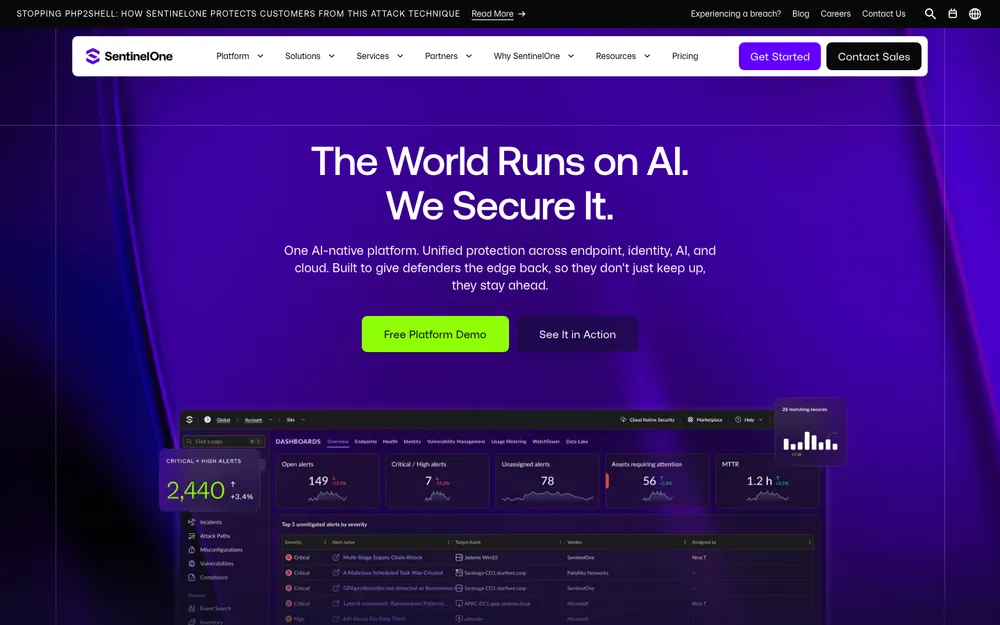
SentinelOne sells its Singularity platform per endpoint per year, with a ladder of tiers. The ones I know about are Core, Control, Complete and Commercial, plus Enterprise by quote. They’ve renamed tiers before, so what’s on the pricing page today might look a little different.
I like that ladder, to be honest. You can start lower and climb up when you need more detection and response features, without jumping to another vendor. For managed help there’s Vigilance MDR and WatchTower, both priced by quote.
Good fit if you want a dedicated security vendor and you’d like to see prices before talking to a salesperson.
4. Sophos Intercept X
Sophos does things a bit differently. No published list prices, and it sells through partners and resellers. If you already pay an MSP (a managed service provider, so basically an outsourced IT team), there’s a decent chance they can quote Sophos for you.
Intercept X comes in Essentials, Advanced, and Advanced with XDR tiers. XDR takes the EDR idea past laptops and into other parts of your setup. On the managed side you’ve got MDR Essentials and MDR Complete.
For businesses that want someone else handling security day to day, Sophos would be my first stop. The partner thing actually helps here, because you end up with a local contact who knows your setup.
5. Bitdefender GravityZone
Bitdefender’s GravityZone business line has four tiers: Small Business Security, Business Security, Business Security Premium and Business Security Enterprise. There’s a Bitdefender MDR service too, if you want people watching alerts for you.
Bitdefender shows yearly prices in its online store, and what you pay depends on how many devices you buy. I couldn’t confirm the current numbers, so I’m not going to guess. Before buying, check which tier actually adds EDR, because the cheapest plan’s name won’t tell you.
Give it a look if you like buying online with no sales call and want a vendor with its own small business tier.
Side-by-side comparison
The highlighted cells are my pick for each row. Judgement calls based on official info, not test results.
| Feature | Microsoft Defender for Business | CrowdStrike Falcon Go | SentinelOne Singularity | Sophos Intercept X | Bitdefender GravityZone |
|---|---|---|---|---|---|
| How it’s billed | Per user per month (annual), up to 5 devices per user | Per device per year | Per endpoint per year | Quote through partners | Yearly, by device count |
| Size noted by vendor | Up to 300 users | Up to 100 devices (Go) | Tiers up to Enterprise | Not published | Small Business to Enterprise tiers |
| Bundled with tools you may already pay for | Included in Microsoft 365 Business Premium | No | No | No | No |
| Managed (MDR) option | Defender Experts (status unconfirmed) | Falcon Complete | Vigilance MDR, WatchTower | MDR Essentials, MDR Complete | Bitdefender MDR |
| Where you buy | Microsoft or a Microsoft partner | Online or sales | Online or sales | Partners and resellers | Online store |
What it costs (and why I’m not quoting numbers)
I really wanted to give you exact prices. But I couldn’t verify current 2026 pricing on the official pages when I was writing this, and security pricing moves around a lot. A wrong number is worse than no number. So instead I’ll just explain how each vendor charges.
Microsoft charges per user, and one user can cover up to five devices. CrowdStrike and SentinelOne charge per device (or per endpoint) per year. Bitdefender goes by how many devices you buy, and Sophos quotes through partners. Managed services? Quote-based, every single one.
That per-user vs per-device thing matters more than it seems. If every employee has a laptop and a phone, per-user pricing could come out cheaper. Got shared PCs, like a front desk or a warehouse terminal? Then per-device might suit you better. Sit down with your own device list and run the numbers.
How I’d roll out EDR in a small office
List every device
Jot down every laptop, desktop and work phone, who uses it, and what operating system it’s on.
Pick a tier that actually includes EDR
Look at the vendor’s official tier list, because entry plans don’t always come with full EDR.
Pilot on a couple of machines
Put it on two or three computers first and let it run through a week of normal work before you roll it out to everyone.
Decide who gets the alerts
Name an actual person, an IT provider or an MDR team. Alerts nobody owns are just noise.
Write a short incident plan
Agree on who you call and what gets shut off if something slips through.
For that last step, my guide on what to do after a data breach is a decent place to start. The FTC’s small business cybersecurity guidance is free too, and I’d bookmark it right next to it.
Which one I’d pick
On Microsoft 365? I’d check if Business Premium already gives you Defender for Business and just start there. Tough to argue with protection you might already be paying for.
If you want a security-only vendor and like seeing prices up front, CrowdStrike and SentinelOne go on the shortlist (just confirm which tier has EDR). If you’d rather hand the whole thing off, talk to an IT partner about Sophos, or ask any of these vendors for an MDR quote.
Whatever you go with, please don’t stop at installing it. Make sure somebody owns the alerts, because otherwise you’ve got EDR sitting there and you’re not really any safer.
Frequently Asked Questions
What’s the difference between EDR and antivirus?
Antivirus blocks files that are known to be bad or look suspicious. EDR keeps a record of what happens on each device so you can spot, dig into and respond to threats, like cutting a laptop off from the network or stopping a process.
Is Microsoft Defender for Business included in Microsoft 365 Business Premium?
Microsoft lists Defender for Business as part of Microsoft 365 Business Premium, and you can also buy it by itself per user per month. Pricing changes, so check Microsoft’s official pages for the current numbers.
Does a small business need MDR or is EDR enough?
EDR on its own is fine if someone on your team or an IT provider reliably reads the alerts and acts on them. If nobody can, especially outside office hours, a managed detection and response (MDR) service deserves a serious look.
Does CrowdStrike Falcon Go include EDR?
Falcon Go has included next-gen antivirus, device control and Express Support. I couldn’t confirm if it now comes with full EDR (Falcon Insight), so check CrowdStrike’s official pricing page before you buy.
Can these tools protect Macs and phones too?
Microsoft says Defender for Business covers Windows, macOS, iOS and Android devices. For the others, check each vendor’s official product page for current platform support before buying.
Featured image: FlyD on Unsplash.
You might also like

Best HR Software for Small Businesses (2026)
A practical look at the best HR software for US small businesses in 2026, from all-in-one platforms and PEOs to budget per-user tools, plus how to choose by team size, security and compliance needs.
Best Cloud Storage for Business in 2026: Google Drive vs OneDrive vs Dropbox vs Box
Google Drive, OneDrive, Dropbox and Box compared for business on storage, sharing, admin controls, security, backup vs sync and per-user pricing. Confirmed prices only, with clear notes where details couldn’t be verified.

Best GST Softwares in India
GST, short name for Goods & Services Tax, might not be a new term for many around the world. However, it will definitely be new for most of the Indian citizens. Recently, the Indian Government passed a bill which levied GST tax on all the goods bought and sold in India. Now, there are various…
The week in tech, minus the noise.
New reviews, fixes and the stories that matter — once a week, straight to your inbox.
We only use your email to send the newsletter. Unsubscribe any time. See our privacy policy.
Comments