

Best Email Security Software for Small Businesses on Microsoft 365 and Google Workspace (2026)
A huge share of small business security incidents start in the same place: an inbox. Someone gets a convincing invoice from a “vendor” with new bank details, or a Microsoft sign-in page that looks right but isn’t, and by the time anyone notices, money or a password is gone. Microsoft 365 and Google Workspace both…


Photo by Selina on Unsplash
A huge share of small business security incidents start in the same place: an inbox. Someone gets a convincing invoice from a “vendor” with new bank details, or a Microsoft sign-in page that looks right but isn’t, and by the time anyone notices, money or a password is gone. Microsoft 365 and Google Workspace both filter a lot of this out on their own, but business email compromise (BEC) messages often carry no attachment and no bad link, which is exactly what makes them slip through.
This guide covers which email security tools make sense on top of Microsoft 365 or Google Workspace, what each one actually adds, and the three DNS records (SPF, DKIM and DMARC) you should fix before you spend a dollar on anything else.
Why built-in filtering isn’t always enough
Google says the AI defenses in Workspace block more than 99.9% of spam, malware and phishing. Microsoft’s Exchange Online Protection does similar baseline filtering for every Microsoft 365 mailbox. Those numbers are impressive, but the small slice that gets through tends to be the targeted stuff: a reply in an existing thread from a compromised supplier account, a lookalike domain one letter off from your own, or a text-only “can you handle a quick payment for me?” message from someone pretending to be the owner.
Add-on tools go after that slice in two different ways, and the difference matters when you’re choosing:
- Gateway (MX-based): You point your domain’s MX record at the vendor, and mail is filtered before it reaches Microsoft 365 or Gmail. Proofpoint Essentials and Mimecast both offer this model.
- API-based: The tool connects to your Microsoft 365 or Google Workspace tenant through an API and scans or pulls mail after delivery, with no MX change. Abnormal AI, Barracuda and Mimecast all describe this option.
Gateways can keep mail flowing when your provider has an outage. API tools are faster to set up and can see internal mail between colleagues, which helps when an account inside your company is the one that’s been taken over.
The best email security tools for small businesses
1. Microsoft Defender for Office 365
If your company already runs on Microsoft 365, this is the first thing to check, because you may already own it. Microsoft lists Plan 1 at $2.00 per user per month (paid yearly) and Plan 2 at $5.00, and Plan 1 is included in Microsoft 365 Business Premium. Plan 1 adds real-time protection for malicious links and QR codes, detonation of attachments to catch zero-day malware, and anti-spoofing checks against SPF, DKIM and DMARC. Plan 2 adds attack simulation training so you can send your staff fake phishing emails and see who clicks.
Coverage also extends to Teams, SharePoint and OneDrive, which matters because phishing links now arrive through chat as often as through email. The catch is configuration: the default policies are a starting point, and Microsoft publishes recommended settings that are stricter. Microsoft also offers a 90-day trial of Plan 2 through the Microsoft Defender portal.
Best for: Microsoft 365 shops that want to close the obvious gaps without adding another vendor.
2. Proofpoint Essentials
Proofpoint Essentials is the company’s product line for small and midsize businesses, and it works as a gateway in front of Microsoft 365. Proofpoint’s data sheets describe protection against malicious links and attachments plus “malware-free” threats such as email fraud and credential phishing. The higher tiers add email warning tags, sandboxing of suspicious URLs and attachments, automatic encryption and a cloud archive.
The feature I’d point a small office toward is the emergency inbox. Proofpoint says it switches on automatically when it detects a Microsoft 365 outage and gives users 30 days of mail replay. Pricing isn’t published on Proofpoint’s site, and Essentials is usually sold through partners, so ask your IT provider for a quote.
Best for: Small teams that want gateway filtering, archiving and outage continuity in one package.
3. Mimecast Advanced Email Security
Mimecast is one of the few vendors that lets you choose how you deploy. Its API-based option connects to Microsoft 365 or Google Workspace with no MX change, while its MX-based option routes all inbound mail through Mimecast first and keeps mail flowing if your primary server goes down. For BEC, Mimecast lists anomaly detection with social graphing, computer vision to spot fake login pages and brand impersonation, and contextual email banners that warn users about risky messages, including QR code phishing.
Mimecast doesn’t list prices publicly; it offers several plans and asks you to request a quote.
Best for: Businesses that want flexibility between API and gateway deployment, or that may grow into archiving and continuity later.
4. Barracuda Email Protection
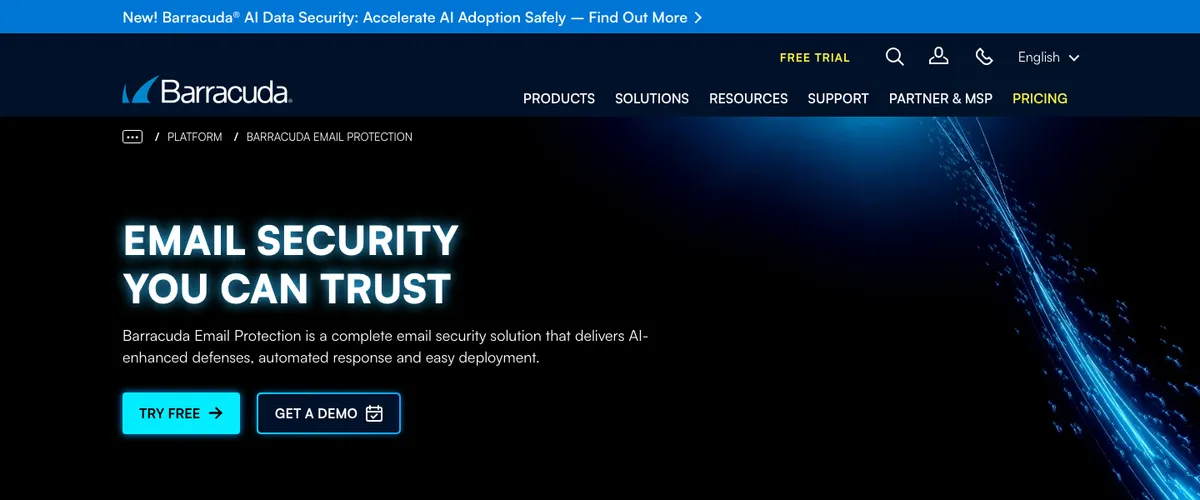
Barracuda connects to Microsoft 365 through APIs with no MX record changes and says it can be running “in minutes, not weeks.” Its feature list leans heavily on post-delivery work: behavioral account takeover detection, automated “clawback” that pulls a threat out of every mailbox at once, and bulk remediation across mailboxes or tenants. Barracuda also bundles security awareness training with phishing simulations, plus backup and archiving for Microsoft 365 data.
That bundle is the real selling point for a company without a security team, since one console covers filtering, cleanup, training and backup. Barracuda offers a free trial and a free email threat scan; plan prices are on its separate plans and pricing page.
Best for: Microsoft 365 businesses that want detection, cleanup, training and backup from a single vendor.
5. Abnormal AI
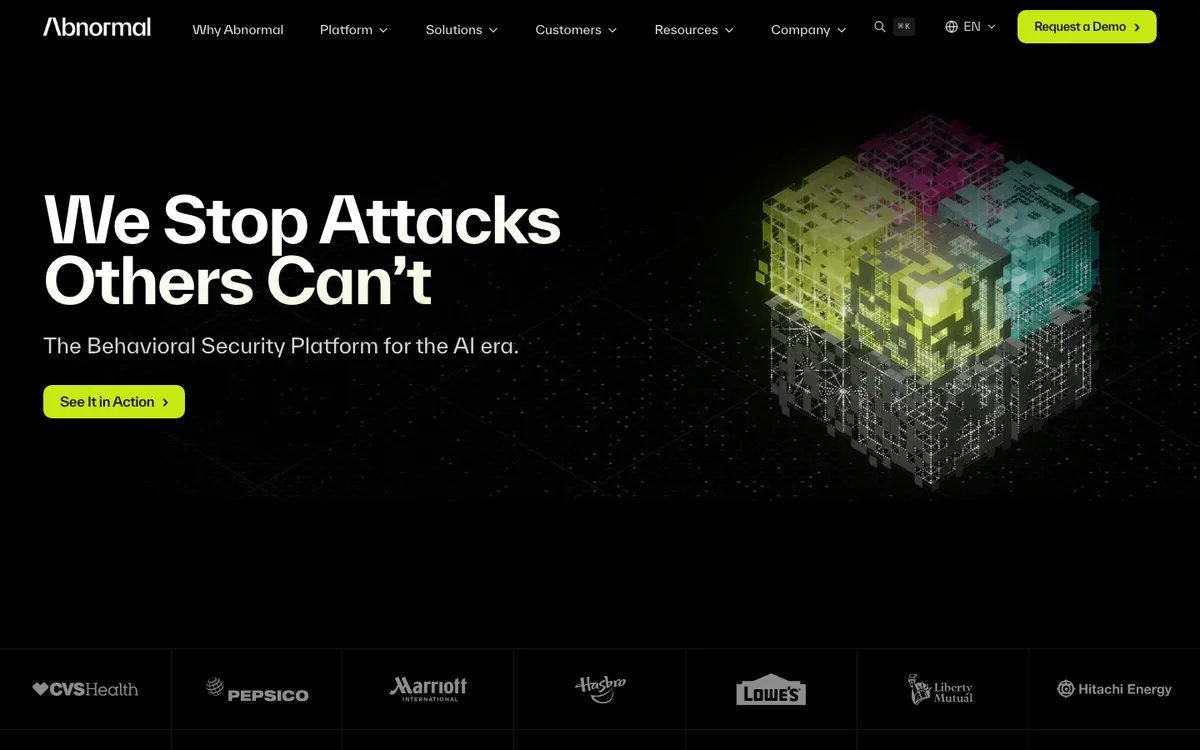
Abnormal (now branded Abnormal AI) is built specifically around the attacks that filters struggle with: BEC, executive impersonation and vendor fraud. The company says its platform learns normal behavior for your users and their relationships, then flags the messages that don’t fit, such as a supplier suddenly asking to change bank details. It connects through APIs with “no agents, no MX changes” and lists both Microsoft 365 and Google Workspace as supported. It also covers account takeover and identity signals from providers such as Microsoft Entra and Okta.
Abnormal doesn’t publish pricing and works through a demo request, so it’s usually a fit for companies with a bit more budget or a managed IT provider.
Best for: Finance-heavy teams where one fake invoice could cost more than a year of tooling.
6. Google Workspace built-in protections
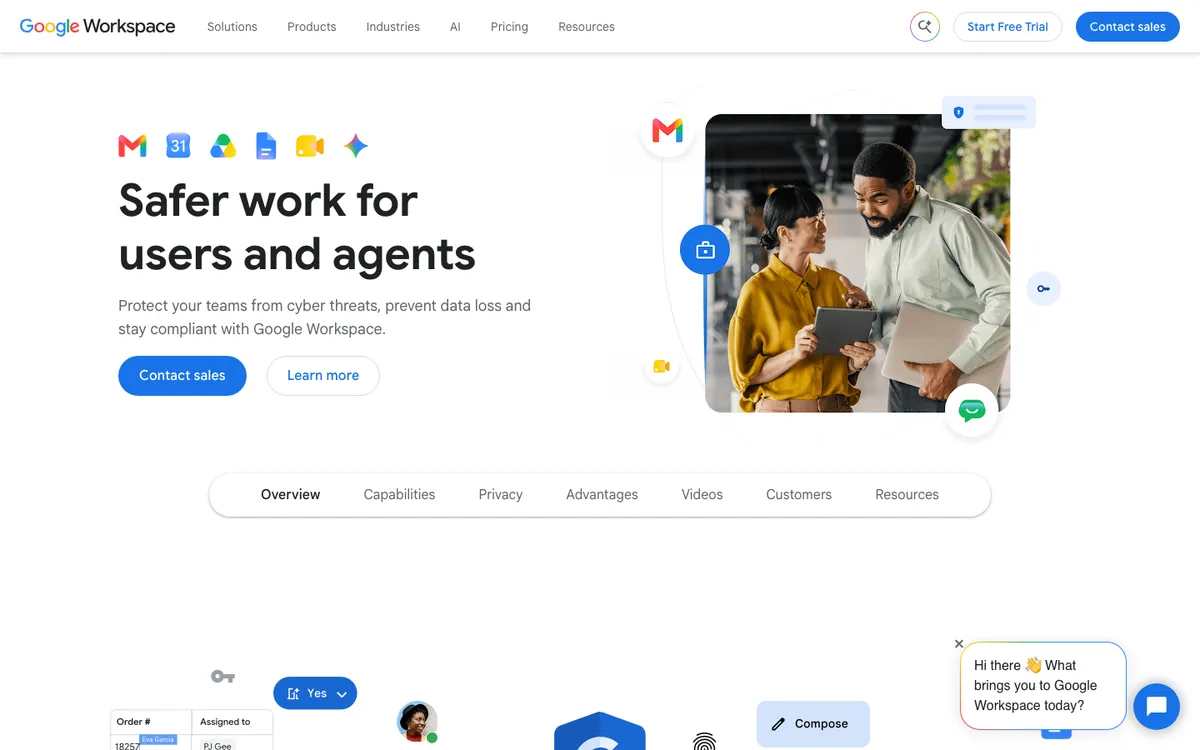
If you’re on Google Workspace, your first job is in the Admin console, not a vendor’s sales page. Google describes layered, AI-powered protection against spam, phishing, malware and ransomware across Workspace, and the admin settings let you tighten safety options for attachments, links and spoofing. Make sure those are switched on and reviewed before you add anything else. Some advanced features depend on your edition, so check Google’s edition comparison for what your plan includes.
Best for: Every Google Workspace customer, as the baseline before any add-on.
Side-by-side comparison
| Tool | How it deploys | Works with | Public pricing |
|---|---|---|---|
| Defender for Office 365 | Built into Microsoft 365 | Microsoft 365 | Plan 1 $2, Plan 2 $5 per user/month (yearly) |
| Proofpoint Essentials | Gateway (MX) | Microsoft 365 and other mail hosts | Quote through partners |
| Mimecast | API or gateway | Microsoft 365, Google Workspace | Quote |
| Barracuda Email Protection | API | Microsoft 365 | See Barracuda’s plans page |
| Abnormal AI | API | Microsoft 365, Google Workspace | Demo and quote |
| Google Workspace protections | Built in | Google Workspace | Included with Workspace |
Fix SPF, DKIM and DMARC before you buy anything
These three DNS records don’t stop someone from phishing your staff, but they stop criminals from sending email that claims to come from your own domain, which is how a lot of fake invoices reach your customers. They also affect deliverability: if your own messages are landing in spam, missing records are a common reason, as we covered in our guide to fixing emails that bounce from Outlook.com and Hotmail.
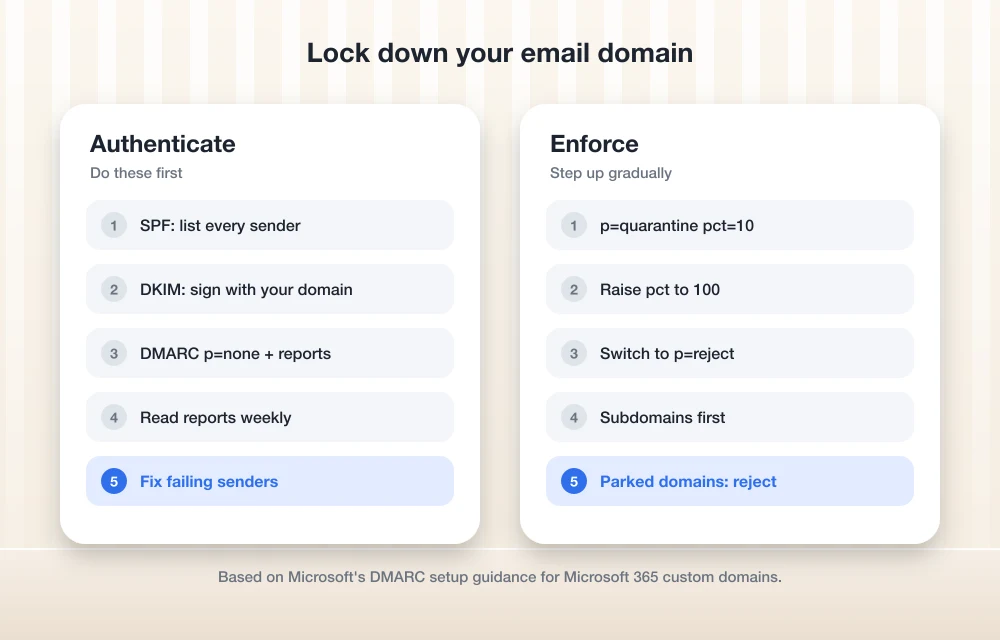
- SPF: Publish one TXT record at your domain that lists every service allowed to send mail for you (Microsoft 365 or Google, plus your newsletter tool, CRM and billing system). Only one SPF record per domain is allowed.
- DKIM: Turn on DKIM signing with your own domain. In Microsoft 365 you do this in the Defender portal after adding two CNAME records; in Google Workspace you generate the key in the Admin console and publish it as a TXT record.
- DMARC, monitor first: Add a TXT record at
_dmarcwith a policy ofp=noneand anrua=address for reports, for examplev=DMARC1; p=none; rua=mailto:[email protected]. Use a shared mailbox for the reports, not someone’s personal inbox. - Move to quarantine: Once the reports show your legitimate senders passing, change the policy to
p=quarantine. Microsoft suggests stepping up gradually with thepct=value (10, 25, 50, 75, then 100). - Finish at reject: When quarantine runs clean, switch to
p=reject. Microsoft’s DMARC setup guide recommends starting with low-volume subdomains and saving the main domain for last. - Lock down parked domains: Any domain you own but don’t send from should get
v=DMARC1; p=reject;so nobody can borrow it.
Microsoft also notes that DMARC reports won’t be sent to you for inbound mail if your MX record points at a third-party gateway instead of Microsoft 365, which is worth knowing before you choose a gateway product.
How I’d choose for a typical small office
- Under 25 people on Microsoft 365 Business Standard: Add Defender for Office 365 Plan 1, apply Microsoft’s recommended policies, and get DMARC to reject. That alone closes most of the easy gaps for $2 per user.
- On Business Premium already: You have Plan 1. Spend the time on configuration and on Plan 2’s attack simulation if staff training is a weak spot.
- Finance, real estate, legal or anyone wiring money: Add an API-based BEC tool (Abnormal AI, Barracuda or Mimecast) on top, because those businesses are the main targets for invoice and payment fraud.
- Worried about Microsoft 365 outages or need archiving: Look at Proofpoint Essentials or Mimecast in gateway mode.
Email filtering is one layer. Pair it with protection on the devices themselves (see our guide to endpoint security for small businesses), and if you’re applying for coverage, our explainer on cyber insurance for small businesses lists the email controls insurers commonly ask about. Keeping Outlook patched matters too, as this month’s November 2026 Patch Tuesday Outlook zero-day showed.
FAQs
Is Microsoft 365’s built-in email security enough for a small business?
Exchange Online Protection handles baseline spam and malware filtering, but it doesn’t include the link and attachment detonation in Defender for Office 365. For most small businesses, Plan 1 at $2 per user per month (included in Business Premium) is the sensible minimum.
What’s the difference between API-based and gateway email security?
A gateway sits in front of your mailbox provider and requires an MX record change, so it filters mail before delivery and can keep mail flowing during an outage. An API-based tool connects directly to Microsoft 365 or Google Workspace, needs no MX change, and can also scan internal email between employees.
Do I need DMARC if I already pay for email security?
Yes. Email security tools protect your inbox, while DMARC protects your domain from being spoofed in emails sent to your customers and partners. They solve different problems.
How long should I keep DMARC at p=none?
Long enough to see every legitimate service that sends mail for you pass in the aggregate reports. Microsoft recommends a gradual move from none to quarantine to reject, testing at each stage, rather than a fixed number of days.
Disclosure: TheTechHacker has no paid relationship with Microsoft, Proofpoint, Mimecast, Barracuda, Abnormal AI, Google or any company mentioned here. Features and prices are taken from each vendor’s official pages and may change.
Featured image: Selina on Unsplash.
You might also like

Google Workspace vs Microsoft 365 for Small Business (2026): Prices, Storage, Email and Security Compared
Most small businesses end up choosing between Google Workspace and Microsoft 365 around the time they stop using personal Gmail addresses. The first suite you pick tends to stay for years. That’s because email, shared files, calendars and meeting links all pile up inside it, and moving out later takes a weekend nobody wants to…

Best Video Conferencing Software for Small Businesses (2026): Zoom vs Teams vs Google Meet vs Webex vs RingCentral
Zoom, Microsoft Teams, Google Meet, Webex and RingCentral Video compared for small teams, with Zoom’s official limits and prices and a clear list of what to check for the rest.

Best Cloud Storage for Business in 2026: Google Drive vs OneDrive vs Dropbox vs Box
Google Drive, OneDrive, Dropbox and Box compared for business on storage, sharing, admin controls, security, backup vs sync and per-user pricing. Confirmed prices only, with clear notes where details couldn’t be verified.
The week in tech, minus the noise.
New reviews, fixes and the stories that matter — once a week, straight to your inbox.
We only use your email to send the newsletter. Unsubscribe any time. See our privacy policy.
Comments