

Surfer SEO Pricing 2026: Every Plan Explained and Is It Worth It?
Surfer, long known as Surfer SEO, has rebuilt itself around AI search. It still has the Content Editor that made it popular with bloggers, but its main pitch in 2026 is tracking whether ChatGPT, Gemini, Perplexity and Google’s AI Overviews mention your brand. That change shows up in the pricing, which now starts at $49…
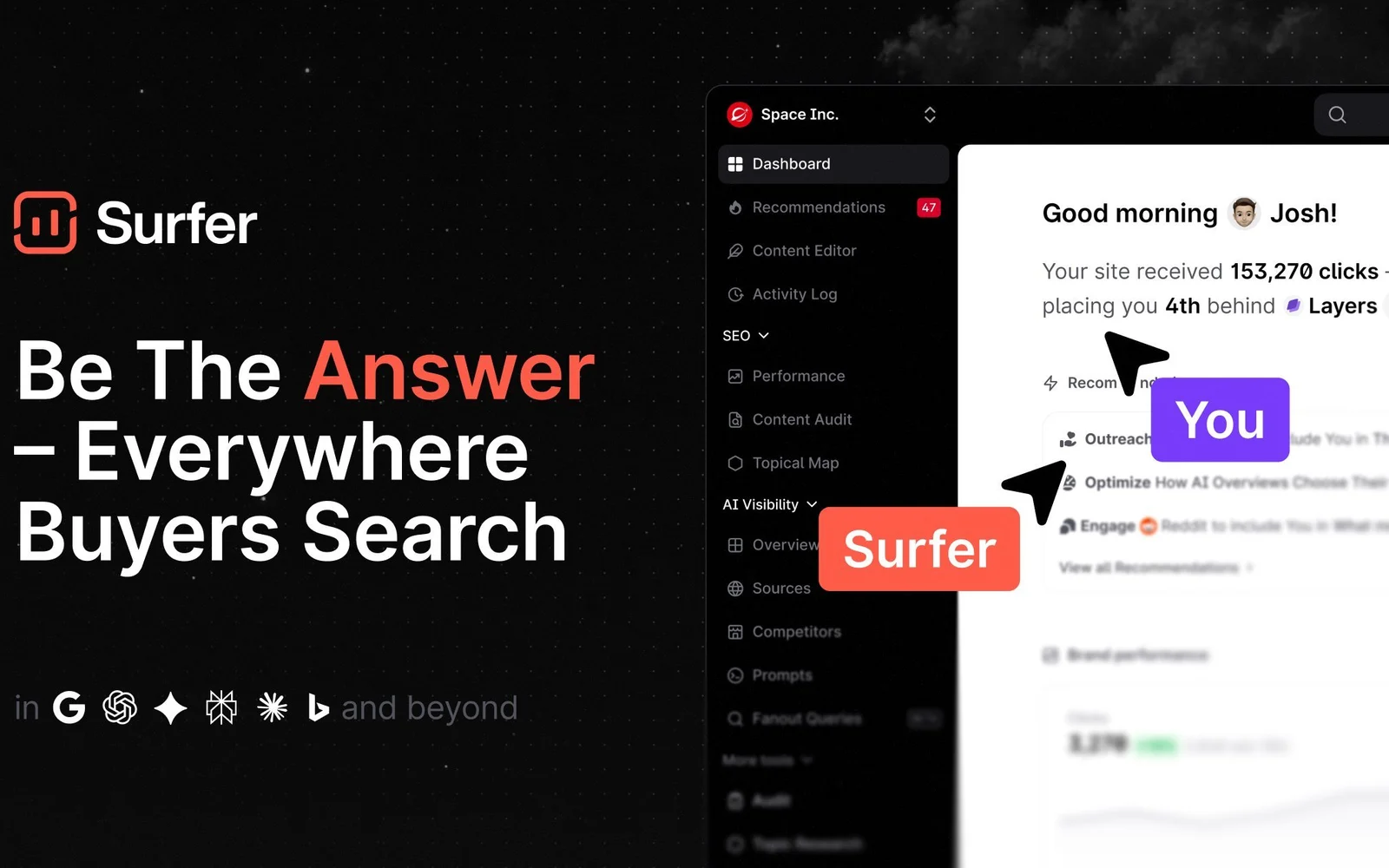
Image: Surfer
Surfer, long known as Surfer SEO, has rebuilt itself around AI search. It still has the Content Editor that made it popular with bloggers, but its main pitch in 2026 is tracking whether ChatGPT, Gemini, Perplexity and Google’s AI Overviews mention your brand. That change shows up in the pricing, which now starts at $49 a month. This guide covers every Surfer plan, what each one includes, and who should pay for it.
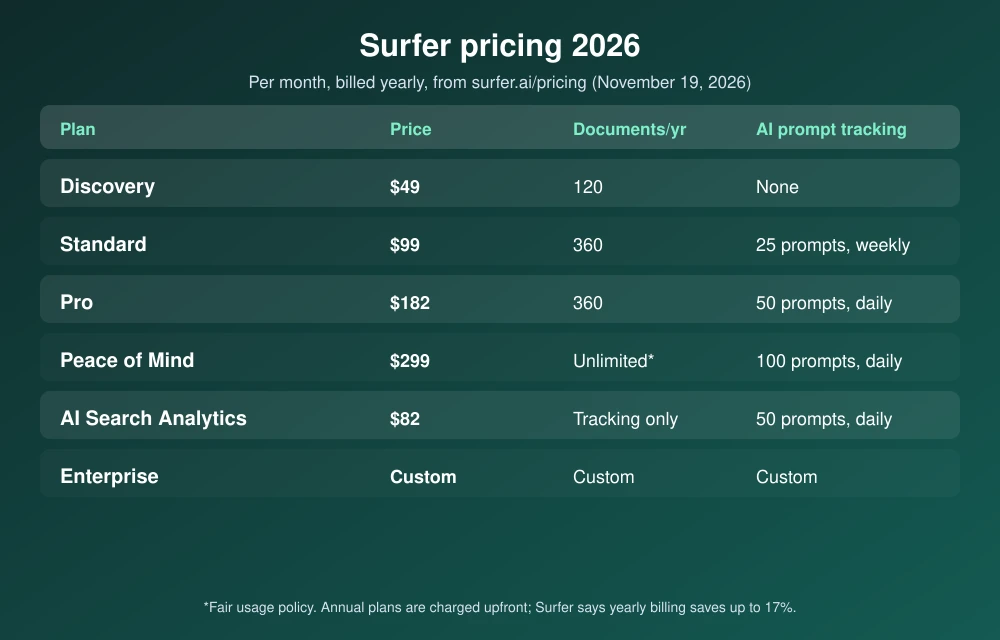
Quick answer: Surfer’s plans cost $49 a month (Discovery), $99 (Standard), $182 (Pro) and $299 (Peace of Mind) when billed yearly, according to Surfer’s pricing page, plus an $82 AI Search Analytics plan for brand tracking only. Discovery gives 120 documents a year for content optimization, while Standard and Pro give 360 and add AI prompt tracking. Annual plans are charged upfront and save up to 17% versus monthly billing. Most solo bloggers should start with Discovery or Standard.
What Surfer does in 2026
Surfer now calls itself an AI visibility platform. According to Surfer’s website, it has two jobs:
- AI visibility tracking: it runs prompts you choose in ChatGPT, Gemini, Perplexity, Google AI Mode and AI Overviews, then reports whether your brand is mentioned, where, and in what tone. It also shows a “mention gap,” meaning sources that name competitors but not you.
- Content optimization: the Content Editor scores a draft against the pages that rank for a keyword and gives an SEO score and an AI Search score as you write. The built-in assistant, Surfy, suggests edits.
Surfer says it collects answers from the AI apps themselves rather than their APIs, because in its own test of 1,000 prompts, API and app answers overlapped by 30% at most. The company says more than 150,000 companies use it.
Surfer pricing in 2026
Prices below are per month, billed yearly, from Surfer’s pricing page as of November 19, 2026:
| Plan | Price | Content documents | AI prompt tracking | Best for |
|---|---|---|---|---|
| Discovery | $49/mo | 120 per year | None (tracks 10 pages) | Solo bloggers |
| Standard | $99/mo | 360 per year | 25 prompts, weekly | Small content teams |
| Pro | $182/mo | 360 per year | 50 prompts, daily | Agencies and growing sites |
| Peace of Mind | $299/mo | Unlimited (fair use) | 100 prompts, daily | Larger teams needing API access |
| AI Search Analytics | $82/mo | Tracking only | 50 prompts, daily | Brands that only want AI tracking |
Annual plans are charged for the whole year upfront. Surfer says annual billing saves “up to 17%” compared with paying monthly, and it does not list monthly prices on the page. You can turn off auto-renewal at any time and keep access until the paid period ends. Surfer accepts cards and, for yearly plans, bank transfer, but not PayPal. Enterprise pricing is custom.
What each plan adds
- Discovery: SEO guidelines in the Content Editor, Surfy and the Humanizer tool, and 120 documents a year (about 10 a month).
- Standard: 360 documents, 25 AI prompts tracked weekly, WordPress and Google Docs integrations, one-click optimization, team collaboration, a plagiarism checker and rank-drop alerts.
- Pro: everything in Standard plus daily tracking of 50 prompts, one-click internal linking, content ideas and coverage gaps, custom voices and a cannibalization report.
- Peace of Mind: 100 prompts daily, unlimited documents under a fair-use policy, Zapier, advanced SERP analysis, a dedicated success manager and API access.
Pros and cons
| Pros | Cons |
|---|---|
| Tracks brand mentions across ChatGPT, Gemini, Perplexity and AI Overviews | Prices shown require paying a full year upfront |
| Content Editor works inside WordPress and Google Docs (Standard and up) | Discovery has no AI prompt tracking |
| Live SEO and AI Search scores while you write | Document limits are yearly, so heavy months use them up fast |
| Cancel auto-renewal anytime | No PayPal; free trial terms aren’t stated on the pricing page |
Is Surfer worth it?
Surfer is worth it if content is how you get customers and you publish at least a few optimized articles a month. Standard is the sweet spot for most small teams, because it adds AI tracking and the WordPress integration. If you only need to know whether ChatGPT and AI Overviews recommend your brand, the $82 AI Search Analytics plan is cheaper than Pro.
A content score is a guide, not a guarantee. Google ranks pages that are useful and accurate, so pair any optimizer with real expertise and our tips on fact-checking AI-generated content. If you are still comparing tools, see our list of the best SEO tools for small businesses, and if you are starting from scratch, our guide to the best website builders for small business.
FAQs
How much does Surfer SEO cost?
Surfer costs $49, $99, $182 or $299 a month for its Discovery, Standard, Pro and Peace of Mind plans when billed yearly. An AI-tracking-only plan costs $82 a month, and Enterprise is custom.
Does Surfer have a free trial?
Surfer offers a “Start for free” sign-up and a free AI visibility report, but its pricing page doesn’t state trial length or limits. Check the terms when you sign up.
Does Surfer track ChatGPT and Google AI Overviews?
Yes. Surfer tracks prompts in ChatGPT, Gemini, Perplexity, Google AI Mode and AI Overviews on Standard, Pro, Peace of Mind and AI Search Analytics plans. Discovery doesn’t include prompt tracking.
Does Surfer work with WordPress?
Yes. The WordPress and Google Docs integrations are included from the Standard plan up.
Featured image: Surfer.
Disclosure: TheTechHacker has no paid relationship with Surfer at the time of publishing. If we add affiliate links to this article, we may earn a commission, and we will update this note.
More in Guides

Siri AI Daily Limits Explained: How iCloud+ Plans Raise Them in iOS 27.3
Siri AI is free on supported iPhones, but not unlimited. Apple has confirmed that Siri AI and several Apple Intelligence features run on server-side models with daily usage caps, and starting with iOS 27.3, paying for a larger iCloud+ storage plan raises those caps by up to 20 times. If you have seen a message…

Bitdefender Total Security 2026: Price, Plans and Is It Worth It?
Bitdefender Total Security is one of the most popular paid antivirus suites in the US, and it keeps topping independent lab tests. But the plan names are confusing, the VPN is capped, and the price you see is a first-year price. This guide covers what Total Security costs in 2026, what you get, how it…
ElevenLabs Pricing 2026: Free Plan, Paid Plans and Voice Cloning Explained
ElevenLabs is the AI voice tool most people try first when they need realistic narration, a voiceover or a cloned voice. It has a free plan, but its credit system makes it hard to tell what each paid tier actually gets you. This guide explains ElevenLabs pricing in 2026, how many minutes of audio each…
The week in tech, minus the noise.
New reviews, fixes and the stories that matter — once a week, straight to your inbox.
We only use your email to send the newsletter. Unsubscribe any time. See our privacy policy.
Comments