

How to Use Gemini Computer Use on Mac to Automate Tasks
Google’s Gemini app for Mac can now do the clicking for you. With a new feature called computer use, announced on November 19, Gemini can open Mac apps and websites, fill in forms, work through menus and finish multi-step jobs in the background while you keep using your Mac. It’s the kind of agent feature…

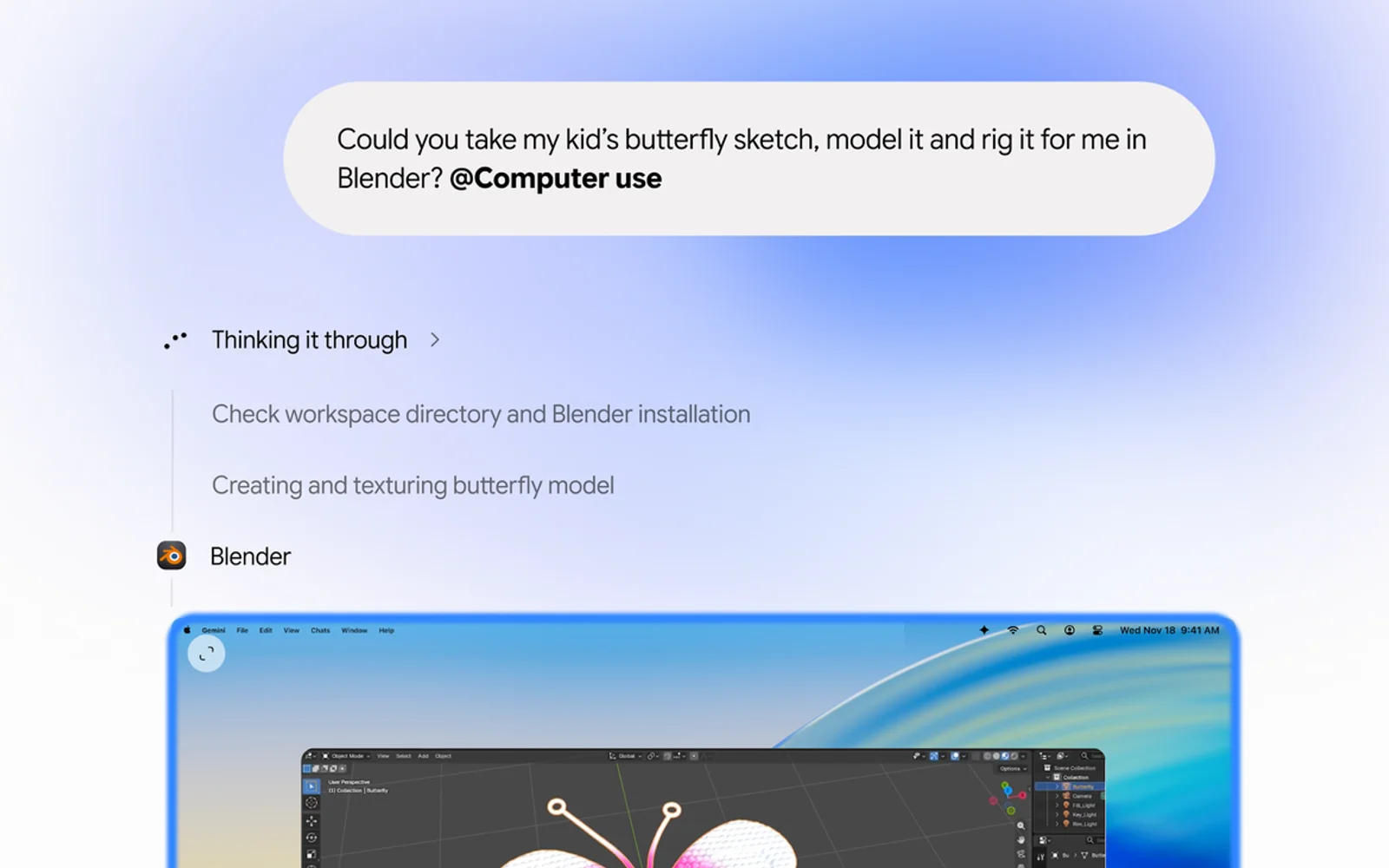
Image: Google
Google’s Gemini app for Mac can now do the clicking for you. With a new feature called computer use, announced on November 19, Gemini can open Mac apps and websites, fill in forms, work through menus and finish multi-step jobs in the background while you keep using your Mac. It’s the kind of agent feature that sounds like a demo until you hand it something tedious, like pulling numbers from a stack of PDFs into a slide deck.
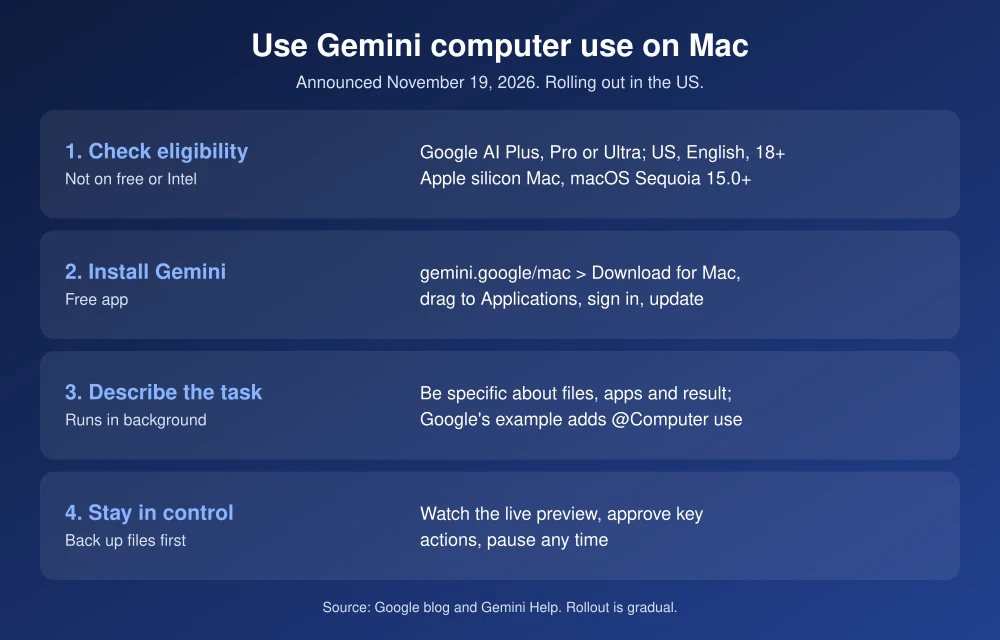
Quick answer: Computer use is rolling out in English in the US to Google AI Plus, Pro and Ultra subscribers aged 18 and over, on an Apple silicon Mac running macOS Sequoia 15.0 or later. Download the Gemini app from gemini.google/mac, sign in, then describe your task in a chat. Google’s own example adds @Computer use to the request. Gemini works in a separate background window with a live preview, asks you to approve key actions, and you can pause it at any time.
What Gemini computer use can do
According to Google’s announcement, Gemini handles the clicking, typing, menus and forms across local files, desktop apps and the web. It runs in an isolated background window, so your main screen and cursor stay free. Google’s examples:
- Batch color-grading a set of photos in a design app.
- Pulling weights, dimensions and addresses out of local PDFs to get shipping quotes.
- Collecting metrics and screenshots from dashboards into a Google Slides deck.
- Creating resale listings from a folder of product photos.
Who can use it
- Plan: Google AI Plus, Pro or Ultra. It isn’t listed for the free tier.
- Region and language: rolling out in English in the US, on personal Google accounts.
- Age: 18 or older.
- Mac: an Apple silicon Mac (M-series) running macOS Sequoia 15.0 or later. Intel Macs aren’t supported.
Because it’s a gradual rollout, you may not see it on day one even if you qualify.
How to use Gemini computer use on Mac
- Check your Mac. Click the Apple menu, then About This Mac. You need an Apple chip (M1 or later) and macOS Sequoia 15.0 or newer.
- Install the Gemini app. Go to gemini.google/mac and click Download for Mac, open the .dmg file and drag Gemini into Applications, as described on Google’s Mac setup page.
- Sign in with the personal Google account that has your AI Plus, Pro or Ultra plan.
- Update the app. In the menu bar, choose Gemini, then Check for Updates, so you’re on the version with computer use.
- Describe the task. Be specific about the files, apps and the result you want. Google’s example request ends with @Computer use, which tells Gemini to work on your Mac.
- Choose what it can access. Google says you decide which apps Gemini can use. If macOS asks for permissions, only allow what the task needs.
- Watch and approve. A live preview in the chat shows every step. Gemini asks you to approve key actions before they happen, and you can pause at any time.
Tips to get better results
- Start small. Try one folder or one document before handing over a whole project.
- Name things exactly. “The PDFs in Downloads/Invoices” works better than “my invoices.”
- Say what done looks like. For example, “a Google Sheet with one row per invoice: date, vendor, total.”
- Back up first. Before letting any agent rename, move or edit files in bulk, make sure you have a recent backup. Our best backup software for Mac guide can help.
Is it safe to let Gemini control your Mac?
Google says privacy and safety are built in: you choose which apps Gemini can access, you can watch every step live, you can pause at any time, and you approve key actions before they happen. Google hasn’t detailed what “key actions” covers, so treat payments, sending messages and deleting files as things to check yourself every time. Keep your Mac’s own security up to date too, and see whether you still need antivirus on Mac.
Computer use is different from Gemini Spark, Google’s agent that came to Mac earlier this year for AI Ultra subscribers. Spark works with files you give it permission to use. Computer use goes further by operating apps and websites directly. If you’re comparing AI subscriptions, our ChatGPT plans comparison covers the other side.
FAQs
Is Gemini computer use free on Mac?
No. Google says it’s available to Google AI Plus, Pro and Ultra subscribers. The Gemini Mac app itself is free to download.
Does Gemini computer use work on Intel Macs?
No. It requires an Apple silicon Mac running macOS Sequoia 15.0 or later.
Can I stop Gemini while it’s working?
Yes. Google says you can watch every step in a live preview and pause at any time, and Gemini asks you to approve key actions before they happen.
Why don’t I see computer use in my Gemini app?
It’s rolling out gradually in English in the US. Check that you’re on a paid plan, signed in with a personal account, aged 18 or older, and running the latest app version. If it still isn’t there, it likely hasn’t reached your account yet.
Featured image: Google.
Disclosure: TheTechHacker has no paid relationship with Google, Apple or any company mentioned here.
More in How-to

How to Boot From a CD or USB On Any PC?
Sometimes troubleshooting PC situations become difficult. When you have a serious error in OS you have to re-install OS. You’ll have to “boot it from a disc” or USB flash drive. When you turn on the system it usually boots from its internal hard drive where OS is stored. It can be done by connecting…
How to Fix ‘Your Computer Has Been Locked’ Scam Pop-Ups on Windows and Mac
A fake Microsoft or Apple warning took over your screen and wants you to call a number? Here’s how to close it safely on Windows and Mac, clean up your browser, and recover if you already called or paid.
How to Access Two Dropbox Accounts In One Computer
How to Access Two Dropbox Accounts In One Computer: Dropbox is everyone’s favorite Cloud storage service. Some people maintain more than one Dropbox accounts.

The week in tech, minus the noise.
New reviews, fixes and the stories that matter — once a week, straight to your inbox.
We only use your email to send the newsletter. Unsubscribe any time. See our privacy policy.
Comments