

How to Update AirPods Firmware (Latest Version 9B47, November 2026)
Apple has a new AirPods firmware, 9B47, for AirPods Pro 3, AirPods Pro 2, AirPods 5, AirPods 4 and AirPods Max 2. Apple’s AirPods firmware page lists it as the current version, with the note “Bug fixes and other improvements,” and MacRumors reports it rolled out on November 10, 2026. There’s no update button, so…
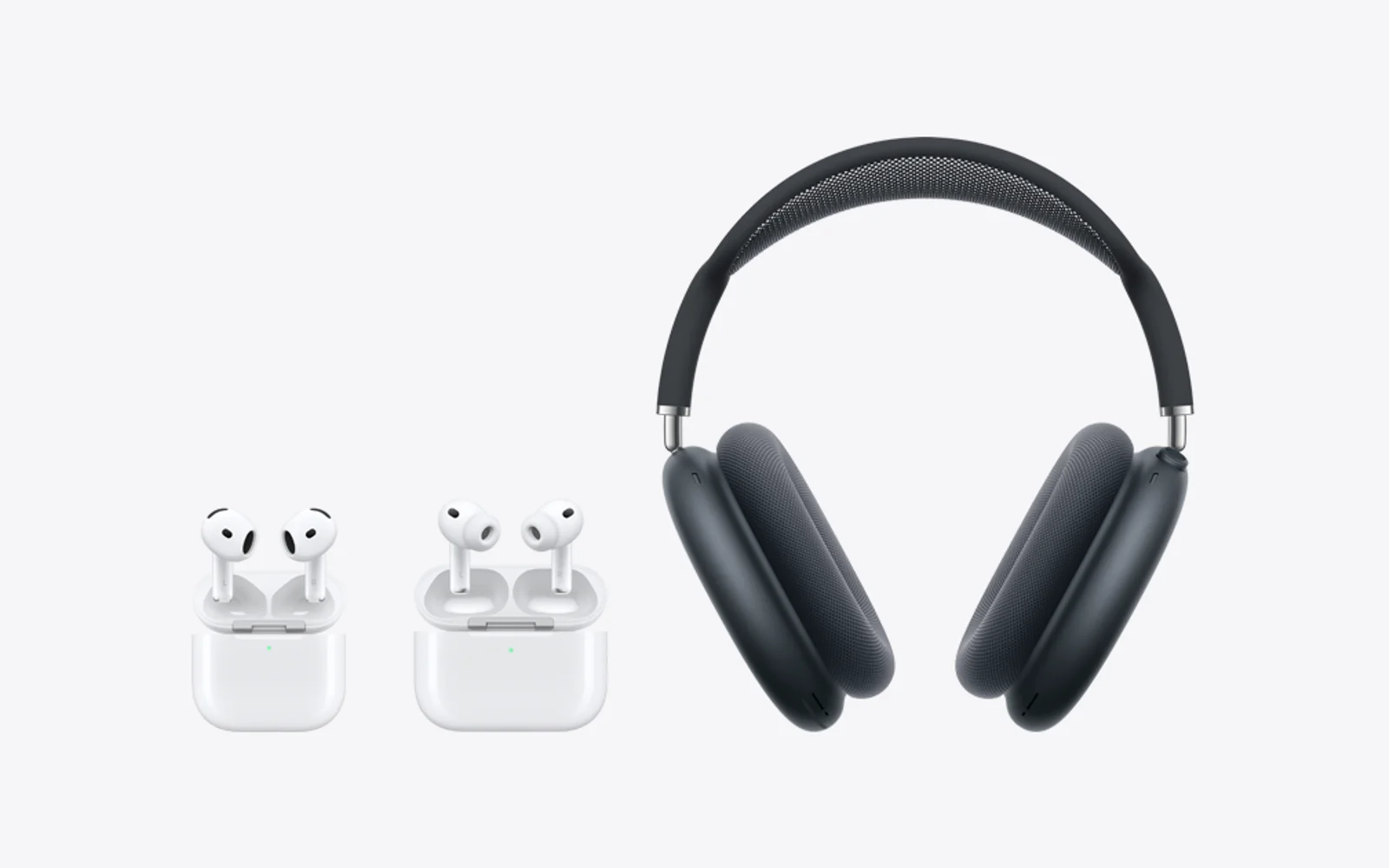
Image: Apple
Apple has a new AirPods firmware, 9B47, for AirPods Pro 3, AirPods Pro 2, AirPods 5, AirPods 4 and AirPods Max 2. Apple’s AirPods firmware page lists it as the current version, with the note “Bug fixes and other improvements,” and MacRumors reports it rolled out on November 10, 2026. There’s no update button, so lots of people wonder whether their AirPods actually have it. This guide shows how to check your version, how to get the update to install, and what to do if it’s stuck.
Quick answer: To update AirPods firmware, update your iPhone, iPad or Mac, connect your AirPods, and make sure the device is on Wi-Fi. Put the AirPods in their case, plug the case into power, close the lid and keep it next to your device for at least 30 minutes. To check the version on iPhone, go to Settings > Bluetooth, tap the (i) next to your AirPods and look under About. The latest version is 9B47 for AirPods Pro 3, Pro 2, AirPods 5, AirPods 4 and AirPods Max 2. If it won’t update, reset your AirPods and try again.
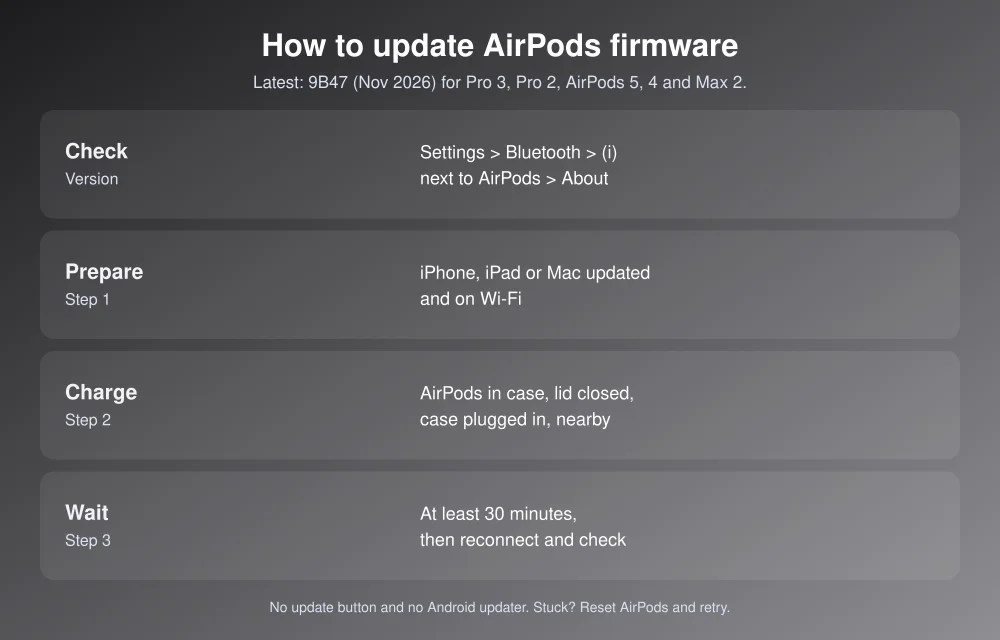
Latest AirPods firmware versions (November 2026)
| Model | Latest firmware |
|---|---|
| AirPods Pro 3 | 9B47 |
| AirPods Pro 2 (USB-C and Lightning MagSafe case) | 9B47 |
| AirPods 5 and AirPods 5 with Wireless Charging Case | 9B47 |
| AirPods 4 and AirPods 4 with Active Noise Cancellation | 9B47 |
| AirPods Max 2 | 9B47 |
| AirPods Max (USB-C) | 7E108 |
| AirPods Max (Lightning) | 6F25 |
| AirPods Pro (1st gen), AirPods 3, AirPods 2 | 6F21 |
| AirPods (1st gen) | 6.8.8 |
Versions are from Apple’s firmware page. 9B47 replaces 9A348 and 9A350. Those earlier releases added Custom EQ for AirPods 4 and later, AirPods Pro 2 and later and AirPods Max 2, plus heart-rate sync with GymKit equipment for AirPods Pro 3, and support for AirPods 5. Apple hasn’t listed any new features in 9B47.
How to check your AirPods firmware version
On iPhone or iPad
- Connect your AirPods.
- Go to Settings > Bluetooth.
- Tap the (i) button next to your AirPods.
- Scroll to About and check the Version.
When your AirPods are connected, they also appear as their own item near the top of Settings, which opens the same page.
On a Mac
- Connect your AirPods.
- Choose Apple menu > System Settings > Bluetooth.
- Click the (i) button next to your AirPods to see the version.
How to update AirPods firmware
AirPods update themselves while charging near a connected device. Apple’s steps to help it along:
- Update your iPhone, iPad or Mac to the latest software and turn on Bluetooth.
- Connect your AirPods to it.
- Make sure the device is connected to Wi-Fi.
- Plug the AirPods charging case into power.
- Put the AirPods in the case, close the lid and keep it within Bluetooth range.
- Wait at least 30 minutes.
- Open the lid to reconnect, then check the version again.
AirPods Max: plug the cable into the right earcup and a power source, keep them near your device for 30 minutes or more, then reconnect.
A simple trick is to leave your AirPods charging next to your iPhone overnight. MacRumors reports that the update can take a few hours to arrive and install. If you’re also behind on iOS, see what to do when the iOS update isn’t showing.
Can you update AirPods on Android or Windows?
No. Apple’s firmware page doesn’t offer an update method for Android or Windows, and there’s no Apple updater app for Android. Apple says that if you don’t have an Apple device nearby, you can make an appointment at an Apple Store or Apple Authorized Service Provider to update them.
Beta firmware
9to5Mac reports that since iOS 26, an AirPods beta updates option appears at the bottom of the AirPods settings page on devices running a beta OS. Most people should skip it, since beta firmware can have bugs.
AirPods firmware not updating? Reset them
Apple’s advice is to reset your AirPods and try the update again. From Apple’s reset guide:
AirPods Pro 2, AirPods Pro, AirPods 2 and 3
- Put the AirPods in the case, close the lid and wait 30 seconds.
- On your iPhone, go to Settings > Bluetooth, tap (i) next to your AirPods and tap Forget This Device.
- Open the lid and press and hold the setup button on the back of the case for about 15 seconds, until the light flashes amber, then white.
- Reconnect by holding the open case next to your iPhone.
AirPods Pro 3, AirPods 5 and AirPods 4
- Wait 30 seconds with the lid closed, then choose Forget This Device as above.
- Open the lid. While the light is on, double-tap the front of the case. Double-tap again when it flashes white, and a third time when it flashes faster.
- When the light flashes amber, then white, reconnect.
If the light doesn’t flash white, close the lid for 20 seconds and try the steps again with the lid open near your device. After the reset, repeat the update steps above.
Shopping for a pair? See our AirPods Pro 3 Black Friday deal. For your iPhone, our iOS 27.2.1 security fixes guide explains what the latest update patches.
FAQs
What is the latest AirPods firmware?
9B47 is the latest firmware for AirPods Pro 3, AirPods Pro 2, AirPods 5, AirPods 4 and AirPods Max 2. It was released in November 2026, and Apple lists it as bug fixes and other improvements.
How do I force my AirPods to update?
You can’t force it with a button. Put the AirPods in their case, plug in the case, and keep it near your iPhone, iPad or Mac on Wi-Fi for at least 30 minutes.
How do I check my AirPods firmware version?
On iPhone, go to Settings > Bluetooth, tap the (i) button next to your AirPods, and look under About. On a Mac, go to System Settings > Bluetooth and click the (i) button.
Can I update AirPods with an Android phone?
No. AirPods firmware updates need an iPhone, iPad or Mac. Without one, Apple says to book an appointment at an Apple Store or Apple Authorized Service Provider.
Featured image: Apple.
Disclosure: TheTechHacker has no paid relationship with Apple or any company mentioned here.
More in Guides
How to Update PS5 for GTA 6: Install the Required System Update
If GTA 6 won’t start on your PS5, the most likely reason is the console itself. PlayStation says Sony released a PS5 system software update that is required before you can play Grand Theft Auto VI, and the game unlocks at midnight on November 19. This guide shows the three official ways to install it,…
How to Fix Windows Activation Error 0x80041008 After the November Update
If you manage Windows PCs or servers and your activation scripts started failing this week with error 0x80041008, the November security update is the cause. Microsoft confirmed the bug on November 13 and released out-of-band updates the same day to fix it. The error shows up when you run slmgr.vbs commands to set a KMS…
How to Fix GPT-6.2 Not Showing in ChatGPT (Astra and Sol Missing)
OpenAI released GPT-6.2 Astra and GPT-6.2 Sol on November 17, 2026, but many paying subscribers open ChatGPT and still see only the older models. In most cases nothing is broken: the new models live in a different part of ChatGPT than people expect, the rollout is gradual, or the app needs an update. Quick answer:…
The week in tech, minus the noise.
New reviews, fixes and the stories that matter — once a week, straight to your inbox.
We only use your email to send the newsletter. Unsubscribe any time. See our privacy policy.
Comments