

Best CapCut Alternatives for US Creators in 2026: Mobile and Desktop Picks
Thinking about leaving CapCut or keeping a backup editor? Here are the CapCut alternatives I’d look at in 2026 for phone and desktop, with what the companies officially confirm and what they don’t.

Photo by Joey Huang on Unsplash
If you make short videos in the US, CapCut’s probably been your go-to editor for a while now. I get it. It’s quick, it’s free to start, and it’s built for exactly the kind of clips that do well on social. So why are so many creators suddenly shopping around?
Part of it’s ownership and policy news. Part of it’s plain caution about where your footage and projects actually live. So I’ve rounded up the CapCut alternatives I’d look at in 2026, split between phone apps and desktop editors, and I’ll flag where the official details run out, because a lot of what’s floating around online isn’t confirmed at all. (A surprising amount, actually.)
Quick answer: For free desktop editing, DaVinci Resolve is the strongest CapCut alternative. Its free version runs on Mac, Windows and Linux and handles Ultra HD up to 60fps. On iPhone, Adobe’s Premiere app is free and doesn’t need an account to edit or export. Premiere Rush is off the table, since Adobe discontinued it on Sept 30, 2026. VN Editor, InShot, Clipchamp and iMovie are worth a look too, but check their official listings for current pricing and platforms.
Why US creators are looking at CapCut alternatives
The big official change is who’s actually behind CapCut in the US now. In its announcement of the TikTok USDS Joint Venture, Silver Lake said the venture was set up in compliance with the Executive Order President Trump signed on September 25, 2025, and that ByteDance keeps 19.9% of it. And the same release says, “The safeguards provided by the Joint Venture will also cover CapCut, and Lemon8, and a portfolio of other apps and websites in the U.S.”
So US CapCut now sits under a US joint venture. Some creators find that reassuring. Others? After the back-and-forth of the past couple of years, they’d rather keep a second editor ready, and I don’t blame them one bit.
You might also have seen reports that CapCut briefly vanished from US app stores in early 2025, plus talk of changes to its terms of service (including how it licenses the stuff you upload). I couldn’t confirm any of that from an official source, so I won’t repeat the details here. Do terms matter to you? They should if you edit for brands or clients, in which case go read CapCut’s current terms on its own website before you upload anything sensitive.
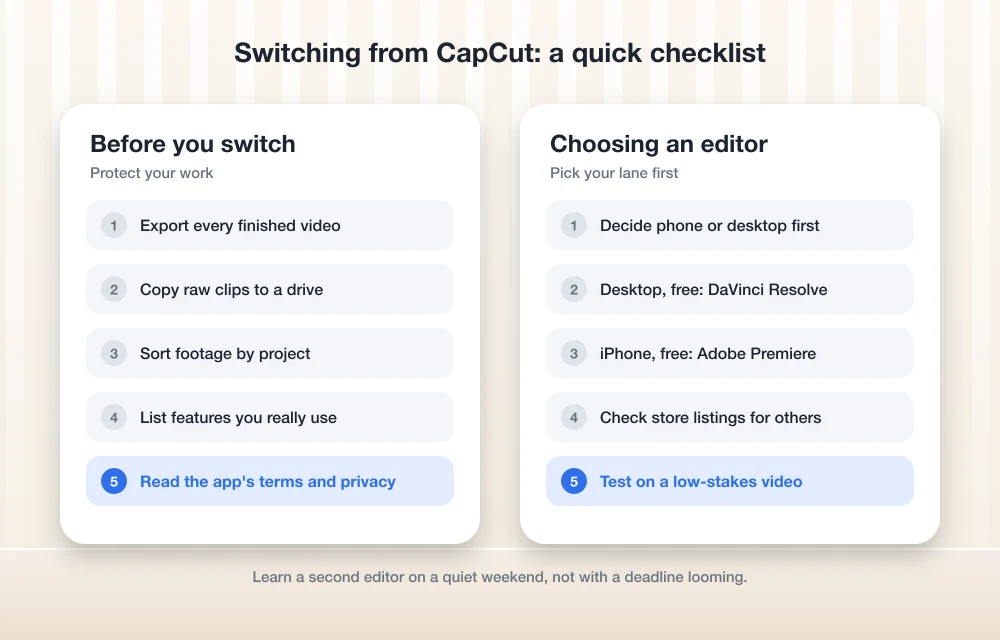
Mobile vs desktop: pick your lane first
Before you compare a single app, figure out where you actually edit. That one choice cuts the list roughly in half.
Phone editors are great for vertical clips you shoot and post the same day. Trim, captions, music, export. Done. If that’s most of what you do, you don’t need a heavy desktop program.
Desktop editors start to make sense once you’re into longer YouTube videos, careful color work, cleaner audio or anything with lots of layers stacked up. But they ask more of your computer. If your current machine’s already wheezing, my guide to the best laptops for small business is a decent place to start if you want something that can handle editing alongside your everyday work.
Storage is the one everyone forgets. Video files pile up crazy fast, and most desktop editors are happiest with your footage on a fast external drive. And if that drive stops showing up one day? Check my fix for an external drive not detected on Windows or Mac before you panic about lost projects.
The best CapCut alternatives for US creators
1. Adobe Premiere (iPhone app and desktop)
First, a correction to a lot of older lists: Premiere Rush is gone. Per Adobe’s Premiere Rush end-of-life page, downloads stopped on Sept 30, 2025, subscription renewals stopped after that date, and existing installs kept working until the app was discontinued on Sept 30, 2026. Tech support ended the same day.
The replacement’s the more interesting app anyway. Adobe says, “Premiere is available as a free iOS app. Everything you need to create a great video is available for free.” You don’t even need an Adobe account to edit, save locally or export on iPhone. Nice if you just want to poke around.
Sign in and you get extras: the free asset library, generative AI features and Firefly credits, and the option to send projects over to your computer. That last one also needs a Premiere subscription and cloud storage on your Adobe account. Once that’s sorted, Adobe says you open Premiere on desktop with the same account, head to the Creative Cloud panel and find your project in the cloud section.
Android’s where it gets murky. Adobe’s Rush page says the mobile replacement is for iPhone and Android, but Adobe’s mobile FAQ says the app is on iOS “at this time.” Which is it? I can’t confirm an Android version, so check Google Play yourself.
I also couldn’t confirm what Premiere desktop costs right now. Not ideal. Look at Adobe’s official Premiere plans page before you budget for it.
One small practical thing. Signing in means yet another account to remember, and if you’re already juggling Adobe, Google and a pile of other creator logins, a password manager saves you real headaches. I’ve written about the best password managers for families and small businesses if you need one.
What I liked
- Free on iPhone, and you don’t need an account to edit, save or export
- An easy path from phone to desktop if you grow into longer videos
- Free asset library and AI features once you sign in
What could be better
- Adobe’s own pages don’t make Android availability clear
- Sending projects to desktop needs a paid Premiere subscription plus cloud storage
- I couldn’t confirm desktop pricing for this update
2. DaVinci Resolve

Want a serious desktop editor without paying a cent? This is where I’d start. Blackmagic Design’s current version is DaVinci Resolve 21, and both the free version and the paid Studio version run on Mac, Windows and Linux.
The free version is surprisingly generous. Blackmagic says it handles virtually all 8-bit formats up to 60fps and Ultra HD (3840×2160), and you get multi-user collaboration and HDR grading thrown in. HDR grading is just adjusting color for high dynamic range video, that bright, punchy footage a lot of newer phones and cameras shoot.
Studio adds the DaVinci AI Neural Engine and more Resolve FX, plus noise reduction, text-based editing (you cut the video by editing a transcript, which is as handy as it sounds), magic mask, film grain and optical blur. It also handles 10-bit video up to 120fps and resolutions beyond 4K.
The catch? The learning curve. Resolve is a full-on professional tool, and coming straight from CapCut it’ll feel like a big jump. So give yourself a few evenings of messing around before you take on a real project.
What I liked
- The free version does Ultra HD up to 60fps
- Works on Mac, Windows and Linux
- You get HDR grading and multi-user collaboration without paying
What could be better
- It’s a desktop program, not a quick phone editor
- Text-based editing, magic mask and the AI tools are Studio only
- A way steeper learning curve than CapCut
3. VN Editor
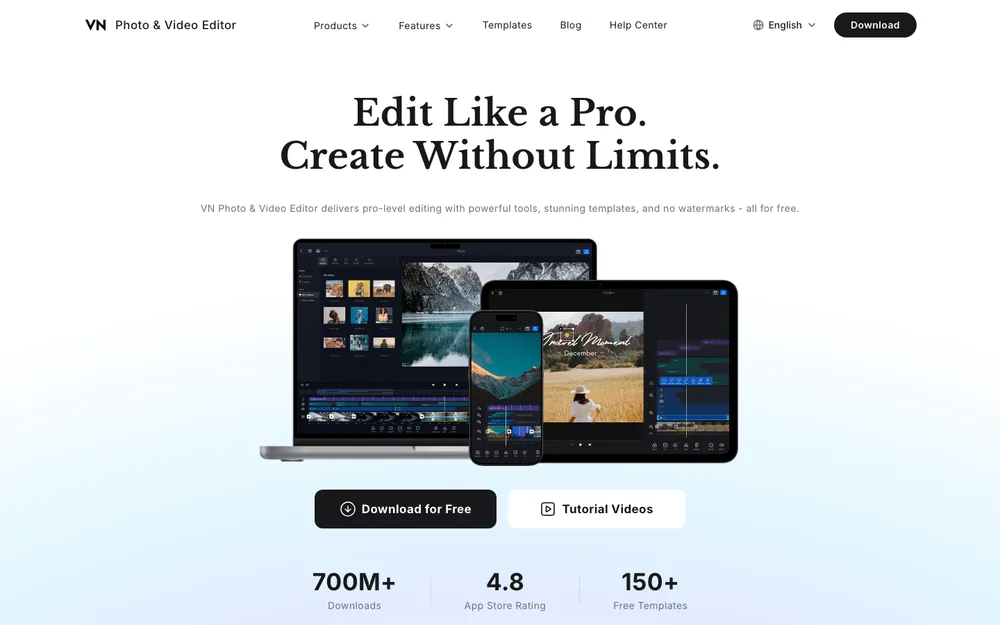
VN Editor’s on my shortlist for phone editing. But I couldn’t verify its developer, ownership, pricing or platforms from an official source for this update.
And that matters more than usual here. If ownership questions are why you’re leaving CapCut, you’d want to know who makes the next app, right? Check the developer name and privacy details on its App Store or Google Play listing before you move your projects over.
4. InShot
InShot is the other phone app on my shortlist. I couldn’t confirm its Pro pricing or which platforms it supports, so the store listing is your best source of truth.
When you look, check two things. What does the free version let you export? And what does Pro actually add on top? If the free tier already covers how you edit today, I wouldn’t pay up front.
5. Clipchamp
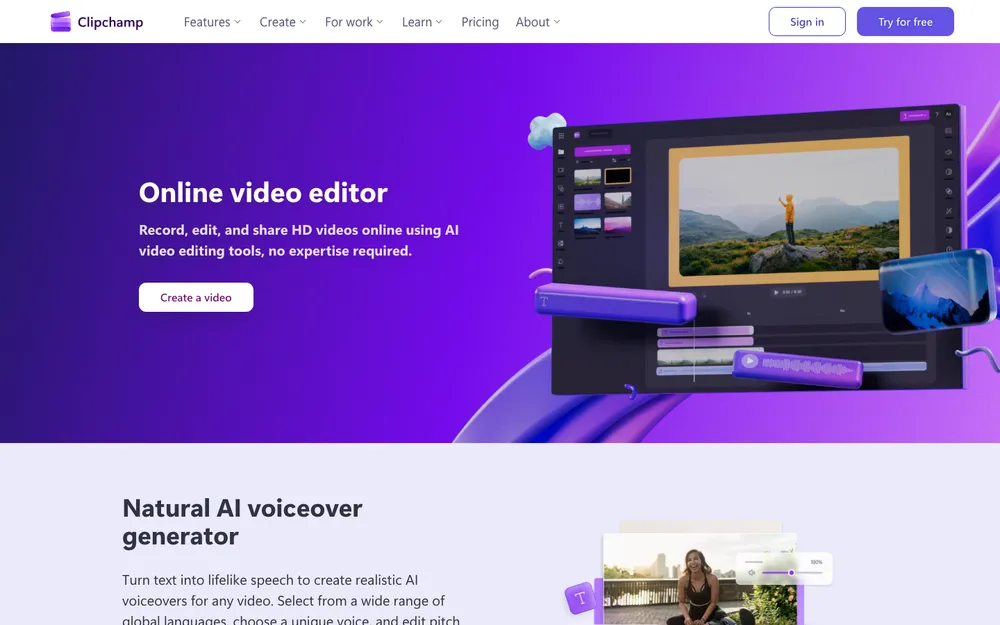
Clipchamp has a free tier and a Premium tier, but I couldn’t confirm current pricing for either. So hit up Clipchamp’s official pricing page and see what each plan includes before you commit, especially if you need higher-resolution exports or brand assets.
6. iMovie
On a Mac or iPhone? Look at iMovie before you download anything else. It’s Apple’s own editor, so switching doesn’t mean handing your footage to yet another company. I didn’t verify its current version, price or supported devices for this update, so pop into the App Store and see if it’s already sitting on your device.
It won’t match Resolve for color or effects. Not even close. But for family clips, quick reels and simple YouTube edits, it’s a pretty sensible first stop.
Side-by-side: Premiere on iPhone vs DaVinci Resolve
These two have the most official detail behind them, so I’ve lined them up using only what the companies say.
| Feature | Premiere (iPhone) | DaVinci Resolve (free) |
|---|---|---|
| Where it runs | iPhone (Android not confirmed) | Mac, Windows, Linux |
| Quick edits on your phone | Yes | No |
| Price to start | Free | Free |
| Account needed to export | No | Not confirmed |
| Ultra HD up to 60fps | Not confirmed | Yes |
| HDR grading | Not confirmed | Yes |
| Phone to desktop projects | Yes, with Premiere subscription and cloud storage | Not confirmed |
Quick check: every CapCut alternative on this list
Everything below comes from each company’s own pages and store listings. If you see “not confirmed,” that just means I couldn’t find it there, not that the app doesn’t have it.
| Tool | Mobile or desktop | Price | Officially confirmed? |
|---|---|---|---|
| Adobe Premiere | iPhone and desktop | Free on iPhone; desktop price not confirmed | Yes |
| DaVinci Resolve | Desktop | Free; Studio listed at $236 (limited-time) | Yes |
| VN Editor | Not confirmed | Not confirmed | No |
| InShot | Not confirmed | Not confirmed | No |
| Clipchamp | Not confirmed | Free and Premium tiers; prices not confirmed | No |
| iMovie | Apple devices | Not confirmed | No |
DaVinci Resolve pricing
Resolve’s the only paid option here with a price I could actually confirm on the official page. Here’s what Blackmagic lists right now.
DaVinci Resolve
Free download
- Virtually all 8-bit formats up to 60fps
- Ultra HD 3840×2160
- Multi-user collaboration and HDR grading
DaVinci Resolve Studio
Limited-time 20% discount; license type and offer end date not confirmed
- DaVinci AI Neural Engine
- Text-based editing and magic mask
- 10-bit up to 120fps, beyond 4K
Prices checked November 2026 on the official DaVinci Resolve page. Prices and discounts change, so double-check before you buy.
How to switch from CapCut without losing your work
I don’t have verified menu paths for exporting out of CapCut, so think of these as general steps rather than button-by-button instructions. They’ll still save you a ton of grief.
Save your finished videos
Export or download every final video you care about, and keep it somewhere you control.
Keep your original clips
Copy your raw footage off your phone and onto a computer or external drive, sorted by project.
List the features you really use
Captions, templates, speed ramps, music? Jot them down, then check each new app against how you actually edit.
Try the free version first
Edit one real but low-stakes video in the new app before you pay for anything.
Resolve for desktop, Premiere for iPhone: where I’d land
If you mostly edit on a computer and want something free, I’d go straight to DaVinci Resolve. The free version does more than most creators will ever need, and you only pay if you want Studio’s AI tools and the higher-end formats.
On iPhone, Adobe’s free Premiere app is the one I’d try first. Mostly because you can edit and export without even making an account. And if you later want to finish projects on a computer, that path’s there too (it’ll cost you a subscription, though).
As for VN Editor, InShot, Clipchamp and iMovie, check the official listings before you commit. Any of them could be the right fit for you, but I’d rather tell you what I couldn’t confirm than guess. Oh, and whatever you end up choosing? Back up your footage first.
Frequently Asked Questions
Is CapCut still available in the US?
Silver Lake’s official announcement says the TikTok USDS Joint Venture’s safeguards cover CapCut in the US. I couldn’t confirm CapCut’s current App Store or Google Play status from an official source, so check the store on your device.
Is Adobe Premiere Rush still available?
No. Adobe stopped Rush downloads on Sept 30, 2025 and discontinued the app on Sept 30, 2026. Adobe says Premiere on mobile and Premiere on desktop replace it.
Is Adobe Premiere free on iPhone?
Yes. Adobe says Premiere is a free iOS app, and you don’t need an Adobe account to edit, save locally or export. Sign in and you also get the free asset library, AI features and the option to send projects to desktop.
Is DaVinci Resolve really free?
Yes, really. Blackmagic Design offers a free version of DaVinci Resolve for Mac, Windows and Linux that handles Ultra HD up to 60fps. The paid Studio version adds AI tools, more effects and higher-end formats.
What’s the best CapCut alternative for Android?
Tricky one. Adobe’s own pages disagree on whether Premiere’s mobile app is on Android, so check Google Play. I also couldn’t confirm platforms or pricing for VN Editor or InShot, so look over their Google Play listings before you switch.
Featured image: Joey Huang on Unsplash.
Disclosure: TheTechHacker has no paid relationship with the companies in this article.
You might also like

Best Video Editing Software in 2026 for Windows and Mac: 6 Picks Compared
I compare Adobe Premiere, DaVinci Resolve, Final Cut Pro, PowerDirector, Filmora and CapCut desktop on features, learning curve and how each one is sold, so you can pick the right editor for Windows or Mac.

Best AI Video Editors for YouTube and Shorts in 2026: 6 Picks Compared
Descript, Opus Clip, CapCut, Premiere Pro, VEED and Runway compared for YouTube and Shorts. This guide covers auto captions, clipping and pricing from official vendor pages.
Best Free Video Editors for Beginners in 2026: Watermarks, Export Limits and Ease of Use
The free video editors I’d point a beginner to, from DaVinci Resolve and CapCut to iMovie and Kdenlive, with the watermark rules and export limits to know before you start.
The week in tech, minus the noise.
New reviews, fixes and the stories that matter — once a week, straight to your inbox.
We only use your email to send the newsletter. Unsubscribe any time. See our privacy policy.
Comments