

How to Fix Chrome Using RAM After You Close It
You close Chrome, open Task Manager, and it’s still there using hundreds of megabytes. If you’ve already turned off background apps, the cause may be a newer setting. Neowin reports that a user found Chrome processes using 300 to 700MB after closing the browser. The setting behind it was Show Gemini in system tray and…

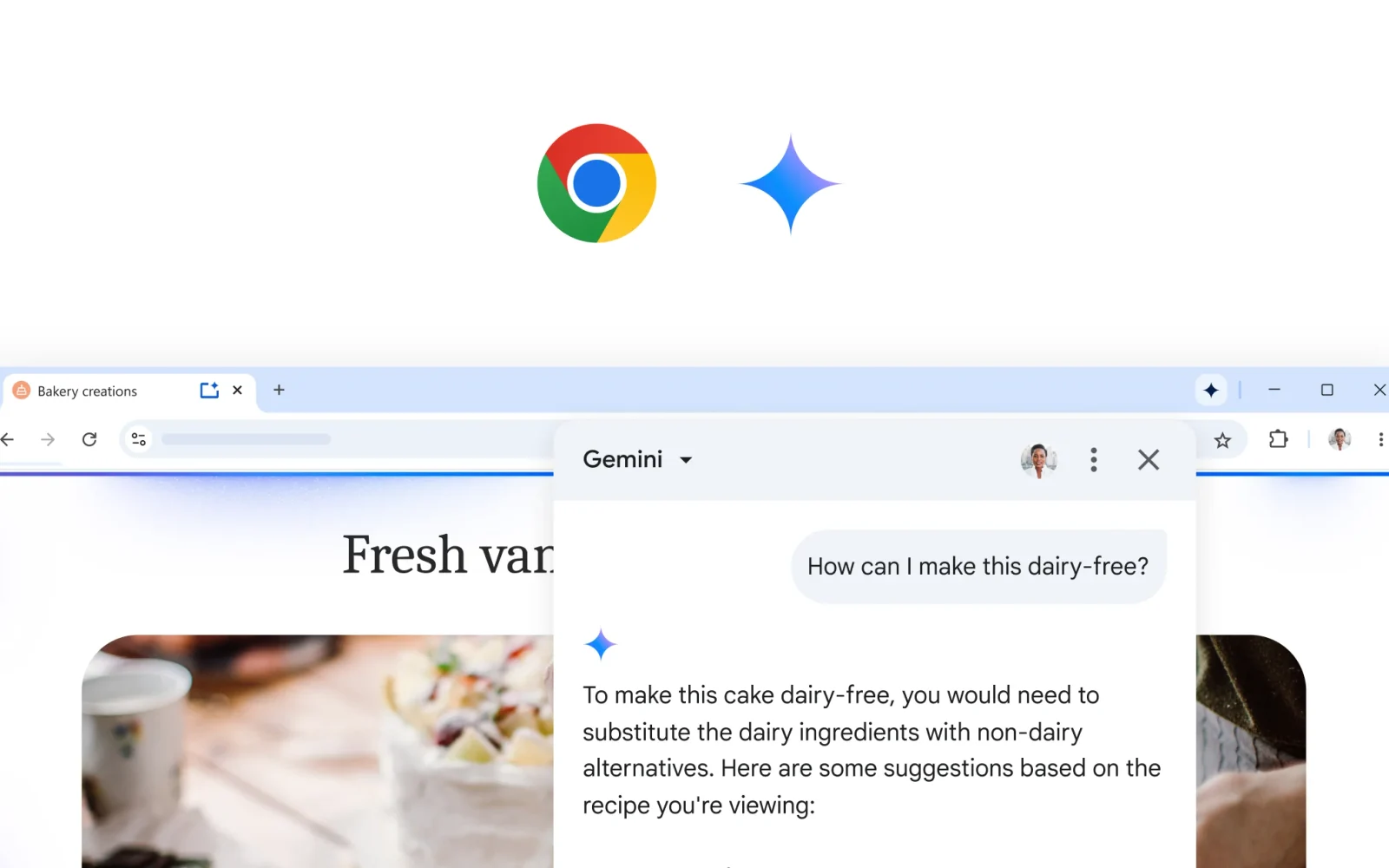
Image: Google
You close Chrome, open Task Manager, and it’s still there using hundreds of megabytes. If you’ve already turned off background apps, the cause may be a newer setting. Neowin reports that a user found Chrome processes using 300 to 700MB after closing the browser. The setting behind it was Show Gemini in system tray and turn on keyboard shortcut. It’s easy to miss because it’s filed under AI, not System. Try that first, then check background apps and extensions if Chrome still won’t quit.
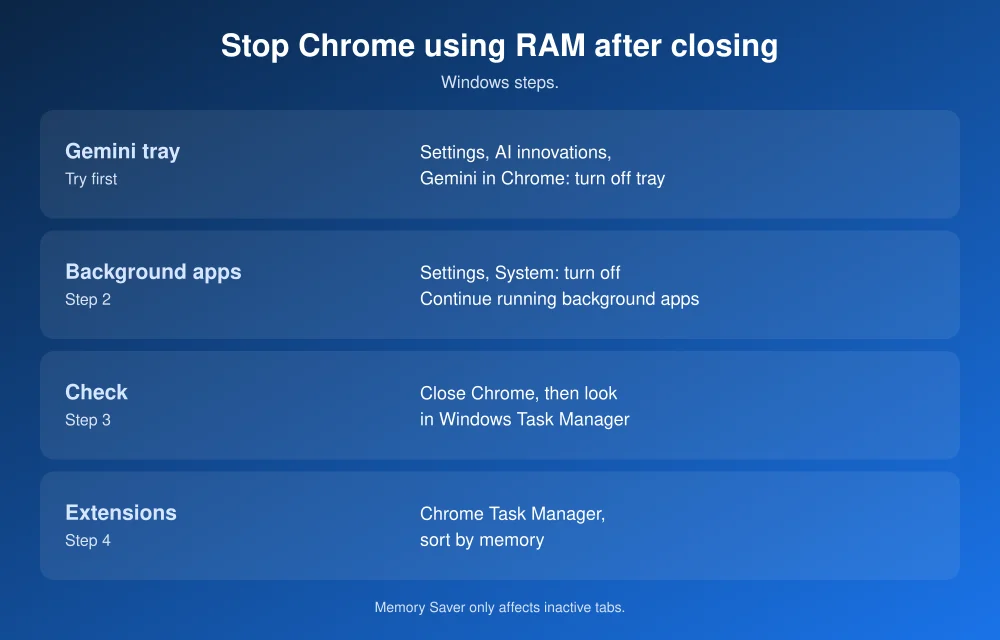
Quick answer: To stop Chrome using RAM after you close it on Windows, go to Chrome menu > Settings > AI innovations > Gemini in Chrome and turn off Show Gemini in system tray and turn on keyboard shortcut. Then go to Settings > System and turn off Continue running background apps when Google Chrome is closed. Close Chrome and check Task Manager. Turning off the tray option doesn’t turn off Gemini in Chrome. The two are separate switches. Memory Saver won’t help here, since it only affects inactive tabs.
Why Chrome keeps running
| Cause | Where to turn it off | Applies to |
|---|---|---|
| Gemini in the system tray | Settings > AI innovations > Gemini in Chrome | Windows (menu bar on Mac) |
| Background apps | Settings > System | Windows and Linux |
| Extensions | Menu > Extensions > Manage Extensions | All |
Google’s Gemini in Chrome help page says that after you opt in, Gemini is added to the Windows system tray or Mac menu bar. It doesn’t give a memory figure. The 300 to 700MB number comes from user reports, so yours may differ. Google hasn’t called this a bug, and keeping a tray icon ready may be how it’s meant to work.
Step 1: Turn off Gemini in the system tray
- In Chrome, select the three-dot menu > Settings.
- Select AI innovations > Gemini in Chrome. You can also type chrome://settings/ai/gemini in the address bar.
- Under Preferences, turn off Show Gemini in system tray and turn on keyboard shortcut.
- Close every Chrome window.
You’ll lose the tray icon and its shortcut. The separate Show Gemini at the top of the browser switch keeps the button inside Chrome. The wording can vary slightly by version. If you don’t see Gemini in Chrome, you may not be signed in or eligible, so skip to Step 2.
Step 2: Turn off background apps
- Go to Settings > System.
- Turn off Continue running background apps when Google Chrome is closed.
- Close Chrome.
Google’s background mode policy page says that when it’s on, Chrome starts when you sign in and keeps running after the last window closes. The policy covers Windows and Linux, not Mac. On a work PC, your company may control it.
Step 3: Check that Chrome has closed
- Wait about a minute after closing Chrome.
- Press Ctrl + Shift + Esc to open Task Manager.
- Look for Google Chrome under Processes.
- If it’s still there, check for a Chrome icon near the clock, right-click it and choose to exit.
Save your work before you end Chrome in Task Manager, because open pages can lose unsaved text.
Step 4: Find a heavy extension
- Open Chrome and go to menu > More tools > Task Manager.
- Select Memory footprint to sort by memory.
- Look for extensions and entries marked Background page.
- Go to menu > Extensions > Manage Extensions and turn off ones you don’t use.
Google covers this in its guide to speeding up Chrome.
Step 5: Test a new profile
Create a new Chrome profile and don’t sign in. Close it and check Task Manager. One report found that a signed-out profile closed properly. If yours does too, the cause is a setting or extension in your main profile. You don’t need to delete that profile.
Settings that won’t fix this
- Memory Saver frees memory from inactive tabs while Chrome is open. Keep it on, at Settings > Performance, but it isn’t described as affecting a closed browser.
- On-device AI has its own switch and is mainly about disk space. Google says it needs about 20GB free.
- Resetting Chrome reportedly didn’t help the users who tried it.
Low on disk space too? See how to free up disk space on a Windows PC using Claude. If Chrome won’t load pages, try our server IP address fix, and make sure you’ve installed the latest Chrome security update.
FAQs
Why is Chrome still in Task Manager after I close it?
The Gemini system tray option or background apps can keep it running. Turn both off in Chrome settings, then close all windows.
Will this remove Gemini from Chrome?
No. The system tray option and the Gemini button in the browser are separate settings.
Does Memory Saver stop Chrome using RAM after closing?
No. Memory Saver deactivates tabs you aren’t using while Chrome is open.
Does this happen on a Mac?
Google lists a similar Gemini option for the Mac menu bar. The memory reports we found are about Windows.
Featured image: Google.
Disclosure: TheTechHacker has no paid relationship with Google or any company mentioned here.
More in How-to
How to Fix Apps Crashing While Multitasking After iOS 26 Update
The latest iPhones are powerful enough to handle heavy multitasking without breaking a sweat. So when your device starts crashing, freezing, or stalling while switching apps after the iOS 26 update, it feels especially frustrating. This issue can stem from several sources: a bug in the iOS build, misconfigured background refresh settings, insufficient storage, or…
How To Fix Google Chrome Not Showing Most Visited Sites Thumbnails
Latest advanced browsers show most visited sites as thumbnails when you open the browser. Google Chrome is one such browser which has many advanced features with a clean interface. Chrome has support for showing thumbnails for most visited sites. Whenever we launch Chrome it shows the most visited sites as thumbnails to easily open them…
How to fix Google Chrome has stopped working error
Google Chrome is a very popular browser. It has many advanced features which are exclusive to the Chrome users. Sometimes unexpectedly Google starts crashing when we try to open. Usually, we get “Google Chrome has stopped working” and asks to close the program. It is an annoying situation when we try to browse something important…
The week in tech, minus the noise.
New reviews, fixes and the stories that matter — once a week, straight to your inbox.
We only use your email to send the newsletter. Unsubscribe any time. See our privacy policy.
Comments