

How to Fix Windows 11 KB5132057 Not Installing (0x800f0993, 0x800f0989)
Windows 11’s last optional update of 2026, KB5132057, won’t install on some PCs. Users on Microsoft’s support forum report errors such as 0x800f0993 and 0x800f0989, often after several tries. It’s a preview update released on November 19 for Windows 11 25H2 and 26H2, so you don’t have to install it. As of November 24, Microsoft’s…

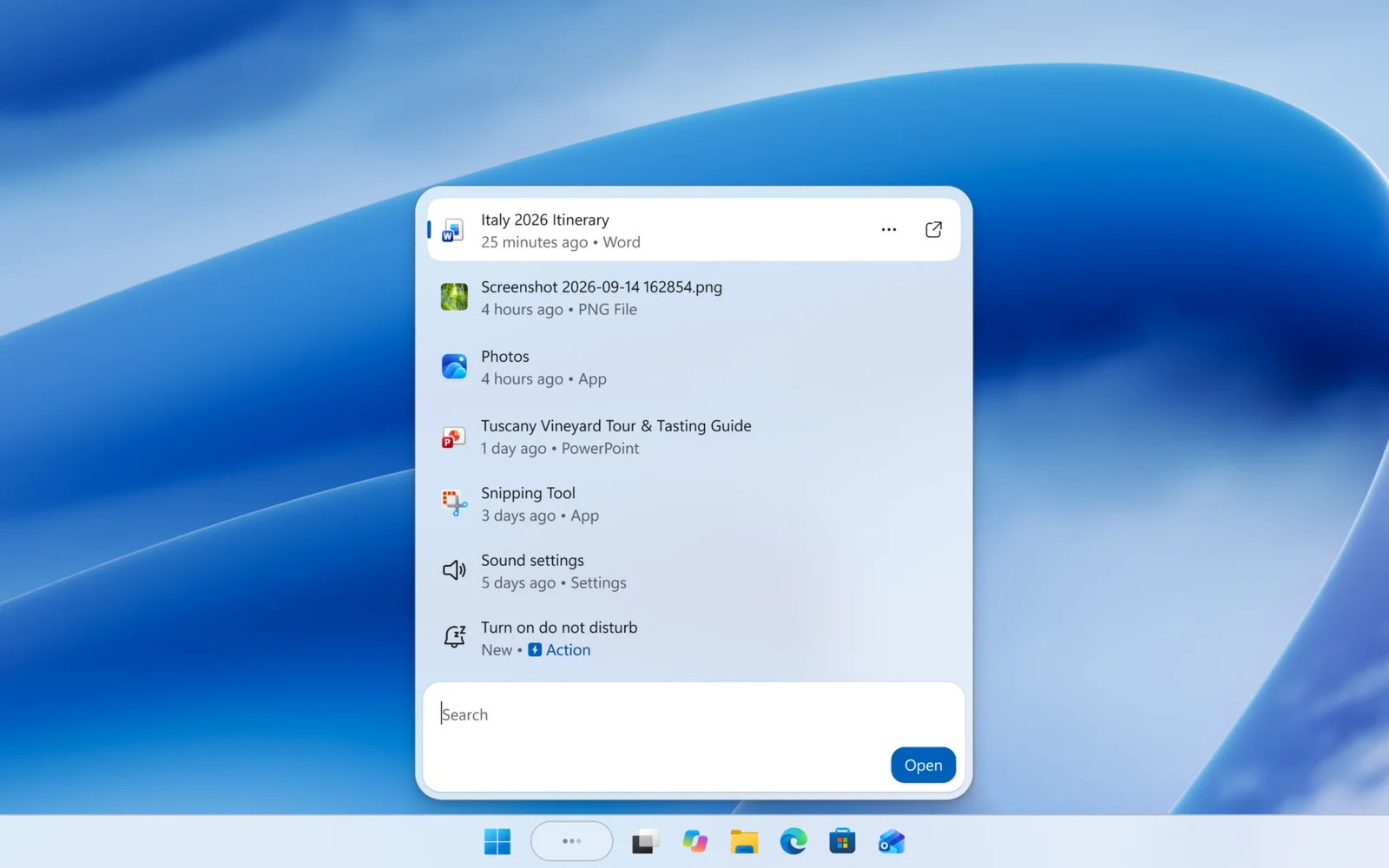
Image: Microsoft
Windows 11’s last optional update of 2026, KB5132057, won’t install on some PCs. Users on Microsoft’s support forum report errors such as 0x800f0993 and 0x800f0989, often after several tries. It’s a preview update released on November 19 for Windows 11 25H2 and 26H2, so you don’t have to install it. As of November 24, Microsoft’s KB5132057 page doesn’t list an install problem or a specific workaround. This guide covers how to skip it safely, and what to try if you need one of its fixes.
Quick answer: If KB5132057 fails to install, the simplest fix is to skip it. Go to Settings > Windows Update, turn off Get the latest updates as soon as they’re available, and restart. The changes arrive with the next monthly security update, due December 8, 2026. If you need it now, run the Windows Update troubleshooter, run DISM and SFC, then install it manually from the Microsoft Update Catalog. If that fails, use Settings > System > Recovery > Reinstall now, which keeps your files and apps.
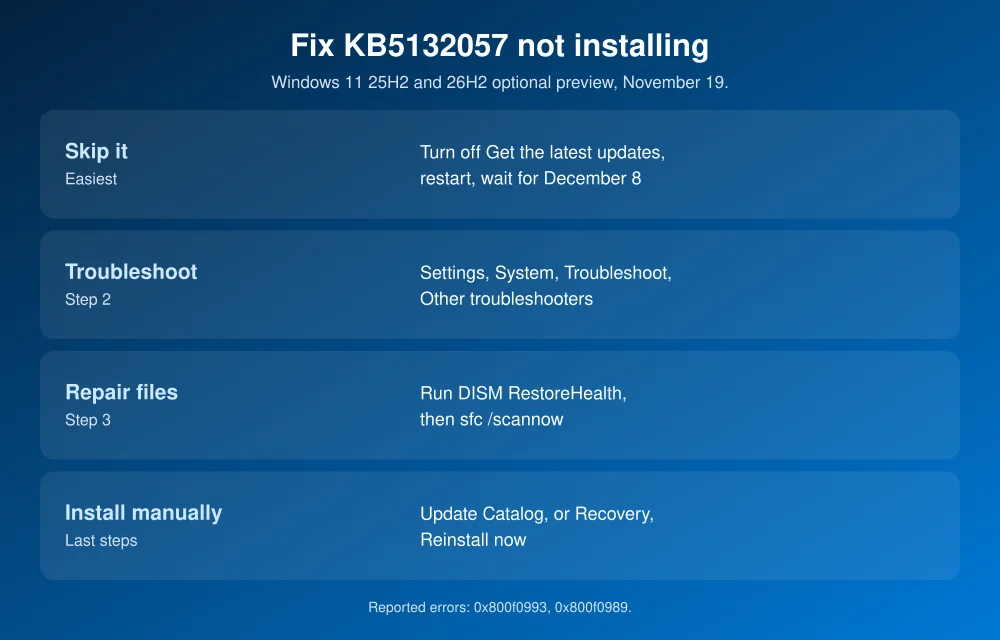
KB5132057 error codes users report
| Error | Where it’s reported |
|---|---|
| 0x800f0993 | Several users on 25H2 and 26H2 |
| 0x800f0989 | 26H2 |
| 0xc000012f | 26H2 |
| 0x800f081f | One user comment |
These come from user posts on Microsoft Q&A, not from a Microsoft statement. Don’t mix this up with KB5132061, the November 10 security update. Microsoft confirmed failures for that one and said the repair ran automatically. If that’s the update you’re stuck on, see how to fix KB5132061 not installing.
1. Skip the update (easiest)
- Open Settings > Windows Update.
- Turn off Get the latest updates as soon as they’re available.
- Restart your PC. One user on Microsoft’s forum said the error cleared and the update moved back to Optional updates.
Security updates still install with this off. Microsoft says monthly security updates include the previous preview’s changes, and that there’s no preview update in December 2026. The next security update falls on the second Tuesday, December 8.
2. Run the Windows Update troubleshooter
- Go to Settings > System > Troubleshoot > Other troubleshooters.
- Next to Windows Update, select Run.
- Restart and try Settings > Windows Update > Advanced options > Optional updates again.
3. Repair system files
- Right-click Start and open Terminal (Admin).
- Run
DISM.exe /Online /Cleanup-image /Restorehealthand let it finish. - Run
sfc /scannow. - Restart and try the update again.
The steps come from Microsoft’s System File Checker guide. Some users say this didn’t fix KB5132057, so don’t repeat it many times.
4. Install it manually
- Search for KB5132057 in the Microsoft Update Catalog and choose your version and processor (x64 or Arm64).
- Download all the MSU files into one empty folder, such as C:\Packages.
- Install the checkpoint KB5043080 first, then KB5132057, as Microsoft’s page instructs.
5. Reinstall Windows without losing files
If you need the update and nothing works, back up, then go to Settings > System > Recovery > Fix problems using Windows Update and select Reinstall now. It keeps your apps, files and settings. For a bigger problem, compare Cloud Rebuild and Reset this PC.
Should you bother installing it?
Only if you need one of its fixes. For example, it stops Sage 50 Accounting closing unexpectedly, and it fixes the Android passkey sign-in error. It also has its own known issue, where SQL Server linked server connections might stay open. To delay updates in general, see how to pause Windows 11 26H2.
FAQs
Why won’t KB5132057 install?
Microsoft hasn’t confirmed a cause. Users report errors including 0x800f0993 and 0x800f0989 on Windows 11 25H2 and 26H2.
Is it safe to skip KB5132057?
Yes. It’s an optional, non-security preview. Its changes are included in the next monthly security update, due December 8, 2026.
Is KB5132057 the same as KB5132061?
No. KB5132061 is the November 10 security update. KB5132057 is the November 19 optional preview.
Does KB5132057 work on Windows 11 24H2?
No. It’s for 25H2 and 26H2. Windows 11 26H1 gets a different update, KB5132265.
Featured image: Microsoft.
Disclosure: TheTechHacker has no paid relationship with Microsoft or any company mentioned here.
More in How-to

How to Fix KB5132061 Not Installing on Windows 11 (0x800f0993 and More)
Windows 11’s November security update, KB5132061, arrived on Patch Tuesday, November 10, and on some PCs it just won’t go in. You click Install, the progress bar crawls, and then Windows Update shows 0x800f0993, 0x80070306 or 0x800f0989, or quietly tries again on the next restart. Microsoft has acknowledged the problem, which helps, because it means…
How to Fix the Passkey “Something Went Wrong” Error on Android When Signing In on Windows 11
You scan the QR code on your Windows 11 PC, approve the passkey on your Android phone, and the website signs you in. Then your phone says “Something went wrong.” It’s a Windows bug, not a problem with your phone or your account. Microsoft fixed it in the November 19, 2026 preview update, KB5132057, for…
How to fix Windows cannot be installed to this disk issue?
This problem is most common when you are trying to install Windows 11 on an old system. It is mainly because incompatibility issue of Windows 11 with the old hardware. The message represents “Windows cannot be installed on this disk. The selected disk is of the GPT partition style.” This problem comes from partition-style and…
The week in tech, minus the noise.
New reviews, fixes and the stories that matter — once a week, straight to your inbox.
We only use your email to send the newsletter. Unsubscribe any time. See our privacy policy.
Comments