

How to Schedule Messages on WhatsApp (iPhone and Android)
WhatsApp now lets you write a message today and have it sent later. Meta calls scheduled messages one of its most requested features, and they work in both one-to-one chats and groups. You can schedule a text, photo or video from 10 minutes to 14 days ahead. Quick answer: Open a chat in WhatsApp, type…

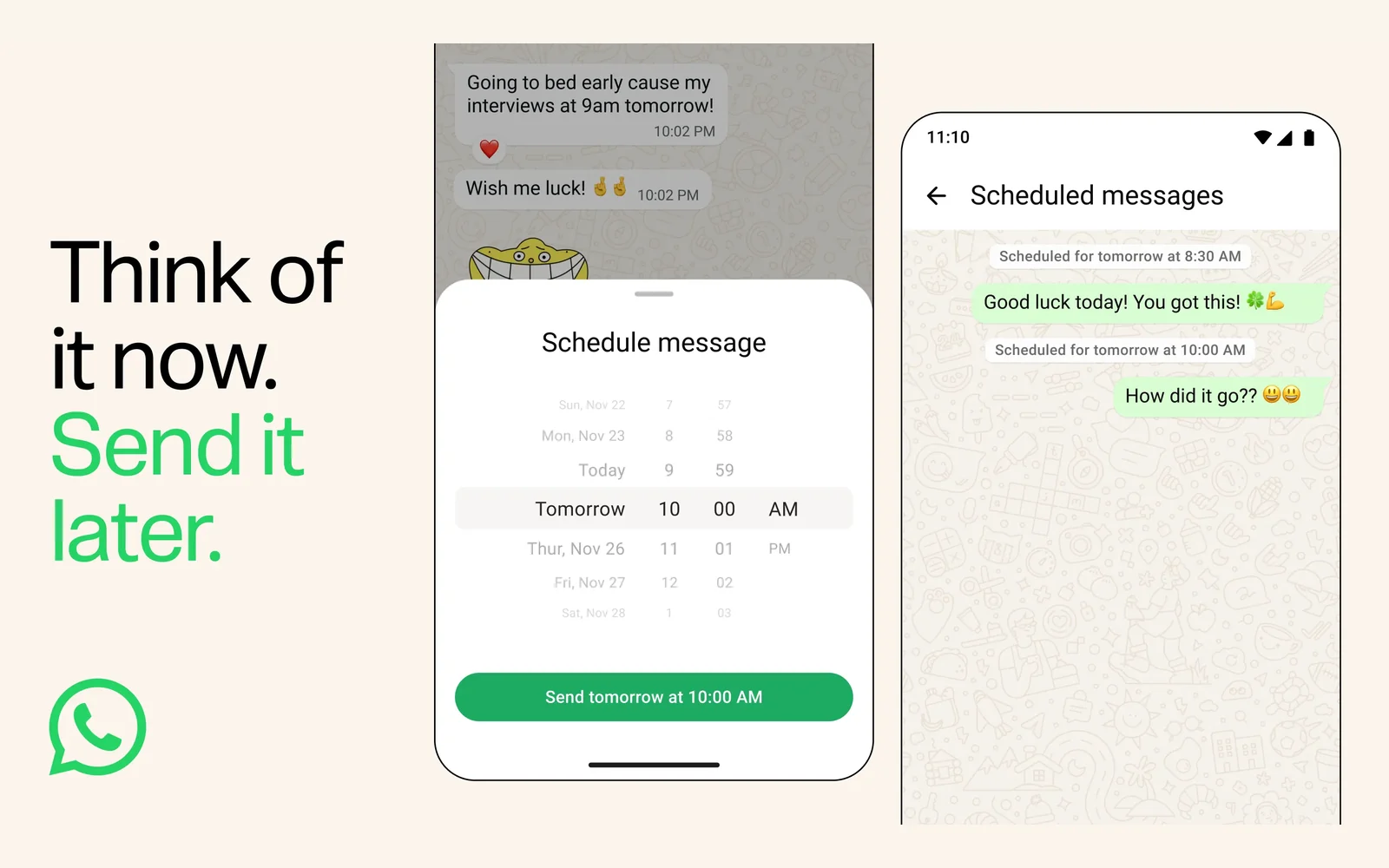
WhatsApp Scheduled Messages
WhatsApp now lets you write a message today and have it sent later. Meta calls scheduled messages one of its most requested features, and they work in both one-to-one chats and groups. You can schedule a text, photo or video from 10 minutes to 14 days ahead.
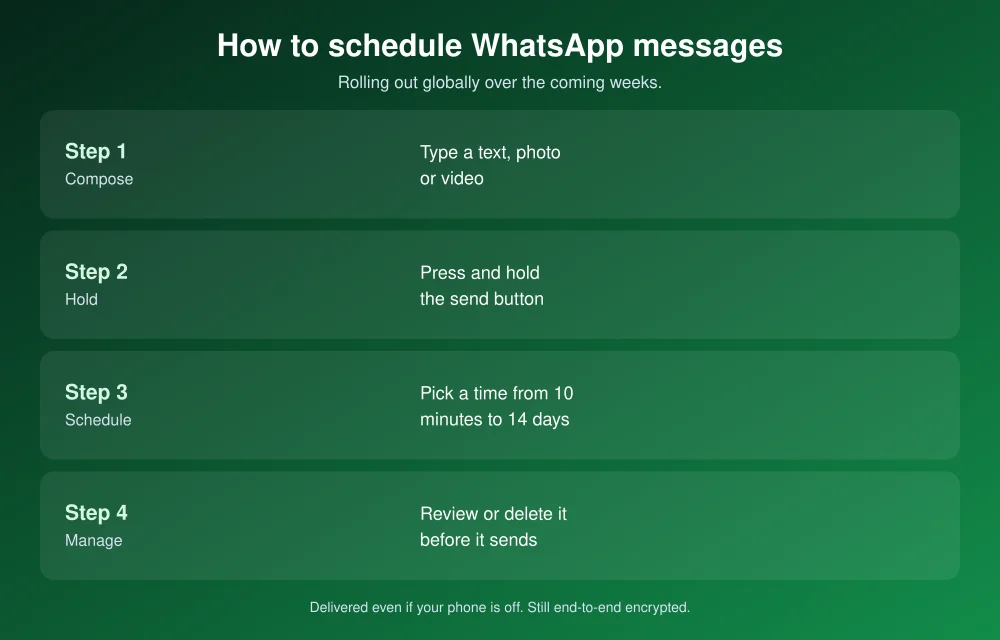
Quick answer: Open a chat in WhatsApp, type your message, then press and hold the send button. Pick the date and time you want it to arrive and confirm. You can see the messages you’ve scheduled and delete one before it’s sent. The feature is rolling out globally over the coming weeks, so update WhatsApp if you don’t see it yet.
How to Schedule a WhatsApp Message
The steps are the same on iPhone and Android, according to WhatsApp’s announcement.
- Update WhatsApp from the App Store or Google Play.
- Open the chat or group you want to message.
- Type your message, or attach a photo or video.
- Press and hold the send button instead of tapping it.
- Choose the date and time. It can be anywhere from 10 minutes to 14 days later.
- Confirm. The message waits in the chat until it’s time to send.
How to See or Cancel a Scheduled Message
WhatsApp says you can see all the future messages you’ve lined up and delete any of them before it goes out. WhatsApp’s own image shows a Scheduled messages list inside the chat. 9to5Google reports that you can also edit a message before it’s sent.
What You Can and Can’t Schedule
| Item | Scheduled messages |
|---|---|
| Text | Yes |
| Photos and videos | Yes |
| Voice notes | Not listed by WhatsApp; 9to5Google reports they don’t work |
| Group chats | Yes |
| Shortest and longest delay | 10 minutes to 14 days |
Does Your Phone Need to Be On?
No. WhatsApp says the message is still delivered at the time you picked even if your phone is off or the battery is dead. Scheduled messages stay end-to-end encrypted, and the person receiving one sees a normal message with no sign that it was scheduled.
Why Don’t I See the Option?
- The rollout isn’t finished. WhatsApp says the feature is reaching users globally over the coming weeks. It may reach your account before or after a friend’s.
- Your app is out of date. Install the latest version and try again.
- You tapped instead of holding. A quick tap sends right away. Press and hold the send button.
Good Uses for Scheduled Messages
- Birthday wishes that should arrive at midnight in a friend’s time zone.
- Good-luck messages before an exam or interview the next morning.
- Group reminders, such as a dinner time or a payment due date.
Moving to a new iPhone? Read how to back up WhatsApp without iCloud. Setting up a parent’s phone this week? Use our Thanksgiving tech checklist. iPhone users can also learn how to change the Messages audio button in iOS 27. Help articles are on WhatsApp’s Help Center.
FAQs
How do I schedule a message on WhatsApp?
Type the message, press and hold the send button, pick a date and time, and confirm.
How far ahead can I schedule a WhatsApp message?
From 10 minutes to 14 days.
Will the message send if my phone is off?
Yes. WhatsApp says it is still delivered at the chosen time.
Why can’t I schedule messages on WhatsApp?
The feature is rolling out over the coming weeks. Update the app and check again later.
Featured image: WhatsApp.
Disclosure: TheTechHacker has no paid relationship with WhatsApp or Meta.
More in How-to
How to fix WhatsApp crashes in specific group chats on iPhone, Android
You open WhatsApp to check a group message, and the app closes immediately. You try again, but the same thing happens. Other conversations may work normally, while one particular group keeps crashing the app. It is frustrating, especially when that group is used for work, family updates, or important announcements. The good news is that…
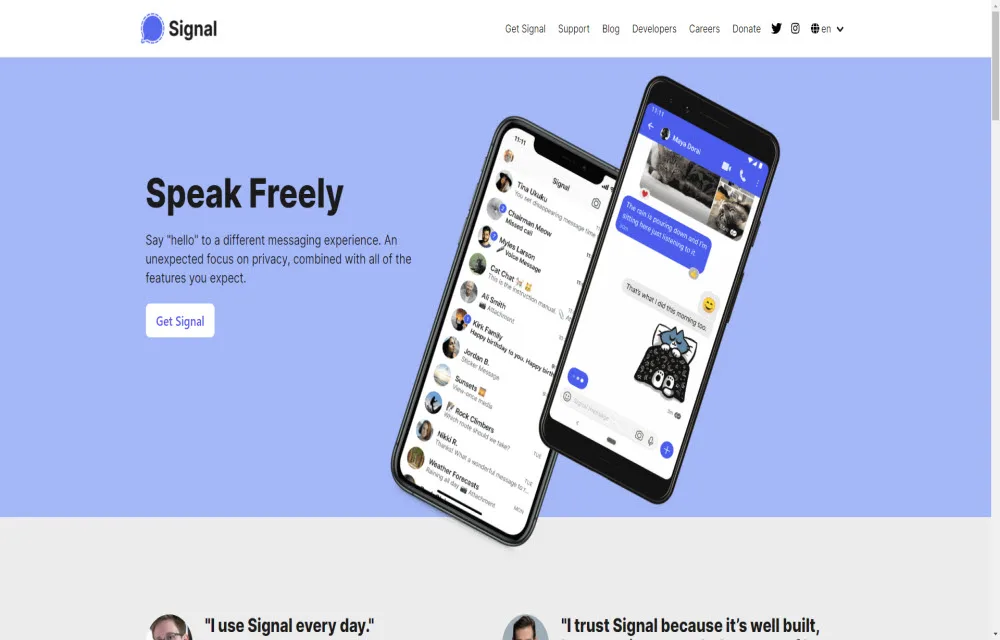
How To Use Signal App?
After the upsetting WhatsApp privacy policy update, many people ditched the WhatsApp and moved to the other alternatives. One of the best alternatives to the WhatsApp in terms of privacy and security is notable “Signal” app. The signal is well known for its privacy features. Also, the app became much popular with the Elon Musk…

How to Get FaceTime for Android?
Does FaceTime work on Android? Let me answer this question for you. As we all know, FaceTime is developed by Apple exclusively for iOS devices. FaceTime is used for video calling between iOS devices. FaceTime is used for video calling between iOS devices. It is nothing just an exclusive video calling service between iOS devices.…
The week in tech, minus the noise.
New reviews, fixes and the stories that matter — once a week, straight to your inbox.
We only use your email to send the newsletter. Unsubscribe any time. See our privacy policy.
Comments