

Guides

Avast Premier 2014 Review-Budget Friendly And Powerful
When it comes to PC security there’s always been some debate on whether you really need an antivirus program on Windows machines or not.

Best Online Shopping Sites That Offer International Shipping
Online shopping has numerous benefits when compared to traditional shopping. The shopper can save time, fuel, energy, discount shopping and ultimately at cheaper prices.
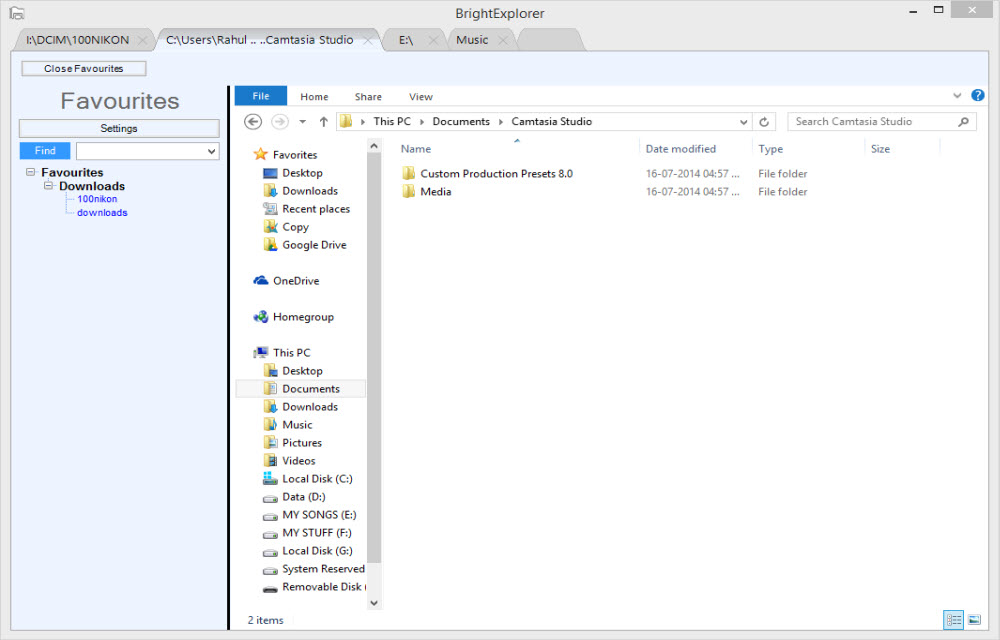
Add Tabs To Windows File Explorer With BrightExplorer
The file explorer is the main feature of any operating system. It lets you browse files located on the computer. Surprisingly Microsoft has not updated the user interface and features of File Explorer of Windows in ages.

How To Use Google Maps Offline On Android Device
When I travel to distinct places my perfect companion is my Android device. Most of us use Google Maps to explore new routes, finding a place and live traffic status.
CactusVPN Review
Using anonymous surfing by hiding your credentials is a safer way to browse the Internet today. VPN service provides anonymity and lets users access region restricted websites and applications from any part of the world.

What Is Alexa Rank? Tips To Improve Alexa Ranking
If you are into blogging, you might be at the idea of learning Alexa ranking system. It is a web information company and subsidiary of amazon.com, it simply audits and metrics the rank of your site in the ocean of websites.

Save Online Text Easily On Google Drive With Save Text To Google Drive Chrome Extension
It is very complicated to save the important text in websites manually when browsing. Better is to use Save Text To Google Drive extension for Google Chrome. It is a very simple and feature rich extension; it does what it says.

How to Turn Your Android Device Into a Webcam
Most of us use desktops, but the webcam does not come as a package with desktop systems, you need to buy it separately. If you are using an Android phone luckily you can turn it into a webcam.

Fixing Slow Internet Connection Speeds | 5 Fast Ways To Speed Up My Internet
If you’re wondering about how you might be able to speed up your slow Internet connection, then there are several easy, helpful options for you to consider. Having a slow, stuttering Internet connection can be a real pain; especially for those who are trying to do business, play immersive games and stream videos. While we’re…

Customize And Add Widgets To Your Mac OS X Desktop With Übersicht
Rainmeter is a fantastic desktop customization tool available for Windows. Unfortunately, Rainmeter is not available for Mac. For Mac users, Übersicht is a desktop customization tool and alternative to GeekTool. Using Übersicht you can build custom widgets anywhere on your Mac OS X desktop. It is simple, lightweight, and extremely effective when compared to the…
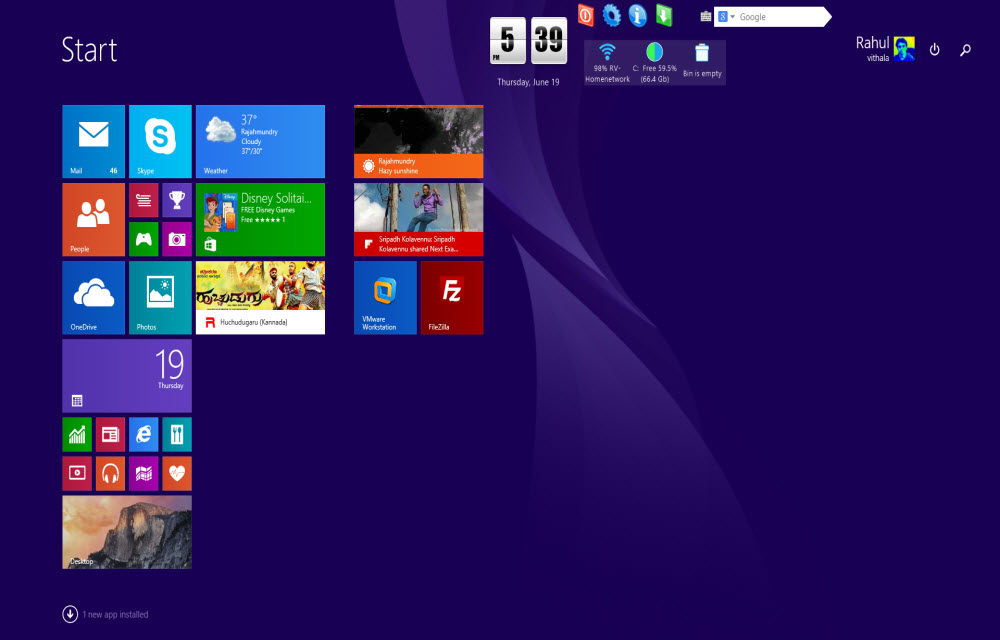
Customize Your Windows 8.1 Start Screen With Start Screen Unlimited
When it comes to customization Windows offers full customization options using third party programs. The new Windows 8 or Windows 8.1 start screen displays all apps in one place, but it is more user-friendly in tablets rather than desktop mode.
How To Save Internet Files Directly To Cloud With Ballloon Chrome Extension
Nowadays everyone using cloud services to store files. Typically when we want to save a file from the internet, first we download it to a computer and then upload it to cloud services like Google Drive or Dropbox. You can simplify this process by using Ballloon for Google Chrome extension. If it is a regular…