

Guides

How to Create a Twitter Account?
Do you want to dive into the world of Twitter, an energetic platform where news, opinions, and popular topics are communicated in real time via brief messages known as tweets? Creating a Twitter account is the first step in accessing this massive online conversation, whether you want to keep informed, offer your ideas, or connect with…

How to Create a Pinterest Account?
Pinterest is a visual discovery platform that allows users to search for, save, and share inspirational images, ideas, and information known as “Pins” on virtual boards. It works as an online mood board, assisting users in planning and organizing projects, events, or hobbies. Pinterest can be used for many things, including home design ideas, fashion…
How to Deactivate Facebook on Android
Are you becoming consumed by your Facebook use and considering a break? Deactivating your Facebook account on your Android device could be the answer. In this blog article, we’ll explain why you might wish to cancel your account and walk you through the process. Let’s get started! There are plenty of reasons for this decision.…

How To Fix NVIDIA ShadowPlay Not Recording Windows Games
I’ve noticed that some of you are having trouble getting ShadowPlay to record your gaming sessions. That’s no fun, so I’m here to help you out with some potential solutions to get ShadowPlay up and running smoothly again. First up, you may want to try reactivating the in-game overlay. Sometimes, this simple solution can do…

How To Watch HBO Max On Chromecast?
HBO Max has quickly become one of the most popular streaming services out there, offering a wide range of movies and TV shows for viewers to enjoy. However, watching HBO Max on a small screen like a smartphone or laptop can sometimes be a bit of a bummer, which is why many people prefer to…

Top Instagram Scams of 2023 and Tips to Evade Them
Instagram has become a popular platform for connecting with friends, sharing photos, and following your favorite celebrities. However, with its growing popularity, scammers have also found new ways to exploit users. In this article, we will discuss the top Instagram scams of 2023 and provide tips on how to avoid falling victim to them. 1.…
How to Disable Windows Startup Programs with Ease
As a Windows 10 user, you might have noticed that your computer can take a while to start up, especially if you have several programs launching automatically. Some of these programs are essential, while others can be safely disabled to speed up your computer’s startup time and free up system resources. In this guide, we’ll…
How To Install Windows 11 In VMware Workstation
Virtualization has become a significant aspect of computing, as it enables users to run multiple operating systems on a single machine. VMware Workstation is a popular virtualization tool that allows users to run various operating systems concurrently. In this article, we’ll discuss how to install Windows 11 in VMware Workstation, so you can explore the…
How To Set Up Windows 11 Without A Microsoft Account
Windows 11, Microsoft’s latest operating system, comes with a plethora of new features and improvements over its predecessor, Windows 10. However, during the setup process, you might have noticed that Microsoft pushes users to sign in with a Microsoft account. While having a Microsoft account can be beneficial in terms of syncing your settings, files,…

How To Mute Microphone On Windows 10 With Keyboard Shortcut
Muting the microphone on Windows 10 can be a useful feature when you need to block out background noise or take a break from speaking during an online meeting or call. In this article, we will show you how to mute your microphone on Windows 10 using a keyboard shortcut. Method 1: Use the Mute…

How To Fix No Sound From Headphones In Windows 10
When it comes to hardware, headphones are a common device that we use every day for various purposes, such as listening to music, participating in online meetings, or gaming. Typically, connecting headphones to your system’s audio jack is a straightforward process, and you should be able to hear audio without issue. However, in some cases,…
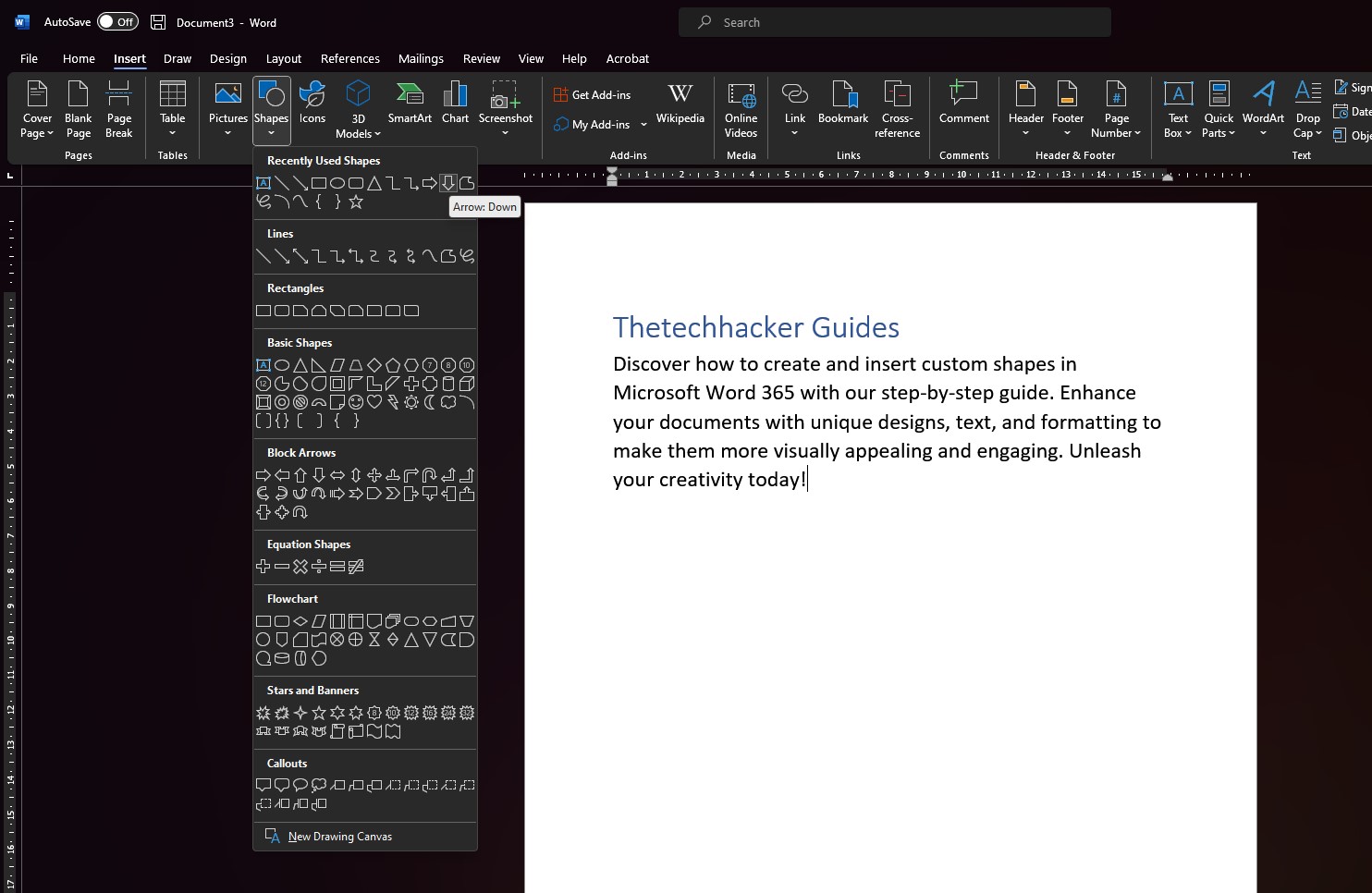
How To Design Custom Shapes in Microsoft Word 365
For millions of professionals all over the world, Microsoft Word 365 is an essential piece of software. It provides a wide variety of functions and features, ranging from the most fundamental aspects of text processing to the most complex aspects of design. Your documents can be elevated, making them more aesthetically appealing and engaging, thanks…