

Tutorials

Gmail POP3/SMTP Settings For Sending Emails
Gmail provides an ability to download emails via POP3/SMTP. To work with this feature, you require access to email client software such as Microsoft Outlook or Thunderbird. The advantage of the functionality is that your emails will be downloaded directly to your computer. Hence, you can read the email when you prefer. It is also…

How to Enable YouTube Dark Mode in Google Chrome, Firefox and Edge
YouTube has some special features, one of them is dark mode. This mode is for those who want a dark background in the YouTube interface. For regular video watchers, a white and red background is pretty bright and dominating at night. Luckily, YouTube is offering Dark Mode for users like me and you to get…

Steps Required To Install Arch Linux
Linux is an open source operating system. However, there are several distributions of Linux. Arch Linux is one of the most difficult distributions. It is designed in such a way that only people who are comfortable with Linux can install the distribution. If you attempt to install Arch Linux, you will know tat the distribution…

Different Ways To Search For Emails in Gmail
Gmail is a light-weight web based email system. You can not only verify emails directly from the web or using POP3 software such as Microsoft Outlook. If you work with Gmail, your inbox will become difficult to navigate. You will have to navigate through several pages to locate a specific email. You can also search…

How To Flush DNS In Windows?
You work with your computer every day for performing a wide range of work. It includes browsing Internet, emails, video streaming and much more. Each time you access a particular website, the relevant DNS resolutions are fetched from the web and stored on the computer. The DNS resolutions are stored in the cache on your…

How to convert videos into GIFs on WhatsApp?
WhatsApp is a popular messaging application. The Facebook-owned company has been adding new features from time to time to provide an impressive user experience. In 2016, the messaging app was reloaded with the long pending video call capability. The latest development is that the WhatsApp has been updated with the ability to create GIFs from…

Extract Data From iTunes To Computer Easily: Step By Step Method
If you work with either iPod or iPhone, you should have installed iTunes on to your computer. Imagine, there are thousands of songs inside your iTunes. By default, you cannot transfer all of them to your computer. However, you can generate a backup of your files from your Apple phone or music device at the…

How To Revert Old WhatsApp Status On Android
Nowadays, people make use of WhatsApp to communicate with their friends and relatives. The WhatsApp is a useful tool to share not only messages but also images and videos captured during special events to users anywhere in the world. However, the Facebook-owned company regularly provides updates with new features.
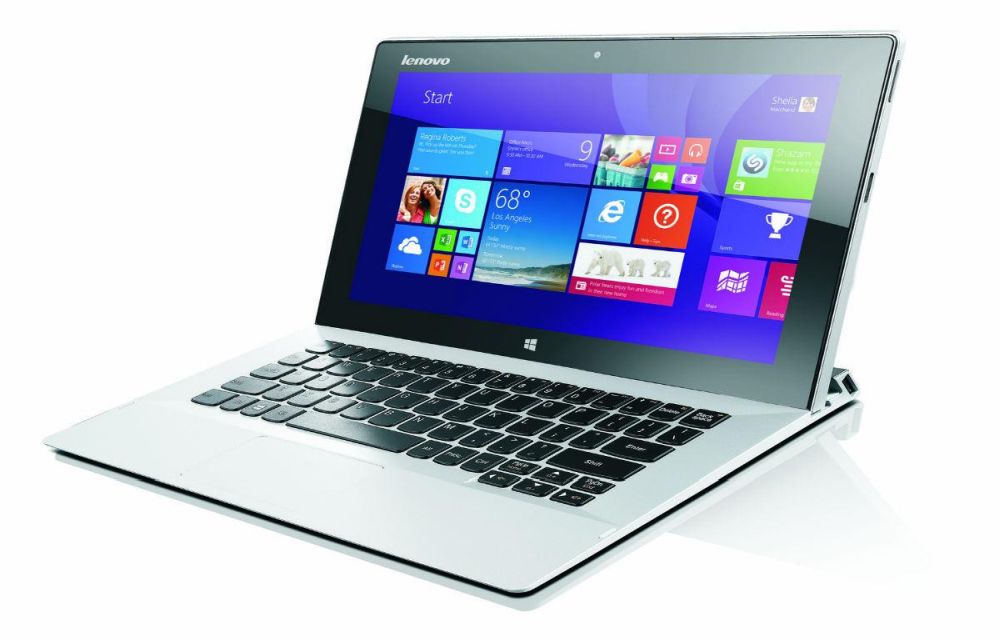
Speed up Lenovo Laptop Running Slow in Windows 10
Your Windows 10 laptop may go slower and slower over time. There are several reasons why your Lenovo laptop is acting up and gone painfully slow over time. Run through the checklist given below to fix this issue permanently.

Top 8 File Manager Apps For iPhone To Manage Files On The Go
Recently purchased iPhone or any other iOS device? You may notice that it don’t have any file manager app to browse or manage your files. Apple iOS ecosystem not allows the users to access its internal file system. However, we have few File Manager apps for iPhone, iPad. Don’t worry you don’t need to Jailbreak…

How To Charge Your Smartphone While Your Computer is in Sleep Mode
It is a myth that the computer totally sleeps after closing the laptop lid. But technically when the laptop lid is closed the USB ports go into sleep mode. But with a simple tweak you can disable the sleep mode of the USB ports while the computer in sleeping mode. Sounds interesting? Yes, this simple…

Most Common WhatsApp Errors and Its Fixes
WhatsApp, an app available for almost all mobile platforms don’t need any special introduction. It is a very popular messaging app available for Android, iOS, Windows Phone, and Blackberry running without any ads. This article is created for those who are getting errors while installing or while using the WhatsApp. Check out these Whatsapp Articles:…